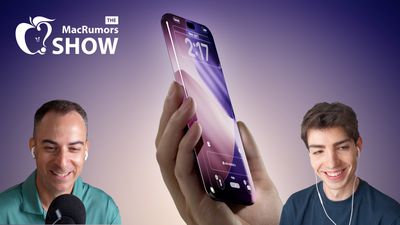
This week's episode of The MacRumors Show looks ahead to the 20th anniversary iPhone, the radically redesigned model that Apple is expected to launch in 2027.
Apple's plans for the device's name remain unclear. The company skipped "iPhone 9" and moved straight to the iPhone X for the device's 10th anniversary in 2017, and it is widely expected to skip "iPhone 19" in the same way. Rumors have referred to the 2027 models as both the "iPhone 20" and the "iPhone XX" as placeholder names, and it is still possible that they will sit above the iPhone 18 Pro and 18 Pro Max as a separate, higher-tier directly, even though they are more likely to replace them as usual. Apple has reset iPhone branding before with the iPhone Air, whose successor is expected to be the iPhone Air 2.
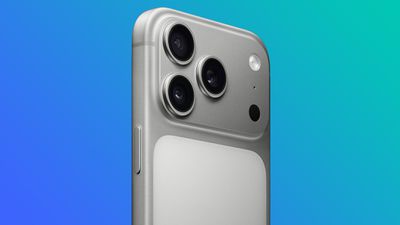
The 2027 iPhone is rumored to be the biggest redesign since the iPhone X. Apple is reportedly aiming for a near bezel-less design with curved glass that wraps around all four edges and a return to a glass back, in line with the single slab of glass that former design chief Jony Ive long described as a goal. The frame is said to be a thin polished band, potentially in a material other than the aluminum used on Apple's straight-edged models, with the display curving onto the sides rather than following one consistent curve.
Displays that curve down the sides can be prone to accidental touches, an issue seen on earlier Android handsets with waterfall edges, though Apple is expected to engineer the device to work with a case. The extent of the curvature, and how far the display appears to refract at the edges, is not yet clear.
Apple reportedly wants a front with no cutouts, but some of the under-display technology is unlikely to be ready in time, meaning some form of front-facing cutout is expected to persist. Current reporting points to a gradually shrinking Dynamic Island, Face ID components moving beneath the panel, and an under-display camera arriving last, since image quality still degrades when a lens sits behind the display.
Apple is also rumored to be revisiting solid-state haptic buttons, reviving the "Project Bongo" effort that reached prototype hardware years ago before being shelved. Reports have cited several potential motivations, including a cleaner frame with no moving parts, a reduction in the mechanical button failures that account for many AppleCare repairs, and additional internal space for a larger battery or additional haptic engine.
Apple is reported to be developing a custom image sensor that would replace the Sony sensors currently used across the iPhone lineup, following the company's move to bring its silicon, modem, Wi-Fi, and Bluetooth chips in-house. The rear camera plateau is likely to remain, owing to the space required by the folded optics used for the telephoto lens.
The anniversary models are expected to share a second-generation 2-nanometer A21 chip, along with efficiency gains and a newer Apple modem. A 6,000mAh battery has appeared in some rumors, though it is unclear whether that figure is based on supply chain information.
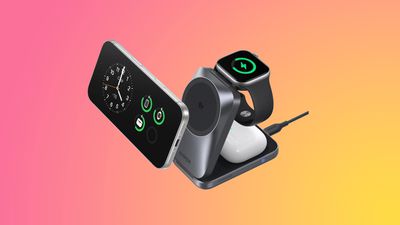
Reverse wireless charging appeared in the same report and would let the iPhone top up accessories such as AirPods or an Apple Watch. The underlying hardware is already present, since iPhones can charge a MagSafe battery pack through their wireless coil, but Apple has never enabled the capability for other devices, a feature Samsung has offered on its phones for several years. Its viability on the anniversary model may depend on the larger battery and efficiency gains rumored for the device, given how much charge reverse wireless charging draws from the handset itself.
This year's iPhone 18 Pro models are rumored to be a more modest update, with the larger redesign reserved for the 20th anniversary model. It is expected to arrive in the fall of 2027, following the iPhone 18, iPhone 18e, and iPhone Air 2 in the spring. The MacRumors Show has its own YouTube channel, so make sure you're subscribed to keep up with new episodes and clips.
You can also listen to The MacRumors Show on Apple Podcasts, Spotify, Overcast, or other podcast apps. You can also copy our RSS feed directly into your player.
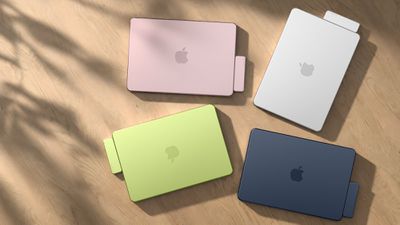
If you haven't already listened to the previous episode of The MacRumors Show, catch up to hear our discussion about the future of Apple's increasingly tangled high-end MacBook lineup, including the entry-level MacBook Pro and the rumored "MacBook Ultra."
Subscribe to The MacRumors Show for new episodes every week, where we discuss some of the topical news breaking here on MacRumors, often joined by interesting guests such as Kayci Lacob, Kevin Nether, John Gruber, Mark Gurman, Jon Prosser, Luke Miani, Matthew Cassinelli, Brian Tong, Quinn Nelson, Jared Nelson, Eli Hodapp, Mike Bell, Sara Dietschy, iJustine, Jon Rettinger, Andru Edwards, Arnold Kim, Ben Sullins, Marcus Kane, Christopher Lawley, Frank McShan, David Lewis, Tyler Stalman, Sam Kohl, Federico Viticci, Thomas Frank, Jonathan Morrison, Ross Young, Ian Zelbo, and Rene Ritchie.
The MacRumors Show is on X @MacRumorsShow, so be sure to give us a follow to keep up with the podcast. You can also email us at podcast@macrumors.com or head over to The MacRumors Show forum thread. Remember to rate and review the podcast, and let us know what subjects and guests you would like to see in the future.




















 Apple momentarily became the world's most valuable publicly traded company again today after its market valuation surpassed that of Nvidia,







 WhatsApp has started rolling out its new username feature, reports