For the last several months, MacRumors has been working on a series of in-depth feature guides and how tos that walk you through the design changes and updates in Apple's new software.
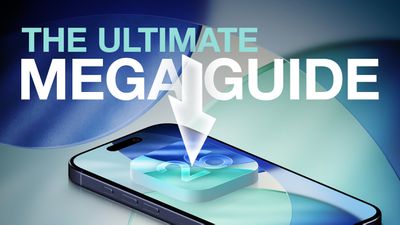
Our ultimate guide includes all of our iOS 26 coverage, and it is a useful resource for iPhone and iPad users who haven't had a chance to test out iOS 26, or those who might want a recap on what's new. We've organized it by app or feature to make it easy to find what you're looking for.
Liquid Glass
Apple's Liquid Glass design brings a big visual change to iOS 26. Icons, apps, menu bars, navigation bars, and all other interface elements feature a Liquid Glass aesthetic. It's not just translucency that you have to deal with. There are pop out menus, collapsing navigation bars, and a much more rounded aesthetic.
- iOS 26: Everything You Need to Know About the Liquid Glass Redesign
- How to Reduce Transparency of Apple's Liquid Glass
Lock Screen
The Lock Screen clock has embraced Liquid Glass in a big way, and there are also new options for wallpaper and widgets.
- iOS 26: New Lock Screen Features
- How to Change iPhone Clock to Liquid Glass
- How to Resize the Clock Display on Your Lock Screen
- Move Lock Screen Widgets to the Bottom of Your iPhone Display
- Turn Lock Screen Photos Into 3D Spatial Scenes
Home Screen
A new design means a new Home Screen, and there are new features for icons, widgets, and wallpapers.
- iOS 26: What's Changed With the iPhone's Home Screen
- Make App Icons Clear on Your iPhone Home Screen
- Tint App Icons to Match Your iPhone Color
- Tint App Icons to Match Your iPhone's Case Color
- How to Customize Your iPhone Home Screen Wallpaper
- How to Add Web Apps or Bookmarks to iPhone Home Screen
Apple Intelligence
Apple is still recovering from the Apple Intelligence Siri delay and the company didn't make a major deal about Apple Intelligence features in iOS 26, but there are quite a few additions.
Live Translation auto translates messages and calls, Visual Intelligence now works with what's on your screen, the Wallet app can track all of your purchases, and there are other small additions to be aware of.
- All of the New Apple Intelligence Features in iOS 26
- Here's What's New With Visual Intelligence in iOS 26
- iOS 26 Brings Major Changes to Image Playground
- How to Use Visual Intelligence With Onscreen Content
All of the Apple Intelligence features require a device that supports Apple Intelligence, which includes the iPhone 15 Pro, iPhone 15 Pro Max, all iPhone 16 models, and all iPhone 17 models.
Messages
There are a bunch of new features in the Messages app, including the option to set custom backgrounds for each chat. Be warned, other people see the background that you set. Group chats support typing indicators and other features, and you can add polls to chats.
- iOS 26: Every Change to the Messages App
- How to Screen and Filter Messages From Unknown Senders
- How to Create Polls in Messages
- How to Selectively Copy Text Within a Message
- How to Use Live Translation in Messages
- How to Create Polls in Messages
- Add Custom Backgrounds to Messages Conversations
- Remove Custom Backgrounds in Messages Conversations
- Send Photos Faster With This New Hidden Toggle
Phone
Some of the biggest changes in iOS 26 are to the Phone app. There's a whole Call Screening feature that can screen calls from unknown numbers, and a tool that'll wait for you when you're on hold.
- iOS 26: 10+ Features Coming to the Phone App
- How to Switch Back to the Classic Phone App Layout
- How to Get a Callback Reminder for a Missed Call
- Set a Custom iPhone Ringtone in Seconds
- Here Are All the New iPhone Ringtones in iOS 26
- Your iPhone Can Ask Why Someone's Calling Before You Pick Up
- How to Make Your iPhone Wait on Hold for You
- How to Translate Phone Calls in Real Time
- How to Transfer eSIM From Android to iPhone
AirPods
With an accompanying firmware update, the AirPods Pro 2, AirPods Pro 3, and AirPods 4 support Live Translation for in-person conversations, plus there are options like pausing audio when you fall asleep and using the AirPods as a remote for the iPhone's Camera app.
- All the new AirPods Features in iOS 26
- Auto-Pause AirPods Audio When You Fall Asleep
- Remotely Control iPhone Camera With Your AirPods
- Use Live Translation With AirPods
- Use AirPods as Microphone When Shooting Video
- How to Keep AirPods Connected When You Get in Your Car
Safari
Safari has an updated layout, a Liquid Glass design, tab bar changes, new privacy features, and more.
- Safari in iOS 26: Everything New From Design to Privacy
- Restore Safari's Old Layout From iOS 18
- How to Add Web Apps or Bookmarks to iPhone Home Screen
Apple Maps
The Maps app can learn your preferred route for your commute and alert you if there's anything that's going to make you late. It's also able to save your location history so you can remember your favorite locations when you travel.
- Apple Maps in iOS 26: Track Your Location History and Get Smarter Route Alerts
- How to Disable Visited Places in Apple Maps
- How to Turn Off Preferred Routes in Apple Maps
Notes and Reminders
The Reminders app has some hidden Apple Intelligence features included, while the Notes app supports 3D graphics with three-variable equations and more.
- iOS 26: What's New With Notes and Reminders
- How to Import and Export Markdown Files in Apple Notes
- Add New Reminders Faster Than Ever
Camera
The Camera app received some of the most notable UI changes, with updates to the menu for switching between modes and for accessing different settings.
- iOS 26 Camera App: New Features and Design Changes
- Remotely Control iPhone Camera With Your AirPods
- Keep iPhone Camera Lens Clean With This Smart Setting
FaceTime
In FaceTime, there's an updated interface with a card-style layout, call screening, an option to block nudity, and support for Live Translation captions.
- iOS 26: Everything New With FaceTime
- How to Enable Sensitive Content Warnings for FaceTime
- How to Enable Call Filtering in FaceTime
Apple Music
Apple Music has an AutoMix feature that provides DJ-like transitions for songs, along with Lyric Translation and Pronunciation features.
- iOS 26: Eight New Features in Apple Music
- Use Folders to Manage Playlists in Apple Music
- How to Use the New Music Pins Feature
- How to Enable and Disable AutoMix
Photos
If you hated the unified Photos app in iOS 18, there's good news! Collections and the Photos Library are once again split into two separate tabs. Apple also added support for Spatial Scenes, a feature that gives a 3D look to 2D photos.
Podcasts
The Podcasts app has a Liquid Glass design, new speed controls, and dialogue improvements.
- iOS 26: What's New With the Podcasts App
- Make Your Favorite Podcasts Easier to Hear
- Fine-Tune Podcast Playback Speeds
Wallet
There are big changes in the Wallet app, including support for digital passports and major improvements to boarding passes.
- iOS 26: 5 New Features in the Wallet App
- Save Physical Card Details in Wallet App
- Silence Wallet App Promo and Offer Notifications
- Track Emailed Orders in Apple Wallet
Other New Features and Options
- Screen Capture Content in HDR
- Turn Off Full-Screen Screenshot Previews
- Extend iPhone Battery Life With Adaptive Power Mode
- See How Long Your iPhone Will Take to Fully Charge
- How to Customize iPhone Alarm Snooze Duration
- Reduce Loud iPhone Sounds With This New Toggle
- Block Out Distractions With iOS 26's New Ambient Sounds
- iOS 26: Here's What You Can Do With Apple's New Games App
Read More
We have a complete overview of all of the new features in iOS 26 in one place in our iOS 26 roundup, which is also well worth checking out for all of the smaller details that didn't make it into our guides and how tos.




/https://forums.macrumors.com/attachments/2549606/)


/https://forums.macrumors.com/attachments/2549555/)