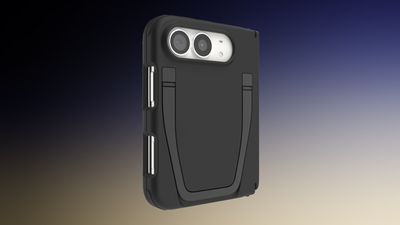
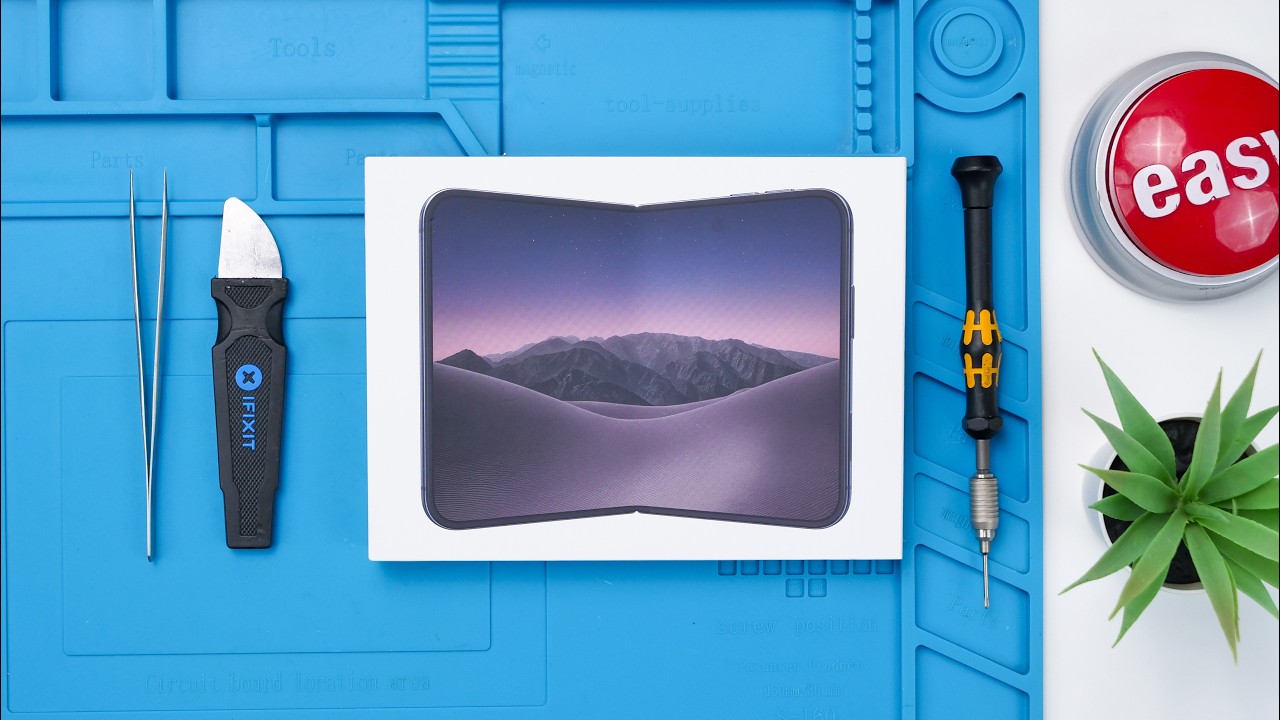
The first iPhone Duo teardown videos have been shared by YouTube channels REWA Technology and Phone Repair Guru, providing us with a look inside the device.
iPhone Duo has two battery cells that can be removed with electrically-activated adhesive. There is a larger battery with a 2,962 mAh (11.56 Wh) capacity and a smaller one that is rated at 1,921 mAh (7.5 Wh). Total battery capacity is 4,883 mAh.
REWA Technology's video includes a labeled breakdown of the logic board, which contains Apple's A20 Pro chip, C2 cellular modem, and more.
Phone Repair Guru revealed that the iPhone Duo's Touch ID button can technically be removed for repairs, but they said it is a difficult process. They also said that the device apparently has a completely modular USB-C charging port.
The repair website iFixit will likely publish a more comprehensive iPhone Duo teardown with detailed analysis in the coming days, so stay tuned for that.
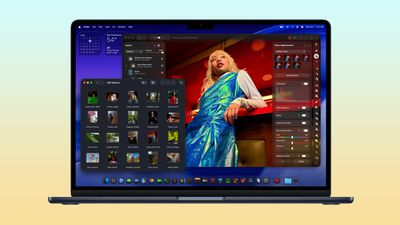
Amazon this weekend has a few of the best post-hike prices we've seen on the M5 MacBook Air so far, with prices starting at $1,399.00 for the 16GB RAM/1TB SSD 13-inch model, down from $1,599.00.
Note: MacRumors is an affiliate partner with some of these vendors. When you click a link and make a purchase, we may receive a small payment, which helps us keep the site running.
Amazon has two colors of this model on sale, and all four of the 24GB RAM/1TB SSD 13-inch MacBook Air on sale for $1,599.00, down from $1,799.00. These deals match the Prime Day prices we saw earlier in the month, and they remain the lowest prices we've tracked on the M5 MacBook Air since the summer.
As of writing, we aren't tracking any notable discounts on the larger 15-inch M5 MacBook Air. If you're on the hunt for more discounts, be sure to visit our Apple Deals roundup where we recap the best Apple-related bargains of the past week.
Deals Newsletter
Interested in hearing more about the best deals you can find as we head into the holidays? You can sign up for our Deals Newsletter and we'll keep you updated so you don't miss the biggest deals of the season!
Yet another busy week for Apple saw a teaser for even more product announcements coming next week, plus we got the highly anticipated launch of Apple's first foldable smartphone, the iPhone Duo.
Other news this week included Verizon announcing a hefty monthly charge for the iPhone Handoff feature that lets two iPhones share the same phone number, while the public release of iOS 27.2 and related updates appears to be right around the corner, so read on below for all of the details on these stories and more!
Top Stories
Apple Announcing New Products Next Week: 'Pro and Tell'
The event tagline and animated logo are suggestive of the long-rumored touchscreen MacBook that looks like it will be appearing as part of the MacBook Pro family rather than as a separate "MacBook Ultra." We're also expecting an iPad mini 8 with an OLED display, as well as updated iMac and low-end 14-inch MacBook Pro models featuring the M6 chip. Be sure to check out our overview of launch expectations for more details.
The situation marked a return to long lines at many Apple retail stores, a phenomenon that had largely disappeared in recent years as Apple emphasized offering online orders with pickup appointments rather than first come, first served walk-in sales.
A few lucky customers were able to score walk-in purchases of the iPhone Duo, and Apple appears to be reviving online ordering for in-store pickup that was quickly removed under the crush of pre-order day.
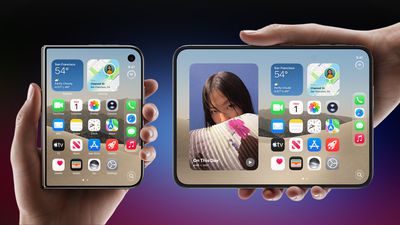
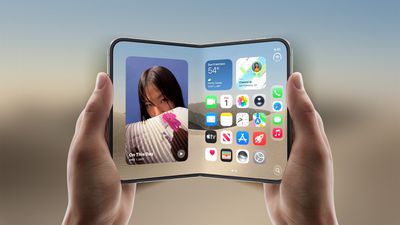
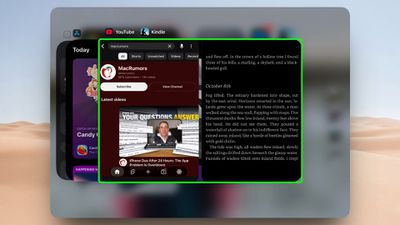
Here's What Apple's Apps Look Like on the iPhone Duo
Early media reviews also gave us a bit better look at the situation, with many noting that third-party apps may not look great until developers get them updated, as by default they continue to show in a traditional iPhone aspect ratio and layout surrounded by black bars.
Verizon Will Charge $10 a Month for iPhone Handoff
With iOS 27, Apple introduced a new feature called iPhone Handoff that lets you quickly swap back-and-forth between two phones with one phone number. The feature seems particularly convenient for the iPhone Duo launch, with some users perhaps wanting to carry different iPhone form factors at different times depending on their needs.
The beta period was used to test a revamped Health app, but that has been removed for the public release as Apple will continue testing it before rolling it out to everyone later this year. Other feature additions include a new icon and theme for Apple Music alongside a just-announced rebrand, user profiles in the Apple TV app, and an expansion of Siri AI support to new languages.
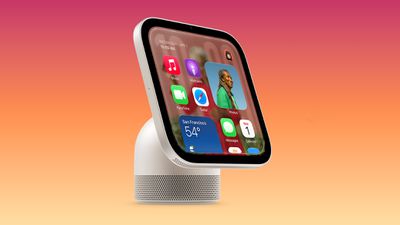
Apple Planning 'HomeView Max' With 9-Inch, 360-Degree Screen
According to Bloomberg's Mark Gurman, this "HomeView Max" will include a 9-inch display (up from 7 inches in the standard HomeView) and include a robotic arm that will allow the display to swivel a full 360º to maintain visibility of the screen and keep subjects in view during video calls as they move around a room.
MacRumors Newsletter
Each week, we publish an email newsletter like this highlighting the top Apple stories, making it a great way to get a bite-sized recap of the week hitting all of the major topics we've covered and tying together related stories for a big-picture view.
The option to reserve an iPhone Duo for Apple Store pickup resumed in the U.S. and Canada between 5:10 a.m. and 5:15 a.m. Pacific Time today, but inventory is extremely limited, with most stores having no pickup slots available today.
You can search for iPhone Duo availability at your local Apple Stores by heading to the iPhone Duo order page, selecting your desired color and storage and so forth, and then opening the link next to the "Pickup" option at the bottom. Next, enter your ZIP code and you will be able to see if any models are available for pickup with a reserved time slot.
Apple Store pickup was offered for just a few minutes after iPhone Duo pre-orders began on Friday, October 16, and the option then disappeared until now.
The pickup system has also resumed in Australia, the U.K., Germany, Spain, Italy, the Netherlands, Singapore, Japan, China, and some other countries.
Just hours after iPhone Duo pre-orders began last week, Apple said demand for the device was "nothing short of extraordinary," with delivery estimates pushing into late January, so it is not surprising that Apple Store pickup slots are hard to come by right now. Apple said it is working to satisfy demand "as quickly as possible."
Given the scarcity, long queues formed at many Apple Stores around the world on Friday, with some lucky customers managing to secure an iPhone Duo on a walk-in basis. If you are still looking for an iPhone Duo, check Apple's pickup tool often.
Seven Apple stores across France are closed on today, as the country prepares for another round of demonstrations a week after looters targeted two of the company's locations.
The closures are likely a precaution to protect employees and stores during the protests. The seven locations have entrances directly onto the street, while Apple's stores inside shopping malls are expected to operate normally during the period.
Apple's Lille and Bordeaux stores were looted during the unrest on October 17 unrest. Both were among many businesses targeted across France.
The demonstrations concern rising living costs and poor conditions in schools, according to the Associated Press. Hundreds of thousands are said to have protested peacefully on October 17, but violence and looting broke out in several cities.
Following the looting, reports emerged of stolen iPhones displaying warnings that they had been disabled and were being tracked, along with instructions to return them to their stores of origin. A video shared by Le Signal purportedly shows the message.
The three Paris stores, Bordeaux Sainte-Catherine, and Aix-en-Provence list Sunday opening hours of noon to 6 p.m. Apple's Lille and Strasbourg pages show that those stores will remain closed on Sunday and reopen on Monday.
Note: This discussion thread is located in our Political News forum with special rules.
Apple and the U.S. Department of Justice disagree over how much newer evidence Apple must hand over in their antitrust case, according to a new court filing this week.
The two sides previously agreed to a June 20, 2025 cutoff for Apple's records. With the evidence-gathering phase now scheduled to end in late May 2027, lawyers want Apple to supply documents created up to 30 days before that deadline. They say newer records could help establish whether the alleged anticompetitive practices are continuing.
Apple argues that expanding the search would delay the case by several months. The company says it has already reviewed more than 11 million documents and handed over more than two million, covering an 18-year period.
The dispute is part of the lawsuit filed in March 2024, which accuses Apple of illegally protecting a smartphone monopoly by restricting competing apps, services, and devices. Apple denies the allegations.
The latest filing asks the court to formally recognize that the two sides cannot resolve the document dispute themselves. The court will now consider how to move the dispute forward and whether Apple must provide more recent documents.
Note: This discussion thread is located in our Political News forum with special rules.
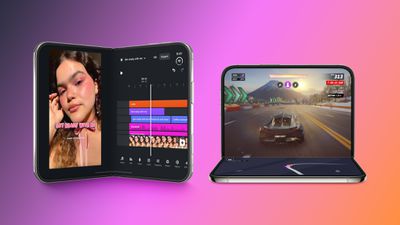
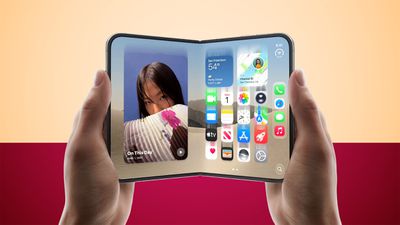
The iPhone Duo has an all-new form factor with multiple folding and orientation options, and app developers are having some fun with it. You can find quite a few apps using the foldable display in unique ways, many with skeuomorphic designs.
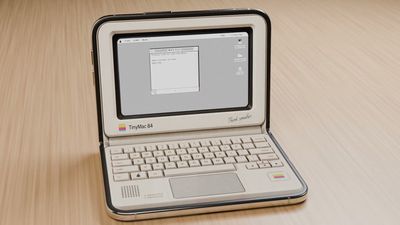
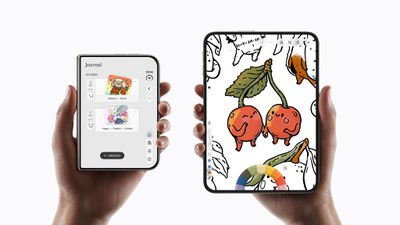
Tiny Computers ($3.99)
Tiny Computers turns the iPhone Duo into a miniature retro computer, with options inspired by the Macintosh, Commodore 64, Amiga 500, iMac G3, iBook G3, and more. It works best with the iPhone Duo in a seated orientation, giving you a display and a virtual keyboard.
The mini computers have clickable keyboards, desktop games, and paint programs, along with hidden files and easter eggs.
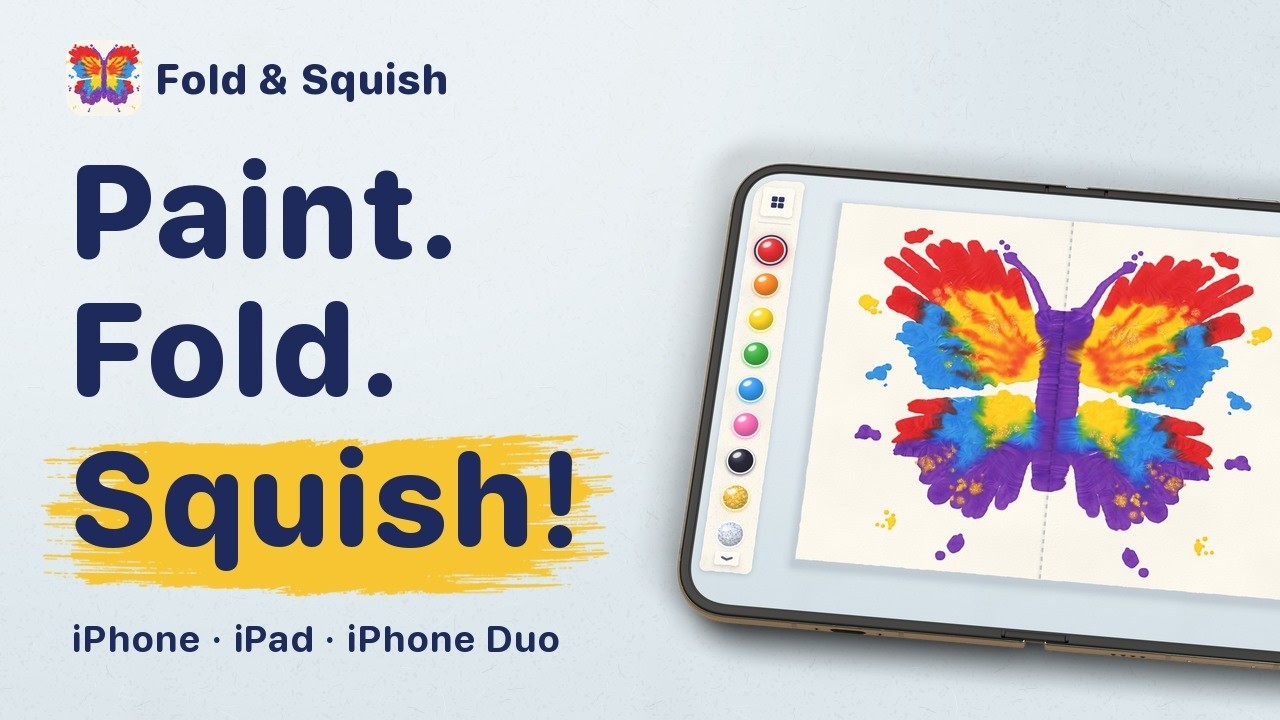
Fold & Squish (Free)
Made by the same developer as Tiny Computers, Fold & Squish lets you make Rorschach art with the Duo. You paint a design on one half of the Duo's display, close it, rub a finger over the outer display to "squish" the virtual paint, then open it up to see your finished design.
An add-on "Sparkle Pack" includes glitter paints, rainbow paint, and pencil guides for helping you paint designs like butterflies, but the base feature set is available for free.
Portal ($2.99/month)
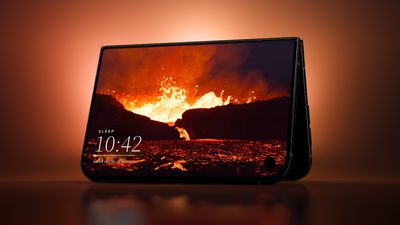
Portal is a relaxation app that offers "portals" to different natural environments, from a lava river in Iceland to the cloud forest in Costa Rica. There are over 100 locations, each with calming sounds and breathing exercises. The app can be used for meditation, but it also has focus timers and sleep timers.
When the iPhone Duo is unfolded, scenes take up the entire display, but it also works especially well when the iPhone Duo is in tent mode. There are three free portals to use that are refreshed each month, and a Premium subscription is priced at $2.99 per month or $29.99 per year.
Lake (Free)
Lake is an adult coloring book that's been updated for the iPhone Duo. Holding the Duo in portrait mode gives you a full-page coloring surface, and the developer tells us it's being updated for Apple Pencil.
Lake has coloring pages from a long list of artists. It's free to download and comes with basic coloring pages and tools, but unlocking the full app requires a premium subscription that's $9.99 per month.
Toastie ($2.99)
Toastie turns the iPhone Duo into a toaster for making grilled cheese sandwiches. It's a game where you prepare the sandwich ingredients, then close the iPhone Duo to toast the sandwich. Timing is important, and the goal is to make a perfect grilled cheese.
We turned the iPhone Duo into the world's most expensive toaster 🥪
Build the sandwich quickly, then close your Duo to toast it. Don't burn it though!
Check it out: https://t.co/riRVUFLlm1 https://t.co/0llh2lv9R1
— Tom Szykulski (@t_szykulski) October 7, 2026
Delta Game Emulator (Free)
Popular game emulator app Delta has been updated for the iPhone Duo, and it turns the Duo into a Nintendo DS.
iPhone DuoでDelta、折り畳むと笑う https://t.co/DySRV7UMBz
— たっくん@超かぐプログラミング本 (@mikuta0407) October 23, 2026
The app has Nintendo DS controls, and when you close it, it looks like the shell of the gaming system and puts the game you're playing into sleep mode. Delta supports plenty of games from other systems too.
TypeDraw ($4.99)
TypeDraw turns the iPhone Duo into a notebook. It looks like a notebook when the Duo is closed, and then you can open it up to pages you can write on. The app supports Apple Pencil.
Taking notes on the iPhone Duo is so satisfying... especially when it looks and feels like a real notebook that truly belongs to you.
With TypeDraw you choose what happens when you "open" your book, and you can personalise it with custom colours, fonts and even your own handwriting.
For everyone lucky enough to have their hands on a Duo today: TypeDraw is available on the App Store now. For everyone else: it also looks and works great on regular iPhones 😄
— Phil Traut ᯅ (@SpatiallyMe) October 23, 2026
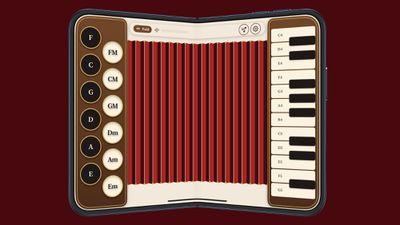
Fold Accordion ($2.99)
As the name suggests, Fold Accordion turns the iPhone Duo into an accordion. The hinge serves as the bellows, so the idea is to open and close the Duo to make music. There's a learn mode that lights up the keys you need to press.
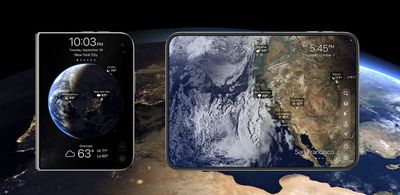
Living Earth ($5.99)
If you're looking for an app that's ideal for the Duo's tent mode, Living Earth is worth checking out. It lets you set a location to get the time and local weather, plus it has a rotating globe that you can spin. When you unfold your iPhone Duo, the globe takes up the entire display.
The app shows live clouds, storms, and weather maps across the world, so you can keep track of hurricanes, tropical storms, and other weather events.
Duometry ($2.99)
Duometry is a game that gives you a target angle you have to match by folding the iPhone Duo. The idea is to make your best guess at the angle, and then lock in to see if you were correct.
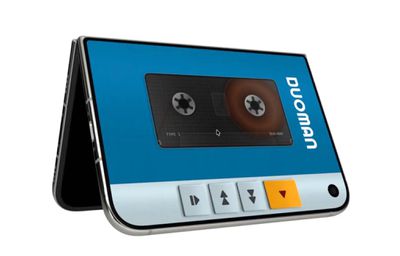
Deck-Man ($4.99)
Deck-Man turns your iPhone Duo into a retro cassette player. You open up the iPhone Duo to pick your music, insert the cassette, and then snap the Duo closed to start music playback.
Orisuji ($4.99)
Orisuji is a paper maze game where you start with the inner display, and then fold the iPhone Duo to the outer display to solve the puzzles.
Foldissimo - If one pocket accordion wasn't enough, there's also Foldissimo, which lets you use your iPhone Duo to play accordion songs.
Fold Focus ($5.99/month) - Fold Focus is a pomodoro timer app that motivates you to keep your iPhone Duo closed for work, study, or creative sessions. While your device is shut, you work on building a virtual city.
Foldfish (Free) - Foldfish is a game where you unfold the iPhone Duo to cast, tap to throw, and then hold to reel in a catch.
Nitelore (Free) - Nitelore is an anti-gravity racing game with neon colors, and it looks great on the iPhone Duo.
Share Your Favorites
Have you found other fun apps we don't have in our list? Let us know in the comments below.
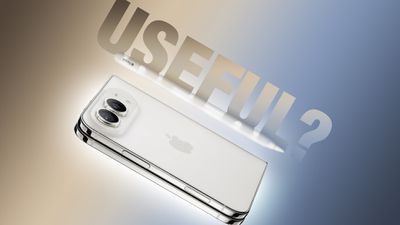
The iPhone Duo is compatible with the Apple Pencil, if you have the right one. MacRumors videographer Dan Barbera tested the Apple Pencil with the iPhone Duo to see if it's a useful tool to pick up.
If you already have an Apple Pencil 1, Apple Pencil 2, or Apple Pencil Pro to use with an iPad, you're going to be disappointed to hear they won't work with the iPhone Duo. The iPhone Duo only works with the Apple Pencil with USB-C, which is $79 from Apple, but you can get it from Amazon for $69.
The Apple Pencil Pro attaches to and pairs with iPads magnetically, but the iPhone Duo has to be paired with the USB-C Apple Pencil using a USB-C cable. Apple Pencil support is being added in iOS 27.2, which is available in beta right now.
Once paired, the Apple Pencil works with the iPhone Duo like it works with an iPad. You can write or draw, and there is a setting to turn on palm rejection. You can use the Apple Pencil on both the inner and outer displays. The Apple Pencil can attach magnetically to the Duo's hinge for storage, but it doesn't charge that way.
Compared with the Apple Pencil Pro, the USB-C Apple Pencil doesn't have pressure sensitivity, double-tap, or squeeze.
The Apple Pencil tip can leave lines on the Duo's display, but the lines wipe away with a polishing cloth. Permanent damage is unlikely, but Apple does have an iPhone Duo cover layer replacement option that's $19 if you have AppleCare+ and $49 if you don't.
If you want to take notes or make quick sketches with the iPhone Duo, the Apple Pencil with USB-C could be worth the cost, but it's not quite as useful as it is on an iPad due to the limited screen size.
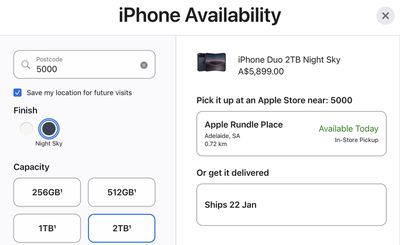
The option to reserve an iPhone Duo for Apple Store pickup is starting to return on Apple's online store, with the system live again in countries such as Australia, China, Japan, and South Korea. Unfortunately, our spot check revealed extremely limited availability right now, with few to no time slots available for all configurations.
We only managed to find a single iPhone Duo unit available for Apple Store pickup in Australia on Saturday at the time we checked, as shown in the screenshot below, but it already disappeared by time we published this story.
In other countries, such as the U.S., Canada, the U.K., and Singapore, Apple's online store continues to advise customers to check back on Saturday, October 24 in regards to Apple Store pickup, so we expect the reservation system to resume in additional countries as the clock rolls over to Saturday time zone by time zone.
Just hours after iPhone Duo pre-orders began last Friday, Apple said demand for the device was "nothing short of extraordinary," with delivery estimates pushing into late January, so it is not surprising that Apple Store pickup slots are hard to come by right now. Apple said it was working to satisfy demand "as quickly as possible."
Apple Store pickup was briefly offered for a few minutes after iPhone Duo pre-orders began last Friday, but the option quickly disappeared.
Given the scarcity, long queues formed at many Apple Stores around the world today, with some lucky customers managing to secure an iPhone Duo on a walk-in basis. If you were not so lucky, the Apple Store pickup tool may be your next best option, so keep an eye on the iPhone Duo order page over the next day or so and refresh often.
Calif demonstrated the iPhone Duo's icons and widgets bouncing around, and added an anime character to the device's screen.
Last week, the group shared videos featuring an untethered jailbreak on an iPhone 18 Pro running iOS 27.0.1. The device was shown rebooting, with root access available after the reboot.
CC @pwnlambda https://t.co/xpwddwn7tw
— Calif (@calif_io) October 23, 2026
Calif has not publicly released the jailbreak. Calif security researcher Stefan Esser told German site Heise that there won't be a jailbreak tool available for "end users," but a proof of concept may be forthcoming.
Esser said the iOS 27.0.1 jailbreak used bugs Calif has already disclosed or plans to disclose to Apple soon, and "most" of the vulnerabilities are fixed in the upcoming iOS 27.2 update. AI was used to help develop the jailbreak, but Esser didn't explain how.
Apple today seeded an updated version of the watchOS 27.2 release candidate, four days after the first RC became available.
Registered developers and public beta testers can download software through the Apple Watch Settings app or using the Apple Watch app on iPhone.
watchOS 27.2 adds new Siri AI features and extends Siri AI to more languages.
This update provides enhancements to Siri AI, including the ability to retain useful context from previous Siri interactions, draw from a wider range of personal context, and deliver faster responses on your watch. This update also includes other features, bug fixes, and security updates for your Apple Watch.
- Siri AI can recall your past conversations, so you can ask Siri about something it told you before, like the restaurants it recommended last week - Siri AI can draw from more sources to give you a great answer, including photos attached in Messages, Calendar event attendees, your voicemails, and better results from Safari history and Reading List from your phone - Excluded Apps lets you choose which apps Siri, Search, and suggestions can access, all from one setting on your phone - Siri AI now provides faster responses on Apple Watch - Siri AI is available in more languages, with support for French, Japanese, Korean, Portuguese, and Spanish. Siri AI is not available in the EU or mainland China
We are expecting watchOS 27.2 and the other 27.2 updates to launch next week.
Following more than three months of renovations, the Apple SouthGate store in Bath, England reopened today, just in time for iPhone Duo launch day. The store has received an updated design with a dedicated Apple Pickup area, a more accessible Genius Bar with varied table and seat heights, and other upgrades.
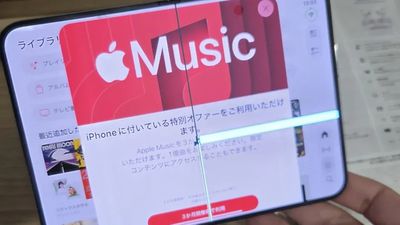
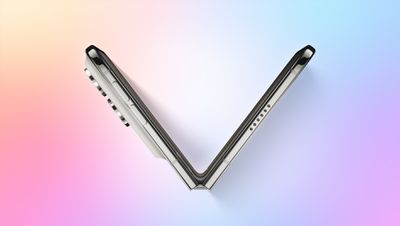
Some iPhone Duos are already experiencing hinge issues that cause display cracks, based on photos shared on Reddit and the MacRumors forums. Almost all of the display faults are right along the hinge, and most result in a line of bright pixels across one side of the screen.
An iPhone Duo owner in Australia said his device cracked after being opened fewer than 20 times, and there was no visible damage beforehand.
Had my iPhone Duo for about six hours and had probably opened it fewer than 20 times. I was showing it to a friend, and as I opened it, I felt something around the internal hinge, underneath the screen.
As I continued opening it, I heard an audible crack, and the screen broke right along the hinge. There were no marks or damage on the inner screen's surface or the external hinge to suggest anything had been caught or damaged.
The user visited an Apple Store, and Apple replaced the broken device right away. Apple is likely collecting defective iPhone Duos to research points of failure, and that research could lead to manufacturing improvements to reduce future issues.
There are several images of broken displays from demo devices in China, where the iPhone Duo launched hours ahead of the U.S. The backstory for most of the images is unknown, and it's possible user damage is a factor. Some reviewers who got an iPhone Duo early subjected it to folding tests and didn't experience screen issues, but that's a small sample.
With so many people getting iPhone Duos today, some failures are expected. It isn't known how widespread the issue is or whether we'll see an uptick in complaints over time. Hinge failures from normal use should be covered under the one-year warranty, and customers receiving an iPhone Duo today will also have two weeks to make a return.
In the early years of iPhone launches, long lines would form at Apple Stores around the world, but those queues gradually became a thing of the past amid the rise of online pre-orders. At least, until the iPhone Duo launched today.
Apple Domain NORTHSIDE in Austin, Texas today
iPhone Duo fever is real today, with queues having formed at many Apple Stores around the world, based on comments and photos shared on the MacRumors Forums and social media platforms. Anywhere from dozens to hundreds of people lined up at the stores on Friday morning or even a day or two earlier for a chance to buy the iPhone Duo.
Apple's CEO John Ternus and retail chief Deirdre O'Brien visited Apple Domain NORTHSIDE in Austin, Texas, likely because F1's U.S. Grand Prix is taking place there this weekend and Apple TV is the exclusive U.S. streaming partner of F1.
Apple's marketing chief Greg Joswiak and vice president of retail stores Vanessa Trigub greeted customers at Apple Fifth Avenue in New York City.
1 / 16
Apple said the iPhone Duo would be available on a "limited" basis for walk-in customers in the U.S. and select other countries today, but it expected supply to sell out quickly due to "extraordinary" pre-order demand for the device. Indeed, some locations have now sold through their walk-in inventory for launch day, so your mileage may vary.
Apple Store pickup was very briefly an option when iPhone Duo pre-orders began last Friday, but the system has been unavailable ever since. In most countries, Apple's online store says to check back on Saturday, October 24 regarding Apple Store pickup, but we do not know exactly what time reservations will resume at, so make sure to check Apple's website early and often tomorrow if you are still trying to secure an iPhone Duo.
Below, we have rounded up some photos and videos of Apple Store queues today.
Line outside Apple Fifth Avenue around 4:15 AM for iPhone Duo https://t.co/nqpuc3qo41
— Mina Gawargious (@MinaGawargious) October 23, 2026
made it to Union Square!!! I'm like 25th in line and there are people here with actual couches 😂
apple store network is connected, time to Claude baby 😎 https://t.co/sqSVnhLUXj
— that tech and photography dude (@sonyaseventhree) October 23, 2026
In line here in Utah. About 20 people in front of me. And as I arrived about 50 people piled in behind me. Let's see how this goes https://t.co/xRbnyY98nk
— Matt Gonzalez (@mattdgonzalez) October 23, 2026
Line for the iPhone Duo at Apple in Boulder, CO.
These are everyone without preorders. The Apple employee said they had enough units for everyone!
I'm the first pickup of the day 😁 https://t.co/NSyZaFct2i
— Stetson Doggett (@stetsondoggett) October 23, 2026
Good morning from the walk-in line at Apple Store Kahala in Honolulu, Hawaii. There's about 30 customers in line so far. I'm number 13. #iPhoneDuo #launchday https://t.co/2KpF9sW4lN
— Jonathan Sugai (@jsugai) October 23, 2026
The line for Apple's first foldable iPhone stretched outside the Apple Store at the Domain Northside this morning! Would you wait in line for one? https://t.co/6WmLcyDAnA
— CBS Austin (@cbsaustin) October 23, 2026
The line for the iPhone Duo at my Apple Store goes around the whole building https://t.co/hRr7FoI1mn
— Fil (@itsjustfil_) October 23, 2026
On this week's episode of The MacRumors Show, we talk through the reception to the iPhone Duo as it goes on sale today, what to expect from next week's "Pro and tell" experience, and the iPod's 25th anniversary.
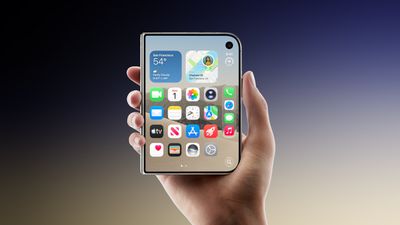
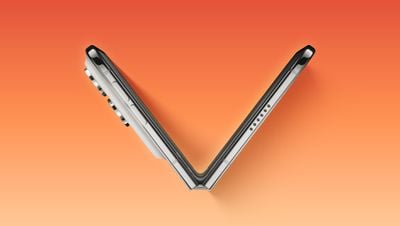
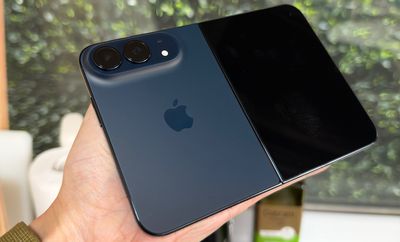
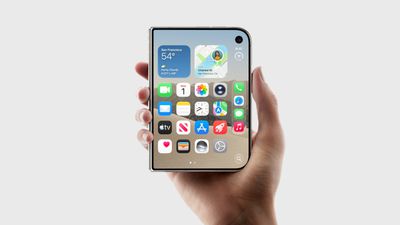
The iPhone Duo launches today, starting at $1,999, with a 5.4-inch outer display that unfolds into a 7.6-inch inner display. Early reviews present a mixed picture of a device that brings fresh ideas to the iPhone, but asks users to accept some significant compromises.
The matte inner display has emerged as a particular highlight, reducing reflections and making the crease less noticeable while providing more space for reading, watching videos, editing photos, and multitasking. Premium construction and performance also make a positive impression, but the software experience is less consistent. Unoptimized apps, wasted screen space, and unfamiliar controls can make the larger display feel underused.
Reviewers are also divided over how comfortably iPhone Duo handles quick, everyday tasks. Some find the outer screen perfectly adequate for messaging and quick interactions, while others consider it to be restrictive. Its weight and width complicate one-handed use, returning to Touch ID takes adjustment, and the cameras fall short of Apple's Pro models. Our own first 24 hours with the device highlight many of these same trade-offs, alongside the appeal of side-by-side multitasking. We consider whether carrying a larger screen outweighs those compromises, or whether better app support and future hardware will make a more convincing case.
Apple's next product announcement is already approaching, with the "Pro and tell" experience scheduled for October 28 in Los Angeles. Redesigned 14-inch and 16-inch MacBook Pro models are expected to headline the announcements, combining OLED displays with the first touchscreens on a Mac.
The redesigned machines are rumored to feature lighter, potentially thinner designs, a reinforced hinge for touch input, and a Dynamic Island replacing the "notch." They are expected to retain M5 Pro and M5 Max chips, making the display and design the main new features.
A redesigned iPad mini is also expected, featuring an OLED display, the A20 Pro chip, a landscape front-facing camera, and a redesigned speaker system. Water resistance could also be present for the first time on an iPad. Apple is also expected to bring the M6 chip to the iMac and entry-level 14-inch MacBook Pro.
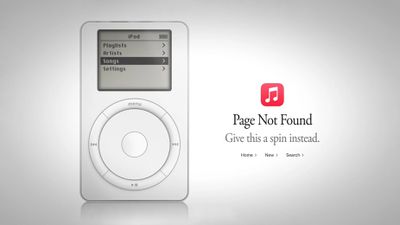
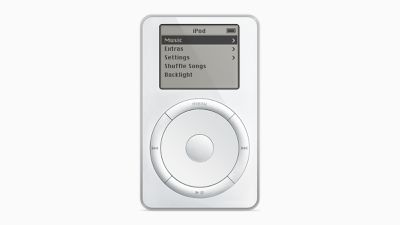
Finally, we mark 25 years since Apple introduced the original iPod on October 23, 2001. The MacRumors Show has its own YouTube channel, so make sure you're subscribed to keep up with new episodes and clips.
If you haven't already listened to the previous episode of The MacRumors Show, catch up to hear our predictions about the HomeView, HomePod mini 2, and new Apple TV 4K prior to their official announcement.
The MacRumors Show is on X @MacRumorsShow, so be sure to give us a follow to keep up with the podcast. You can also email us at podcast@macrumors.com or head over to The MacRumors Show forum thread. Remember to rate and review the podcast, and let us know what subjects and guests you would like to see in the future.
Apple this week released the full and final version of iOS 27.1, but it is only available for the foldable iPhone Duo that launched today.
iPhone Duo already ships with iOS 27.1 preinstalled, but users need to update to a newer build of iOS 27.1 while setting up the device, and that newer build is available for download as an IPSW file as of Thursday. Apple's release notes for the newer build simply mention unspecified "bug fixes for your iPhone." iOS 27.1 has no security fixes.
Apple jumped ahead to an iOS 27.2 beta for all other compatible iPhone models, and the iOS 27.2 Release Candidate is compatible with the iPhone Duo too, so all of the models will be able to upgrade to iOS 27.2 for consistency.
iOS 27.1 was likely kept exclusive to the iPhone Duo so that Apple could prevent certain Duo-specific software features from leaking before the device launched.
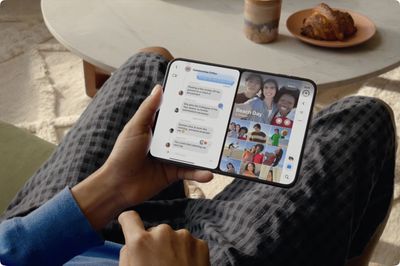
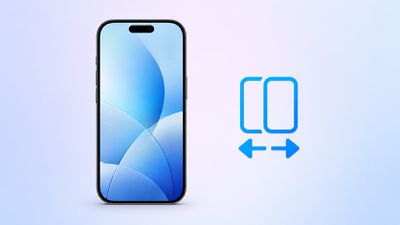
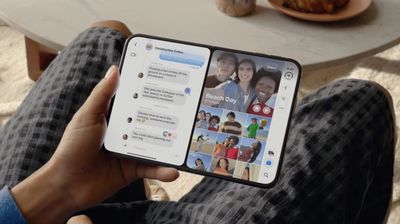
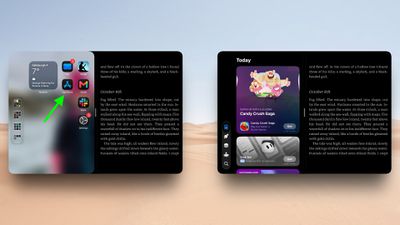
iPhone Duo is the first iPhone that can run two apps on the screen at the same time. Unfold the phone in landscape orientation, and Split View puts two apps side by side on the 7.6-inch inner display. It's especially handy for things like keeping Messages open next to Maps, or Safari next to Notes. Indeed, if there's an app combination that you use often, you can lock two together as an app pair, and they will always launch together. Here's how to do both.
Open Two Apps in Split View
The way it currently works, Split View can be invoked on the iPhone Duo's inner display in landscape orientation. Here are the two ways to start it.
From an App You're Already Using:
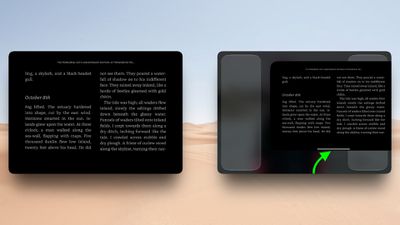
Swipe up from the bottom of the screen, pause in the center, then keep dragging the app toward the left or right edge. The app will settle into that half of the screen, and the Home Screen will appear on the other half.
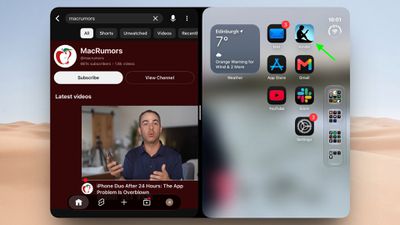
Now select the second app you want to open. You can tap its icon from the Home Screen, swipe down to search for it, or swipe leftwards to find it in the App Library.
Tap the second app, and it will appear alongside the first.
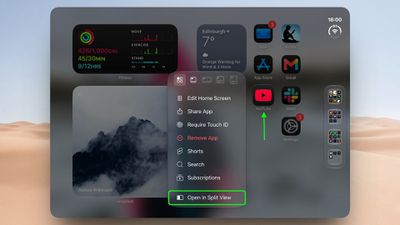
From the Home Screen or App Library:
Touch and hold an app icon, then tap Open in Split View.
Tap the second app you want to open alongside it from the Home Screen, or using swipe-down search or the App Library.
We've found that in certain cases, two windows of the same app also work. Apps that support multiple windows include Safari, Mail, Notes and Files. Simply open the app in Split View, tap its icon again on the Home Screen or in App Library, and a second window opens beside the first. This way, you can have two webpages open at once, or your inbox next to a draft. It's pretty neat.
To swap the two apps around, just swipe up from the bottom of either app, pause in the center, then drag it to the opposite side.
Lock Two Apps as an App Pair
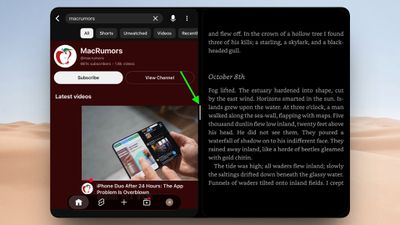
With both apps open in Split View, tap the divider between them.
There isn't really a second step – that's essentially it. The apps are now paired, and the next time you open either one, the other one will open with it automatically.
To unpair them at any time, just drag the divider in the center, all the way to the left or right edge of the screen. The app you push off will close, while the other will return to full screen.
Worth Knowing
Unlike in iPadOS, the app split on iPhone Duo is fixed at 50/50. So if you're used to Split View on iPad, remember that you can't drag the divider to give one app more room. Also, only one app can play audio at a time, so it's not like you can scroll two video feeds side by side and expect to get sound from both.
Apple's new iPhone Duo is now available to purchase, and deals on cases, screen protectors, and the Duo itself are in abundance this week. Below, we're also tracking big discounts on Mac mini, Mac Studio, MacBook Pro, and more.
Note: MacRumors is an affiliate partner with Amazon. When you click a link and make a purchase, we may receive a small payment, which helps us keep the site running.
iPhone Duo Launch
What's the deal? Get big carrier discounts on iPhone Duo
It's iPhone Duo launch day, and many cellular carriers are offering solid discounts on Apple's newest smartphone. At AT&T and T-Mobile, you can get up to $1,200 off the iPhone Duo with an eligible trade-in on one of their qualifying plans.
iPhone Duo Accessories
What's the deal? Get 20% off when you buy two or more accessories
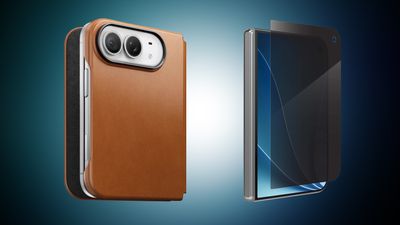
If you got the iPhone Duo today, you'll probably be shopping for protection for your new device. With this in mind, we've gathered all of the best cases and screen protectors you can get for your new iPhone Duo, including accessories from popular brands like OtterBox, Speck, ZAGG/Mophie, and more.
Most of these retailers aren't offering discounts on iPhone Duo cases yet, but at ZAGG you can get 20 percent off your order when you purchase any two items, including iPhone Duo accessories. This is a perfect opportunity to get a case and screen protector for the smartphone at a discounted rate.
Amazon - iPhone Duo cases from Spigen, Speck, ZAGG, and more
AT&T - Discounts on iPhone Duo cases and screen protectors from Speck, Spigen, and more
Best Buy - iPhone Duo cases from dbrand, OtterBox, Spigen, Kate Spade, and more
Burton Goods - Save on leather cases for iPhone Duo
ESR - iPhone Duo Silicone Leather case with Flex Stand
Samsung recently kicked off a new discount event, which it's calling "Samsung Week," with big discounts across multiple product categories, including its most popular monitors and TVs. In regards to TVs, there are quite a few models of The Frame TV on sale, including low prices on the latest 2026 models.
Mac Mini and Mac Studio
What's the deal? Get record low prices on Mac mini and Mac Studio
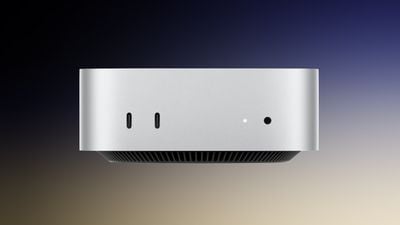
Apple's M5 Max Mac Studio with 36GB RAM and a 512GB SSD is still on sale for $2,299.00, down from $2,499.00. Regarding the Mac mini, you can get the 16GB RAM/256GB SSD Mac mini for $779.99, down from $899.00, and the 16GB RAM/512GB SSD model for $949.99, down from $1,099.00.
MacBook Pro
What's the deal? Get record low prices on 2026 MacBook Pro
Amazon has introduced a giant $900 discount on the 36GB/2TB 16-inch M5 Max MacBook Pro, now priced at $3,499.00. This is the steepest discount on the 16-inch models right now, and one of the overall best deals we've seen on the 2026 MacBook Pro this year.
If you're on the hunt for more discounts, be sure to visit our Apple Deals roundup where we recap the best Apple-related bargains of the past week.
Deals Newsletter
Interested in hearing more about the best deals you can find as we head into the holidays? You can sign up for our Deals Newsletter and we'll keep you updated so you don't miss the biggest deals of the season!


















 Following more than three months of renovations, the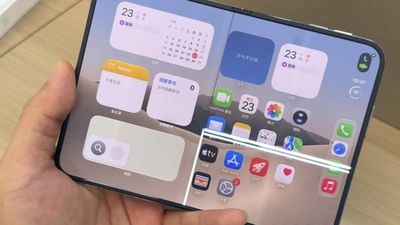
 Apple Domain NORTHSIDE in Austin, Texas today

















 Note: MacRumors is an affiliate partner with Amazon. When you click a link and make a purchase, we may receive a small payment, which helps us keep the site running.