The European Commission is considering investigating Apple's move to disable Home Screen web apps in the EU, the Financial Times reports.
Following the release of the second beta version of iOS 17.4, it emerged that Apple had restricted the functionality of iOS web apps in the EU. Web apps can no longer launch from the Home Screen in their own top-level window that takes up the entire screen, relegating them to a simple shortcut with an option to open within Safari instead. Critics argue that the move undermines the role of web apps as viable alternatives to native apps in iOS.
EU competition regulators sent questions to developers last week to determine the impact of the change in what is apparently seen as a precursor to an in-depth probe. The European Commission confirmed its scrutiny to the Financial Times:
We are indeed looking at the compliance packages of all gatekeepers, including Apple. In that context, we're in particular looking into the issue of progressive web apps, and can confirm sending the requests for information to Apple and to app developers, who can provide useful information for our assessment.
Apple claims that it had to make the change to how web apps work in iOS to comply with the EU's Digital Markets Act (DMA), arguing that third-party browsers used with web apps in Europe could expose users to unlawful security and privacy risks. It believes that the adjustments will only affect a small number of users.
A potential probe into web apps could come after the March 6 deadline for Apple to comply with the DMA, but formal proceedings could be prevented if Apple makes further concessions.
Note: Due to the political or social nature of the discussion regarding this topic, the discussion thread is located in our Political News forum. All forum members and site visitors are welcome to read and follow the thread, but posting is limited to forum members with at least 100 posts.
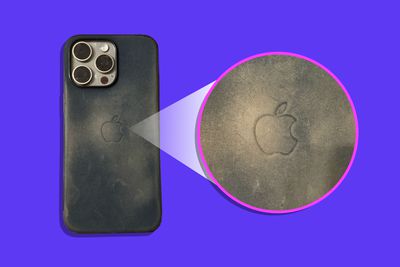
Apple's $59 FineWoven cases for iPhone 15 took heavy flak when they were released last September for being subpar compared to the leather Apple cases they replaced. Now, The Wall Street Journal columnist Joanna Stern has distilled customers' ire by sharing her own experience with the case after five months of use.
There it is, everyone. My iPhone 15 Pro Max's FineWoven case after five months of use. The edges are peeling, the fabric is scratched up like an old CD and it's browning like a rotten banana. I've been waiting for the CDC to show up at my house to declare it a biomedical concern. Some of you will say: "JOANNA! How gross are you?" Others—those who bought this case for $59 when it came out in September—will likely say: "Yep. Same issues here."
[...]
Early on, tech news sites like The Verge complained about scratches in the fabric. At online retailers, the people who gave the case one or two stars all point out the same issues—peeling edges, scratches, proclivity to get dirty. On Best Buy, many say they'll never buy an Apple case again and that it’s the worst product Apple's ever made. Same on Amazon.
An Apple spokesman said that the company's cases are engineered at the highest standard to protect iPhones and that the FineWoven case's durable microtwill will protect an iPhone for years.
An Apple support document offers advice about cleaning its FineWoven cases, but the section's small print admits that "The material may look different and show wear over time as the fibers get compressed with normal use" and that "some scratches may diminish over time."
Responding to Stern's five-month review, Daring Fireball's John Gruber created identical polls across multiple social media platforms asking FineWoven case owners for their opinion, and respondents appear to have overwhelmingly voted in agreement that "It's a piece of junk."
Despite the continued bad publicity almost six months on from the cases' debut, Apple still appears unwilling to admit that its leather alternative material is a letdown. But in the court of public opinion, all the evidence suggests this is an open and shut case: FineWoven is just bad.
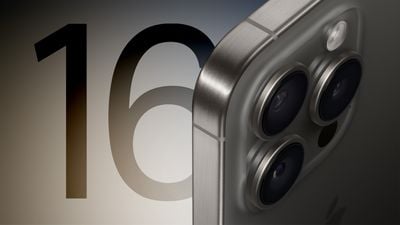
Apple plans to expand the iPhone 15 Pro Max's tetraprism camera with up to 5x optical zoom to both the iPhone 16 Pro and iPhone 16 Pro Max this year, according to Taiwanese research firm TrendForce. This is a rumor we have heard from other sources before, including Apple analyst Ming-Chi Kuo and our own reporting.
TrendForce briefly mentioned this information today in a press release focused on the overall smartphone camera lens market:
Following the successful launch of the iPhone 15 Pro Max with its exclusive Tetraprism telephoto zoom lens, the industry is expected to see an increase in the adoption of periscopic lens modules. Apple plans to bring this advanced hardware upgrade to the iPhone 16 Pro, making it accessible to more users in the Pro series.
In the iPhone 15 Pro Max, the tetraprism camera system has a "folded" design that allows it to fit inside the smartphone, enabling up to 5x optical zoom and up to 25x digital zoom. By comparison, the smaller iPhone 15 Pro remains limited to up to 3x optical zoom, in line with the iPhone 14 Pro and iPhone 14 Pro Max.
It has been rumored that the iPhone 16 Pro will feature a larger 6.3-inch display, compared to the 6.1-inch iPhone 15 Pro. This change would increase the overall size of the device, which could provide additional internal space for a tetraprism camera.
Apple is expected to unveil the iPhone 16 series in September.
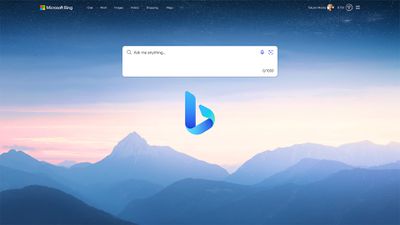
Microsoft repeatedly attempted to persuade Apple to switch to Bing as the default search engine for Safari or even buy it outright, it has emerged.
The information was disclosed in documents as part of Google's ongoing antitrust case against the U.S. Justice Department (via CNBC). According to the filings, Microsoft approached Apple in 2009, 2013, 2015, 2016, 2018, and 2020, proposing that Bing should replace Google as the default search engine in Safari.
Apple consistently declined these offers, citing concerns over Bing's search quality relative to Google's. The documents reveal that in 2018 Microsoft not only suggested making Bing the default search engine but also offered to sell Bing to Apple or establish a joint venture around the search engine. These proposals were similarly turned down by Apple.
The court filings provide insight into Apple's decision-making process, highlighting the company's evaluation of Bing's capabilities against Google's. Eddy Cue, Apple's Senior Vice President of Services, is quoted in the filings expressing skepticism about Bing's search quality and Microsoft's investment in search technology.
Google pays billions of dollars to remain the default search engine on Apple devices. Google argues that Microsoft's repeated pitches to Apple demonstrate the competitive nature of the search engine market, countering allegations that Google holds a monopoly in web search advertising.
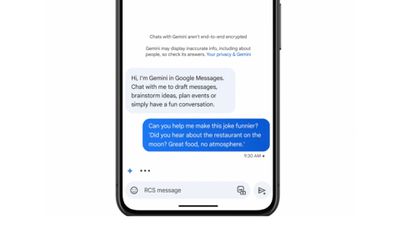
As part of its generative AI push, Apple is expected to feature tight integration between Siri and the Messages app in iOS 18. We won't have a fuller idea about how that will work until Apple previews its next major software update at WWDC in June, but in the meantime, Google has just announced its own equivalent feature for Android.
In an update for the beta version of Google Messages arriving this week, users will be able to interact with Google's Gemini chatbot (previously called "Bard") right inside the app, where it can help to draft messages, brainstorm ideas, plan events, or simply allow for a "fun conversation." Google says the feature is only available to English-language Messages users for now.
Android Auto is also getting an AI assistant that can automatically summarize long texts or busy group chats while users are driving. It will also suggest relevant replies and actions that users can tap once to send a message, share their ETA, or start a call. We have not heard rumors mention AI in relation to CarPlay, so whether or not Apple has similar features in the works is unknown.
iOS 18 and iPadOS 18 will include a "slew of new AI features," according to a recent report by Bloomberg's Mark Gurman. The report claims Apple is training both Siri and Spotlight search on large language models, with the goal of improving each feature's ability to answer complex questions accurately. The revamped version of Spotlight could also offer deeper integration with "specific" functions and features in apps.
Gurman says that one of the tentpole AI features Apple is developing is an improved interaction between Siri and the Messages app, which would let Siri auto-complete sentences more effectively and answer complex questions. Apple has also explored AI-powered features that would allow users to automatically generate playlists in Apple Music and presentation slides in the Keynote app. Some new AI features announced later on in the year could well be exclusive to iPhone 16 models, which are rumored to get a "significantly" upgraded Neural Engine.
According to the latest data from TF International Securities, Apple's weekly smartphone sales in the Chinese market have declined by 30-40% in recent weeks, which is said to be partly due to rival Chinese smartphones already offering generative AI features of their own.
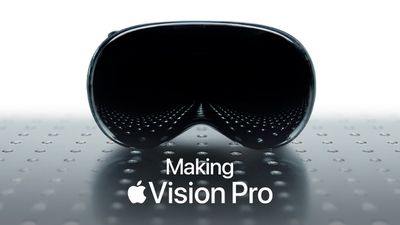
Starting at $3,500, Apple's Vision Pro price puts it at the top-end of the AR/VR headset market, but a significant portion of the cost is down to the device's premium "bill of materials," which is thought to come in at just over $1,500.
According to Omdia's research, the components used in Vision Pro are estimated to cost Apple a total of $1,542. The most expensive component is said to be the two 1.25-inch micro-OLED displays inside the headset, one for each eye. The displays provide a total of 23 million pixels, which Apple says is "more pixels than a 4K TV." Omdia estimates that Apple pays $228 for each display, or $456 per headset.
The second most expensive components are the M2 and R1 chips. The M2 is the main processor, which is the same chip that was first introduced in the 2022 MacBook Air. The M2 is responsible for processing content, running the visionOS operating system, executing computer vision algorithms, and providing graphical content. The R1 chip is responsible for all of the information coming from the cameras, sensors, and microphones. Together they cost Apple a total of $240.
As noted by CNBC, it is hard to extrapolate Apple's profit margin from these estimated figures, since they do not take into account research and development costs, packaging, shipping, sales, marketing, and any capital expenditures that can add up-front costs to large parts orders. Nevertheless, they do give an idea of how expensive the parts alone are in a given device.
Apple is expected to produce fewer than 400,000 Vision Pro headsets in 2024 due to the complexity of manufacturing, according to analyst Ming-Chi Kuo. However, Apple is said to be already working on a new version of the Apple Vision Pro that will be priced more affordably. The chips in the device are likely to be on par with the iPhone rather than Mac-level chips, and Apple may also use lower resolution internal displays and cheaper materials. It could also drop the outward-facing EyeSight feature that lets other people see a simulated rendering of the wearer's eyes.
Bloomberg's Mark Gurman believes that Apple is working on a next-generation version of the Vision Pro that could see a launch sometime in late 2025.
AT&T has announced that it will be providing impacted customers with a $5 bill credit per account as compensation for the network's major outage across the U.S. on Thursday. The credits will automatically be applied within two bill cycles, it said.
AT&T said the bill credit offer does not apply to AT&T Business, prepaid, or Cricket customers. A spokesperson for the carrier told CNET that those customers will "have options available to them if they were potentially impacted by the outage."
The carrier's full statement apologizing for the outage:
We apologize for Thursday's network outage. We recognize the frustration this outage has caused and know we let many of our customers down. We understand this may have impacted their ability to connect with family, friends, and others. Small business owners may have been impacted, potentially disrupting an essential way they connect with customers.
To help make it right, we're reaching out to potentially impacted customers and we're automatically applying a credit to their accounts. We want to reassure our customers of our commitment to reliably connect them – anytime and anywhere. We're crediting them for the average cost of a full day of service.
We're also taking steps to prevent this from happening again in the future. Our priority is to continuously improve and be sure our customers stay connected.
AT&T also shared the letter that its CEO John Stankey sent to the company's employees. In it, he said the company "let down" many of its customers and has "already implemented changes to prevent what happened on Thursday."
'Incorrect Process'
Based on its initial review, AT&T said it believed that the outage was caused by the "application and execution of an incorrect process used as we were expanding our network," not a cyber attack. The U.S. government on Thursday said the FBI and the Department of Homeland Security were looking into the outage.
The outage began in the early hours of Thursday morning, with tens of thousands of customers complaining that they were unable to make cellular phone calls, send or receive text messages, or use cellular data. AT&T said about three-quarters of its customers were able to access its network by around 6 a.m. Eastern Time on Thursday, and it said that it had fully restored its network by around 1 p.m. Eastern Time that day.
iOS 18 will likely include some design changes, but a macOS revamp might be a year or two away, according to Bloomberg's Mark Gurman.
In his Power On newsletter today, Gurman said Apple is working to update the design of iOS as "early as this year." A sketchy rumor claimed that iOS 18 would feature some visionOS-inspired design elements, and while Gurman agreed that iOS could take some design cues from visionOS, he does not expect a "total overhaul that mirrors visionOS."
While he hedged with "as early as this year" wording today in regards to iOS design changes, Gurman was more firm about iOS 18 being redesigned in a November edition of his newsletter, when he said Apple's senior management had described iOS 18 as "ambitious and compelling," with "major new features and designs."
As for macOS, Gurman said Apple has started early work on design changes for that operating system that could debut in 2025 or 2026. The platform last received a major redesign with macOS Big Sur in 2020.
Apple is expected to announce iOS 18 at its annual developers conference WWDC in June.
Apple has considered developing several new wearable devices over the years, including a smart ring for health and fitness, smart glasses, and upgraded AirPods with built-in cameras and more sensors, according to Bloomberg's Mark Gurman.
Samsung's upcoming Galaxy Ring
Below, we recap what Gurman shared about these devices in his Power On newsletter today.
Smart Ring
A few years ago, Apple's industrial design team presented the idea of a "smart ring" focused on health and fitness features to executives on the company's health team, according to Gurman. However, he said Apple is not actively developing the finger-worn device at this time, so it is unclear if it will ever be released.
Gurman said the ring could be a lower-cost alternative to the Apple Watch that could sync health and fitness data with a paired iPhone. It would compete with products like the Oura Ring and Samsung's upcoming Galaxy Ring.
Smart Glasses
It has long been rumored that Apple eventually hopes to release advanced AR glasses based on its Vision Pro headset. In the meantime, Gurman said the company has considered developing a "less ambitious" pair of smart glasses that would compete with the likes of Meta's Ray-Ban Smart Glasses and Amazon's Echo Frames.
Apple has discussed creating glasses that would serve as an "AirPods replacement," with built-in speakers, cameras, health sensors, and AI capabilities, according to Gurman. The glasses are in a "technology investigation" stage within Apple's hardware engineering division, he said, so it sounds like a release is still far off.
AirPods With Cameras
Apple engineers last year started exploring how to fit low-resolution camera sensors into AirPods, according to Gurman. If ever released, he believes these AirPods could offer AI features that "assist people in their daily routines."
Best Buy is back this weekend with a sale on Apple MacBooks and iPads, including some of the best prices we've ever seen on MacBook Air, MacBook Pro, iPad Air, and more. Some of these deals require a My Best Buy Plus or My Best Buy Total membership, which start at $49.99/year. In addition to exclusive access to select discounts, you'll get free 2-day shipping, an extended 60-day return window, and more.
Note: MacRumors is an affiliate partner with Best Buy. When you click a link and make a purchase, we may receive a small payment, which helps us keep the site running.
iPad
The cheapest iPad in this sale is the 64GB Wi-Fi 9th generation iPad at $249.99, down from $329.00. For a more recent model, Best Buy has the 64GB Wi-Fi 10th generation iPad at $349.00, which is an all-time low price at $100 off. You'll find every model of the 10th generation iPad on sale at a record low price during this sale. This includes all Wi-Fi and cellular tablets, in all colors.
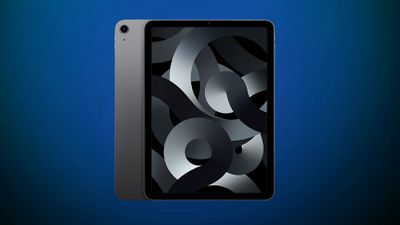
You can get every model of the 5th generation iPad Air on sale at an all-time low price right now at Best Buy, starting at $449.99 for the 64GB Wi-Fi tablet, down from $599.00. These are $150 off across the board, and also include best-ever prices on both cellular models.
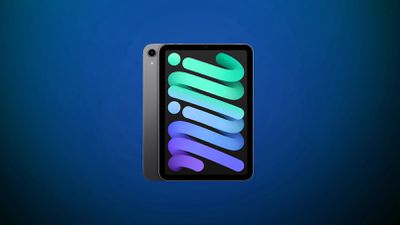
Best Buy has the 64GB Wi-Fi iPad mini 6 for $399.99 this weekend, down from $499.00, and the 256GB Wi-Fi iPad mini is available for $549.99, down from $649.00. Both of these are solid second-best prices on the iPad mini 6.
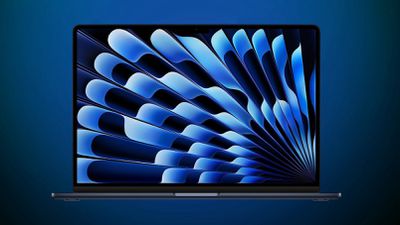
The cheapest MacBook Air deal you'll find this weekend at Best Buy is on the 256GB 13-inch M1 MacBook Air for $749.99, down from $999.00. If you want a more recently updated model, the 256GB M2 15-inch MacBook Air is priced at $999.00, down from $1,299.00. You can also get the 512GB M2 model on sale at $1,199.00, down from $1,499.00. Across the board these are the best prices we've ever seen on the MacBook Air.
Unlike the MacBook Air deals, Best Buy's MacBook Pro sales all require a My Best Buy Plus or Total membership in order to see the all-time low prices. If you don't have one, you can still get solid second-best prices on these computers at Best Buy this weekend.
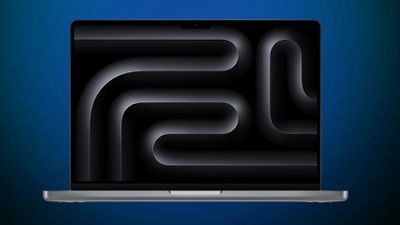
These deals are focused on the 14-inch models of the MacBook Pro. Some highlights include the 512GB M3 14-inch MacBook Pro for $1,399.00 and the 512GB M3 Pro model at $1,749.00.
Note: My Best Buy Plus/Total membership required to see final deal price.
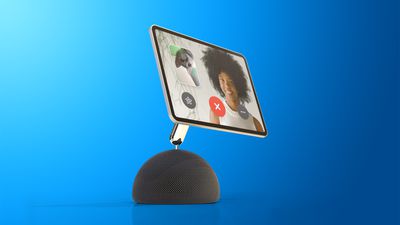
Apple is still working on a new HomePod speaker with an "iPad-like display" built into it, but the device is unlikely to launch until 2025 at the earliest should the plans move forward, according to Bloomberg's Mark Gurman.
In his Power On newsletter today, Gurman said Apple has started "early work" on a HomePod with a screen with overseas suppliers, but he said the company has yet to make "enough headway" on the device for him to consider a launch to be imminent.
Gurman reiterated that Apple has also explored a device that combines an Apple TV, HomePod, and FaceTime camera, along with iPad-like smart displays that could be magnetically attached to a wall, but it is unclear if these products will ever be released. He said Apple has been "indecisive" about its smart home product ideas for years.
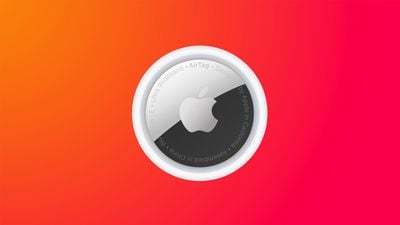
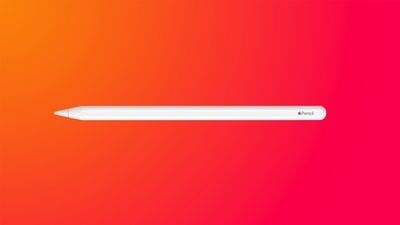
Amazon this weekend has a pair of accessory deals on popular Apple products: the Apple Pencil 2 and AirTag 4 Pack. You can get the Apple Pencil 2 for the all-time low price of $79.00, down from $129.00, and the AirTag 4 Pack for $78.00, down from $99.00.
Note: MacRumors is an affiliate partner with Amazon. When you click a link and make a purchase, we may receive a small payment, which helps us keep the site running.
In regards to the Apple Pencil 2, this is only the second time we've tracked this price in 2024, and it beats the low price we tracked during the holidays by about $10. The Apple Pencil 2 is compatible with the following iPads: iPad mini (6th generation), iPad Air (4th generation and later), 12.9-inch iPad Pro (3rd generation and later), and 11-inch iPad Pro (1st generation and later).
If you have the newest iPad Pro models, the second-generation Apple Pencil can now be detected while hovering up to 12mm above the display. This allows users to see a preview of their drawing before they make it, and with Scribble text fields automatically expand when the pencil gets near the screen.
Secondly, the AirTag 4 Pack is available for $78.00 today on Amazon, down from $99.00. This is just about $4 off from the previous all-time low price on the accessory, and right now it's only available on Amazon.
If you just want one AirTag, Amazon also has the AirTag 1 Pack for $24.00, down from $29.00. This is another second-best price, and both models have an estimated delivery date around February 28.
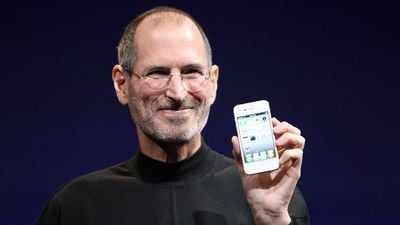
MacRumors was founded by doctor-turned-blogger Arnold Kim on February 24, 2000, while he was earning his medical degree, and it has since become the world's most popular Apple-focused news website. Fittingly, we share our birthday with Apple's co-founder Steve Jobs, who would have turned 69 years old today.
MacRumors has been around for many major Apple product announcements, including the iPod, iPhone, iPad, Apple Watch, and more:
(We've had such a long run that some of the images are broken in these!)
Thank you to all of our readers, volunteers, and everyone else in our community. We look forward to continuing to share the latest Apple news and rumors.
Apple co-founder and former CEO Steve Jobs was born on February 24, 1955, so today would have marked his 69th birthday had he not passed away in 2011 at the age of 56.
Jobs and Steve Wozniak founded Apple in 1976 to produce the very first Apple computers, revolutionizing the personal computer and building up to one of the most famous commercial launches in history, the Macintosh, in 1984. He was ousted from the company just a year later, but returned in 1997 as a floundering Apple purchased Jobs' follow-up company NeXT to serve as the future basis of the Mac operating system.
Apple was reinvigorated with Jobs back at the helm and Jony Ive leading a team generating iconic design after iconic design. The duo oversaw not only a rebirth of the Mac but the creation of a number of other revolutionary products and services, most notably including the iPod and of course the iPhone. Under Jobs' leadership from 1997 until his 2011 death from cancer, Apple went from a company on the brink of failure to one of the biggest tech companies in the world.
As he always does, Apple CEO Tim Cook paid tribute to Jobs on Twitter today.
Thinking of my friend Steve on his birthday — the lives he touched, the vision he shared, and the profound impact he had on our world. “We’re here to put a dent in the universe. Otherwise, why else even be here?” pic.twitter.com/ONDgZ6ycCe
— Tim Cook (@tim_cook) February 24, 2024
This week saw the surprise release of a new Apple Sports app for tracking sports scores across a number of leagues, while we learned more about features coming soon in iOS 17.4.
We also saw more rumors about AirPods updates coming later this year, and Apple's latest MacBook Pro models have hit Apple's refurbished products store at a nice discount, so read on for all the details on these stories and more!
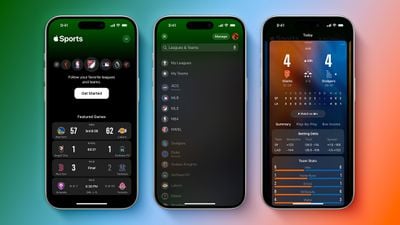
'Apple Sports' App Announced With Personalized Scoreboards and More
Apple this week released a new Apple Sports app for the iPhone that shows scores, stats, standings, upcoming games, betting odds, and more for a variety of leagues, such as the MLB, MLS, NBA, NHL, Premier League, and the NFL when its next season begins. For ongoing games, the app also displays real-time play-by-play information.
PQ3 will be gradually rolling out for supported iMessage conversations starting with iOS 17.4, iPadOS 17.4, macOS 14.4, and watchOS 10.4. Apple believes this new protocol's protections "surpass those in all other widely deployed messaging apps."
iOS 17.4 Lets You See Your iPhone 15 Battery Health at a Glance
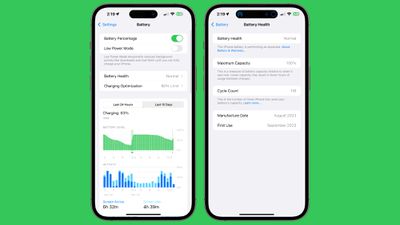
The fourth beta of iOS 17.4 seeded to developers and public beta testers this week includes some changes to the battery menu in the Settings app.
The menu now shows you whether your iPhone's battery health is "normal" at a glance, and shows the battery's cycle count. This information was already accessible elsewhere in iOS, but now it is in one convenient place starting with iOS 17.4, which will be released in March.
We recently shared a list of 10 hidden Messages app features on iOS 17. For example, did you know that you can hold the plus sign next to the typing field to quickly access your iPhone's photo library?
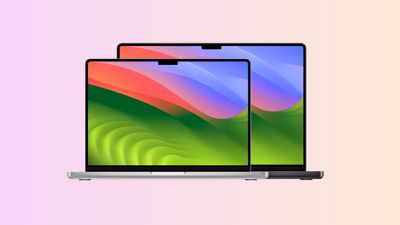
Apple Now Selling Refurbished M3 Pro and M3 Max MacBook Pro Models
As usual for Apple's refurbished products, prices are discounted by approximately 15% compared to the equivalent brand new models. In our view, Apple's refurbished products are virtually indistinguishable from its brand new products, providing a good opportunity for savings.
Check out our Apple Deals roundup for more discounts on Macs and other devices.
AirPods 4 and AirPods Max With USB-C Still Expected Later This Year
Gurman said there will be two types of fourth-generation AirPods, with the higher-end ones to feature active noise cancellation and a speaker built into the USB-C charging case for Find My sounds.
As for the AirPods Max, the only notable change expected is a USB-C charging port.
MacRumors Newsletter
Each week, we publish an email newsletter like this highlighting the top Apple stories, making it a great way to get a bite-sized recap of the week hitting all of the major topics we've covered and tying together related stories for a big-picture view.
With the iPhone 14 Pro models in 2022, Apple introduced the Dynamic Island, which can morph and expand to display system alerts, sports scores, and a variety of other information. The feature makes the space surrounding the front camera and Face ID sensors useful compared to the notch on older iPhone models.
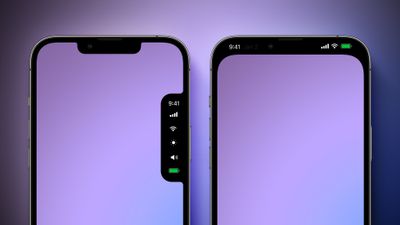
Apple explored a variety of ideas for the iPhone's notch area over the years before arriving at the current Dynamic Island design, according to information obtained by MacRumors. We recreated the images below based on our source material to provide a never-before-seen look at some of the concepts that Apple considered.
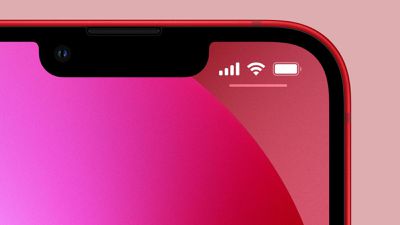
Before the Dynamic Island, Apple explored a popover menu on the right side of the screen that would have provided users with quick access to the time, cellular signal and Wi-Fi strength, display brightness, volume, and battery charge level. The menu essentially looks like a second notch, and it would disappear when not in use.
Another idea that Apple considered was hiding the notch with an all-black status bar area at the top of the screen. OLED displays show the color black by turning off individual pixels, so this design would have contributed to battery life savings.
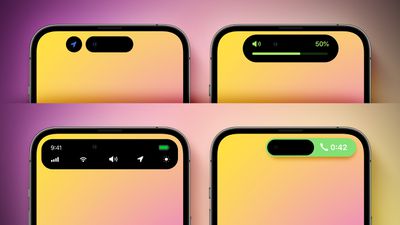
Apple later came up with the idea of the Dynamic Island, and it explored a variety of different designs for this, as pictured below.
Apple initially made the Dynamic Island permanently elongated across the top of the screen, before deciding that it would be less intrusive if it changed size as necessary. Apple also considered showing volume and a full row of system shortcuts in the Dynamic Island, tested a never-used layout for ongoing phone calls, and more.
Apple has since expanded the Dynamic Island to all iPhone 15 models, while it continues to sell the iPhone 13, iPhone 14, and iPhone 14 Plus with a notch. Rumors suggest that Apple eventually plans to move the iPhone's front camera and Face ID sensors under the display, but this transition is not expected to begin until next year at the earliest.
As usual for Apple's refurbished products, the refurbished 14-inch MacBook Pro models are discounted by approximately 15% compared to the equivalent brand new models. A variety of configurations and color options are available.
Apple says it puts refurbished Macs through a "thorough cleaning process and inspection" to ensure they are fully functional and in good condition, and they are covered by Apple's one-year limited warranty and eligible for extended AppleCare+ coverage. The laptops are repackaged in a plain white box with all accessories and manuals.
In our view, Apple's refurbished Macs are virtually indistinguishable from brand new ones, providing a good opportunity for savings directly from Apple. However, larger discounts are often available from resellers like Amazon.
Apple has been beta testing iOS 17.4 for nearly a month now. Below, we explain when the update is likely to be released to all users.
In its press release announcing major App Store changes in the EU, which were implemented in response to new regulations under the EU's Digital Markets Act, Apple confirmed that iOS 17.4 will be released at some point in March:
Developers can learn about these changes on the Apple Developer Support page and can begin testing new capabilities today in the iOS 17.4 beta. The new capabilities will become available to users in the 27 EU countries beginning in March 2024.
Apple has until March 6 to comply with the Digital Markets Act, in order to avoid fines, so iOS 17.4 will likely be released on or before that date.
In addition to the changes in the EU, key new features in iOS 17.4 include Apple Podcasts transcripts, a new iMessage security protocol, new emoji, and the ability to use the Apple Cash card on more websites by generating a virtual card number. The update also includes preparations for the launch of next-generation CarPlay later this year.
iOS 17.4 is compatible with the iPhone XS and newer. The update will be available in the Settings app under General → Software Update.
Other software updates expected to be released in March include iPadOS 17.4, macOS 14.4, watchOS 10.4, tvOS 17.4, and visionOS 1.1.





 Note: MacRumors is an affiliate partner with Best Buy. When you click a link and make a purchase, we may receive a small payment, which helps us keep the site running.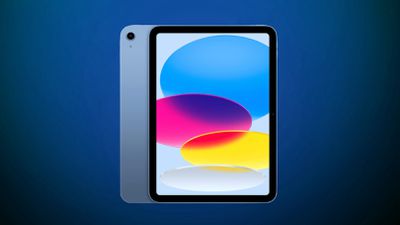
 Note: MacRumors is an affiliate partner with Amazon. When you click a link and make a purchase, we may receive a small payment, which helps us keep the site running.