As noted by MacStories editor-in-chief Federico Viticci, TestFlight now shows recent betas by default again for all users.
In July, Apple updated TestFlight with a search field for quickly finding apps that you are beta testing, but some users started to see their apps presented in alphabetical order. It is not entirely clear if this was a bug or an intentional change, but many users did not like it, and TestFlight version 4.3.1 reverses course. The update with the fix is available in the App Store now. The search field remains.
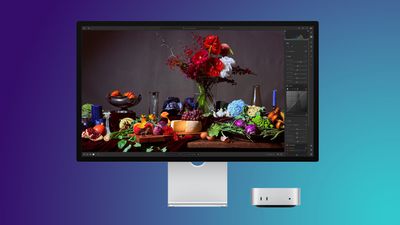
It's Labor Day weekend, and we're tracking big discounts across a wide variety of Apple and Apple-related products, including some of the best prices of the year on Studio Displays. You can also still get pre-order discounts on the new Mac minis on Amazon.
Note: MacRumors is an affiliate partner with some of these vendors. When you click a link and make a purchase, we may receive a small payment, which helps us keep the site running.
Mac Mini Pre-Orders
What's the deal? Take up to $29 off Mac mini pre-orders
Amazon this week introduced the first cash discounts on Apple's brand new Mac mini, with discounts including two of the M6 models as well as the M5 Pro model. All of these deals are pre-order discounts on the 2026 Mac mini, which officially launches on September 22.
Studio Display
What's the deal? Take up to $330 off Apple Studio Displays
Amazon this week introduced major discounts on the Apple Studio Display and Apple Studio Display XDR, providing up to $330 off these monitors. If you're shopping for the Studio Display, be sure to clip the on-page coupon on Amazon to get the final deal price.
Amazon Labor Day Sale
What's the deal? Save on popular accessories at Amazon
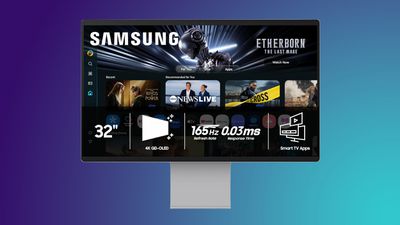
There's a big accessory sale happening on Amazon this week, with the year's best prices on Anker chargers, Samsung monitors, Sonos audio products, and much more.
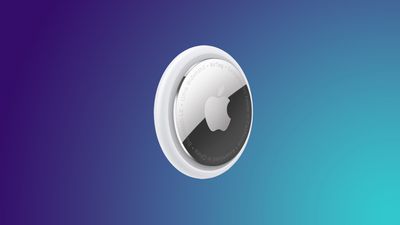
Apple's AirTag 2 is on sale for $79.99 this week on Amazon, down from $99.00. This deal is on the 4-Pack of the AirTag 2, and it's a new record low price for the accessory, beating the previous low by about $9.
If you're on the hunt for more discounts, be sure to visit our Apple Deals roundup where we recap the best Apple-related bargains of the past week.
Deals Newsletter
Interested in hearing more about the best deals you can find in 2026? Sign up for our Deals Newsletter and we'll keep you updated so you don't miss the biggest deals of the season!
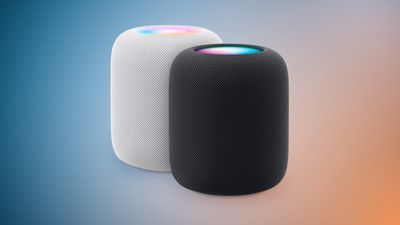
Unfortunately, in his report outlining upcoming Apple products today, Gurman said the new full-sized HomePod "doesn't appear to be imminent," so do not expect the speaker to be updated soon. The current HomePod was unveiled in January 2023.
Apple plans to release a special 20th-anniversary iPhone next year with the biggest design changes since the iPhone X, according to Bloomberg's Mark Gurman.
Unveiled by Steve Jobs in 2007, the iPhone turns 20 next year. To mark the occasion, the report said Apple plans to release a 20th-anniversary iPhone with "curved glass around all corners and edges" and thinner bezels around the screen.
"It will be the biggest overhaul to what is now the iPhone Pro line since the iPhone X," the report said, but no further details were provided.
Released in 2017, the iPhone X was the first iPhone with Face ID. The removal of the Touch ID button allowed for the iPhone X's screen to extend more towards the edges of the device compared to previous models. It seems like the 20th-anniversary iPhone would go a step further than this by truly having the screen wrap around the corners and edges of the device, for a seemingly all-glass appearance.
Rumors about the 20th-anniversary iPhone have gone back and forth, but based on Gurman's latest reporting today, the device seems to be in the works still. However, it remains to be seen if Apple can fully achieve the ambitious design changes that are apparently in development, or if plans for the device will ultimately be scaled back.
Bloomberg's Mark Gurman today reported that Apple plans to release a second-generation MacBook Neo in 2027 with three updates: an A19 Pro chip, 12GB of RAM, and new color options.
Released in March 2026, the current MacBook Neo has an A18 Pro chip with 8GB of RAM, and it is available in Silver, Blush, Citrus, and Indigo. In the U.S., the laptop initially started at $599, but Apple raised the price to $699 in June. Apple continues to offer a $100 discount to college students and educational staff.
Apple will be holding its next event on Wednesday, September 9 to unveil its latest iPhones and Apple Watches, but that is not all, according to a new report.
Bloomberg's Mark Gurman today shared a long list of products that he expects Apple to unveil between next week and early 2027.
Our list below summarizes Gurman's reporting and mixes in some other rumors.
iPhone 18 Pro Max: The same features rumored for the iPhone 18 Pro, but the Pro Max model may be slightly thicker due to a larger battery and a variable aperture camera, which might be exclusive to the Pro Max model this year.
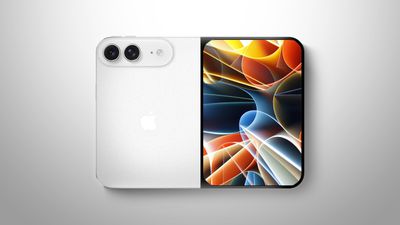
iPhone Ultra: A foldable so-called "iPhone Ultra" with a 7.7-inch inner display and 5.3-inch outer display, two rear 48-megapixel Wide and Ultra Wide cameras, one front camera, a Touch ID power button instead of Face ID, an A20 Pro chip, and more. The device's crease is expected to be less noticeable compared to many previous foldables. iOS 27 will have more landscape apps, side-by-side apps, and other multitasking features on the device. Expect to spend $2,000 or more.
Apple Watch Ultra 4: A faster S11 chip or newer, fitness tracking improvements such as the continuous heart-rate sensor, and additional satellite features for the Apple Watch Ultra 3 and newer, such as Apple Maps via satellite and the ability to send and receive photos with Messages via satellite.
Apple TV: At least five new features, including an A17 Pro chip or newer, an increased 8GB of RAM for Apple Intelligence, Siri AI support, an Apple-designed N1 chip with Wi-Fi 7 support, and an updated Siri Remote. The new Apple TV will apparently look similar to the existing model, so do not expect any major design changes.
HomePod mini: Newer chip with Siri AI support, improved sound quality, Apple's N1 chip with Wi-Fi 7 support, a second-generation Ultra Wideband chip, and potentially new color options like red. The new HomePod mini will apparently look similar to the existing model, so do not expect any major design changes.
Home Hub: An all-new smart home hub featuring Siri AI, a 6-inch to 7-inch square display, an A18 chip or newer for Apple Intelligence, FaceTime, and more. A new operating system will feature clock faces, widgets, and more. There will a tabletop version with a speaker base and a wall-mounted version.
Beats 360:New over-ear Beats 360 headphones with an AirPods Max-like design, interchangeable ear cushions and headbands, up to 1.75× more noise cancellation than the Beats Studio Pro, IPX4-rated water resistance, and more.
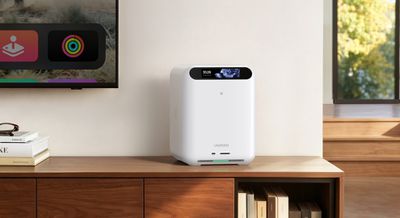
Consumer technology maker Ugreen has announced HomeAgent, its first smart home platform, combining security camera storage, on-device AI, and Matter-based device control in a single hub.
The hub is capable of processing and storing camera footage, files, and other media with no monthly storage fee. Ugreen says the onboard AI can also identify people, vehicles, pets, and packages in footage, as well as summarize events and search recorded video by keyword.
The hub is then able to create highlight reels from camera footage as well as stored photo libraries, and it can display them on Ugreen's Gallery LCD Smart Frames.
The hub works as a Matter controller and can talk to third-party devices over Wi-Fi, Zigbee, Thread, Bluetooth, NFC, ONVIF/RTSP, and PoE. Ugreen's compatibility list includes devices from Aqara, ThirdReality, SwitchBot, and Eve, with the company promising more third-party support to come, though the initial phase is limited to lights, switches, sensors, and curtains.
All of this can be controlled by talking to the onboard AI assistant Uliya, which can also check live status or event history, and can generate voice notifications for events like packages arriving or the sound of a baby crying.
The hub is available in three configurations, each with increasing levels of AI processing power. The entry-level HA100 comes with storage, camera security, and device control, and responds to voice commands, while the HA100 Pro offers faster network connectivity and more compute for heavier workloads.
Then there's the MasterAgent Ma100, which runs on NVIDIA's Jetson Thor T5000 platform. Ugreen says it runs at up to 2,070 FP4 TFLOPS of local compute and calls it the hub for larger models juggling multiple devices and tasks at once.
Preorders for all hub models are open now on Ugreen's website, with a $50 deposit securing 50% off ahead of a Kickstarter campaign that starts on October 27. Early bird pricing for the three models is $899, $2,999, and $9,999, respectively.
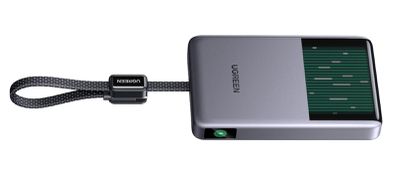
Elsewhere, Ugreen has also launched a 25W MagFlow Pro Magnetic Power Bank, featuring a 10,000mAh battery. The company is touting it as the world's first liquid-cooled Qi2 power bank, since it features a micro-pump that circulates coolant behind a transparent window, so you can actually watch it flowing around inside.
The MagFlow Pro costs $149.99 and is available now from Ugreen and Amazon.
The company has also launched a MagFlow Pro 3-in-1 Magnetic Wireless Charging Stand 25W, priced at $159.99, also available from Ugreen and Amazon.
Note: MacRumors is an affiliate partner with Amazon. When you click a link and make a purchase, we may receive a small payment, which helps us keep the site running.
Apple last month only managed to produce "a few hundred units a day" of its upcoming foldable iPhone because of the company's extremely high quality control standards, according to Nikkei Asia ($), citing supply chain sources.
From today's report:
"Production is ramping up slowly, with output currently at only a few hundred units a day in late August. That initial volume could be challenging to meet market demand," one supply chain manager with knowledge of the matter told Nikkei Asia.
Multiple reports have suggested the foldable iPhone's production has faced hurdles because of how difficult the device is to build, with the hinge structure and display durability testing having been the principal bottlenecks. Those issues were thought to have been resolved during trial production at Foxconn, with Apple subsequently raising its order to around 10 million units, up from 7-8 million units for the year, Nikkeipreviously reported.
But the publication's sources now claim that Apple carried out an additional verification process in August for the foldable iPhone to make sure it can be mass-produced according to its specified design. "The surface flatness and the performance of the hinge are among the details where Apple is asking for better production yields," a person with knowledge of the matter told Nikkei.
All of this has apparently "pushed back commercial production for weeks," suggesting Apple could fall short of its production target unless it can ramp up output more quickly. Apple and its suppliers are said to be working "around the clock" to ramp up production and avoid limited stocks at distribution centers.
It sounds like timing couldn't be tighter for Apple's foldable. A previous report even suggested the device could face a staggered market launch, with availability initially limited to the U.S.
However things pan out, Apple is still expected to unveil the foldable iPhone alongside the iPhone 18 Pro and iPhone 18 Pro Max on Wednesday, September 9 at the company's "Surprise and shine" event. For everything we know about the device, be sure to check out our latest roundup.
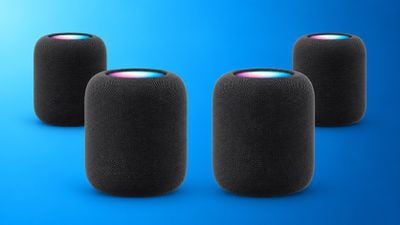
Apple appears to be working on some major new HomePod home theater features, including a four-speaker surround sound system and a new "Party Mode," according to code found in audioOS 27 beta 8, and shared on the MacRumors forums by member pdfu.
References in the software for the second-generation HomePod suggest the ability to tune for a setup with front-left, front-right, rear-left, and rear-right HomePods. The four-speaker surround configuration references automatic room calibration, speaker-position mapping, timing adjustments, bass management, EQ, dialogue enhancement, and different processing modes for movies and music.
For stereo content, the code suggests the ability to either spatialize sound across all four speakers or limit traditional stereo playback to the two front speakers.
The files also reference a new tuning system called "Forklift" that combines two second-generation HomePods with two speakers that use an unidentified AID12007 hardware family. We haven't seen this identifier before – it doesn't correspond to any existing HomePod models – suggesting it refers to a future HomePod mini, third-generation HomePod, or some other unreleased audio device.
In addition, Apple appears to be working on a new "Party Mode" feature for stereo-paired HomePods. The feature applies a more diffuse sound field that's designed to spread sound more evenly across the room for a more immersive listening experience, rather than optimizing playback for a single listening position.
The Home app and Apple TV do not currently provide a way to configure four HomePods as a surround system. Indeed, none of these features have been referenced before. All we can say at this point is that they indicate that Apple is testing them, but whether Apple ultimately releases them remains to be seen.
A new HomePod mini, a new Apple TV, and an all-new Apple smart home hub are all coming soon, according to Bloomberg's Mark Gurman, so it's possible that these features could be part of Apple's broader Home refresh. Watch this space.
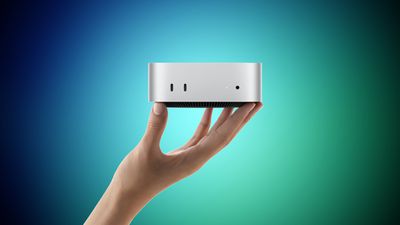
Apple last week announced two new Mac mini models, one with the all-new M6 chip and one with the M5 Pro chip that debuted in the MacBook Pro earlier this year.
Somewhat like the MacBook Pro last year, Apple has again placed its newest silicon in the entry-level machine and a previous-generation Pro chip in the high-end machine, so the more expensive Mac mini is not simply a faster version of the cheaper one. The M6 model starts at $899 with a 12-core CPU, 16GB of unified memory, and 256GB of storage. The M5 Pro model starts at $1,699 with a 15-core CPU, 24GB of memory, and 512GB of storage, and it can be configured with up to an 18-core CPU and a 20-core GPU.
Both are the highest starting prices Apple has ever set for the Mac mini, which makes the $800 gap between the two models more consequential than in previous generations. Our guide helps to answer the question of how to decide which of these two Mac mini models is best for you.
Both models are available to pre-order now and launch on Tuesday, September 22. The two machines are physically identical and share the majority of their hardware. The shared features include:
The same 5.0 by 5.0 inch aluminum enclosure in silver, unchanged since 2024
Neural Accelerators in every GPU core, a first for the Mac mini
Wi-Fi 7 and Bluetooth 6 via the N1 chip, another first for the Mac mini
2.5Gb Ethernet as standard, with a 10Gb Ethernet configuration option
Two front USB-C ports and a headphone jack with high-impedance headphone support
An HDMI port and native support for up to three external displays
Genlock over USB-C for synchronizing a display with a camera such as the iPhone 17 Pro
Two super cores, four performance cores, and six efficiency cores
Up to six super cores and 12 performance cores
World's fastest single-threaded performance, according to Apple
12-core GPU
16-core or 20-core GPU
Updated shader core architecture, Dynamic Caching, and hardware-accelerated ray tracing, with 50% higher geometry rates
Enhanced shader core with third-generation ray tracing
Dual 16-core Neural Engine, with up to 2x the peak compute of previous generations
16-core Neural Engine
Up to 170GB/s memory bandwidth
307GB/s memory bandwidth
16GB, 24GB, or 32GB of unified memory
24GB, 48GB, or 64GB of unified memory
256GB, 512GB, 1TB, or 2TB of storage
512GB, 1TB, 2TB, 4TB, or 8TB of storage
Three Thunderbolt 4 ports
Three Thunderbolt 5 ports
Clustering of multiple Mac mini systems over Thunderbolt 5
1.5 pounds (0.67 kg)
1.6 pounds (0.73 kg)
Starts at $899
Starts at $1,699
For the majority of buyers, the M6 model is the right choice, and not only because it is $800 cheaper. It is the newer chip, built on a 2nm process, and Apple says it contains the world's fastest CPU core. It is also the only Mac mini with the Dual 16-core Neural Engine, which Apple says delivers up to twice the peak compute of the single Neural Engine used in the M5 Pro. If your workload is dominated by everyday productivity, web work, photo editing, coding, or light on-device AI, the M6 should feel marginally faster in day-to-day use, especially for single-core tasks, and be more future-proof.
Buying the more expensive machine means accepting older silicon in exchange for a broader performance. What the M5 Pro provides is scale rather than speed per core: up to 18 CPU cores against 12, up to 20 GPU cores against 12, and 307GB/s of memory bandwidth against 170GB/s. Those advantages only really surface in sustained, heavily parallel work such as video rendering, 3D and VFX production, compilation of large codebases, and scientific simulation.
The memory ceiling is the clearest dividing line. The M6 model tops out at 32GB of unified memory, while the M5 Pro reaches 64GB. If you intend to run local large language models, work with complex 3D scenes, or keep sizeable datasets resident in memory, the M6 configuration simply cannot be specified high enough, no matter how much you spend on it. Storage works the same way, with the M6 limited to 2TB and the M5 Pro extending to 8TB.
Thunderbolt is the other hard limit. The M5 Pro model has three Thunderbolt 5 ports, double the bandwidth of the Thunderbolt 4 ports on the M6 model, and Thunderbolt 5 is what allows several Mac mini systems to be clustered together to run large AI models entirely on device. This is significant for users building a small local compute setup, or attaching high-speed external storage arrays for video work.
A note of caution applies to configuring the cheaper machine upward. Adding 32GB of memory and 2TB of storage to the M6 model pushes it well past its $899 starting price and narrows the gap to the M5 Pro considerably. At that point, the M5 Pro entry configuration becomes a more sensible purchase for anyone doing professional work, since the extra outlay buys substantially more CPU and GPU capacity, faster memory, and Thunderbolt 5 rather than just more of the same.
One final consideration is longevity. Apple reportedly has no plans for an M6 Pro chip, so the M5 Pro will remain the highest-end Mac mini option until the M7 family arrives in 2027. Buyers who want the newest Apple silicon in the smallest desktop Apple sells can only get it by choosing the $899 machine.
We're less than a week away from the debut of Apple's first foldable iPhone, and rumors have been picking up as the event date approaches. Here's the latest.
Crease - Some of the early language about the foldable iPhone's crease suggested Apple might have found a way to make it invisible, but later rumors are more realistic. The crease is minimal, but Apple hasn't found a magic way to get rid of it.
Touch ID - Touch ID is still expected for the foldable iPhone. Apple didn't have room for the Face ID hardware because the device is rumored to be just 4.5mm thick. There will be volume buttons at the top of the iPhone Ultra, with a Touch ID side button for unlocking.
Software - iOS 27makes it clear Apple is making sure apps will work with the foldable iPhone. There's a big push for app resizability and layout flexibility. The iPhone is expected to support multitasking, sidebars, and side-by-side app usage.
Cameras - Camera rumors haven't changed. We're expecting a two-lens camera setup with Wide and Ultra Wide lenses.
Chips - Early rumors said Apple would transition to the C2 and move away from Qualcomm, but it looks like Apple might still use Qualcomm modems in the United States. It hinges on whether the C2 supports mmWave 5G. The iPhone Ultra will also adopt Apple's A20 Pro chip, the same as the iPhone 18 Pro models.
Colors - The foldable iPhone is expected in white/silver and dark blue.
Apple Pencil - Apple tested an Apple Pencil with the foldable iPhone, but it's probably not going to launch.
Launch Timing - Rumors on iPhone Ultra launch timing and production have been mixed, with some sources reporting delays. Gurman says he will be "very surprised" if the device doesn't launch at the same time as the iPhone 18 Pro models or "very close to it." It's still possible supplies could be constrained, leading to long waits for those who don't pre-order early.
Price - The iPhone Ultra is expected to cost over $2,000, possibly up to $2,500 depending on storage capacity.
Apple will introduce the iPhone Ultra and the iPhone 18 Pro models at its "Surprise and Shine" event that will be held on Wednesday, September 9.
Apple is facing a £2 billion ($2.7 billion) lawsuit in London accusing it of imposing stricter App Tracking Transparency rules on third party developers than on its own advertising services (via Reuters).
The case, filed at London's Competition Appeal Tribunal, follows a similar suit in which the tribunal ordered Apple to pay around £1.5 billion over App Store commissions last October, a ruling Apple is appealing. The new claim still needs to be certified before it can proceed.
Amazon today has introduced a big discount on the Apple Studio Display with Nano-Texture Glass and Tilt-Adjustable Stand, available for $1,684.88 with an on-page coupon, down from $1,899.00. This is the first time in nearly three months we've seen any notable discounts on the 2026 Studio Display lineup.
Note: MacRumors is an affiliate partner with some of these vendors. When you click a link and make a purchase, we may receive a small payment, which helps us keep the site running.
Amazon's discount today beats the previous all-time low price by over $100. There are a few other Studio Displays with markdowns on Amazon for Labor Day, but none reach the steep discount of this model. Remember that you will need to clip the on-page coupon in order to see the final sale price.
Note: You won't see the deal price until checkout.
Apple refreshed the Studio Display lineup back in March, featuring two Thunderbolt 5 ports, built-in 12-megapixel Center Stage camera with Desk View, a six-speaker sound system, and more.
If you're on the hunt for more discounts, be sure to visit our Apple Deals roundup where we recap the best Apple-related bargains of the past week.
Deals Newsletter
Interested in hearing more about the best deals you can find in 2026? Sign up for our Deals Newsletter and we'll keep you updated so you don't miss the biggest deals of the season!
Ahead of Apple's event on Wednesday, September 9, where it is expected to unveil its first-ever foldable iPhone, Taiwanese research firm TrendForce today outlined the device's estimated price range, features, and some other key details.
In the U.S., TrendForce estimated that the foldable iPhone will have a starting price of $2,099 to $2,299 and said the highest-end configurations could surpass the $3,000 mark. In other words, the foldable iPhone would easily be the most expensive iPhone ever, coming in well above the iPhone 17 Pro Max's starting price of $1,199.
The foldable iPhone will be named iPhone Ultra, according to a previous report from Macworld's Filipe Espósito, who now writes for Engadget.
TrendForce expects the foldable iPhone to have the following specs:
5.5-inch outer OLED display
7.8-inch inner OLED display with ProMotion for up to a 120Hz refresh rate
Touch ID
A20 Pro chip manufactured with TSMC's 2nm process
12GB of RAM
256GB, 512GB, 1TB, and 2TB storage capacities
24-megapixel front camera
48-megapixel rear Wide camera
48-megapixel rear Ultra Wide camera
With just six more days until Apple's event, the foldable iPhone will finally be revealed soon.
Apple has canceled plans for a foldable MacBook and a larger OLEDMacBook Pro model, according to research firm Omdia.
In a new research note, Omdia said Apple has scrapped development of a large foldable MacBook that would have measured between 16.1 and 18 inches when unfolded. It was previously reported that this device had already slipped out of its original 2026 production window, with Omdia among the firms tracking it at the time, though under that earlier reporting it was generally described as a large-screened foldable iPad rather than a MacBook.
Apple has also apparently called off a separate, previously planned MacBook with an OLED display between 14.4 and 16.1 inches in size, which would have sat in its own tier between the standard MacBook Pro sizes and the canceled foldable. With both of those product lines scrapped, the 14.3 to 16.3 inch size range will seemingly remain exclusive to the MacBook Pro series going forward.
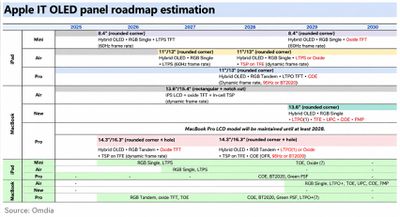
Omdia said Apple's broader strategy of bringing OLED displays to its entire iPad and MacBook lineup has not changed, but the company has reworked which products will get OLED and what specific OLED technology each one uses, a shift that lines up with the changes detailed in Apple's rumored 2026 and 2027 product roadmap.
As part of that same reshuffle, Apple is said to be adding a new 13.8 inch MacBook positioned between the LCD MacBook Air and the OLED MacBook Pro, using a new generation of OLED technology that includes an LTPO+ backplane, under-panel camera, and color-filter-on-encapsulation technology, among other features. That new 13.8 inch model appears to fill the gap in Apple's lineup that the now canceled 14.4 to 16.1 inch MacBook OLED would have occupied, positioned below the Pro rather than above it.
The 14.3- and 16.3-inch MacBook Pro OLED models, also referred to as the "MacBook Ultra," are expected to be announced in the second half of 2026 or early 2027. Omdia added that Apple will not discontinue the existing mini-LED MacBook Pro models in those sizes when the high-end OLED versions arrive, and the two display types are expected to sell in parallel for several years, with the mini-LED version likely continuing until at least 2028.
Apple has reportedly revised its plans for adopting OLED displays across its MacBook lineup, and its existing LCD-based MacBook Pro models with mini-LED backlighting are now expected to remain available for longer than anticipated.
According to a new OLED adoption roadmap published by research firm Omdia, Apple still intends long-term adoption of OLED panels across MacBooks and iPads, but the transition pace has recently changed, owing to higher memory and component costs.
Previously, Omdia had expected Apple to discontinue its existing LCD-based models sooner, once its 14-inch and 16-inch OLED MacBook Pro models arrive – either this year or in early 2027.
However, Omdia now predicts that Apple will continue to sell both 14-inch and 16-inch LCD MacBook Pro models in parallel with the OLED MacBook Pro product line into at least 2028, a product strategy arrangement that is said to be based on cost factors.
Previous reports had already suggested Apple will position the OLED-based "MacBook Ultra" above the existing MacBook Pro models in its lineup, but there was little information about how long Apple would keep the latter models around for. Omdia's roadmap is the first to suggest they could remain available for another year at least.
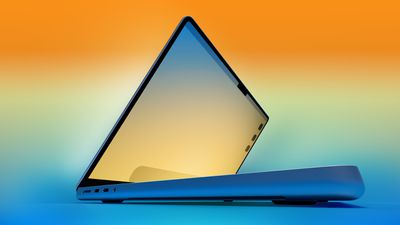
Apple reportedly plans to release MacBook Pro models with OLED displays by early 2027, and Omdia analyst David Hsieh has predicted that the laptops will have an M5 Ultra chip option.
Given that these MacBook Pro models might actually be branded as "MacBook Ultra" models, it would be fitting if there were configurations with the M5 Ultra chip available. But keep your expectations low, as there has never been a MacBook with an Ultra chip, and a previous report from Bloomberg's Mark Gurman only mentioned M5 Pro and M5 Max chips for these laptops.
Apple may introduce an entirely new 13.8-inch OLED MacBook model in 2029, potentially creating a new product tier between the MacBook Air and MacBook Pro, according to an updated product roadmap from research firm Omdia.
The firm's latest roadmap sandwiches a new 13.8-inch MacBook between the projected time line for the Air and Pro models. The surprise model is said to use a single-stack hybrid OLED panel, rather than the more sophisticated tandem OLED technology that is expected in the upcoming OLED MacBook Pro models, which are set to launch either later this year or early next year.
It seems this prediction hasn't come out of nowhere, either. According to a June report from ZDNet Korea, Apple sounded out Samsung Display, LG Display, and BOE for information regarding a 13.8-inch OLED MacBook panel earlier this year. At the time, the general assumption was that it was likely to be part of Apple's work on the first OLED MacBook Air, expected by 2028 at the earliest.
However, looking at Omdia's latest roadmap, the OLED MacBook Air is conspicuously absent, having been replaced by the 13.8-inch OLED machine in a separate "new" product category. The new model is expected to incorporate an LTPO+ backplane, integrated touch sensing, an under-panel camera, and a color filter integrated into the OLED encapsulation layer.
Omdia believes it is still too early to know for sure which display manufacturer would supply panels for the device, but the firm believes that it could potentially become an important mainstream MacBook product, positioned between the LCD MacBook Air and the higher-end OLED MacBook Pro.
Meanwhile, the MacBook Air line is shown as continuing to use LCD displays right into 2030.
Of course, Apple's wholesale OLED adoption plans could change, and Omdia itself caveats that its roadmap is based on current market expectations. On that basis alone, it could be adjusted at any time according to OLED manufacturing capacity, component costs, and Apple's wider product strategy. Additionally, this is the first we've heard of a completely new MacBook line, and it's still three years out. So with all due caution, file this one under "wait and see."


 As noted by MacStories editor-in-chief Federico Viticci, TestFlight now shows recent betas by default again for all users.
 Note: MacRumors is an affiliate partner with some of these vendors. When you click a link and make a purchase, we may receive a small payment, which helps us keep the site running.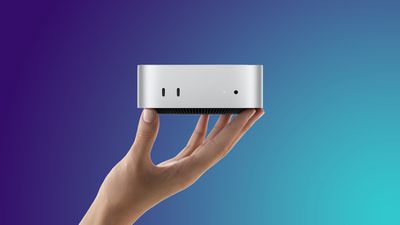
 Apple has been testing a new full-sized HomePod with Siri AI support,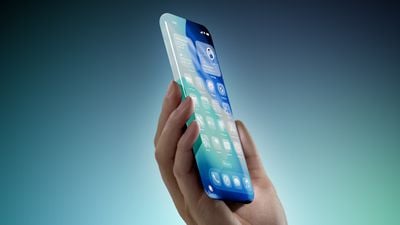
 Bloomberg's Mark Gurman today

 Apple is facing a £2 billion ($2.7 billion) lawsuit in London accusing it of imposing stricter App Tracking Transparency rules on third party developers than on its own advertising services (via
  Note: MacRumors is an affiliate partner with some of these vendors. When you click a link and make a purchase, we may receive a small payment, which helps us keep the site running.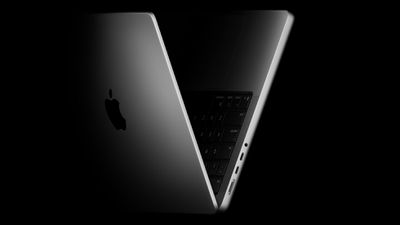
 Apple reportedly plans to release MacBook Pro models with OLED displays by early 2027, and Omdia analyst David Hsieh has