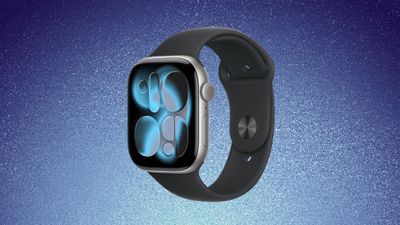
Amazon and Best Buy this weekend have all-time low prices on the Apple Watch Series 11, with $100 discounts across numerous models of the smartwatch.
Note: MacRumors is an affiliate partner with Amazon. When you click a link and make a purchase, we may receive a small payment, which helps us keep the site running.
You can get the 42mm GPS Apple Watch Series 11 for $299.00, down from $399.00, and the 46mm GPS model for $329.00, down from $429.00. On Amazon, you'll find four of the 42mm GPS models on sale at this all-time low price, and three of the 46mm GPS models on sale.
If you're shopping for cellular models, you can find record low prices on multiple models this week on Amazon. The 42mm cellular Apple Watch Series 11 has hit $399.00, down from $499.00, and the 46mm cellular model has hit $429.00, down from $529.00.
Head to our full Deals Roundup to get caught up with all of the latest deals and discounts that we've been tracking over the past week.
Deals Newsletter
Interested in hearing more about the best deals you can find in 2026? Sign up for our Deals Newsletter and we'll keep you updated so you don't miss the biggest deals of the season!
Even without any announcements from Apple, CES dominated tech news this week with a host of upcoming products and technologies being demonstrated at the annual expo in Las Vegas.
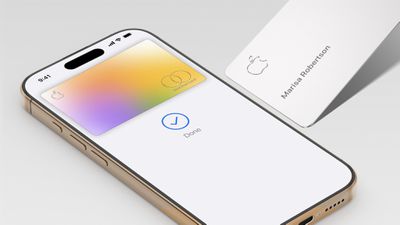
Other news in the Apple world this week included official word that the Apple Card will shift from Goldman Sachs to Chase, while iOS 26 appears to be showing extremely slow adoption rates amid the controversial Liquid Glass redesign, so read on below for all the details on these stories and more!
Top Stories
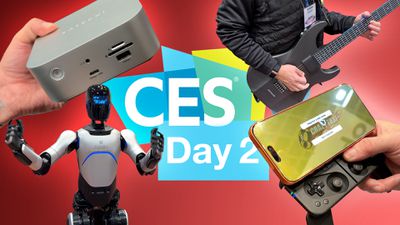
CES 2026 Hub: Highlights From the Show
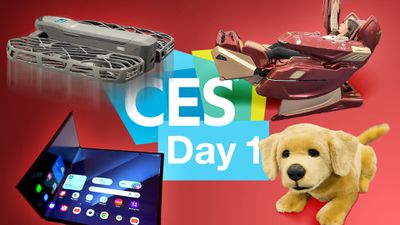
The annual consumer electronics show CES was once again held this week in Las Vegas. AI and robots were some of the high-profile areas of focus this year, and even though Apple itself doesn't officially attend the show, we still saw a variety of more traditional products that are always popular with Apple fans.
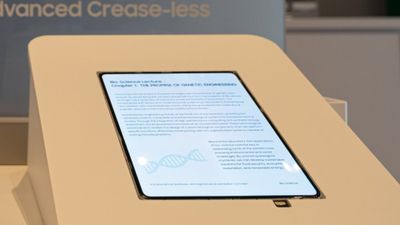
One of the products shown at the show that appears to be more directly relevant to Apple came from Samsung, which briefly showed off its new crease-less foldable OLED display panel. The panel is rumored to be destined for Apple's upcoming foldable iPhone expected to debut later this year.
Another item at CES that has proven popular is the Clicks Communicator, a new Android smartphone intended to be carried as a second phone for focus on communication rather than consumption, with Clicks calling it akin to a Kindle's relationship to the iPad.
Usage data published by StatCounter for January 2026 indicates that only around 15 to 16% of active iPhones worldwide are running any version of iOS 26. Historical comparisons highlight how atypical this adoption curve appears. StatCounter data from January 2025 shows that roughly 63% of iPhones were running some version of iOS 18 about four months after its release. In January 2024, iOS 17 had reached approximately 54% adoption over a similar timeframe, while iOS 16 surpassed 60% adoption by January 2023.
Logitech Blames 'Inexcusable Mistake' After Certificate Expiry Breaks macOS Apps
Logitech devices like the MX Master series mice and MX Keys keyboards stopped working properly as a result of the oversight, with users unable to access their custom scrolling setup, button mappings, and gestures. It wasn't long before the Logitech subreddit was awash with frustrated reports as people discovered their configured peripherals had suddenly reverted to default settings.
Logitech quickly issued updates to address the issue, but they require a manual update as the problem left the auto-updating feature unusable since the apps were unable to open.
OpenAI Launches ChatGPT Health With Apple Health Integration
OpenAI this week announced the launch of ChatGPT Health, a dedicated section of ChatGPT where users can ask health-related questions completely separated from their main ChatGPT experience.
For more personalized responses, users can connect various health data services such as Apple Health, Function, MyFitnessPal, Weight Watchers, AllTrails, Instacart, and Peloton. Once connected to Apple Health, ChatGPT will be able to access your health and fitness data, including movement, sleep, and activity patterns.
Low-Price 12.9-Inch MacBook With A18 Pro Chip Reportedly Launching Early This Year
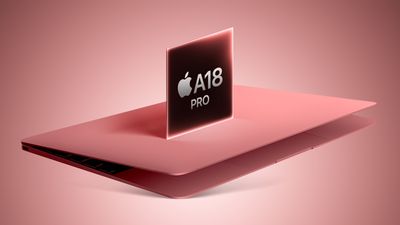
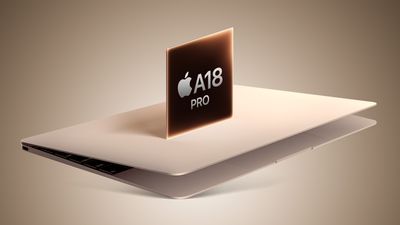
Apple plans to introduce a 12.9-inch MacBook in spring 2026, according to TrendForce. The Taiwanese research firm says this MacBook will be aimed at the entry-level to mid-range market, with "competitive pricing."
TrendForce did not share any further details about this MacBook, but the information that it shared lines up with several rumors about a more affordable MacBook, which is expected to be equipped with a version of the iPhone 16 Pro's A18 Pro chip. Apple is expected to release the laptop by March or April of this year.
Each week, we publish an email newsletter like this highlighting the top Apple stories, making it a great way to get a bite-sized recap of the week hitting all of the major topics we've covered and tying together related stories for a big-picture view.
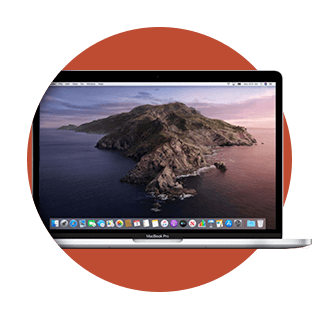
Today marks the 20th anniversary of the introduction of the MacBook Pro, unveiled by Steve Jobs as a "One More Thing" segment at the end of his Macworld San Francisco keynote on January 10, 2006.
The MacBook Pro was an evolution of the previous PowerBook as the professional-level laptop in Apple's lineup, but with the shift from PowerPC chips to Intel Core chips, Apple decided to launch a rebrand. The MacBook Pro was initially available only in a 15-inch size, with a 17-inch model following a few months later. A 13-inch aluminum MacBook debuted in October 2008, and after just one generation it was folded into the MacBook Pro lineup in 2009.
The original MacBook Pro came in two configurations, both with 15.4-inch widescreen displays at a resolution of 1,440 × 900 pixels. As announced, the entry-level model priced at $1,999 featured a 1.67GHz Core Duo processor, 512MB of 667MHz DDR2 RAM, and an 80GB hard drive, while the higher-end model priced at $2,499 offered a faster 1.83GHz Core Duo processor, 1GB of RAM, and a 100GB hard drive.
By the time the MacBook Pro started shipping a month later, however, Apple had already upgraded the available Core Duo chips to 1.83GHz in the base model and 2.0GHz in the high-end configuration, while also introducing an even higher-end 2.16GHz build-to-order option.
With its lengthy 20-year history, the MacBook Pro has gone through a lot of changes over its lifetime, adopting key features like a built-in webcam, MagSafe power connector, aluminum unibody construction, high-resolution Retina displays, and more.
Other features were not so well received, including the revolutionary Touch Bar in place of traditional function keys and the butterfly-mechanism keyboard that proved prone to failures and resulted in an extended repair program and multiple class action lawsuits.
In 2020, the 13-inch MacBook Pro was one of three Apple products, alongside the MacBook Air and the Mac mini, to receive the M1 chip, marking a generational shift for Apple away from Intel processors and into its own custom Apple silicon. The move freed Apple up from having to follow the cadence of Intel chip releases, and it allowed Apple to further tighten the integration between hardware and software, leading to significant leaps in performance and efficiency.
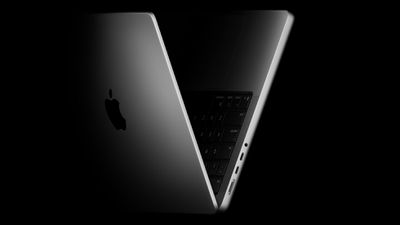
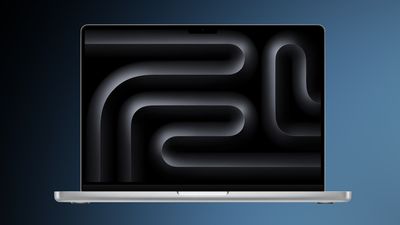
Looking toward the future, the next big revolution for the MacBook Pro appears to be coming fairly soon, with rumors indicating we should see a major redesign for the higher-end models with OLED displays, touchscreen support, and perhaps an iPhone-like Dynamic Island cutout in the display in either late 2026 or early 2027. Apple is said to also be planning for thinner and lighter designs, making Apple's most powerful laptops even more portable.
Three years later, Apple is now on the verge of ending support for the old version of the Home architecture, which may result in access to the entire Home platform being blocked for some users if they do not or cannot update. The deadline for updating was originally announced as fall 2025, but in early November, Apple announced that it was pushing back the deadline to February 10, 2026.
It appears Apple will be sticking with that deadline, as the company is sending out fresh reminder emails today to users who have yet to upgrade to the new version of Apple Home.
This email serves as your second reminder that support for the earlier version of Apple Home will end next month on February 10, 2026.
If you do not update to this new version of Apple Home, your access to your home within the Home app might be blocked, accessories and automations might not work as expected, and you will not receive important security fixes and performance improvements. Updating to the new version of Apple Home can also enable new features, such as guest access, support for robot vacuum cleaners, Activity History, and more.
Users can update to the new version of Apple Home within the Software Update section of Home Settings in the Home app. If you have already completed these steps, or "This home and all accessories are up to date" is shown in Software Update, then you are already on the current version and there is nothing more you need to do.
Notably, the new version of Apple Home requires a minimum of iOS 16.2, iPadOS 16.2, macOS 13.1, tvOS 16.2, and watchOS 9.2, and older devices that have not been or cannot be updated will lose access to the Apple Home after updating. This requirement has not sat well with some users who may use older devices as dedicated Home control devices, so many of these users have put off upgrading their Home architecture for as long as possible, but it now appears the reprieve is coming to an end.
In a letter to Apple CEO Tim Cook and Google CEO Sundar Pichai, U.S. Senators Ron Wyden, Ben Ray Lujan, and Edward Markey have requested that Apple and Google remove X Corp's X and Grok apps from their app stores over recent incidents of "mass generation of nonconsensual sexualized images of women and children."
X has come under fire over the past week amid reports of Grok's AI image generation capabilities being used to create images depicting women and children in bikinis or underwear. In response, X appears to have scaled back the ability for Grok to generate images in response to X posts by non-paying users, but The Verge notes that the tools remain available to paying subscribers and through the dedicated Grok tab in the X and in the standalone Grok app.
The senators argue that the "harmful and likely illegal depictions" are in violation of Apple's and Google's app store terms and that the two companies must remove the apps until the policy violations are addressed.
. . . Apple's terms of service bar apps from including "offensive" or "just plain creepy" content, which under any definition must include nonconsensually-generated sexualized images of children and women. Further, Apple's terms explicitly bar apps from including content that is "[o]vertly sexual or pornographic material" including material "intended to stimulate erotic rather than aesthetic or emotional feelings."
Turning a blind eye to X's egregious behavior would make a mockery of your moderation practices. Indeed, not taking action would undermine your claims in public and in court that your app stores offer a safer user experience than letting users download apps directly to their phones. This principle has been core to your advocacy against legislative reforms to increase app store competition and your defenses to claims that your app stores abuse their market power through their payment systems.
The senators request a written response to their letter by January 23.
Note: Due to the political or social nature of the discussion regarding this topic, the discussion thread is located in our Political News forum. All forum members and site visitors are welcome to read and follow the thread, but posting is limited to forum members with at least 100 posts.
Apple this week secured another victory in its ongoing legal dispute with heart monitoring company AliveCor, after a federal appeals court upheld a 2024 ruling that found Apple's changes to the Apple Watch were lawful product improvements rather than anticompetitive behavior.
The Ninth Circuit Court of Appeals affirmed a lower court decision that rejected AliveCor's antitrust claims. AliveCor had argued that Apple illegally monopolized the market for heart rate analysis apps on watchOS when it replaced its Heart Rate during Physical Observation (HRPO) algorithm with its heart rate neural network (HRNN) algorithm in watchOS 5.
AliveCor claimed that Apple changed the algorithm so that its ECG KardiaBand could no longer identify irregular heart rhythms – as part of an alleged effort to "eliminate opposition" in the heart rate analysis space – and requested that it reinstate the old algorithm.
Apple argued that AliveCor did not have the right to dictate Apple's design decisions, and that the request to support the older heart rate technology would require the court to be a day-to-day enforcer of how Apple engineers its products. The court ultimately agreed with Apple.
The Ninth Circuit has now affirmed Apple's victory. "The undisputed evidence shows as a matter of law that Apple's refusal to share HRPO data was not anticompetitive," the court wrote. It added that even if some form of heart rate data access were essential for competing in the market, AliveCor's claim would still fail because Apple provides app developers with access to the same Tachogram API data that Apple's Irregular Rhythm Notification feature uses.
The appeals court also rejected AliveCor's argument that Apple had a duty to share its proprietary data with competitors. The ruling said that antitrust laws generally impose no obligation for companies to deal with their rivals. It also noted that such a requirement "would implicate the same concerns regarding incentives to innovate and judicial competency that the Supreme Court has articulated."
The decision is Apple's second major win against AliveCor within the last year. In March, the Federal Circuit confirmed the invalidation of three AliveCor patents related to heart rate monitoring, vacating an International Trade Commission ruling that could have led to an Apple Watch import ban.
AliveCor said at the time of the court's original ruling that it was "deeply disappointed" by the decision and would continue to explore all available legal options, including potential appeals.
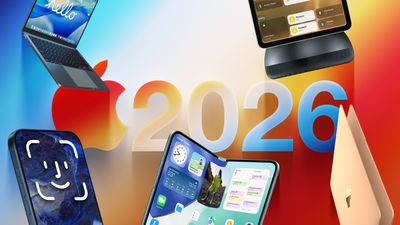
2026 could be a bumper year for Apple's Mac lineup, with the company expected to announce as many as four separate MacBook launches. Rumors suggest Apple will court both ends of the consumer spectrum, with more affordable options for students and feature-rich premium lines for users that seek the highest specifications from a laptop.
Below is a breakdown of what we're expecting over the next 12 months from Apple's multi-pronged MacBook offering. Got your eye on a particular model? Let us know in the comments what you're looking forward to most.
Low-Cost MacBook
Apple is preparing to enter the low-cost laptop market for the first time by developing a budget MacBook aimed at luring away customers from Chromebooks and entry-level Windows PCs, according to Bloomberg's Mark Gurman. The new device is said to be designed for students, businesses, and casual users, and will target people who mainly browse the web, work on documents, or dabble in light media editing.
The new MacBook is said to have a 13-inch display, similar to but slightly smaller than the MacBook Air, and will feature an ultra-thin, lightweight design with a lower-end LCD display. According to reputable industry analyst Ming-Chi Kuo, Apple is said to be using its A18 Pro chip to power the machine. The A18 Pro chip debuted in the iPhone 16 Pro and is around 40% slower than Apple's latest M4 chip, but its multi-core CPU performance is virtually identical to the M1 chip in the 2020 MacBook Air, and it even outperforms the M1 chip for graphics.
The A18 Pro chip lacks Thunderbolt support, so the new MacBook would likely be equipped with regular USB-C ports. The current 13-inch MacBook Air starts at $999 in the U.S., so the new MacBook would likely have a starting price of between $699 and $899. The more-affordable MacBook could also come in some fun new colors like Silver, Blue, Pink, and Yellow.
MacBook Pro With M5 Pro and M5 Max
Apple is going to refresh the rest of the MacBook Pro lineup with M5 Pro and M5 Max chips in early 2026, having already updated its base 14-inch MacBook Pro with a standard M5 chip in October. The M5 series is based on TSMC's third-generation 3-nanometer technology. Based on improvements to the base MacBook Pro with M5 chip, faster SSD performance and higher memory bandwith are also likely for the high-end models. No other major changes are expected, with Apple holding over a completely refreshed design until the M6 models.
If Apple retains current pricing levels, the 14-inch MacBook Pro with M5 Pro chip will start at $1,999, while the 16-inch model with M5 Pro chip will start at $2,399. For the M5 Max equivalents, prices could start at $3,199 for the 14-inch model, and $3,499 for the 16-inch machine.
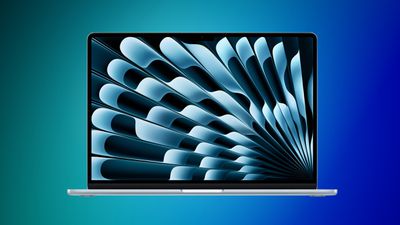
M5 MacBook Air
While the M4 MacBook Air model isn't exactly old, attention is already turning to its successor. The M5 series is reportedly being manufactured using TSMC's advanced 3-nanometer process technology, and we have some idea of what to expect in terms of performance, thanks to the recently released M5 iPad Pro: benchmarks show single-core scores around 4,133 and multi-core scores around 15,437. That's roughly a 12-15% jump over the M4 iPad Pro in both categories. As for graphics performance, the M5 chip appears to have up to a 36% faster GPU compared to the M4 chip.
The benchmark suggests Apple has focused on modest clock speed increases and core-level efficiency improvements for the M5 chip, rather than an architecture overhaul. In other words, the M5 will be similar to the step-wise performance upgrade from M3 to M4. Expect 10-15% faster CPU speeds, a slightly more powerful GPU, and better efficiency, potentially leading to even longer battery life.
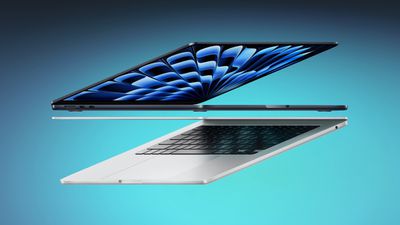
Bloomberg's Mark Gurman reports that Apple plans to roll out M5 versions of the MacBook Air in the first quarter of this year. Based on previous spring refreshes, this suggests a likely March 2026 window. As for pricing, we expect it to remain stable, with the base model sticking with the current entry-level $999 price.
MacBook Pro With Touchscreen OLED Display
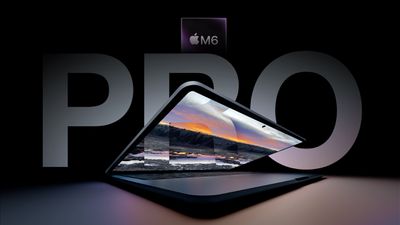
Apple is reportedly developing a completely new version of the MacBook Pro packed with next-generation hardware features. The redesigned models are expected to boast M6 chips, which could adopt a completely new packaging based on TSMC's 2nm process that allows components such as the CPU, GPUs, DRAM, and Neural Engine to be more tightly integrated.
Bloomberg's Mark Gurman says Apple is readying OLED technology for these models. Compared to current MacBook Pro models that use mini-LED screens, the benefits of OLED technology would include increased brightness, higher contrast ratio with deeper blacks, improved power efficiency for longer battery life, and more. In addition, Gurman reports that the new machines will also have "thinner and lighter frames." Apple is apparently focusing on delivering the thinnest possible device without compromising on battery life or major new features.
The redesigned 14-inch and 16-inch MacBook Pro models are also expected to have a hole-punch camera at the top of the display, rather than the notch we've become accustomed to. Gurman says that the design "leaves a display area around the sensor... similar in concept to the Dynamic Island on the iPhone."
Apple's first OLED MacBook Pro will also feature a touchscreen display, according to analyst Ming-Chi Kuo. The claim has since been corroborated by Gurman, noting that the touchscreen MacBook Pro will retain a full trackpad and keyboard.
Research firm Omdia says Apple is "highly likely" to introduce new MacBook Pros featuring OLED displays this year, while Gurman has said the new OLED machines are being readied for late 2026 or early 2027. It would be unusual for Apple to introduce two MacBook Pro refreshes in the same year, but there is precedent for it: Apple updated the MacBook Pro lineup twice in 2023, first with M2 Pro/M2 Max chips in January and then with M3/M3 Pro/M3 Max chips in late October.
Due to the pricier components, the new 14-inch and 16-inch MacBook Pros are expected to cost a few hundred dollars more than current versions. Today's models with high-end chips start at $1,999 for the 14-inch version and $2,499 for the 16-inch one.
We tracked big discounts during the first full week of 2026, including a new record low price on the Apple Pencil Pro and pre-order discounts on Anker's just-announced collection of Nano chargers. Below you'll also find solid discounts on iPad mini 7, AirPods 4, and M5 MacBook Pro.
Note: MacRumors is an affiliate partner with some of these vendors. When you click a link and make a purchase, we may receive a small payment, which helps us keep the site running.
Anker
What's the deal? Save on Anker's newest Nano chargers and more
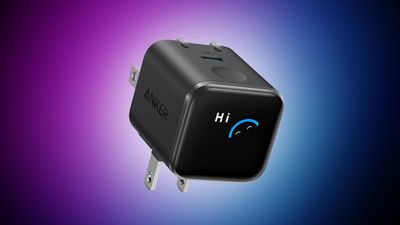
Anker announced a new series of products at CES this week, and most of them will begin rolling out to customers later in January. A few of these devices, including the Nano Docking Station and 45W Nano Charger, have pre-order discounts on Anker's website, and we're also tracking big discounts in Anker's New Year's sale.
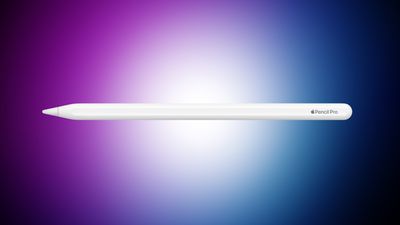
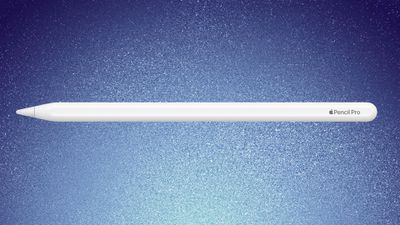
Apple Pencil Pro is available for its all-time low price of $92.97 this week on Amazon, down from $129.00. This beats the price we tracked over the holiday season by about $2, and right now it's only available on Amazon.
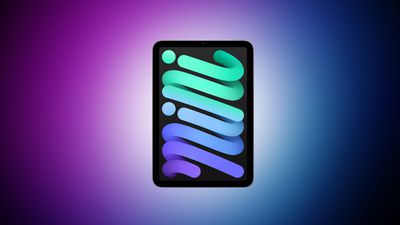
Amazon and Best Buy have a few discounts on the iPad mini 7 for the New Year, starting at $389.99 for the 128GB Wi-Fi tablet, down from $499.00. You'll also find a few deals on cellular models during this sale.
AirPods 4
What's the deal? Take up to $99 off AirPods Max and AirPods 4
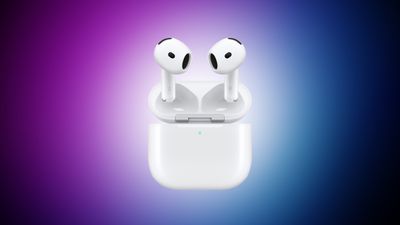
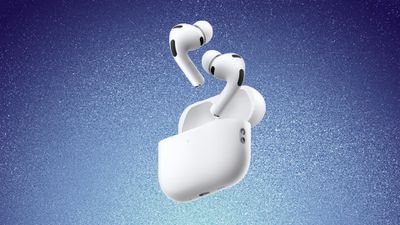
This week we tracked a few AirPods deals, including $29 off AirPods 4 and $99 off AirPods Max. Both of these are solid second-best prices on each model, and we haven't seen best-ever prices on these yet in 2026.
M5 MacBook Pro
What's the deal? Take up to $199 of M5 MacBook Pro
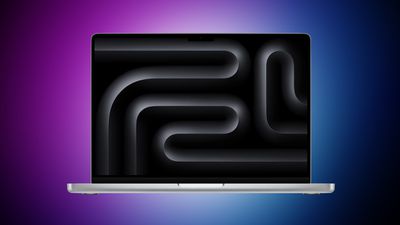
Amazon this week dropped the price of the new M5 MacBook Pro to $1,449.00, down from $1,599.00. This is the 10-Core model with 16GB RAM and 512GB SSD, and it's a solid second-best price on the M5 MacBook Pro.
If you're on the hunt for more discounts, be sure to visit our Apple Deals roundup where we recap the best Apple-related bargains of the past week.
Deals Newsletter
Interested in hearing more about the best deals you can find in 2026? Sign up for our Deals Newsletter and we'll keep you updated so you don't miss the biggest deals of the season!
Spam and cold calls have become such a nuisance that many people simply don't answer their phone unless they recognize the number. In iOS 26, though, you can learn about who's calling before you respond, thanks to a clever feature that intercepts unknown calls and asks the caller to identify themselves before your iPhone even rings.
The "Ask Reason for Calling" feature is kind of like having your own receptionist. When someone who isn't in your Contacts calls, your iPhone automatically answers the call with a polite automated message asking for their name and reason for calling. The caller is placed on hold while their response is transcribed to text and displayed on your screen, letting you decide whether to accept, decline, or ask for more information.
It's a decent upgrade from the existing "Silence Unknown Callers" option, which simply sends all unrecognized numbers straight to voicemail. With the new approach, legitimate callers – like your doctor or a delivery service – can identify themselves, whereas robocallers and spammers are likely to hang up when greeted by the automated response.
How to Enable Ask Reason for Calling
The following steps show you how to turn on the feature:
Open Settings on your iPhone.
Scroll down and tap Apps.
Select Phone.
Under the "Screen Unknown Callers" section, tap Ask Reason for Calling.
That's all there is to it. Your iPhone will now intercept calls from numbers not saved in your Contacts and request information before alerting you.
Other Unknown Caller Screening Options
If you don't want to use the new Ask Reason for Calling feature, iOS 26 offers two alternative approaches for handling unknown numbers:
Silence: This option automatically sends all calls from unsaved numbers to voicemail. The calls still appear in your Recents list, and you'll receive the voicemail if the caller leaves one. It's the same behavior as the "Silence Unknown Callers" toggle in iOS 18.
Never: With this setting, calls from unknown numbers ring normally, just like calls from saved contacts. Missed calls appear in your Recents list as usual. It's your typical iPhone calling experience.
To switch between these options, go to Settings ➝ Apps ➝ Phone, and select your preferred option under "Screen Unknown Callers."
The Ask Reason for Calling feature works best when you maintain an up-to-date Contacts list. Any number saved in Contacts will ring through normally without triggering the screening process, so make sure to add the details of legitimate contacts as soon as you know them.
The Unicode Consortium has published a draft list of emoji that could come to smartphones and other devices in the future. The list shared by Emojipedia outlines 19 emoji candidates under consideration for Emoji 18.0, which is expected to be finalized in September 2026.
Among the proposed additions are a squinting face emoji, left- and right-pointing thumb gestures, a pickle, a lighthouse, a meteor, an eraser, and a net with a handle. The draft list also includes a monarch butterfly emoji, providing a more specific alternative to the existing generic butterfly.
Along with the 9 new emoji concepts, Emoji 18.0 would (if approved as currently proposed) add 10 additional skin tone variants tied to two of the base emoji. This would bring the total number of recommended emoji characters close to 4,000.
Emojipedia has shared sample artwork for many of the candidates, but Apple designers will need to create their own version of each character in the Apple style if the emoji are ultimately approved. As with previous draft lists, the proposed lineup is not final and may change during Unicode's review process.
Apple will need to roll out its own versions of the new emoji through software updates, so the new characters would likely arrive on iPhone in late 2026 or early 2027, as part of iOS 27.
Apple has consistently adopted new Unicode emoji in past software releases, and previously announced Unicode 17 additions are expected to come to Apple devices with the release of iOS 26.4, iPadOS 26.4, macOS 26.4, watchOS 26.4, and visionOS 26.4 in March or April this year.
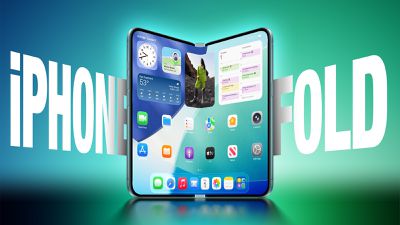
The iPhone Fold will be the first Apple device to adopt a Samsung-made OLED technology called CoE (Color Filter on Encapsulation), which could make the display brighter and thinner than previous panels, reports The Elec.
In a traditional OLED panel, a polarizing film sits above the display to cut reflections and improve contrast. The drawback is that this film also absorbs some of the OLED's own light, reducing brightness and efficiency. With CoE, Apple would remove the polarizer entirely and instead apply the color filter directly onto the OLED's protective encapsulation layer.
The result would be a thinner display stack that lets more light through, delivering higher brightness without requiring more power. Removing layers would also mean less thickness overall, potentially contributing to a slimmer iPhone design.
According to The Elec, Apple plans to debut CoE with its foldable iPhone, which could launch as soon as late 2026, before expanding the technology to the iPhone Air 2 in 2027. The latter's release has reportedly been pushed back following weaker-than-expected sales of the original iPhone Air.
Whether CoE will be applied and whether the iPhone Air 2 will be released will be decided by the third quarter of this year, according to industry sources cited by the Korean-language report.
Samsung, meanwhile, plans to apply CoE not only to its foldable Galaxy Z Fold and Z Flip models, but also to the Galaxy S26 Ultra, expected in the first quarter of this year. The S26 Ultra will be Samsung's first non-foldable smartphone to use the technology, which the company refers to internally as OCF (On-Cell Film).
iOS 26 is showing unusually slow adoption among iPhone users months after release, according to third-party analytics.
Usage data published by StatCounter (via Cult of Mac) for January 2026 indicates that only around 15 to 16% of active iPhones worldwide are running any version of iOS 26. The breakdown shows iOS 26.1 accounting for approximately 10.6% of devices, iOS 26.2 for about 4.6%, and the original iOS 26.0 release at roughly 1.1%. In contrast, more than 60% of iPhones tracked by StatCounter remain on iOS 18, with iOS 18.7 and iOS 18.6 alone representing a majority of active devices.
Historical comparisons highlight how atypical this adoption curve appears. StatCounter data from January 2025 shows that roughly 63% of iPhones were running some version of iOS 18 about four months after its release. In January 2024, iOS 17 had reached approximately 54% adoption over a similar timeframe, while iOS 16 surpassed 60% adoption by January 2023.
Based on those figures, iOS 26 adoption appears to be running at less than one-quarter of the rate achieved by recent predecessors during the same post-release window. StatCounter derives its estimates from web traffic analytics, tracking operating system versions via page impressions across its global network of participating websites.
In the first week of January last year, 89.3% of MacRumors visitors used a version of iOS 18. This year, during the same time period, only 25.7% of MacRumors readers are running a version of iOS 26. In the absence of official numbers from Apple, the true adoption rate remains unknown, but the data suggests a level of hesitation toward iOS 26 that has not been seen in recent years.
Unlike many previous releases, iOS 26 introduces Liquid Glass as a fundamental visual overhaul, replacing large portions of the traditional opaque interface with translucent layers, blurred backgrounds, and dynamic depth effects across system elements. Upon its announcement at WWDC last year, the redesign received mixed reviews, which could be a contributing factor to hesitation around upgrading.
Likewise, Apple now continues to support older operating systems with security updates, allowing users to remain on iOS 18 without immediate pressure to update or forfeit critical patches. This makes it much easier for users to remain on older software.
Apple CEO Tim Cook earned $74.3 million in 2025, down slightly from $74.6 million in 2024, Apple said in its annual proxy filing released today.
Cook's earnings included a $3 million base salary that has remained the same since 2016, $57.5 million in stock awards, $12 million in performance-based cash awards, and $1.76 million in other compensation, such as 401(k) contributions, life insurance premiums, vacation cash-out, security expenses, and personal air travel expenses. For efficiency and security purposes, Cook is required by Apple to use private aircraft for both business and personal travel.
Apple set a target compensation of $59 million for Cook, the same as in 2024, but Cook earned above that level through the incentive payouts that executives receive when Apple performs well.
Other key senior Apple executives, including outgoing general counsel Kate Adams, chief operating officer Sabih Khan, and retail and people chief Deirdre O'Brien each earned total compensation packages of around $27 million in 2025. Apple saw a chief financial officer transition in 2025, with former CFO Luca Maestri earning $15.5 million in 2025 and new CFO Kevan Parekh earning $22.5 million.
Apple's 2026 shareholders meeting will be held on Tuesday, February 24, at 8:00 a.m. Pacific Time, according to an SEC filing that was released today.
Apple shareholders of record as of January 2, 2026, can attend, vote, and submit questions during the meeting by logging in to Apple's virtual meeting website 15 minutes before it kicks off. A control number included in the Notice of Internet Availability of Proxy Materials that's provided to shareholders is required to join.
At the meeting, shareholders will vote to re-elect the company's board of directors, approve executive compensation, and ratify Ernst & Young LLP as Apple's public accounting firm. There will also be votes on shareholder proposals.
Notably, both board chairman Art Levinson (age 75) and board member Ron Sugar (age 77) are up for re-election, despite a company guideline stating that directors may generally not stand for re-election once they have reached the age of 75. Apple provided the following justification in its proxy statement:
Over the past four years, the Board has added three new members, representing over one-third of its membership, and two other, long-serving members retired. In the context of this year’s Annual Meeting nominations, the Board determined that it would be in the best interests of Apple and its shareholders to ask Art Levinson, the Chair of the Board, and Ron Sugar, the Chair of the Audit Committee, to stand for re-election, and to waive for each of them its guideline under which directors generally may not stand for re-election after attaining age 75. In making this determination, the Board considered several factors, including the significant experience and expertise that each of Dr. Levinson and Dr. Sugar brings to the Board, their deep insight into the Company’s business and operations, and their individual contributions as highly engaged members of the Board. The Board also considered the benefits of continuity among the Board’s leadership positions.
Levinson's re-nomination as chairman is notable due to recent speculation around Tim Cook's potential retirement as Apple CEO, a move that would likely see him shift into the board chairman position. It is possible that Levinson's continuation in the role beyond age 75 is intended to also serve as bridge to such time that Cook is ready to assume the chairman role, rather than selecting a new chairman for only a relatively brief time until Cook steps down as CEO.
Apple is once again testing its new Background Security Improvement feature that first rolled out in iOS 26.1, iPadOS 26.1, and macOS Tahoe 26.1. Following a previous test earlier this week, developers and public beta testers who are running iOS 26.3, iPadOS 26.3, or macOS Tahoe 26.3 can now install a second Background Security Improvement update for testing purposes.
Apple says Background Security Improvements provide additional security protections between software updates for Safari, WebKit, and other system libraries.
Background Security Improvements can be installed by going to the Privacy and Security section of the Settings app, scrolling down to Background Security Improvements, and selecting the "Install" option. If "Automatically Install" is toggled on, Background Security Improvements will be automatically installed when they come out with no need to manually install them.
Apple says that users who opt not to install the Background Security Improvements will receive the updates in a standard software update.
Apple previously had a Rapid Security Response update feature for delivering security improvements, but it wasn't used often after it was introduced in iOS 16, and was ultimately phased out in favor of Background Security Improvements. At one point in 2023, there was a Rapid Security Response bug that prevented some websites from displaying properly.
Apple warns that Background Security Updates can result in "rare instances of compatibility issues." Should that occur, the updates may be temporarily removed and enhanced in a subsequent software update.
Apple has lost another senior figure from its Safari team as a lead designer departs for The Browser Company, extending a pattern of high-profile exits from Apple's browser team amid intensifying competition around AI-driven browsing.
Marco Triverio was a lead designer for Safari and has now joined The Browser Company, the developer of the Arc and Dia browsers. The move was confirmed by The Browser Company chief executive Josh Miller in a post on LinkedIn, marking the latest in a series of hires from Apple's Safari design leadership.
Miller emphasized that Triverio's arrival means The Browser Company has now recruited lead designers from every Safari design era that overlapped with the development timelines of Arc and Dia, roughly spanning 2020 through 2025.
The Browser Company has positioned itself as an alternative to traditional browsers by emphasizing significant new interaction models rather than incremental updates. The apps are often compared to Apple software due to their focus on visual clarity, animation, and user experience design.
Its Arc browser introduced a nontraditional tab system, extensive customization options, and collaborative tools such as shared workspaces and a built-in whiteboard. In 2025, the company introduced Dia, a browser designed around AI-assisted workflows that integrate generative tools, collaborative features, and creative utilities directly into the browsing experience.
For Apple, Triverio's exit adds to a broader pattern of senior staff departures that became more visible throughout 2025.
CES 2026 runs through tomorrow, but most of the media announcements and events have already taken place and MacRumors videographer Dan Barbera is wrapping things up with our third video highlighting some of the neat tech innovations being demoed on the show floor.
Among the new introductions this week are several from Clicks, the company that previously brought the BlackBerry-like physical Clicks Keyboard to the iPhone. CES 2026 is seeing the debut of the Clicks Power Keyboard, a pocket-sized Bluetooth keyboard for all of your devices that includes a 2,150 mAh battery and 5W Qi functionality to allow you to top off your phone if you're running low. There's also the Clicks Communicator, a communication-focused smartphone intended to be carried alongside your main phone.
Wireless TVs are also starting to become a thing, with Displace showing off its latest Displace Pro 2 set and the Displace Hub that can transform your existing TV into a wireless TV with integrated battery.
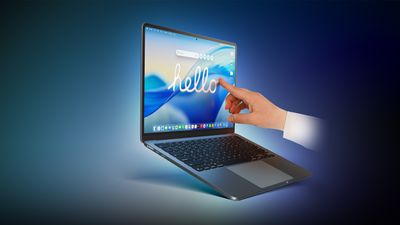
Popular Apple accessory company OWC has partnered with Strada to showcase a new remote video editing solution that leverages peer-to-peer technology rather than cloud-based storage, while Intricuit is on site to demo its accessory that turns your MacBook into a touchscreen Mac, so you don't need to wait for Apple to launch its rumored touchscreen MacBook Pro later this year or next year.
With Tim Cook having recently turned 65 years old and a number of other senior Apple executives having already departed in recent months or heading for the exits, there has been significant focus on Apple's plans for who will succeed Cook as CEO.
According to sources who spoke to The New York Times, Apple began accelerating its planning for Tim Cook's succession last year, with Cook having expressed a desire to reduce his workload.
While software chief Craig Federighi, services chief Eddy Cue, marketing head Greg Joswiak, and retail/HR chief Deirdre O'Brien have all reportedly been seen as potential candidates, Ternus "appears to have shot to the front of the pack," with Cook likely to remain as chairman of the company's board of directors.
Ternus is known for his expertise as an engineer, having worked on many of Apple's devices although he is "known more for maintaining products than developing new ones." Ternus also has only limited exposure to dealing with political and policy issues that come with CEO role.
"He's a nice guy," [former Apple engineer Cameron] Rogers said. "He's someone you want to hang out with. Everyone loves him because he's great. Has he made any hard decisions? No. Are there hard problems he's solved in hardware? No."
Ternus and others may quibble with that assessment, however, as Ternus has been involved with a number of innovative products over the years, including spearheading the effort to develop the iPhone Air and working on the upcoming foldable iPhone.
Ternus is seen as a natural successor to Cook, with an even temperament, strong attention to detail, and intimate knowledge of Apple's supply chain. But he may not bring the visionary focus and willingness to take risks that Steve Jobs had, leading to debate among Apple employees about exactly what type of leader is needed.












 Note: MacRumors is an affiliate partner with Amazon. When you click a link and make a purchase, we may receive a small payment, which helps us keep the site running.