MacRumors

It's April 30, aka AirTags launch day, and customers who purchased AirTags or a purple iPhone 12 from Apple when orders went live last week are now beginning to receive their new devices.

AirTag and Lavender iPhone
Apple fans in Australia and New Zealand are always the first to get their hands on new devices due to time zone differences, and are now sharing photos and first impressions on social media networks.


There are no Apple Stores in New Zealand, but Apple Stores in Australia have both the single AirTag and the four-pack in stock, so customers will be able to walk in and make a purchase.

This bodes well for in-store ‌AirTag‌ availability in the rest of the world, and those who were unable to preorder and don't want to wait until May can likely pick up AirTags at their local retail stores.

AirTags ordered for in-store pickup will not be able to be engraved, as engraving is not done in stores. Engraved AirTags are only available from Apple and are backordered until June.

Some customers in the United States began receiving AirTags early yesterday as retailers like Best Buy shipped earlier than expected, but customers in New Zealand and Australia will be getting the first engraved AirTags direct from Apple.

Following New Zealand and Australia, AirTags sales and deliveries will begin in the Middle East, Asia, Europe, and more, with the North America launch coming last.

If you're in Australia and New Zealand and received your AirTags already, make sure to share photos below and let us know what you think as we'll be putting together a list of first impressions if we can get enough opinions on AirTags from MacRumors readers.

Apple today announced that the App Store is now offering search suggestions, a new feature that's designed to make it easy to locate exactly what you're looking for when seeking out a new app or game.

app store search tags
You'll see search suggestions when you start typing in a new search term. So, for example, if you type in "Game," you'll see specific categories you can add such as "puzzle," "multiplayer," "kids," "offline," and other options.

When you tap one, such as "puzzle," you can drill down even further with options like "jigsaw" or "word," so you can find specific kinds of content even if you don't know exactly what you're looking for.


Search suggestions were previously available for some users as part of a test, but Apple says the feature is rolling out today in the United States, Canada, the UK, and Australia.

The new 12.9-inch M1 iPad Pro is 0.5mm thicker than the previous-generation version, which has led to fears that it won't be compatible with the older Magic Keyboard. Apple is offering a new Magic Keyboard that offers a perfect fit, but Apple says you can still use your existing 2020 Magic Keyboard with a 2021 ‌iPad Pro‌.

2021 Magic Keyboard Older iPad
In a Magic Keyboard support document, Apple says the first-generation Magic Keyboard is "functionally compatible" with the fifth-generation ‌iPad Pro‌, but due to the thickness of the tablet, it's "possible" the keyboard won't precisely fit when closed.

The first generation of the Magic Keyboard (A1998) is functionally compatible with the new iPad Pro 12.9-inch (5th generation) with Liquid Retina XDR display. Due to the slightly thicker dimensions of this new iPad Pro, it's possible that the Magic Keyboard may not precisely fit when closed, especially when screen protectors are applied.

Apple says that the fit issue will be exacerbated if a screen protector is put on the ‌iPad Pro‌, but it sounds like ‌iPad Pro‌ owners who have a Magic Keyboard already and don't want to shell out another $349 for an updated version can continue to use their existing keyboards.

We'll find out more about how the older Magic Keyboard fits the new 12.9-inch ‌iPad Pro‌ when the iPad Pros are released or when reviews come out. Note that this issue only impacts the 12.9-inch model as the 11-inch ‌iPad Pro‌ is the same size and is fully compatible with the original Magic Keyboard.

For those who are concerned about the slight fit issue, Apple has a new version of the Magic Keyboard available for the 2021 ‌iPad Pro‌, which comes in white for the first time in addition to black.

(Thanks, Chris!)

Related Roundup: iPad Pro
Buyer's Guide: iPad Pro (Buy Now)

reminders iconIn iOS 14.5, Apple added a much-requested feature to the Reminders app that arguably should have been there from the get-to: The ability to print your reminders lists.

It's unclear why Apple left it so late to bring a printing option to its native reminders app, but what matters is that it's finally available.

Now you can make hard copies of your reminders to use as a backup, for convenience, or simply to experience the pleasure of ticking off to-dos with a real pen.

The following steps show you how to get printing in Reminders.

  1. Launch the Reminders app and using the main menu, select a reminders list or create a new one by tapping New Reminder.
  2. With your reminders list completed, tap the More icon (three dots in a circle) in the top-right corner of the screen.
    reminders

  3. Tap Print in the dropdown menu.
  4. Using the options, select the printer you want to use and the number of copies you want to print, and toggle the switch to select mono or color printing.
  5. If you're happy with the preview and chosen options, tap Print in the top-right corner of the screen.
    reminders

Bonus tip: iOS 14.5 introduces a new option to sort lists in Reminders by Due Date, Creation Date, Priority, or Title. You can access the Sort By option by tapping the same More icon you used to reveal the print option.

Related Forum: iOS 14

Apple has made no mention of Find My integration for the Siri Remote designed for the second-generation Apple TV 4K, but ‌Siri‌ responses to certain requests about the remote suggest that Apple could perhaps have such a feature in the works, or at the least, might have considered adding it.

find my siri remote
If you ask ‌Siri‌ to "Find my ‌Siri‌ remote," "Find my ‌Apple TV‌ remote," or even just "Find my remote," ‌Siri‌ will provide the following response: "You don't have any ‌Siri‌ Remotes linked to your iCloud account." The curious ‌Siri‌ response was first found by 9to5Mac. If you ask about another item that might perhaps have ‌Find My‌ integration with an AirTag, such as keys or a wallet, ‌Siri‌ says "You don't have any items set up in the ‌Find My‌ app."

If you ask about a device with no ‌Find My‌ integration like the Apple Pencil, ‌Siri‌ says "That type of device can't be set up in the ‌Find My‌ app, so I'm not able to find it for you." The new remote response is limited to iOS 14.5, and ‌Siri‌ does not understand the same request on devices running earlier versions of iOS, but there is one notable caveat here -- a MacRumors reader has pointed out that ‌Siri‌ will also sometimes give a similar response when asked to "‌Find My‌ AirPower," but other Apple devices don't seem to give the same answer.

apple tv 4k design clue
Prior to the launch of the revamped ‌Apple TV‌ 4K, there were rumors from Bloomberg suggesting the remote designed for the device would indeed have ‌Find My‌ integration to allow it to be found should it be lost in the house. When introducing the ‌Apple TV‌ 4K and the new remote, though, Apple did not make any mention of ‌Find My‌ integration, nor is it anywhere on Apple's site or press materials related to the new devices. The remote also does not have a U1 chip like the AirTags for close-proximity location purposes.

It's possible that some kind of ‌Find My‌ integration is coming in the future, or that it's a feature that was considered for the ‌Siri‌ Remote and later scrapped, but it's not clear either way. We should find out more when the ‌Siri‌ Remote is available, or if Apple removes the ‌Siri‌ response from iOS.

Related Roundup: Apple TV
Buyer's Guide: Apple TV (Don't Buy)

In iOS 14.5, Apple introduced two new Siri voices that are available in English, and also added a setup selection option that lets new users choose their preferred ‌‌Siri‌‌ voice rather than defaulting to a female voice in the United States.

14
The new voices, which Apple says add more diversity in speech sound and pattern, run voice recordings through Apple's Neural Engine to make them flow more organically through phrases generated on the fly, so you should find that they sound more natural.

If you've updated your iPhone or iPad to iOS 14.5/iPadOS 14.5, you can still change the ‌Siri‌ voice after setup to work out which one you prefer. The following steps show you how it's done.

  1. Launch the Settings app on your ‌iPhone‌ or ‌iPad‌.
  2. Tap Siri & Search.
  3. Tap Siri Voice.
  4. Select a ‌Siri‌ "Variety" (previously called "Accent"), then choose a Voice from the selection available. A checkmark will appear next to your selection once the voice has been downloaded from Apple's servers.
    siri

Note that that number of Voice options available depends on the Variety that you choose. For example, American offers the most with four voices, whereas the Australian, British, Indian, Irish, and South African options offer two.

siri
If you have a Mac that's updated to macOS 11.3, you can find the same options in System Preferences under the Siri preference pane. For more helpful articles covering the new features in iOS 14.5, be sure to check out our dedicated guide.

Related Forum: iOS 14

Amazon today is offering Apple's AirPods Max for $532.32, down from $549.00. While not a particularly steep discount, this is among the best prices we've now tracked for the AirPods Max. Both the Silver and Space Gray colors are available at this price and ready to ship today directly from Amazon.

AirPods Max 17 off Feature Note: MacRumors is an affiliate partner with some of these vendors. When you click a link and make a purchase, we may receive a small payment, which helps us keep the site running.

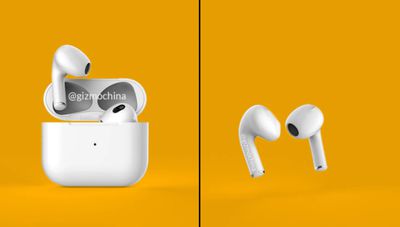

If you prefer one of the other colors, the Green, Sky Blue, and Pink AirPods Max are in stock on Amazon right now, at the regular price of $549.00. In the United States, Amazon free two-day delivery should arrive around May 4, which still beats the current May 7-14 estimate for the AirPods Max on Apple's website.

Although it doesn't have any discounts, Verizon also has stock of every AirPods Max color today and ready to ship out with free two-day shipping. We track sales for every model of the AirPods in our Best AirPods Deals guide, so be sure to bookmark that page while you shop around for the wireless headphones.

Related Roundups: AirPods Max, Apple Deals
Buyer's Guide: AirPods Max (Neutral)
Related Forum: AirPods

Apple today began selling refurbished versions of the Apple Watch Series 6 and the Apple Watch SE, both of which were released last September.

apple watch series 6 refurbished
Pricing on refurbished Series 6 models starts at $339, a $60 discount off of the regular price, and pricing on the SE starts at $239, which is $40 off of the standard price.

These entry-level prices are for the aluminum 40mm models with GPS, with pricing going up for the 44mm models and for stainless steel or for cellular connectivity. The lowest discount is $40 for the aluminum SE models and the highest discount is $100 for the Series 6 stainless steel models.

Third-party resellers often offer better discounts on the Apple Watch SE and Apple Watch Series 6, so it's also worth keeping an eye on our deals roundup to find discounts.

Apple has a range of different finishes and band options in stock, including at least one Nike model. The contents of the refurbished store fluctuate based on what people have sent in for repair and replacement.

Additional models may be added in the future, so those looking for a specific Apple Watch Series 6 or SE configuration should check back regularly.

All refurbished Apple Watch models are inspected, tested, cleaned, and repackaged with a new box, new manuals, and new accessories, including an Apple Watch charging puck and power adapter.

Refurbished Apple Watches come with a standard one-year warranty that can be extended with AppleCare+ for Apple Watch.

Related Roundups: Apple Watch 11, Apple Watch SE 3
Related Forum: Apple Watch

Mother's Day is Sunday, May 9 this year, and ahead of the holiday we're tracking quite a few deals and offers from major Apple accessory companies. If you're planning on purchasing a gift for someone, we recommend looking at the below deals as soon as possible, considering shipping estimates vary for every company.

Mothers Day Deals 2021 Feature 2Note: MacRumors is an affiliate partner with some of these vendors. When you click a link and make a purchase, we may receive a small payment, which helps us keep the site running.

Belkin

The first sale can be found at Belkin, which is offering 20 percent off when you bundle a screen protector with select wireless chargers. You'll need to use the code MOM2021 at checkout to see this discount.

belkin moms day
You can find the full list of wireless chargers and screen protectors for this sale on Belkin's website. They include the Boost Charge line of wireless chargers (starting at $27.99) and the Screen Force Tempered Glass screen protectors (starting at $19.99).

JBL

JBL has a few offers across its Bluetooth speaker range, including customizable options that let you choose a photo to place on the speaker. These options ship within five to seven business days.

JBL moms day
You can get the JBL Flip 5 for $129.95, down from $149.95; and the JBL Charge 4 for $169.95, down from $219.95.

If you opt not to customize the speakers, you'll find cheaper prices on each speaker. The Flip 5 is $99.95 and the Charge 4 is $129.95 without customizable designs. More Mother's Day ideas and sales can be found on JBL's website, including a few Bluetooth headphones.

Moment

Moment has a wide assortment of discounts across its brands this week in its Mother's Day Gift Shop, including deals on tote bags, backpacks, wireless chargers, Apple Watch straps, and more. Moment is promising arrival by Mother's Day in the United States if you order by May 5.

Casely

Casely is offering 30 percent off sitewide when using the code MOM at checkout. Casely offers a large selection of unique and colorful iPhone cases that are perfect for gift giving.

casely moms day
Casely's cases come in a wide variety of colorful designs and patterns, as well as multiple types. There's the "Classic" at $25, "Bold" with more protection at $35, "Bold + MagSafe" at $45, and "Power 2.0" battery case at $75. You can save on all of these versions with the new coupon code.

eBay

eBay has an extra 15 percent off coupon this Mother's Day season, eligible for certified refurbished products from top brands. You can shop for the items on eBay, then enter the code PICKCR4MOM before it expires May 2.

ebay moms day
eBay is highlighting products like iRobot Roomba vacuums, Bluetooth headphones, coffee makers, and more in its new sale. Remember that all of the products are certified refurbished, and that the discount will cap out at a maximum $100 off, but it can be used twice.

ZAGG/Mophie

ZAGG is offering 25 percent off up to three products across its brands this week (excluding items already on sale). The offer will be applied automatically in your cart, and it expires April 29 at 11:59 p.m. Mountain Time.

zagg moms day
ZAGG's brands include Mophie, Invisible Shield, Braven, gear4, HALO, and iFrogz. Across these companies, you can find wireless chargers, screen protectors, Bluetooth accessories, phone sanitizers, battery packs, and much more.

Aura Digital Frames

Aura's popular digital picture frames are seeing a few discounts this Mother's Day on Amazon. The centerpiece of the sale is the Carver Frame for $169.00, down from $199.00 in White Chalk and Charcoal. You can check out Aura's Amazon storefront for more deals.

aura moms day
On Best Buy, you can buy the Mason Frame for $179.99, down from $199.99 in Graphite and White Quartz. There's also the Sawyer Frame for $249.99, down from $299.99 in Shale and Mica.

Other Sales

  • Twelve South - Save on Twelve South's best products like AirSnap Pro and BookBook cases
  • Adorama - Save on digital picture frames, smart watches, and more.
  • Otterbox - Save 20 percent sitewide
  • SENA Cases - Get free personalization with code LUVUMOM
  • Speck - Save 25 percent sitewide

Be sure to visit our full Deals Roundup to shop for even more Apple-related products and accessories.

Related Roundup: Apple Deals

Spotify today announced a redesign coming to "Your library" for users on iOS and Android with the aim of making it easier to locate and find songs, podcasts, and more thanks to dynamic filters, a new Grid view, and more.

spotify your library
Spotify says these changes will be rolling out to all users on iOS and Android in the coming weeks, so not everyone will see them immediately. Two of the most striking changes coming to the "Your Library" interface is the introduction of "Dynamic Filters." These new filters work in an almost "tap and go" fashion, where tapping specific filters such as Downloaded, Albums, etc... will automatically update which filters are presented according to the content within your library.

New dynamic filters to help you browse that collection. Choose between album, artist, playlist, or podcast to see the audio you’ve saved that matches. Then, if you’re on the go, simply tap the Downloaded filter to view all your content available offline* at once.

"Your Library" is also getting a new Grid view that visualizes album, playlist, and podcast cover art with large tiles. Spotify is also adding the ability for users to pin up to four different playlists, albums, or podcast shows to the top of their library for quick and easy access.

More control and easier access to what you listen to most. Choose up to four playlists, albums, or podcast shows to keep pinned for instant access so you can quickly dive back into that work playlist or sleep podcast. Simply swipe right on these items to see the “pin” option.

While all the changes will be available to paying and non-paying Spotify users, the “Downloaded” filter will require a premium subscription.

Tag: Spotify

Earlier today, Apple posted a Newsroom update reminding customers that the new 24-inch iMac, the M1-powered iPad Pro, and the updated Apple TV 4K will be available for pre-order starting tomorrow. Apple has said these new devices will be available in the second half of May, but now, it may have quietly confirmed a specific date.

iMac and iPad May 21 Feature Triad
Spotted first by Jason Aten on Twitter, and confirmed by MacRumors, Apple's Newsroom update on its UK and Australian website has confirmed that the new devices will be available on May 21. Metadata within the Newsroom update says, "The all-new ‌iMac‌, ‌iPad Pro‌, ‌Apple TV‌ 4K, purple iPhone 12 and iPhone 12 mini, and AirTag arrive in stores and on doorsteps around the world May 21."

imac may 21
While the metadata says the new ‌iMac‌, ‌iPad Pro‌, and ‌Apple TV‌ will start arriving on May 21, the description is incorrect in saying that AirTags and the purple ‌iPhone 12 mini‌ and ‌iPhone‌ 12 will also be arriving on the same day. AirTags and the newly colored ‌iPhone‌ 12 became available for pre-order last week and will begin arriving to most customers tomorrow, Friday, April 30.

Update 8:01 a.m.: Apple has updated the metadata on its press release pages to remove the references to May 21. The description now reads: "The all-new ‌iMac‌, ‌iPad Pro‌, and ‌Apple TV‌ 4K arrive in stores and on doorsteps around the world in the second half of May. ‌iPhone‌ 12 and ‌iPhone 12 mini‌ in purple and ‌AirTag‌ are available now."

Related Roundups: Apple TV, iMac, iPad Pro

In spite of redesigning its Podcasts app with iOS 14.5, long-standing bugs within the app persist, and hundreds of reports from users across Twitter and Reddit are complaining about a range of new usability problems.

Podcasts Bugged Feature
Apple's iOS 14.5 update, accompanied by iPadOS 14.5 and macOS Big Sur 11.3 brought a major overhaul of the Podcasts app, including a new design, a re-thought system of "following" shows instead of "subscribing," a new centralized location to change new episode notifications, in-app paid podcast subscriptions for the first time, and more.

Apple Podcasts iOS 14 5
Apple's Podcasts app has been infamous among some podcast enthusiasts for its range of long-standing bugs and purported unreliability. Such bugs have included skipping playback, inaccurate timestamps, skewed UI elements, and unresponsive scrolling.

One of the most bemoaned aspects of Apple's Podcasts app has been its issues with syncing, where users have found that the app fails to sync episodes added to a library, individual podcast settings, and listened to episodes across devices.

Such problems have supported the rise of some third-party podcast apps such as Overcast, Pocketcasts, and other apps without these repetitious bugs.

Some users hoped that the overhaul of Podcasts in iOS 14.5 would put an end to these long-suffered problems, but the updated app introduces design changes that have irked some users, in addition to the previous bugs that have not been resolved.

The biggest change that has aroused users' ire is related to Apple's re-thought system of following Podcasts, which has replaced subscribing and adding episodes to the library.

With Apple Podcasts on iOS 14.5, all episodes of a show are now displayed by default, bringing Podcasts in line with Apple's other content services, which gives the appearance of hundreds of episodes stretching back years being added to the library.

Some users are reporting that having hundreds of old episodes added to their device is also using massive amounts of mobile data.

It is no longer possible to delete or remove individual episodes from the library, leaving users with the only option of selecting "Hide Played Episodes" and then manually marking every unwanted episode as played individually, one by one.

Users will have to continue marking every episode of a podcast that they do not want to listen to as played in order to remove it from view. This is especially troublesome when listening to podcast episodes in "oldest to newest" order.

Apple has changed the way that the Podcasts library works in iOS 14.5. The "library" side of podcasts that users now see is effectively the direct view of feeds, with all episodes on display, rather than what they have chosen to add, remove, or subscribe to based on rules. Since Apple has changed the library in this way in iOS 14.5, removing the ability to delete or remove episodes, there is even greater level of confusion among users about how to remove or delete the hundreds of newly-appeared episodes.

Some users have criticized the change as a significant oversight because most listeners do not want every unplayed episode of every podcast they follow in their library.

The new system is fine for listening to podcasts like watching a TV show, with podcasts such as Apple's "The Line," where users need to start from the first-ever episode and listen in chronological order, never skipping an episode. But for many types of podcasts, such as news podcasts, where it is pointless to listen to older episodes and users may want to sometimes skip an episode, it is actively obstructive.

While some users have misconstrued these design changes as bugs, separate issues such as a bug preventing episode limits from working correctly have only exacerbated complaints.

Other, more simple design changes in iOS 14.5's Podcasts app have also met the wrath of users. Apple has removed the "recently updated" tab and the ability to see how many unplayed episodes there are per show. Podcasts are also now sorted by the order in which they were originally followed by default, even though it is possible to sort by recently updated within the Shows tab.

Yet there are also reportedly a number of newly-reported defects that join the pre-existing spate of bugs, such as crashing and long library load times.

Some users are reporting that their custom Podcast Stations are now virtually defunct, with Stations failing to aggregate the selected episodes correctly, while others are reporting an inability to find unplayed episodes in the new design and problems loading new episodes.

These complaints about the new design and reports of new bugs come alongside many of the pre-existing problems with marking as played and syncing.

There are countless complaints about the new Podcasts app on various social media platforms and MacRumors editors have also been subjected to many of the same problems that are being reported.

The best thing that users affected by the issues in the Podcasts app can do is share feedback with Apple or report a concern directly in the Podcasts app itself.

Apple today reminded customers that the brand-new redesigned 24-inch iMac, the M1-powered iPad Pro, and the updated, more powerful Apple TV 4K will be available for pre-order starting tomorrow, Friday, April 30, and will begin shipping in the second half of May.


In its Newsroom update, Apple didn't disclose when the new devices would specifically begin shipping to customers next month. However, UK retailer John Lewis has indicated that the new iPad Pros and ‌iMac‌ could be arriving at customers on May 21.

Apple today also didn't disclose what time pre-orders would officially open on its online Apple Store. However, as noted by MacRumors editor Joe Rossignol, pre-orders are likely to begin at 5:00 a.m. Pacific Time given the time zone difference for countries such as New Zealand, where Apple says pre-orders open on May 1.

Based on that, we've put together this list of corresponding times around the world:

  • Honolulu, Hawaii — 2:00 a.m. HST
  • Anchorage, Alaska — 4:00 a.m. AKDT
  • Cupertino, California — 5:00 a.m. PDT
  • Phoenix, Arizona — 5:00 a.m. MST
  • Vancouver, Canada — 5:00 a.m. PDT
  • Denver, Colorado — 6:00 a.m. MDT
  • Dallas, Texas — 7:00 a.m. CDT
  • New York, New York — 8:00 a.m. EDT
  • Toronto, Canada — 8:00 a.m. EDT
  • Halifax, Canada — 9:00 a.m. ADT
  • Rio de Janeiro, Brazil — 9:00 p.m. BRT
  • London, United Kingdom — 1:00 p.m. BST
  • Berlin, Germany — 2:00 p.m. CEST
  • Paris, France — 2:00 p.m. CEST
  • Cape Town, South Africa — 2:00 p.m. SAST
  • Moscow, Russia — 3:00 p.m. MSK
  • Helsinki, Finland — 3:00 p.m. EEST
  • Istanbul, Turkey — 3:00 p.m. TRT
  • Dubai, United Arab Emirates — 4:00 p.m. GST
  • Delhi, India — 5:30 p.m. IST
  • Jakarta, Indonesia — 7:00 p.m. WIB
  • Shanghai, China — 8:00 p.m. CST
  • Singapore — 8:00 p.m. SGT
  • Perth, Australia — 8:00 p.m. AWST
  • Hong Kong — 8:00 p.m. HKT
  • Seoul, South Korea — 9:00 p.m. KST
  • Tokyo, Japan — 9:00 p.m. JST
  • Adelaide, Australia — 9:30 p.m. ACST
  • Sydney, Australia — 10:00 p.m.
  • Auckland, New Zealand — 12:00 midnight NZST next day

The new 24-inch ‌iMac‌ features the first redesign of the Mac desktop computer since 2012. The ‌iMac‌ includes a new, thinner design and comes in multiple vibrant colors. It is also the first ‌iMac‌ that features an Apple silicon chip, first debuted in the MacBook Air, MacBook Pro, and Mac mini in November.

The new M1 chip is also making its way to the new ‌iPad Pro‌, offering a "massive leap in performance" alongside a new 12.9-inch Liquid Retina XDR display. In addition, the updated ‌Apple TV‌ 4K includes a more powerful A12 Bionic processor with a redesigned ‌Apple TV‌ remote, which is available for purchase for older ‌Apple TV‌ models.

As pre-orders open up tomorrow, AirTags and the purple iPhone 12 mini and iPhone 12, which became available for pre-order last week, will begin arriving to most customers. However, a few lucky customers already received their Apple item-tracker, with even more now seeing their order status is updated to "Shipped" ahead of tomorrow.

Related Roundups: iMac, iPad Pro
Related Forum: iMac

Today we're tracking a pair of deals on Amazon that introduce new all-time low prices on Apple's M1 MacBook Air and M1 MacBook Pro. Note that both sale prices will only appear after an automatic coupon is applied at the checkout screen.

discount m1 macbook pro bueNote: MacRumors is an affiliate partner with some of these vendors. When you click a link and make a purchase, we may receive a small payment, which helps us keep the site running.
M1 MacBook Air

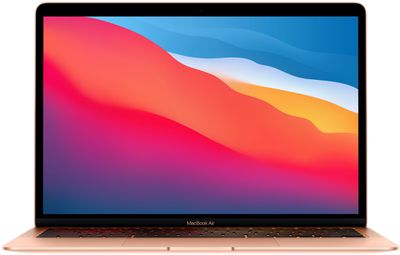
Amazon has the M1 MacBook Air (512GB) for $1,099.99, down from $1,249.00. This sale price will be seen at the checkout screen after an automatic coupon worth $49.01 is applied to your cart, and it's only available in Gold.

This is a new all-time low price on the 512GB M1 MacBook Air, beating the previous sale price by about $50. As of writing, stock is delayed until early in May, but you can lock in the best-ever price now to secure the deal.

M1 MacBook Pro

Secondly, you can get Apple's 13-inch M1 MacBook Pro (512GB) for $1,299.99, down from $1,499.00. This sale price will be seen at the checkout screen after an automatic coupon worth $49.01 is applied to your cart, and it's available in both Silver and Space Gray.

With this deal, Amazon is introducing the best price that we've tracked yet on this model of the M1 MacBook Pro. The average sale is typically around $1,349.00, so this is $50 better than the previous sale and $199 below the original price tag.

You can find the best monthly deals on all new MacBook Pro and MacBook Air notebooks in our new "Best Deals" guide. Be sure to visit the guide and bookmark it if you're on the hunt for a new Apple notebook; we'll be updating it weekly as we discover new MacBook offers across the web.

Related Roundup: Apple Deals

AirTag orders are beginning to be marked as "shipped" for more customers on Apple's online store around the world, with most deliveries set to begin arriving to customers on Friday, April 30 launch day. A few lucky customers already received their AirTag orders earlier this week, providing us with a closer look at the unboxing experience.

airtag shipped order
Priced at $29 each or $99 for a four pack, users can attach an AirTag to personal belongings like a wallet, keys, purse, or backpack and then keep track of the location of those items in the Find My app on iPhone, iPad, and Mac.

When an item with an AirTag attached is lost but nearby, the Find My app displays an arrow that guides users towards the item, and the AirTag's built-in U1 chip provides very precise location accuracy when used with iPhone 11 and iPhone 12 models. Even when an AirTag-affixed item is lost in a far away place, its location can be anonymously pinpointed by other Apple device users, as part of the crowdsourced Find My network.

If you are waiting for your AirTag order to arrive, be sure to discuss in our forums and watch our roundup of unboxing videos.

Popular image editor app Pixelmator Pro received an update today that brings full support for LUT files, or Lookup Tables, which are similar to universal filters/presets that change the look of images and video in a wide variety of apps.

pixelmator pro luts
A LUT is a set of instructions that tells an app how to edit the colors of an image or video, and Pixelmator Pro now lets users import LUTs so that they can be applied to images, as if they were a standard preset or filter.

LUTs usually can't be edited, but Pixelmator Pro can use machine learning to turn them into color adjustments that can be fine-tuned in the app. Pixelmator users can now simply drag and drop an LUT to apply it, and browse LUTs with live previews. The update also includes the ability to convert LUTs into color adjustments.

In version 2.0.8, color adjustments can also be exported as LUTs, to be used in Final Cut Pro and other compatible graphics, video, and even 3D apps.

In addition, there's a built-in collection of LUTs, ranging from cinematic looks to grayscale conversion LUTs, automation and scripting support for applying and exporting LUTs.

Pixelmator 2.0 is a Universal app, so it runs natively on both ‌M1‌ and Intel-based Macs. The image editing app update is free for existing Pixelmator Pro users, otherwise it costs $39.99 and can be downloaded directly from the Mac App Store.

A little over a week since their announcement, and less than a month before their official launch, Apple has filed the brand new M1 iPad Pros into the Eurasian Economic Commission database.

ipad pro with m1 chip
The filings, seen by MacRumors, include two ‌iPad‌ Pros with multiple model numbers each, likely referring to the 11-inch and 12.9-inch sizes and corresponding WiFi and WiFi/Cellular variants.

One filing includes the model numbers A2377, A2378, A2567, A2588, and A2602, and the second including A2459, A2460, A2461, A2568, A2569, A2589, A2604. The filing indicates all the models run iPadOS 14, but no other information is given.

Alongside the new ‌iPad‌ Pros, Apple also curiously filed the fifth-generation AirPort Time Capsule and the AirPort Express, which were both discontinued in 2018. Filings in the database are typically meant for forthcoming products rather than previously sold and discontinued devices.

ipad pro airport eec filings
Notably missing from today's submissions is the redesigned 24-inch iMac, which was announced alongside the new ‌iPad‌ Pros at Apple's "Spring Loaded" event earlier this month. UK retailer John Lewis has indicated that both the new ‌M1‌ powered iPad Pro and 24-inch ‌iMac‌ will go on sale on May 21. However, the lack of filings for the ‌iMac‌ in the database today could indicate that the new iMacs could launch a few days later.

The new ‌iPad Pro‌ and redesigned ‌iMac‌ will be available for pre-order on Friday, April 30.

Related Roundup: iPad Pro
Buyer's Guide: iPad Pro (Buy Now)

Serial leaker Jon Prosser has today claimed the new Apple TV 4K will launch on May 21, the same day that the new redesigned 24-inch iMac and new iPad Pro models are now expected to become available, based on retailer listings.

apple tv 4k design clue
Prosser's claim came in a tweet updating his earlier predictions for the launch dates of Apple's new ‌iPad Pro‌, shortly after MacRumors broke the news about UK retailer John Lewis pegging availability for the ‌iMac‌ and ‌iPad Pro‌ at May 21.

Prosser now also believes both models of ‌iPad Pro‌ will launch on May 21, rather than the 11-inch model arriving the following day, May 22 – his previous claim. According to the leaker, the May 22 date is "linked to the 5G model for a certain carrier and should be disregarded for the most part."

Pre-orders for the new Apple TV 4K open on Friday, April 30. The latest ‌Apple TV‌ 4K features a faster A12 Bionic chip, support for high-framerate HDR, and a redesigned Siri Remote.

Related Roundup: Apple TV
Buyer's Guide: Apple TV (Don't Buy)