Apple retail stores in Bordeaux and Lille were looted earlier this week amid unrest accompanying demonstrations against the high cost of living in France, Boursorama reports. Both locations were among numerous businesses targeted across the country. The same Bordeaux location, Apple Sainte-Catherine, was previously looted in December 2018 during unrest surrounding France's "yellow vest" demonstrations.
Note: This discussion thread is located in our Political News forum with special rules.
Loop Capital has lowered its rating on Apple from "Buy" to "Hold," saying the company is unlikely to make up an estimated 13 million iPhone shipments cut from its plans for the second half of 2026, according to Investing.com.
The firm reduced its Apple stock price target from $370 to $330. Loop previously believed shortages of memory and processors had delayed shipments that Apple would recover in 2027. Its latest supply chain checks have led it to drop that assumption.
The firm now forecasts 79 million iPhone shipments in the December quarter, below initial estimates of 85 million. It also expects a lower average selling price, reducing its forecast from $1,239 to $1,123.
For 2027, Loop actually expects Apple to ship more iPhones than it previously forecast, with its estimate now at 260 million units. However, it expects those phones to sell for less on average, leading it to cut its iPhone revenue forecast from $315 billion to $285 billion. Rising memory costs could also squeeze Apple's profits.
Apple's widely reported split launch schedule makes the financial outlook harder to assess. The iPhone 18 Pro models arrived in September and the iPhone Duo launches October 23, but the standard iPhone 18, iPhone 18e, and iPhone Air 2 are not expected until the spring of 2027.
Counterpoint Research attributed much of Apple's third-quarter shipment decline to the missing standard model. Apple still secured a record third-quarter market share of 22%, despite the fact that global smartphone shipments fell 20% year over year.
Apple Music subscribers can now stream directly to compatible Bluesound speakers and hi-fi equipment, allowing playback without sending audio via AirPlay 2.
Bluesound offers a range of high-end home audio products ranging from wireless speakers and soundbars to streaming components that connect to existing hi-fi systems. Its products use BluOS, a platform that lets users control music and link audio equipment across multiple rooms.
The new integration makes Apple Music accessible within the BluOS Controller app. Once a subscriber signs in, the player retrieves the music itself, freeing their iPhone or iPad from handling the audio stream. AirPlay 2 remains available.
For households with several BluOS products, the addition also brings Apple Music into the same system used to manage playback around the home. Users can play music across grouped devices or choose different music for individual rooms.
The update extends beyond Bluesound's own products to compatible BluOS equipment from NAD Electronics, PSB Speakers, DALI Loudspeakers, Cyrus, and Monitor Audio. Bluesound has not specified the streaming quality offered by the integration. The feature launched on October 20 via a free BluOS software update.
Apple CEO John Ternus says improving the user's experience guides Apple's design decisions, whether that means adding practical features or an animation that simply makes a device more enjoyable to use.
In the video, Ternus was asked how Apple distinguishes a design choice that contributes to a product from one that merely attracts attention. He said teams work together to determine what will make a product better for its users, ruling out ideas that are frivolous or distracting.
That approach apparently still leaves room for playful details. Ternus pointed to the animation that appears when opening the iPhone Duo's inner display, explaining that it serves no functional purpose but can make the experience more satisfying. "Sometimes you just want a little whimsy," he said.
Ternus also discussed Kids Cue, which displays Peanuts characters such as Snoopy on the iPhone Duo's outer screen to draw a child's attention toward the camera during a photo. He said developing a different kind of iPhone gave Apple's teams an opportunity to explore ideas made possible by the new hardware. Asked how involved he remains with design, Ternus said:
I'm a mechanical engineer by background, and the team that the product designers work most closely with are the industrial designers. So, I've been working hand in hand with industrial designers at Apple since I started. And it's an amazing relationship.
I think what's so special about this place is design is at the center of it. Design means everything to us. And what's incredible is our designers, both on the software side and the hardware side, they really understand the engineering. And the engineers have a very deep appreciation for design. And so it's a really powerful collaboration.
The same focus on the experience purportedly informs Apple's approach to AI. Ternus said the technology creates opportunities to improve existing products and develop new ones, but users should be able to appreciate a feature without needing to understand that AI makes it possible. He identified personalized experiences, supported by access to information on the user's phone, as a particular focus for Apple.
The comments follow a report earlier this month that Ternus has made product design a major priority since becoming CEO in September, visiting Apple's design studio several times a week. The interview ended with a question about what Ternus wants to preserve as CEO:
The opportunities in the products, that stuff will change. It'll evolve as it does as new technologies come, but the way we work, I don't want that to change.
The full interview also covers Apple's updated parental controls, Ternus's transition to CEO, and his interest in motor racing.
The UK's competition regulator has proposed changes to make it easier and cheaper for companies to offer alternatives to Apple Pay on the iPhone (via Reuters).
The Competition and Markets Authority (CMA) says Apple's fees and restrictions make it too difficult for rivals to launch contactless payment apps. Its proposals would give developers more ways to access the iPhone's NFC technology, which allows users to pay by holding their device near a payment terminal.
Apple opened up NFC access to developers in the UK in 2024, but companies must sign an agreement with Apple and pay fees. They also have to use the iPhone's Secure Element, which is a chip that stores sensitive information such as payment credentials.
The CMA wants Apple to also support host card emulation (HCE), an alternative that lets payment apps work without using the Secure Element. It also proposes rules that it expects would substantially lower Apple's access fees, although it would still allow the company to charge something.
Apple already offers HCE access for free in the European Union under commitments agreed in 2024. The CMA highlights that rival payment apps have since launched in the EU, while no competing wallet-type product has launched in the UK under Apple's current terms.
Apple told Reuters that developers can already offer contactless services using its technology:
We do not believe the CMA should require Apple to adopt an approach with lower privacy and security protections. We will continue to engage constructively to reach an outcome that is in the best interest of our users.
The CMA said the evidence it reviewed did not suggest either approach was inherently insecure. The proposals are open for consultation until November 17, 2026. The CMA will make a final decision after reviewing responses.
Note: This discussion thread is located in our Political News forum with special rules.
WhatsApp is developing an optional in-app browser for its iPhone app that would let users open any link shared in chats without leaving the app, according to WABetaInfo.
A new "In-app browser" option under Settings and Chats would let users enable the feature or continue opening links in their default browser. Users would also be able to clear cookies, cache, and other browsing data. The feature would also expand existing support for certain business links.
More premium games are launching on the App Store this year than last, Apple's App Store Worldwide head Carson Oliver told Polygon, including more franchises coming from PC and consoles.
Oliver said:
We've seen incredible growth of games coming to the App Store, in general, with more premium games releasing on the App Store this year than last. While many of those are indies, we're also seeing more console and PC franchises coming to mobile, as it is a burgeoning audience for those games.
Oliver singled-out "Balatro," "Stardew Valley," "Slay the Spire," and "Bloons TD 6" as games finding success on mobile, and singled out cozy games, management simulations, and roguelikes as particularly successful categories.
Oliver suggested that part of the opportunity comes from players whose first gaming device was an iPhone. Having grown up playing with touch controls, those users give independent developers an audience accustomed to games designed around a touchscreen.
For an entire generation of players, their very first gaming device wasn't a console or a PC, it was an iPhone with a touchscreen. These users embrace direct touch as their primary controller, making iPhone and iPad the ultimate canvas for indie innovation.
The interview followed Apple's Indie Games Week promotion, which highlighted seven new and upcoming iPhone and iPad games, including "Sifu," "Vampire Crawlers," "No Man's Sky," and "Little Kitty, Big City."
With games such as Vampire Crawlers being sold directly on the App Store, Polygon asked where Apple Arcade fits into the company's plans. Oliver described subscriptions and individual purchases as options developers can use alongside one another:
We want to give developers a trusted place to reach users around the world, support them at each stage, and help them build successful businesses. To achieve that goal, we provide developers with flexible business model options. That means a breakthrough phenomenon like Balatro can thrive as a premium download, and it can also find a home as part of the Apple Arcade service. The important thing is that we give developers the flexibility to make the best choice for every game and players the freedom to play how they want.
Oliver also discussed how Apple helps smaller studios get noticed, pointing to the App Store's editorial team:
From day one, the App Store was built to level the playing field for discovery and distribution, so that an indie title can sit shoulder-to-shoulder with the biggest entertainment franchises.
Alongside editorial recommendations, Apple recently introduced Creative Assets, which gives developers more control over their games' presentation in the store:
We also provide indie developers with tools and services to break through to new audiences and drive engagement. For example, we just launched Creative Assets. This new feature lets indie game developers tell their game's story in a richer way by showcasing artwork of their choosing in two of the most important places players find games: search results and product page headers.
Oliver said Apple's development tools are also reducing the work required to bring existing games to its platforms:
Technologies like Game Porting Toolkit 4, MetalFX, and our open-source Unity plug-ins dramatically cut the time, effort, and cost required for developers to bring PC and console games to Apple devices.
Apple could face additional payments on top of a $5.7 billion patent verdict, with Taction Technology asking a federal judge for more damages, interest, and royalties on future iPhone and Apple Watch sales.
The request follows a September jury verdict that Apple's Taptic Engine infringed two Taction patents covering haptic feedback, the technology that produces taps and vibrations in devices. Apple disputes the verdict and is seeking to have it overturned or obtain a new trial.
According to Reuters, Taction says the $5.7 billion award covers sales from 2021 through to late March 2026. It now wants compensation for approximately six more months of sales that were not included in the jury's initial calculation.
Taction is also asking for interest on the damages at an annual rate of 7%, citing California law. That could increase the amount by hundreds of millions of dollars. Separately, it wants interest to continue accumulating after the court enters its final judgment until Apple pays.
The company's request also extends to future sales. Taction wants Apple to pay royalties on devices using the disputed technology until the patents expire on September 24, 2035. Under its proposal, Apple would report U.S. sales every quarter and pay within 30 days of the quarter ending.
Moreover, Taction argues that newer models, including the iPhone 18 Pro and Apple Watch Series 12, should also be covered because their relevant technology has not changed enough to escape the patent claims. To support that position, it points to Apple's earlier litigation against Samsung, in which Apple argued that royalties should extend to newer products with essentially the same infringing technology.
Apple maintains that its Taptic Engine is fundamentally different from Taction's technology. It has also challenged the size of the jury's award, arguing that the evidence did not support the $5.7 billion calculation, and has said it will appeal.
Bethesda's beloved role-playing game "The Elder Scrolls V: Skyrim" has reached multiple generations of consoles since its 2011 debut, but it never officially came to the Mac. A new unofficial project called SkyrimMT now aims to make playing and modding it on Apple silicon Macs easier than ever.
Mac owners have found ways to play Skyrim over the years, including installing Windows through Boot Camp on Intel Macs and using compatibility software such as CrossOver. Boot Camp is unavailable on Apple silicon Macs, leaving players dependent on other solutions to run the Windows game.
SkyrimMT's appeal is in bringing that process together in an app built specifically for Skyrim. Its automated setup installs the required compatibility software and guides users through signing in to Steam and installing their copy of the game. It supports Skyrim Special Edition and Anniversary Edition.
Its native mod manager supports browsing Nexus Mods, installing Nexus Collections and Wabbajack modlists, and importing Mod Organizer 2 setups. Common additions such as Skyrim Script Extender and SkyUI can also be installed through the app. Users can maintain separate mod profiles, inspect conflicts, sort load orders, and restore earlier configurations from snapshots.
Under the hood, SkyrimMT runs the Windows game through Wine and uses DXMT to translate its Direct3D 11 graphics to Apple's Metal.
SkyrimMT requires an Apple silicon Mac running macOS Ventura 13 or later, approximately 25GB of free storage, and a Steam copy of the game. The open-source app is available from the project's GitHub releases page.
Apple has showcased four design projects created using its products for this year's "Designers of Tomorrow" exhibition in Paris.
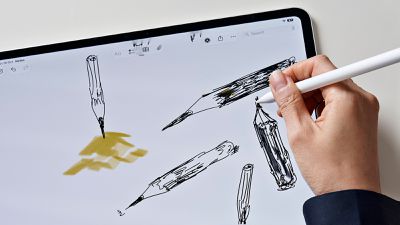
The exhibition explores the theme of presence through furniture and lighting. Architect Salem S. Charabi used a MacBook Pro to sketch and model a lantern, while designer Yoonjeong Lee used an iPad Pro and the Apple Pencil to develop ideas for a combined table and lamp.
Isabel Rower used an iPhone to document her work and Keynote to experiment with visual ideas for a chair featuring ceramic bead fringe. Parafernalia founders Genki Matsumura and Sebastián Zorrilla used Procreate, Messages, and FaceTime to collaborate between Monterrey and Mexico City on a steel piece that opens into a table and stools.
Now in its second year, the program is organized with Design Miami and curated by Rodman Primack. Apple's Molly Anderson helped select the participants as a member of the jury. The exhibition opened at Hôtel de Maisons on October 20. See Apple's full press release for more information.
Apple is continuing to work on 6G, the successor to 5G that's on track to be ready sometime around 2030. Apple has been preparing for the eventual launch of the 6G standard since at least 2020.
Apple is hiring a 6G Cellular Modem Systems Engineer who will "define and build the next generation of cellular technology" as the company transitions to 6G. Apple designs its own modems now, so it will need to be ready when 6G rolls out.
6G is still under development. Spectrum bands haven't been established, and official performance requirements won't be formally approved until later this year. 6G goals include faster data upload speeds, lower latency, and better power efficiency. 5G is already used for home internet, and that will likely expand with 6G.
Companies like Apple, Qualcomm, Nokia, Samsung, and Ericsson are doing 6G research. Apple is a founding member of the Next G Alliance, an industry group established by the Alliance for Telecommunications Industry Solutions (ATIS) to advance 6G in North America.
With just a couple of days to go until the iPhone Duo launches, the first unboxing video has surfaced online from someone who managed to get a device early.
The iPhone Duo ships flat instead of folded, and it is otherwise packaged like any other iPhone.
We've already seen first impressions from members of the media who tried the iPhone Duo in person, but the unboxing video is the first look from outside the press.
We're expecting iPhone Duo reviews to go live as soon as tomorrow, and the device will launch on October 23. New iPhone Duos purchased from Apple's online store won't arrive until January 25, and Apple hasn't said whether stores will have the iPhone Duo for walk-in purchases on the 23rd.
Apple's website is telling people to check back for in-store stock on the 24th, and some Apple retail employees are reportedly being told to warn customers there likely won't be launch-day stock. Apple's websites in Japan, South Korea, and the United Arab Emirates say the iPhone Duo will be limited to customers with a pickup reservation.
Perplexity today said it is updating Perplexity Computer to run fully locally on Mac. The local version runs on Qwen 3.6 or PPLX Pro (a post-trained version of Qwen) in the Perplexity app for Mac on supported Apple silicon Macs.
Perplexity highlights the new Mac mini machines and says 36GB of memory or more is recommended to run locally. With the local setup, the AI model, task planning, reasoning, and file processing are handled on-device. Code and tool execution run in isolated sandbox environments.
Computer can use native apps on the Mac and complete tasks without sending personal data to the cloud. Perplexity says it can work across apps like Notes, Messages, Mail, Keynote, and Numbers.
Perplexity also offers Hybrid Compute, which combines frontier models that run in the cloud with local models to process information privately. It's an alternative for users who want local processing but don't have a Mac that's powerful enough. Hybrid Compute works on Macs with as little as 24GB of memory,
When running Computer locally, if a task requires current information, browser use, or cloud-connected apps, users can authorize cloud access and decide when to spend credits. There's also an option to call on one of more than 15 frontier models for tougher problems when needed.
Local Computer for Mac is available now for Perplexity Pro, Max, and Enterprise subscribers. Users can download Perplexity for Mac and then choose the fully local option to use it.
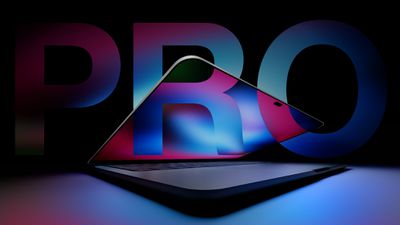
Apple is working on a high-end MacBook Pro, and it's nearly ready to launch. It will have several firsts in a Mac, including an OLED display and a touchscreen.
Design
Apple hasn't redesigned the MacBook Pro since the launch of the M1 Pro and M1 Max models in 2021, so it's due for a new look. The new MacBook Pro is expected to feature some minor design changes. There's only so much you can do in a laptop form factor, but rumors say it will be lighter and possibly a bit thinner than before, which suggests some tweaks to the casing.
Apple plans to get rid of the notch, replacing it with an iPhone-style Dynamic Island. A Dynamic Island could better unify the way Siri AI behaves across the iPhone and the Mac with iOS 27 and macOS Golden Gate, and it will take up less space on the display.
We haven't heard rumors of keyboard or trackpad changes, and neither needs an overhaul.
Size Options
The OLED MacBook Pro will be available in both 14-inch and 16-inch size options. It's not yet clear if it will replace the current models or be sold as a higher-end option alongside them.
Display
Apple's upcoming MacBook Pro will be the first with an OLED display. OLED display technology is already used for the iPhone, Apple Watch, and iPad Pro, but it has taken time for larger-sized OLED screens to come down in price.
OLED will be an upgrade over the current mini-LED display technology in most cases, bringing richer colors and a higher contrast ratio with true blacks. In an OLED display, individual pixels turn off instead of dimming when not in use, so there's less blooming. OLED displays tend to have better HDR than mini-LED, but sometimes don't match the mini-LED brightness levels.
Rumors indicate Apple is using rigid OLED panels with oxide TFT backplanes and advanced tandem OLED structures. Tandem OLED panels are used in the iPad Pro and have a longer lifespan with less burn-in than single-stack OLED panels.
Touchscreen
Along with OLED technology, the MacBook Pro is expected to have the first touchscreen display on a Mac. Users will be able to use their fingers to interact with the Mac's display, similar to an iPad.
Touchscreen capabilities will be used alongside the trackpad and keyboard, suggesting Apple sees touch as supplementary instead of a primary control method. Apple is rumored to be adapting macOS Golden Gate for touch input.
Apple plans to add a reinforced hinge to the MacBook Pro's display so that it doesn't wobble when it's tapped.
Touchscreen Hints in macOS 27
There are features in macOS Golden Gate that hint at a future touchscreen Mac. Apple added direct touch input to Sidecar so users can tap and interact with macOS elements when using the iPad as a Mac display.
macOS Golden Gate supports an iPhone-style pull-to-refresh option, and it can be used across apps like Safari, Mail, News, Podcasts, and Calendar. A pull-to-refresh option makes the most sense on a touch display.
Chips
The current high-end MacBook Pro models are equipped with M5 Pro and M5 Max chips, and Apple plans to use the same chips for the OLED MacBook Pro.
Apple already introduced an M6 chip in the latest Mac mini, and it's expected to appear in a low-end MacBook Pro and an iMac on October 28, but Bloomberg says Apple isn't going to release any other chips in the M6 series. Apple's chip plans changed earlier this year, and the company is now accelerating the launch of the M7 series. The M7 chips feature major neural-processing improvements that will meet demand for machines better able to handle AI tasks.
With no M6 Pro or M6 Max planned, Apple will need to use the M5 Pro and M5 Max so it doesn't have to wait for the M7 series before debuting the OLED MacBook Pro. A second-generation OLED MacBook Pro will use the M7 Pro and M7 Max chips, with that machine planned for late 2027.
Naming
There were rumors that the OLED model would be called the "MacBook Ultra," but that's apparently not happening. Apple's product unveiling has the tagline "Pro and tell," making it clear the new device will keep the Pro name.
Pricing
Apple's OLED MacBook Pro is expected to be a premium product, with a price tag higher than current MacBook Pro models. Apple raised the prices of all Macs in June 2026, so the MacBook Pro could be even more expensive. MacBook Pro pricing went up a minimum of $300 as part of the June price hikes.
The higher-end 14-inch MacBook Pro with M5 Pro chip starts at $2,499 after the price increase, while the 16-inch M5 Pro MacBook Pro starts at $2,999. The M5 Max models start at $4,099 for the 14-inch model and $4,399 for the 16-inch model.
Launch Date
Apple will introduce new Macs on Wednesday, October 28 as part of a "Pro and tell" launch. There won't be a livestreamed event, but some members of the media have been invited to Los Angeles to try out the new devices.
The OLED MacBook Pro could launch as soon as November 6.
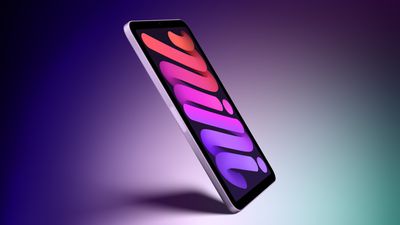
Here are 10 new features and changes expected for the iPad mini 8:
Apple's latest A20 Pro chip, manufactured with TSMC's advanced 2nm process. Expect up to around 1.5× faster CPU performance and up to around 2.5× faster GPU performance compared to the A17 Pro chip in the current iPad mini. A20 Pro also introduces a "dual 16-core Neural Engine" for a total of 32 cores.
With the A20 Pro chip, the next iPad mini will have 12GB of RAM, up from 8GB of RAM in the current model. This means the device will support the ability to customize the pace and expressiveness of Siri AI's voice.
A slightly larger OLED display with better overall image quality compared to the current LCD model, thanks to richer colors and higher contrast ratio with true blacks. Apple has apparently tested both 60Hz and 120Hz (ProMotion) refresh rates for the new model, but it is unclear which option it chose.
Slimmer bezels around the display compared to the current model.
Landscape front camera, meaning the camera will be in the right bezel instead of the top bezel when holding the device in an upright position.
Apple's custom-designed N1 chip with Wi-Fi 7 and Bluetooth 6 support.
Apple's custom-designed C1X or C2 modem for cellular configurations.
A redesigned speaker system with no speaker holes and potentially an iPhone earpiece-like speaker in the top bezel.
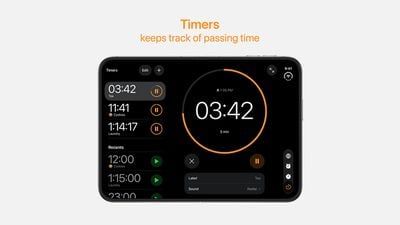
With just three days to go until the iPhone Duo is released, Apple is getting ready for the launch. Behind the scenes, the App Store now has screenshots of Apple's built-in apps running on the Duo. We've seen some apps in marketing materials, but images of the ones we haven't seen give us an idea of what it will be like using the iPhone Duo day to day.
Many apps are shown in landscape orientation with an iPad-like interface that uses some of the screen real estate for sidebar navigation. Other apps use the full screen for more viewing space.
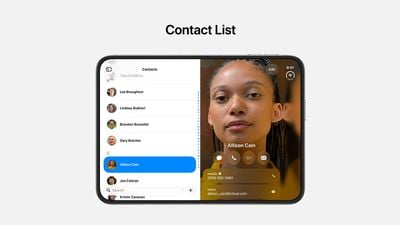
Some apps have a dual view that goes beyond sidebar navigation. In Contacts, the app is divided into a list of names and a view for editing information.
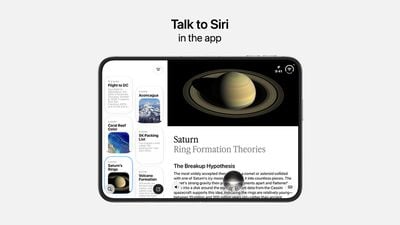
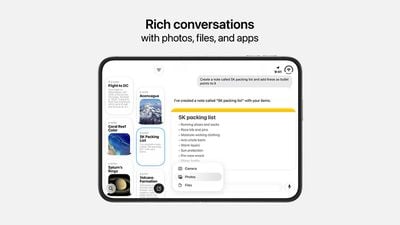
The Siri app doesn't have a traditional sidebar, but it also doesn't get a full split. The left part of the interface is a tiled view of conversations, while the full conversation can be viewed on the right.
The iPhone Duo adopts a vertical dock and vertical navigation bars on the right side of the display in both open and closed views. The exception is an open view with the iPhone Duo held vertically, similar to an iPad in portrait orientation. When positioned that way, navigation bars remain at the bottom of the interface.
Apple's screenshots don't show many apps in the unfolded vertical orientation, but it is a viewing option. Apple says it's ideal for apps that use the keyboard or for browsing in Safari.
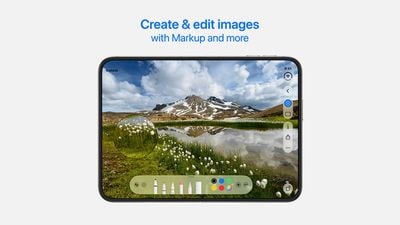
Apps like Preview have palettes at the bottom for selecting tools, and those are combined with sidebars, navigation bars, or both. Markup editing gives a good preview of what drawing and photo editing apps will be like, with a large amount of display space paired with a bottom tool palette.
Apps that don't need large navigation bars have widescreen views that take up the whole display. Apps that do have navigation bars have an option to tap to hide the bar.
Floating popovers show up when you press and hold on an icon. The popovers aren't scaled up and take up less room on the display than they do on Apple's smaller iPhones.
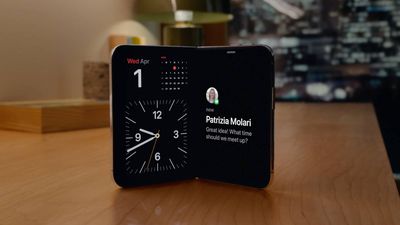
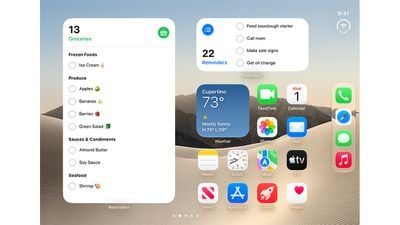
When you're on the Home Screen, you'll see the Today view on the left of the display with your widgets, while app icons are on the right. The status bar is in the upper-right corner, and the Lock Screen icons like Flashlight and Camera are in the bottom right. The inner display doesn't have an always-visible Dynamic Island because there is no Face ID and the FaceTime camera is under the screen. Apple is still using the Dynamic Island, which expands out from the side of the display for Live Activities and alerts. The outer display has a small vertical Dynamic Island that includes the camera cutout.
Most of the App Store screenshots have the iPhone Duo unfolded in landscape orientation, though some also show what apps will look like on the smaller outer display.
Apps will be able to transition quickly from open to closed and to different positions, and Apple made an effort to keep navigation buttons in the same place for a unified experience no matter how you're using it.
Open and closed aren't the only options for the iPhone Duo. Few screenshots show the positions, but the Duo can be used laptop-style at an angle for watching videos or standing in a tent shape with the outer display visible. You can also use it partially open and held like a book.
Screenshots also don't show two apps used side by side or multiple windows of the same app like Safari, both of which are options. We'll see a deluge of iPhone Duo updates for third-party apps when the device comes out.
The iPhone Duo is launching on October 23, which is this Friday. We should be getting media reviews and first impressions as soon as tomorrow since we'll be two days out from release.
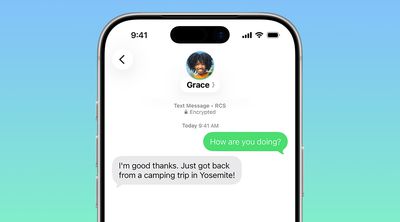
In a support document that it has since deleted, Australian carrier Telstra said RCS support would be available starting with an iOS update coming in December. If this timeframe remains accurate, then iPhone users with Telstra will likely be able to use RCS in the Messages app starting with iOS 27.3.
RCS has many benefits over the traditional SMS standard for text messaging with Android users, including end-to-end encryption, read receipts, typing indicators, in-line replies, and more. Apple maintains a list of supported carriers.
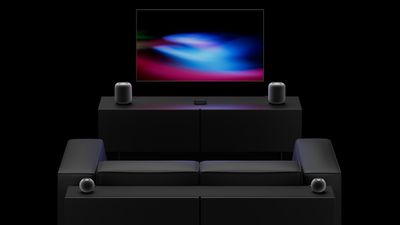
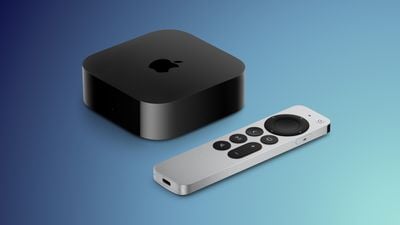
The new fourth-generation Apple TV 4K announced last week can connect to up to four HomePods in front-left, front-right, rear-left, and rear-right positions, enabling an all-Apple surround sound system for home theater setups. There is also a related new feature that has not received as much attention: Whole Room Audio.
Apple says the Whole Room Audio feature spreads sound evenly across four HomePods in a room.
"Whole Room Audio spreads sound evenly across four HomePod speakers for audio that's perfect for parties or game day," says Apple. "Everything from music to sports commentary comes through clearly, no matter where you are in the room."
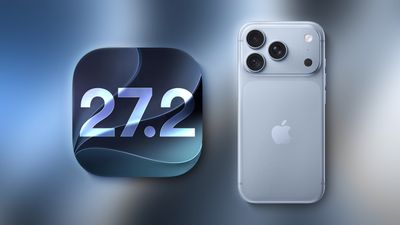
According to the user "pdfu," who has been digging into Apple's software code in recent months, "Surround Sound" and "Whole Room Audio" will be separate options in tvOS 27.2's audio settings when four HomePods are connected to the new Apple TV 4K.
You'll get new audio controls when you set up four HomePods with the new Apple TV.
Speaker Mode: Surround Sound or Whole Room Audio.
Specifically for Surround Sound: • Spatialize Stereo: Control whether to play a spatially processed mix for video and music. As reported in September, when disabled, normal stereo plays on the front speakers, while rear speakers receive an empty mix. Defaults to On for Video and Music. • Surround Level: Adjust the rear pair relative to the fronts. Supports −8 dB through +8 dB, in 0.5 dB steps. Defaults to Normal (0 db).
There are no audio options for Whole Room Audio, as it uses stereo channels for both speaker pairs. The channels are assigned diagonally: front-left and rear-right share the left channel, while front-right and rear-left share the right channel.
— pdfu (@itspdfu) October 19, 2026
When enabled, "pdfu" said Whole Room Audio assigns the same left or right stereo channel to HomePods positioned diagonally opposite each other. This arrangement is designed to provide a more consistent stereo listening experience throughout a room, regardless of where you are standing or which direction you are facing. As mentioned by Apple, the feature is ideal for parties, where people might not always be facing the TV.
"Whole Room Audio" was previously referred to as "Party Mode" in rumors.
You can connect four of the new HomePod mini 2 speakers to the new Apple TV 4K, or you can mix and match pairs of HomePod mini 2 and full-sized HomePod 2 speakers, so long as the front and rear pairs of speakers match. For example, you can have two full-sized HomePod 2 speakers up front and two HomePod mini 2 speakers in the rear.
Previous-generation Apple TV 4K models remain limited to two HomePods for stereo sound.
The new Apple TV 4K launches on Friday, November 13, while the HomePod mini 2 launches on Friday, October 30. Both devices can be pre-ordered now.
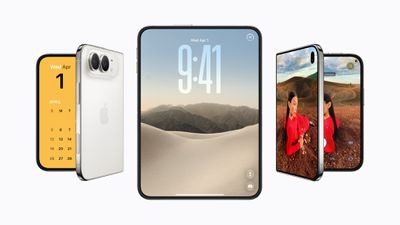
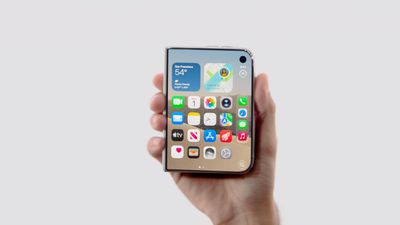
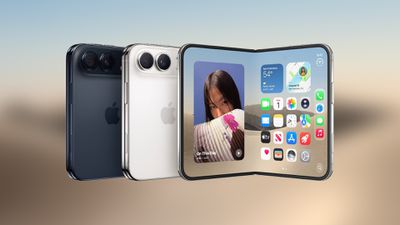
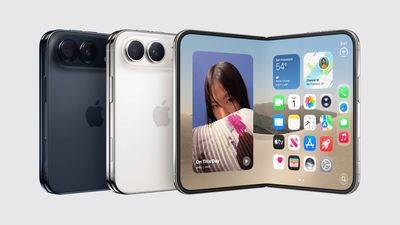
Apple's first foldable iPhone, with a book-style design featuring a 5.4-inch outer display and a 7.6-inch inner display with a minimal crease down the middle.





 Apple retail stores in Bordeaux and Lille were looted earlier this week amid unrest accompanying demonstrations against the high cost of living in France, Boursorama reports. Both locations were among numerous businesses targeted across the country. The same Bordeaux location, Apple Sainte-Catherine, was previously looted in December 2018 during unrest surrounding France's "yellow vest" demonstrations.



 WhatsApp is developing an optional in-app browser for its iPhone app that would let users open any link shared in chats without leaving the app, according to








 In a
In a