Google has announced that its Meet videoconferencing service will be free to use for anyone with a Google account from next month.
Following a gradual rollout through May, Meet will no longer be exclusive to paying G-Suite members, and will remain open to Google account holders until September 30, 2020.
Google Meet offers many of the features that have made Zoom so popular in recent weeks, including video conferencing for up to 100 participants, the option to schedule meetings, and screen-sharing capabilities.
We've invested years in making Meet a secure and reliable video conferencing solution that's trusted by schools, governments and enterprises around the world, and in recent months we've accelerated the release of top-requested features to make it even more helpful. Starting in early May, anyone with an email address can sign up for Meet and enjoy many of the same features available to our business and education users, such as simple scheduling and screen sharing, real-time captions, and layouts that adapt to your preference, including an expanded tiled view.
Google Meet usually imposes a 60-minute time limit on meetings for non-paying users, but the company is lifting the limit for the period of its availability to all Google account holders. Given Zoom's recent troubles, Google is also keen to underscore the privacy and security of the platform – Meet video meetings are encrypted in transit, and all recordings stored in Google Drive are encrypted in transit and at rest.
Anyone interested in using Google Meet can download the Hangouts Meet iOS app from the App Store or head to meet.google.com to use the web browser version. As the rollout is gradual, users can sign up to be notified when it's available.
Apple has agreed to pay $18 million to settle a California class-action lawsuit that accused it of intentionally breaking FaceTime in iOS 6 to force users to upgrade to iOS 7.
According to the lawsuit, originally filed in 2017, Apple forced users to upgrade so it could avoid payments on a data deal with Akamai.
Apple used two connection methods when it launched FaceTime in 2010: a peer-to-peer method that created a direct connection between two iPhones, and a relay method that used data servers from content delivery network company Akamai Technologies.
Apple's peer-to-peer FaceTime technology was found to infringe on VirnetX's patents in 2012, however, so the company began to shift toward the relay method, which used Akamai's servers. Within a year, Apple was paying $50 million in fees to Akamai, according to testimony from the VirnetX trial.
Apple eventually solved the problem by creating new peer-to-peer technology that would debut in iOS 7. The class-action lawsuits, however, alleged that Apple created a fake bug that caused a digital certificate to prematurely expire on April 16, 2014, breaking FaceTime on iOS 6.
The lawsuit claimed that breaking FaceTime in iOS 6 allowed Apple to save money because it would no longer need to support users who did not upgrade to iOS 7.
According to Law360.com, Apple agreed to settle the case with the $18 million payout, although the majority of the money will go to paying attorney fees and expenses, with only a fraction going to the class action's representatives and claimants.
A court in Florida dismissed a similar consumer lawsuit earlier this year alleging Apple broke FaceTime on older iPhones to save costs.
Apple appears to have updated the speaking voice of Siri on devices in Germany, based on reports compiled by iphone-ticker.de (via ifun.de).
According to the website, several readers have reported Siri's German speech comes across as more natural and melodic than before, especially on HomePod, although the changes are subtle, with better pronunciation and different inflection depending on what's being said.
Apple thoroughly revised Siri's voice in 2017 with the introduction of iOS 11, which also brought enhancements to the voice assistant's machine learning and artifical intelligence. Apple also tweaked Siri's British and Australian voices to be more natural in February 2019.
Apple was the third-fastest growing brand in India's smartphone market in the first quarter of this year, according to new data from Counterpoint Research.
Apple achieved 78 percent growth as the overall market in the country grew 4 percent year on year during Q1 2020. OPPO shipments grew 83 percent year on year in the same quarter, while realme grew 119 percent.
Overall smartphone shipments increased through January and February, before a 19 percent drop in March due to the global health crisis, according to Counterpoint.
Pricing promotions and the iPhone 11 launch are said to have been the main factors attracting new buyers to the Apple brand. Apple also commanded 55 percent of the ultra-premium market, although it still trails Xiaomi, Vivo, and Samsung in overall smartphone sales.
Apple grew a strong 78% YoY driven by strong shipments of iPhone 11 and multiple discounts on platforms like Flipkart and Amazon. In the ultra-premium segment (>INR 45000,~$600 ) it was the leading brand with a market share of 55%.
Overall, smartphone shipments in 2020 are expected to fall by 10 percent in India due to the impact of the health crisis.
Apple last week launched its new 2020 iPhone SE, a low-cost $399 smartphone that features iPhone 8 components upgraded with the same A13 chip available in Apple's flagship iPhones. We did a full hands-on video back on Friday, but we took the weekend to see how the iPhone SE's camera measures up to the iPhone 8 and iPhone 11 Pro.
Based on an iFixit teardown that looked at the base camera hardware, the iPhone SE is using the same camera sensor as the iPhone 8, a 12-megapixel lens that features an f/1.8 aperture and a 28mm focal length, narrower than the 26mm focal length of the 12-megapixel wide-angle in Apple's flagships.
Though equipped with iPhone 8 hardware, the iPhone SE has more advanced photographic capabilities that are enabled by the powerful A13 Bionic chip inside, such as Portrait Mode and Smart HDR, so for the most part, the iPhone SE's camera quality is superior to the iPhone 8 but inferior to the iPhone 11 and 11 Pro.
When it comes to photos with good lighting (aka, bright lighting indoors or out), all three iPhones put out similar, decent images because there's not a lot of work needed behind the scenes for improvement. The iPhone 8 and the iPhone SE photos are a little bit warmer than the cooler iPhone 11 Pro images, and you can see that what's coming out of the iPhone 11 Pro is a bit crisper, which is no surprise.
The iPhone 8 struggles with highlights being blown out or overexposed in some situations, and that's where you can see the Smart HDR in the iPhone SE shine. While the iPhone SE was fine in bright lighting, it definitely struggled in low lighting conditions compared to the iPhone 11 Pro.
Both the SE and the iPhone 8 had a hard time with low lighting situations, but the iPhone SE's images came out a bit better because of the A13 chip. The iPhone 11 Pro has Night Mode, a feature not available on the iPhone 8 or the iPhone SE, so it of course vastly outperformed the iPhone SE in photos with poor lighting.
The iPhone SE features Portrait Mode much like Apple's higher-end iPhones, but it's the first of Apple's iPhones to entirely rely on software to generate Portrait Mode images and Portrait Lighting features. Since the iPhone 11 and 11 Pro have two and three cameras, respectively, their hardware-based Portrait Mode images come out better, but the iPhone SE does a respectable job.
Portrait Mode in the iPhone SE is limited to people because the neural network that powers the feature needs to detect a person to blur out the rest of the image. It's not going to work with pets, food, or other objects like it does on the iPhone 11 Pro.
Because the iPhone SE's Portrait Mode is using 2D images to create a depth map, there's a unique iPhone SE feature - you can take a Portrait Mode photo of a photograph that already exists. It doesn't work great all the time, but it's an interesting way to jazz up some older photographs and add background blurring.

Like the iPhone 11 and 11 Pro, the iPhone SE supports 4K video at 60fps, which is an impressive feature for a $399 smartphone. A video comparison between the iPhone 11 Pro and iPhone SE showed little difference in quality. Both looked great and the optical image stabilization worked well. In comparing 4K video between the iPhone SE and the iPhone 8, the image quality was similar, but stabilization on the iPhone SE seemed to be better and the audio quality is superior.
The iPhone SE has a plain 7-megapixel front-facing camera that also supports a software-based Portrait Mode, which is not available on the iPhone 8. The front-facing camera is fine, nothing spectacular, but it works well enough for FaceTime and selfies and was comparable to the front-facing cameras of the iPhone 8. The iPhone SE doesn't support the wider angles available with the front-facing camera on the 11 Pro, and the 11 Pro selfies looked a bit better.
For videos with the front-facing camera, both the iPhone 8 and the iPhone SE had a hard time with bright lights, overexposing the video the entire time. The iPhone 11 Pro did a much better job.
It's worth noting that the iPhone SE also supports QuickTake for both the front and rear-facing cameras. QuickTake lets you hold down the camera button when in picture taking mode to quickly capture a video without the need to swap over to video mode.
All in all, the iPhone SE's camera does produce pictures fairly similar to the pictures produced by the iPhone 8, but the A13 chip is doing a lot in the background to make those photographs look better. The iPhone SE also isn't too far off from the iPhone 11 and iPhone 11 Pro when it comes to images taken in bright lighting, but that's where the similarities end.
It's a single-lens camera rather than a dual or triple-lens camera so it doesn't have the versatility enabled by additional lenses, there's no optical zoom, software-based Portrait Mode is not as good as hardware-based portrait mode, and there is no Night Mode to use for low light images.
The iPhone SE is a passable camera of course that's going to take great every day shots, but those seriously interested in better iPhone photography should take a look at the iPhone 11 over the iPhone SE.
Image from MacRumors reader oVerboost
If you want to see more great photos taken with the iPhone SE to see just what it's capable of, make sure to check out the MacRumors forums where new iPhone SE owners are sharing their pictures.
Apple and Google developed their upcoming COVID-19 contact tracing tool in record time, according to a new report from CNBC that details how the two companies came together to create the API.
It took Apple under a month to flesh out the project, and in the beginning stages, it was the work of a handful of employees who had started brainstorming a solution to help prevent the spread of COVID-19 back in March.
The speed at which the tool was developed was "highly unusual" for Apple, according to CNBC, spearheaded by employees who wanted to create a decentralized contact tracing solution that used Bluetooth in the background, didn't draw much battery life, and was focused on privacy.
The initial team focused on an opt-in solution that would send anonymous alerts to other phones it had been nearby rather than uploading the information to a government or central authority to prevent databases with detailed location or proximity info from being built, which are all features of the finished product.
Time was of the essence given the quick spread of COVID-19, and it didn't take long for the project to pick up speed with engineers volunteering their time. Meanwhile, employees at Google were also working on something similar, and team members from both Apple and Google ultimately communicated with one another and found a solution for working together.
Within a few weeks, the Apple project - code-named "Bubble" - had dozens of employees working on it with executive-level support from two sponsors: Craig Federighi, a senior vice president of software engineering, and Jeff Williams, the company's chief operating officer and de-facto head of healthcare. By the end of the month, Google had officially come on board, and about a week later, the companies' two CEOs Tim Cook and Sundar Pichai met virtually to give their final vote of approval to the project.
Apple is said to be aiming to launch its contact tracing tool, now called exposure notification, on May 1 in a software update. Apps that use Apple's exposure notification API will run on the iPhone 6s and later and will be able to communicate not only with iPhones, but also with Android devices, with the goal of informing users if they've been exposed to COVID-19.
CNBC's full report, which goes much more into depth on the development of the partnership and the work on the tracing technology, can be found on CNBC's website.
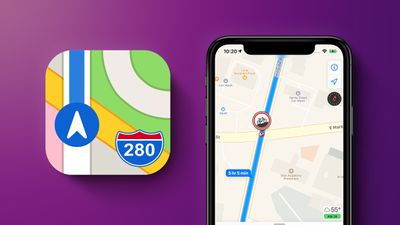
Apple Maps is now displaying COVID-19 testing locations across the United States, a feature that Apple began implementing earlier in April.
When opening up the search interface in Maps, COVID-19 testing is now the first option in the list, and tapping it brings up all of the testing sites in your local area.
Tapping on one of the testing site entries provides a link to the hospital or testing site's website with specific information on how testing is done, such as whether a doctor's referral or an appointment are required to have the testing conducted.
Apple on April 11 launched an online portal allowing healthcare providers, labs, hospitals, and other businesses to register as COVID-19 testing locations. The Apple Maps team reviews each application before allowing approved sites to be displayed on Apple Maps. As pointed out by Engadget, the testing site list is available in all U.S. states and Puerto Rico.
Apple in early April updated the Maps app to prioritize searches for groceries, food delivery, pharmacies, hospitals, and urgent care, and these categories also show up with COVID-19 testing sites.
Apple today updated its Apple Support app for the iPhone and the iPad, introducing a revamped layout with Dark Mode support and improved navigation.
According to Apple, the app features an all new customized user interface and smarter solutions for more topics using step-by-step troubleshooting, along with Dark Mode.
The app also now features an easier way to find support for not only Apple products, but also Apple services, and it brings improved chat and call experiences.
Apple's full notes for the update are below:
All new customized user interface, including Dark Mode support
Get smarter solutions for even more topics using guided, step-by-step troubleshooting
It's now easier to find support for all of your Apple services and subscriptions
New and improved chat and call experiences
The Apple Support app is Apple's dedicated app for getting support on an iPhone or iPad, and it can be downloaded from the App Store for free. [Direct Link]
How to migrate from Wunderlist to Microsoft To Do:
1. Download the Microsoft To Do app. 2. Sign in with your Microsoft account. If you don't have one, you can create one using an existing email address (like Gmail). 3. Click on the pop-up in Microsoft To Do, or head to Settings and select Import. It'll direct you to the Wunderlist importer.
Microsoft acquired Wunderlist in 2015 and launched its own To Do app with many of the same features a few years later, including folders, subtasks, file attachments, list sharing, notes, reminders and due dates, and a dark mode.
Amazon has introduced a few new discounts on the 2018 iPad Pro, with one particularly notable sale on the 64GB Wi-Fi 12.9-inch model. You can get this iPad Pro for $799.00, down from $999.00 right now on Amazon, a best-ever price among the major Apple resellers online.
Note: MacRumors is an affiliate partner with these vendors. When you click a link and make a purchase, we may receive a small payment, which helps us keep the site running.
There are a few improvements on the 2020 iPad Pro models compared to those from 2018, like upgraded internals and camera, but for anyone mainly shopping with price in mind, opting for a 2018 model could be worth it to save money. At $799.00, this price is now the cheapest entry level price point a new model of the 12.9-inch iPad Pro from 2018 has ever been.
There are a few other notable discounts for the 2018 iPad Pro, which we've rounded up below. The 256GB Wi-Fi 12.9-inch model is $944.00 at Tiger Direct, down from $1,149.00, which is another lowest price. For 11-inch 2018 models, the best deal right now is at Best Buy, where you can get the 64GB Wi-Fi iPad Pro for $699.99, down from $799.00.
If you're still mainly looking for 2020 iPad Pro deals, we recently rounded up a few of these. One of the best all-around discounts is for the 128GB cellular 12.9-inch iPad Pro, priced at $1,098.25 on Amazon, down from $1,149.00. For even more iPad deals, head to our full Best Deals guide for iPad. In that guide we track the best discounts online for iPad, iPad mini, iPad Air, and iPad Pro.
DJI this week announced the Mavic Air 2, a new foldable drone that features 8K functionality, a larger 1/2" camera sensor for higher resolution photos and videos, and upgraded flight modes. The Mavic Air 2 can also stay in the air longer thanks to better battery life.
The company said that this is the first drone in the Mavic family to offer 4K video at 60fps and 120 Mbps. The drone supports HDR video, 4X slow motion in 1080p at 120fps or 8x slow motion in 1080p at 240fps. It can record images with up to 48-megapixels and has a mechanical 3-axis gimbal to create stable footage.
The Mavic Air 2 weighs about 570 grams and features new motors, electronic speed controllers, enhanced battery technology, and an aerodynamic design. DJI said that all of this helps provide a maximum flight time for the new drone of up to 34 minutes. While it's in the air, OcuSync 2.0 transmission technology delivers HD video to a connected smartphone at a maximum distance of 10km.
When connected to an iPhone or Android device, users will be able to take advantage of DJI's updated Fly app, which has more advanced functionality. This includes new in-app editing features for videos and photos, all of which DJI described as user-friendly so that anyone can pick up the DJI Fly app and interact with the Mavic Air 2.
More features of the Mavic Air 2 include:
HDR photos: Mavic Air 2 automatically captures seven varying exposures of the same photograph, merging them together to bring out a highly dynamic image.
Hyperlight: Hyperlight is designed for low-light scenarios, taking multiple photographs and merging them to bring out a clear image with less of the noise which usually occurs in low-light scenes.
Scene Recognition: Mavic Air 2 can recognize five categories of scenes including sunsets, blue skies, grass, snow, and trees, then optimize settings to make the photograph pop by bringing out the highest degree of color, detail, and tones.
ActiveTrack 3.0: Select a subject for Mavic Air 2 to automatically follow. The third iteration of ActiveTrack uses state-of-the-art mapping technology and new flight path algorithms to offer improved subject tracking and obstacle avoidance, along with the ability to quickly re-engage the subject if it temporarily moves behind an object.
Point of Interest 3.0: Set an automated flight path around a specific subject. The updated iteration improves surface recognition to better dynamically track subjects.

Spotlight 2.0: Found in professional DJI drones, Spotlight locks a subject in the frame while the user has free operation of the drone’s movement.
The company also mentioned the safety features of the Mavic Air 2 in its announcement post, including obstacle sensors on the front and rear of the drone. Additional sensors and auxiliary lights on the bottom of the drone assist with automatic landing, and geofencing features help keep the Mavic Air 2 away from high-risk flying locations.

Due to current shipping restraints happening across numerous industries, the Mavic Air 2 is available today in China, while other regions will be able to pre-order the drone today with an expected shipping date in mid-May.

The Mavic Air 2 will be available in two purchasing options: a standard package with the Mavic Air 2, one battery, one remote controller, and all the required wires and cables for $799. Then there's the Fly More option with all items from the standard version as well as a shoulder bag, ND filters, charging hub, and 3 batteries for $988.
There are several DJI drones available to purchase on Apple.com, but it's not clear yet if the Mavic Air 2 will launch on Apple's website soon.
Note: MacRumors is an affiliate partner with DJI. When you click a link and make a purchase, we may receive a small payment, which helps us keep the site running.
This week, Anker's newest accessory discount event is being hosted on Anker.com instead of on Amazon. The company is calling its sale the "Stay Smart At Home" event, offering up to 48 percent off wall chargers, cables, hubs, wireless chargers, and portable batteries.
Note: MacRumors is an affiliate partner with Anker. When you click a link and make a purchase, we may receive a small payment, which helps us keep the site running.
One of the highlights in the sale is the PowerCore Slim 10,000 mAh portable battery at $20.00, down from $26.99. You can also double the battery capacity and opt for the PowerCore 20,100 mAh model for $32.01, down from $45.99. We've rounded up many of the deals below, but be sure to head to Anker.com for the full list of products on sale right now.
A bug has been discovered in Apple's macOS Image Capture app that needlessly eats up potentially gigabytes of storage space when transferring photos from an iPhone or iPad to a Mac.
Discovered by the developers of media asset management app NeoFinder and shared in a blog post called "Another macOS bug in Image Capture," the issue occurs when Apple's Mac tool converts HEIF photos taken by iOS to more standard JPG files.
This process happens when users uncheck the "Keep Originals" option in Image Capture's settings, which converts the HEIC files to JPG when copied to Mac. However, the app also inexplicably adds 1.5MBs of empty data to every single file in the process.
"Of course, this is a colossal waste of space," said the NeoFinder team, "especially considering that Apple is seriously still selling new Macs with a ridiculously tiny 128 GB internal SSD. Such a small disk is quickly filled with totally wasted empty data.
"With just 1000 photos, for example, this bug eats 1.5 GB off your precious and very expensive SSD disk space."
NeoFinder's developers say they discovered the bug by "pure chance" when working on improving the metadata capabilities of NeoFinder using a hex editor, and provided an example shot of what the end of individual JPG files look like in hex, post-transfer.
MacRumors was also able to replicate the issue in macOS 10.14.6 and later using an online hex editor. It's worth noting that the bug only occurs when transferring photos from Apple devices, not when importing photos from digital cameras using Image Capture.
NeoFinder's team says it has notified Apple of the bug, and the developers suggest anyone plagued by the issue can try using a new beta version of the third-party utility Graphic Converter, which includes an option to remove the unwanted empty data from the JPEG files.
Popular writing app Ulysses received its eighteenth major update today, adding some notable new features and bringing full mouse and trackpad support on iPadOS.
As mentioned, version 19 of Ulysses adds native support for Apple's new iPad mouse and trackpad features, which were announced on March 24 as part of iPadOS 13.4.
What that means in practice is that the round cursor changes shape or shifts out the way as it moves across different interactive elements in the Ulysses interface. The cursor will also turn into an "I-beam" over text for the purpose of editing.
Meanwhile, Ulysses users now have the ability to indicate selected texts or notes as "material," or things they've written or collected in the app that aren't meant to be part of a final text.
Thanks to a visual marker, material "sheets," as they’re called in the Ulysses terminology, are easy to recognize. By default, content marked as material is excluded from export and statistics.
In Ulysses 19, the developers have also improved the compatibility of Ulysses keywords in Markdown files. They can now be written out at the end of a text and marked with a hash. This allows Markdown editors such as Bear Notes or iA Writer to interpret them as keywords as well. Conversely, Ulysses will now recognize keywords in Markdown files and make them usable in the app.
Elsewhere on iPad and iPhone, Ulysses 19 adds the ability to embed external folders from locations in the Files app, such as cloud storage providers or Git clients, and edit the contained files with Ulysses. Users also now have the option to export single backups of their text libraries and import them back into Ulysses.
Other additions and improvements in this version include new search filter criteria such as "has goal," "has note attachment" or "is material," a new editor font called SF Mono, improved initial download performance when syncing with Dropbox, and a new toilet paper group icon.
Coinciding with the release of Ulysses 19, the developers are set to open a beta program for Ulysses 20. “We're working on a few awesome new features that need thorough testing, at best with a large number of participants," said Marcus Fehn, Ulysses' creative head of development.
Ulysses can be downloaded for free on the App Store and the Mac App Store, with version 19 rolling out to existing users today. After a 14-day trial period, a subscription is required to unlock the app on all devices. A monthly subscription costs $4.99, while a yearly subscription is $39.99.
Students can use Ulysses at a discounted price of $11.99 per six months. The discount is granted from within the app. Ulysses is also included in Setapp, the subscription-based service for Mac applications created by MacPaw.
WhatsApp has upgraded its end-to-end encrypted video call feature, which now allows groups of up to eight participants to chat together, up from the previous limit of four.
WhatsApp has been gradually developing its group video call capabilities through beta builds, as rival video call services like Zoom, FaceTime and Skype have exploded in popularity amid the ongoing stay-at-home measures. At the same time, Facebook has released Messenger Rooms, enabling up to eight people to join in on a group call.
There are two ways to initiate an encrypted group voice or video call in WhatsApp with up to eight people (that's seven other people including yourself). Just make sure that you and anyone you want to call has updated to version 2.20.50 of WhatsApp, or it won't work.
The easiest way to initiate a call is to open an active group chat and tap the Video Call or Phone Call button in the top right corner of the screen. If the group has more than eight participants, you'll be asked which contacts you want to call, otherwise the call will initiate automatically.
Alternatively, you can initiate a WhatsApp group call including anyone in your contacts list. Simply follow the steps below.
Launch WhatsApp and select the Calls tab at the bottom of the screen.
Tap the Call icon in the top-right corner.
Select New Group Call at the top of the contact list.
Add up to seven participants by tapping on them in your contacts.
When you've added the participants, tap the Video Call button (the camera icon) or the Audio Call option (the phone icon) to initiate the call.
If any of the participants you chose are using an older version of WhatsApp, you'll be notified and the call won't connect until they've all updated.
Westpac has become the last of Australia's big four banks to announce Apple Pay support for its customers. The country's oldest bank revealed on Tuesday that it had enabled the new service, following similar moves by ANZ, the Commonwealth Bank, and National Australia Bank.
"We are pleased to announce that Westpac customers can now use Apple Pay to make fast and secure payments. This comes at an important time for our customers, who are looking for an alternative to cash," Westpac Group chief executive of consumer David Lindberg said.
"We have seen a significant increase in customers using digital banking in recent weeks as more Australians stay at home. With the introduction of Apple Pay, it will now be even easier for customers to pay for goods and services in stores, via apps or online without the need for a card or wallet."
As noted by ZDNet, Westpac actually announced the adoption of Apple Pay across several of its financial services providers back in December, but regular Westpac customers were told they had to wait until June 2020.
Westpac's Apple Pay support includes compatibility with eftpos (electronic funds transfer at point of sale), the local payments scheme and national debit card system accepted across the country. The technology makes it possible for retailers to directly receive funds from a customer’s bank account via their debit card through a secure Australian payment network.
Westpac was one of several banks that collectively tried to negotiate with Apple to gain access to the NFC chip within Apple's devices to allow their own payments services to work on iOS devices alongside Apple Pay.
The banks argued that access to the NFC chip in the iPhone would allow them to offer competing wallets, which would lead to increased competition and consumer choice in digital wallets and increased innovation and investment in digital wallets.
However, Apple does not allow third-party access to the NFC chip because of security concerns, and the company put pressure on the Australian Competition and Consumer Commission (ACCC) to deny the banks the right to negotiate a deal, which was the eventual outcome.
The banks involved in the dispute resisted implementing Apple Pay throughout the attempts at collective bargaining, although Apple Pay has been available in Australia for quite some time through partnerships with American Express and ANZ.
Deirdre O'Brien, Apple's vice president of retail and people, today told Apple employees that "many more" Apple Stores are set to start reopening in May.
O'Brien made the comments during a weekly video update shared with staff, according to Bloomberg. "We are continuing to analyze this health situation in every location, and I do expect we will reopen up many more stores in May," O'Brien told staff. Apple did not specify which stores would be reopened, or the regions where the stores would reopen first.
In March, Apple's retail chief Deirdre O'Brien said that Apple planned to begin opening some stores worldwide in the first half of April, and one lone store in South Korea was indeed opened again on April 18 for repairs and purchase pickups. No other stores have reopened at this time, and a separate retail source said told MacRumors that Apple is aiming to open stores in North America by mid-June.
When stores start reopening, Apple will take into account local conditions and recommendations. Some states in the U.S. have already begun relaxing their social distancing guidelines and allowing businesses to reopen, while others have extended shelter-in-place orders.
Texas, Georgia, and Tennessee, for example, are letting stay at home orders expire, while the Bay Area, where Apple is located, has extended its shelter-in-place order through the end of May. Apple will need to follow state restrictions and guidelines as stores begin to reopen.
All Apple Stores outside of Greater China (and the reopened South Korea location) have been closed since March 14. Over the course of the last few weeks, retail employees have been returning to work through training and meetings at home, while others have been handling online and phone support technical requests.
Though it is a budget device with a single-lens camera, the iPhone SE features support for Portrait Mode, enabled through the powerful A13 chip in the smartphone.
It is the first of Apple's smartphones to offer Portrait Mode photos created entirely with software techniques rather than hardware, which prompted the developers behind popular iOS camera app Halide to take a deep dive into how it works.
The iPhone SE is equipped the same camera sensor as the iPhone 8, based on a recent teardown done by iFixit, but its camera can do more because it's using "Single Image Monocular Depth Estimation," aka generating Portrait Mode effects using a 2D image.
As Halide developer Ben Sandofsky points out, the iPhone XR is also a single-lens camera with Portrait Mode support, but the iPhone XR gets depth information through hardware. That's not possible on the iPhone SE because the older camera sensor doesn't support the feature.
Halide has discovered that unlike other iPhones, the iPhone SE can take a picture of another picture to attempt to develop a depth map. The app was even able to take a photo of an old slide film, adding depth effects to a 50 year old photo.
A picture of a picture and the resulting depth map from the iPhone SE
The iPhone SE's Portrait Mode is somewhat limited because it only works with people, which is due to the neural network that powers the feature. When a Portrait Mode image without a person is captured, it fails in various ways because it can't create an accurate estimated depth map.
The iPhone XR also limited Portrait Mode to people alone, and using Portrait Mode with other objects requires upgrading to one of Apple's more expensive phones.
According to Halide, depth maps on the iPhone SE (or any phone with Portrait Mode) can be viewed by using the Halide app and then shooting in Depth mode. Halide's full breakdown of the iPhone SE's Portrait Mode can be read over on the Halide website.