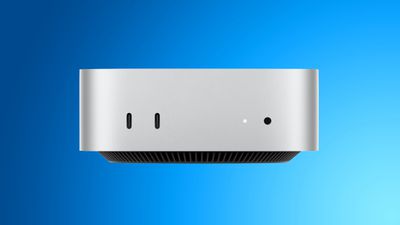
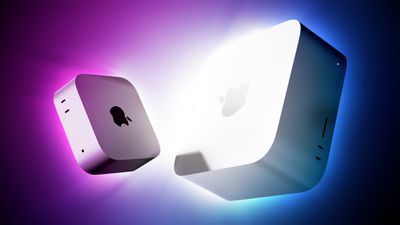
Amazon has the first post-launch discounts on Apple's brand new Mac mini and Mac Studio, with up to $49 off select models. One of the best deals is on the M5 Max Mac Studio with 36GB RAM and a 512GB SSD, on sale for $2,449.99, down from $2,499.00.
Note: MacRumors is an affiliate partner with Amazon. When you click a link and make a purchase, we may receive a small payment, which helps us keep the site running.
Regarding the Mac mini, you can get the 16GB RAM/256GB SSD Mac mini for $879.99, down from $899.00, and the 16GB RAM/512GB SSD model for $1,069.99, down from $1,099.00.
In terms of upgrades, Apple said the Mac mini with the M6 chip delivers up to 40% faster CPU performance, up to 4× faster performance for AI tasks in particular, up to 2× faster graphics performance, and up to 2× faster storage speeds compared to the previous-generation model with the 10-core M4 chip, 32GB of unified memory, and 2TB of storage.
You can match your new Mac mini or Mac Studio with Samsung's 4TB T7 Shield Portable SSD, which is available for $464.99 today only at B&H Photo, down from $1,144.99. This is a massive $680 discount on the SSD, a notable markdown amid the storage price hikes happening this year.
If you're on the hunt for more discounts, be sure to visit our Apple Deals roundup where we recap the best Apple-related bargains of the past week.
Deals Newsletter
Interested in hearing more about the best deals you can find in 2026? Sign up for our Deals Newsletter and we'll keep you updated so you don't miss the biggest deals of the season!
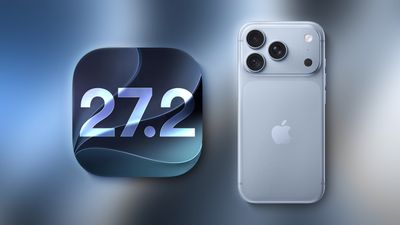
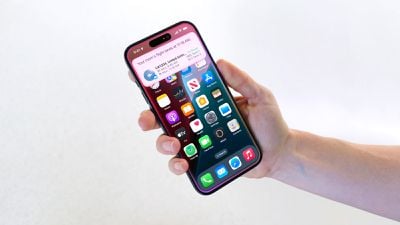
Apple is testing an iPhone setting for users in China that lets them add apps to a list that prevents them from accessing the device's motion sensors. Apple hasn't explicitly said what the setting is in response to, but Chinese apps sometimes show "shake-to-open" ads on launch, and they can be triggered by merely picking up an iPhone, walking, or going over a bump in a car, resulting in unwanted redirects.
Users in China speculate this is why iOS 27.2 beta 2 includes the new "Restrict Motion Data" option in Settings that blocks app access to accelerometer and gyroscope data. For now, the option appears tied to mainland China App Store accounts, and we don't expect it will be available to iPhone users more broadly when iOS 27.2 is released later this year.
After you install macOS 27 Golden Gate, Apple automatically downloads a multi-gigabyte AI model to your Mac the next time it's connected to the internet. Unlike previous versions of macOS, you can't prevent it. Siri AI, and by extension Apple Intelligence, are now a mandatory part of your system.
For macOS 27 Golden Gate, Apple says the latest Apple Intelligence features require up to 14GB of on-device storage on Macs with an M3 chip or later and at least 12GB of unified memory, and up to 8GB of storage for other Apple Intelligence-enabled Macs. But in our experience, AI model storage allocation appears to be considerably higher on some Macs than others.
On an M4 Pro Mac mini running macOS 27, for example, MacRumors saw 20.67GB handed over for Apple Intelligence, according to the Storage section in System Settings. ArsTechnica recorded an even higher figure of 22.42GB on an M3 MacBook Air after a fresh installation of macOS 27.0 beta 7. Both of these systems will be using Apple's AFM 3 Core Advanced on-device model, which requires an M3-or-newer Mac with 12GB or more of RAM.
This doesn't explain why Macs that don't meet the minimum requirements for Apple's most advanced model are still losing unusually large amounts of storage to Apple Intelligence. ArsTechnica reported the same screen showed around 14GB on an M1 MacBook Air and a MacBook Neo, and yet both of these models fall into a category for which Apple lists a requirement of up to 8GB.
Other Mac users have posted similar higher-than-expected readings. For example, one Reddit user shared a screenshot from the macOS 27 Release Candidate showing Apple Intelligence gobbled up 30.16GB on their machine. Another user quoted 24.35GB for Apple Intelligence after installing macOS 27 on a MacBook Pro with M3 Pro chip.
Device
Apple Intelligence storage
iPhone 18 Pro, iPhone 18 Pro Max, iPhone Duo
Up to 14GB
iPhone 17 Pro, iPhone 17 Pro Max, iPhone Air
Up to 14GB
Other compatible iPhones: iPhone 15 Pro and Pro Max, all iPhone 16 models, iPhone 17, and iPhone 17e
Up to 8GB
iPad with M4 or later and at least 12GB of unified memory; Mac with M3 or later and at least 12GB of unified memory; Apple Vision Pro (M5)
Up to 14GB
Other compatible iPad, Mac, and Apple Vision Pro models
Up to 8GB
Compatible Apple Watch models
Up to 1.5GB on the watch
iPhone 15 and 15 Plus, iPhone 14 and earlier, and iPhone SE
Not supported
Figures taken from Apple's support document
Apple's support document does not explain whether its "up to 14GB" requirement is directly comparable with the Apple Intelligence "Storage" category in System Settings, or why some Macs display substantially higher numbers. For what it's worth, we haven't seen the same ballooning figures on iPhones and iPads running iOS 27 and iPadOS 27.
It's not just academic, either. While using Apple Intelligence is optional, downloading its on-device models is not. Apple removed the toggle to disable Apple Intelligence, so users must set aside space for Apple's on-device models. In an era where memory and storage costs are rising because of AI, the irony of the situation is not lost, but it doesn't make it any less frustrating.
If you're on a Mac, you can check your own reading in System Settings ➝ General ➝ Storage by clicking the information button beside macOS. Let us know your findings in the comments.
As confirmed by the website "Expand Mac mini," NAND storage in the new Mac mini models with the M6 and M5 Pro chips is soldered to the logic board, whereas the previous models with the M4 and M4 Pro chips have removable storage that can be upgraded.
In other words, the new Mac mini does not support aftermarket storage upgrades.
"Expand Mac mini" offers plug-and-play SSD modules that are functionally equivalent to Apple's proprietary modules, yet hundreds of dollars cheaper. As a result, customers were able to save a significant amount of money by configuring their Mac mini with the minimum 256GB capacity that was available on Apple's online store and later installing a higher-capacity aftermarket module. With the new models, that is no longer possible.
"We will keep looking for an opening, but support for the M6 and M5 Pro now looks unlikely," the "Expand Mac mini" website said, in a blog post.
Mac mini models with the M1 chip and M2/M2 Pro chips also had NAND soldered to the logic board, so the M4/M4 Pro configurations having removable storage has proven to be a one-off exception for now. Apple has not commented on the reversal.
In addition, all new Mac mini configurations with 256GB of storage reportedly have a single NAND chip, rather than a pair of 128GB chips. As a result, 256GB configurations have slower SSD speeds compared to configurations with 512GB of storage or more that do have dual NAND chips, according to AAPL Ch.'s testing with Blackmagic's Disk Speed Test benchmark tool.
Mac mini Configuration
Read Speed
Write Speed
M6, 512GB
6,371.5 MB/s
6,577.4 MB/s
M6, 256GB
3,216.8 MB/s
3,000.2 MB/s
M4, 256GB
2,792.5 MB/s
2,014.5 MB/s
The new 256GB model's Disk Speed Test scores were roughly half that of models with 512GB of storage or more. The average customer is unlikely to notice the difference, but power users will appreciate knowing that they need to opt for at least 512GB of storage in order to achieve the fastest SSD speeds possible.
Fortunately, even with 256GB of storage, it appears that the new Mac mini has meaningfully faster SSD speeds compared to the previous 256GB model.
Mac mini models with M2/M2 Pro and 256GB of storage also had a single NAND chip, so the M4/M4 Pro configurations proved to be a one-off exception for this too.
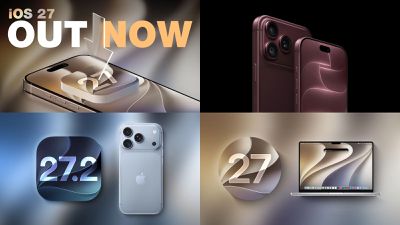
Apple today seeded the first betas of iOS 27.2, iPadOS 27.2, macOS Golden Gate 27.2, tvOS 27.2, and watchOS 27.2. The software comes a day after Apple provided the second betas to developers.
To get the new betas, you can sign up on Apple's beta testing website. After you're signed up, the betas can be installed through the Software Update section in the Settings app on each device.
iOS 27.2 includes the redesigned Health app that Apple introduced at its September iPhone event. It features new Insights and Longevity tabs with more insight into health and fitness data. There's also a Health Age feature that uses your metrics to determine your fitness age vs. your actual age.
In the Apple TV app, there are new profile options, and Siri AI is now available in French, Japanese, Korean, Portuguese, and Spanish.
OpenAI today launched GPT–6 Sol and GPT–6 Luna, two new models that follow GPT–6 Astra. OpenAI says the new models were developed using methods similar to Astra's for improvements in professional work, factuality, coding, computer use, and alignment.
GPT–6 Sol is for everyday work, and it costs less than Astra. GPT–6 Luna is an even cheaper model. Luna is optimized for fast responses and higher volume, while Sol has more reasoning capability.
The new models outperform their predecessors on OpenAI's benchmark tests, and GPT–6 Sol makes "about half as many mistakes" as GPT–5.6 Sol. GPT–6 Sol shows improvements in coding and computer use compared to GPT–5.6 Sol, and it matches or beats Claude Fable 5.1 scores on some benchmarks.
OpenAI compared GPT–6 Sol to Opus 5 on several tests, but Anthropic released a new Opus 5.5 model today that outperforms Astra on some coding and knowledge work benchmarks.
GPT–6 Sol and Luna are adopting the improved communication style OpenAI introduced with Astra for simplified conversations with less jargon and fewer low-value details. Answers should be slightly shorter without losing substance, and the new models have lower rates of misleading claims about their coding work in OpenAI's alignment testing.
OpenAI is lowering token prices for Sol and Luna compared to their 5.6 counterparts, and prompt caching has been improved. OpenAI says agents will reuse more context, respond faster, and get 90 percent discounts on cached input-token reads.
GPT–6 Sol is priced at $2 per million input tokens and $10 per million output tokens, down by half. GPT–6 Luna costs $0.10 per million input tokens and $0.50 per million output tokens, down from $0.20 and $1.20, respectively. GPT–6 Sol costs half as much per token as Opus 5.5, but Anthropic says Opus 5.5 uses fewer tokens per task than Opus 5, so it's not a straight comparison.
GPT–6 Sol and GPT–6 Luna are rolling out in ChatGPT Work and Codex starting today for Plus, Pro, Business, Enterprise, and Edu users. GPT–6 Luna is available to Free and Go users in the desktop app. GPT–6 Sol and Luna are not yet available in Chat mode.
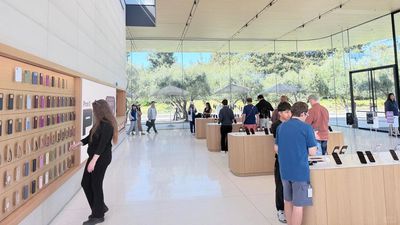
Following renovations, the Apple Park Visitor Center in Cupertino, California no longer features a 3D augmented reality model of the Apple Park campus.
The area that housed the 3D model, which was called the Exhibition Space, now has wall-mounted shelves known as "Avenues" and new, rounder tables for product displays.
The remodeling process began in July and was completed recently.
Apple Park Visitor Center's former Exhibition Space now displays products (source)
The redesigned product tables have been set up at select other stores, such as Apple Williamsburg and Apple The Mall at Bay Plaza in New York City.
The 3D model of Apple Park had been a fixture of the Visitor Center since it opened in 2017.
Apple Park Visitor Center functions as both a store and a tourist attraction. While the Exhibition Space is now permanently closed, visitors can still grab a coffee at the on-site Caffè Macs, purchase Apple merchandise, head up to the rooftop for a scenic view, or stroll through the adjacent "Mirage" public art installation.
Apple today updated the Shazam app for iOS with an ever so slightly frostier app icon and a new set of iMessage stickers.
To send stickers in the Messages app on the iPhone, tap the plus sign in a conversation, select Stickers, tap on the Shazam app icon, and tap on a sticker. You can also send stickers during FaceTime video calls and in other apps where the emoji keyboard is available.
Anthropic today launched Claude Opus 5.5, which it says is the first model in a new 5.5 model family. Opus 5.5 performs at the level of Claude Fable 5.1 on most work, but costs 40 percent less to run than Opus 5.
According to Anthropic, Opus 5.5 is a "major step up" from Opus 5 with improvements in performance and safety. Opus 5.5 is comparable to Mythos 5.1 in biology and cybersecurity, so Anthropic is launching it with safeguards similar to those on Fable 5.1. Opus 5.5 also generates output over 30 percent faster than Opus 5.
On benchmarks shared by Anthropic, Opus 5.5 surpassed Fable 5.1 on agentic coding, knowledge work, computer use, visual chart recognition, and multidisciplinary reasoning. Anthropic says the model communicates more naturally than prior models, putting important information at the front of a response so it's easier to understand at a glance. It is less likely to use jargon or idiosyncratic phrases, and it follows the writing rules it's given.
Claude Opus 5.5 is available on all platforms as of today. With the launch of Opus 5.5, Anthropic is raising the five-hour usage limits on Pro, Max, Team, and seat-based Enterprise plans. Subscribers have also received a rate limit reset that can be used anytime between now and October 22.
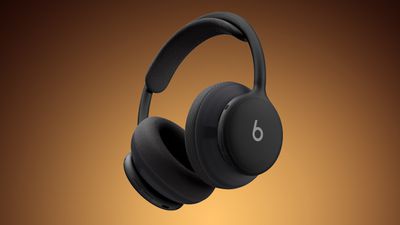
Apple today released a firmware update for the Beats 360 over-ear headphones, so customers ordering the headphones will have new software available when they arrive. The firmware has a 4A262 version number, up from the prior 4A260 firmware.
We don't know what's included in the firmware update, but Apple may share details on its support site.
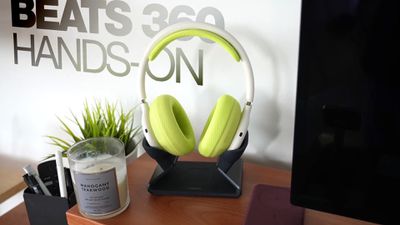
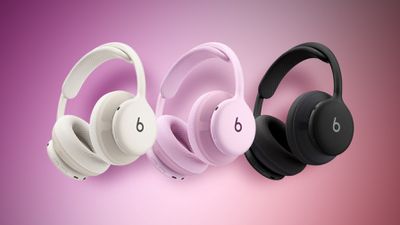
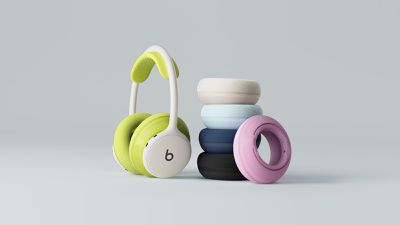
Announced this morning, the Beats 360 feature an all-new over-ear headphone design with a focus on comfort, active noise cancellation, and sound quality. Beats 360 come in multiple colors and can be customized with removable ear cups and headband cushions in different colors. The headphones are priced at $349.99 and can be ordered from Apple's website and from Amazon.com.
Firmware updates for Beats are delivered over the air. Firmware will be installed when the Beats 360 headphones are fully charged and connected to an iPhone, iPad, or Mac. Apple says the headphones should be turned off and kept in Bluetooth range of your Apple device.
On Android devices, the headphones can be updated using the dedicated Beats app.
The new Beats 360 headphones were announced today, and can be pre-ordered on Amazon ahead of their launch on Thursday. They're available in Black, Cloud, plus a bundle where you can style the headphones however you'd like thanks to interchangeable ear cushions and headbands.
Note: MacRumors is an affiliate partner with Amazon. When you click a link and make a purchase, we may receive a small payment, which helps us keep the site running.
Alongside the launch, Beats announced that its Cushion Kits compatible with the Beats 360 are available for just $9.99 for the next month, down from $49.99. Amazon has both the Performance Knit and UltraPlush options in all colors at this price.
Additionally, there's a big sale on Beats accessories on Amazon this week, including solid deals on Powerbeats Pro 2, Beats Pill, Beats Solo 4, and more. We've gathered all of the best deals below, and be sure if you're interested in the new Beats 360 Cushion Kits you order one before the launch prices disappear on October 31.
If you're on the hunt for more discounts, be sure to visit our Apple Deals roundup where we recap the best Apple-related bargains of the past week.
Deals Newsletter
Interested in hearing more about the best deals you can find in 2026? Sign up for our Deals Newsletter and we'll keep you updated so you don't miss the biggest deals of the season!
Apple has paused development on a camera-equipped AI wearable, reports Bloomberg. The device was described as a pin or pendant that could be attached to clothing or worn around the neck.
A camera would relay information about the wearer's surroundings to Siri, like the rumored AirPods with cameras that could come as soon as 2027. The AI pin would have Visual Intelligence features, with Siri AI able to answer questions about where the wearer is located or what the wearer is looking at.
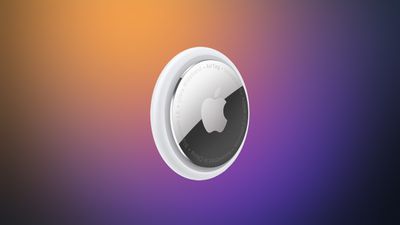
The prototype Apple worked on was described as similar in size to an AirTag, with a thin, circular disc shape. It was made from aluminum and glass, with a physical control button on the side.
Rumors suggested Apple could introduce the AI wearable as soon as 2027, but with development postponed, that seems unlikely. Apple is working on several other wearables, including a screen-free fitness band, AI smart glasses, and AirPods with cameras.
Now through October 31, extra Performance Knit and UltraPlush ear cushions with matching headbands in a variety of colors are available on Apple's online store in the U.S. for just $9.99 each, with customers limited to three kits per order while supplies last. Lower pricing extends to select other countries. Starting November 1, regular pricing of $49.99 will apply.
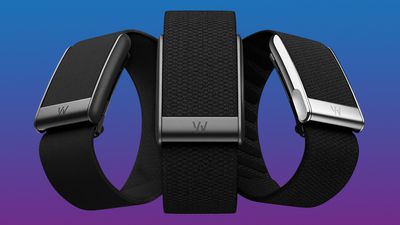
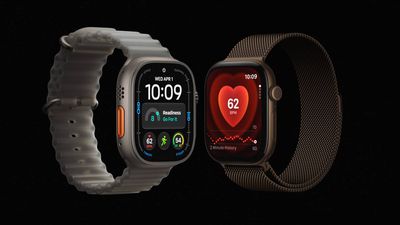
Apple is working on an activity tracker that doesn't have a screen, reports Bloomberg. The screen-free health and fitness device is said to be similar to Whoop's line of bands. Whoop makes wrist-worn trackers with 24/7 monitoring, but without a display.
Apple has apparently been "exploring" the category for months and has developed prototypes, but hasn't decided whether the project will move forward. Apple chair Tim Cook and services chief Eddy Cue are interested in the product, notable because Cue now leads Apple's health teams. Cue is said to be pushing for wearables with simpler interfaces, like the screen-free Whoop and Oura Ring.
Prototypes have a fabric band attached to a computing module that rests on the wrist. Sensors track heart rate and other metrics, similar to the Apple Watch.
The latest Apple Watch models adopt features similar to those offered by Whoop and Oura products, including an overall readiness score and an estimate of biological age. A new version of the Health app is being tested in iOS 27.2, and it has a more user-friendly interface with clearer guidance than before.
If Apple moves forward with the screen-free tracker, it likely would not launch until at least 2028. Apple is expected to debut wearable AI smart glasses and AirPods with cameras before then.
Apple is developing an all-new operating system that is essentially a mix of tvOS, watchOS, and iOS, according to Bloomberg's Mark Gurman.
In his latest Power On newsletter, Gurman reiterated that the operating system will feature a grid of app icons, widgets, and customizable clock faces.
The new software platform is intended for Apple's long-rumored smart home hub. With built-in facial recognition, Gurman reported that the hub can identify who is looking at the display and show personalized information. As a user approaches the hub, or moves away from it, the size of the interface elements will automatically change.
The operating system could be named homeOS, according to trademark activity from a shell company that is potentially linked to Apple.
homeOS would join iOS, iPadOS, macOS, watchOS, tvOS, and visionOS.
The hub will essentially combine a HomePod-like speaker with a 6-inch or 7-inch square display. Siri AI is expected to be at the core of the new operating system, and other rumored features include FaceTime video calls, HomeKit accessory management, home security monitoring, photo galleries, a calendar, music playback, and more.
Some of the preinstalled Apple apps that will apparently be available on the new platform include Calendar, Camera, Apple Music, Apple Podcasts, Apple News, Reminders, Notes, and the all-new Siri app for Siri AI conversations.
Finally, the platform will supposedly have multi-user support.
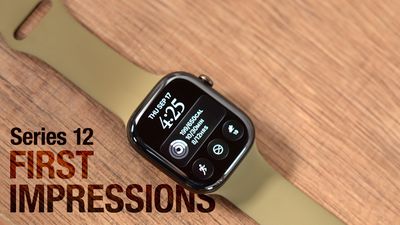
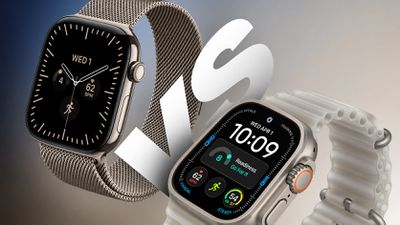
The Apple Watch Series 12 is now available, two years after the Series 10 introduced the current thinner design. But is it worth upgrading?
While last year's Series 11 brought just four changes, the Series 12 is a much more substantial update, with a new chip, twice as much RAM, redesigned health sensors, exclusive health and audio features, tougher cover glass, 5G connectivity, and new case materials.
The Series 12 starts at the same $399 price as the Series 10 did in 2024. Apple has now discontinued the Series 10, but remaining units may still be available from third-party retailers and on the refurbished or second-hand market. Here are all of the key hardware and feature differences between the Apple Watch Series 10 and Apple Watch Series 12:
Apple Watch Series 10
Apple Watch Series 12
S10 chip (2024)
S11 chip (2026)
2GB RAM
4GB RAM
Electrical heart sensor
Health Sensing System with second-generation electrical heart sensor
Third-generation optical heart sensor
Fourth-generation, always-on optical heart sensor
Periodic background heart rate tracking
High-frequency background heart rate tracking every five seconds
Heart rate variability
Recovery HRV and overall HRV, measured up to 24x more frequently
Vitals app with heart rate, respiratory rate, wrist temperature, and sleep duration
Vitals app with heart rate, respiratory rate, wrist temperature, sleep duration, and HRV, plus daytime vitals
Readiness app with daily score and recommendation
Standard step tracking
Redesigned pedometer model with more accurate all-day step tracking
Steps watch face complication
Audio Intelligence, including Live Rewind, Siri Recap, Sound Recognition, and faster Shazam
Ion-X front glass (aluminum models)
Ceramic Shield 2, 60% tougher than Ion-X (aluminum models)
Metal and sapphire crystal back
Case-matched metal or ceramic and zirconia back
Aluminum or titanium case
Aluminum, titanium, or ceramic case
Aluminum: Jet Black, Rose Gold, and Silver
Aluminum: Dark Bronze, Light Gold, Black, and Space Gray
Titanium: Slate, Gold, and Natural
Titanium: Radiant Gold and Natural
Ceramic: Pearl White and Night Blue
Hermès: Silver titanium
Hermès: Silver and Radiant Gold titanium
LTE and UMTS (cellular models)
LTE and 5G RedCap (cellular models)
Up to 18 hours of normal use
Up to 24 hours of normal use
Up to 36 hours in Low Power Mode
Up to 38 hours in Low Power Mode
15 minutes of charging for up to eight hours of normal use
15 minutes of charging for up to 12 hours of normal use
Eight minutes of charging for up to eight hours of sleep tracking
Five minutes of charging for up to 10 hours of sleep tracking
Now discontinued
From $399
Design and Display
The Series 12 retains the same basic design introduced by the Series 10, including 42mm and 46mm size options and a 9.7mm-thick case. Nevertheless, Apple has made some subtle dimensional changes. Both sizes are now 1mm wider, and every equivalent aluminum or titanium configuration is between 2.1 and 3.3 grams heavier than its Series 10 counterpart.
At the same time, the display has shrunk slightly. Resolution is unchanged, but the active display area is around 2% smaller on both sizes. The combination of a wider, receded case and smaller display produces thicker borders around the screen.
Here is how the 46mm models compare:
46mm
Apple Watch Series 10
Apple Watch Series 12
Dimensions
46mm x 39mm x 9.7mm
46mm x 40mm x 9.7mm
Resolution
416 x 496 pixels
416 x 496 pixels
Display area
1,220 sq mm
1,196 sq mm
Aluminum (GPS)
36.4 grams
39.5 grams
Aluminum (Cellular)
35.3 grams
38.6 grams
Titanium
41.7 grams
44.9 grams
The 42mm models compare as follows:
42mm
Apple Watch Series 10
Apple Watch Series 12
Dimensions
42mm x 36mm x 9.7mm
42mm x 37mm x 9.7mm
Resolution
374 x 446 pixels
374 x 446 pixels
Display area
989 sq mm
970 sq mm
Aluminum (GPS)
30 grams
32.2 grams
Aluminum (Cellular)
29.3 grams
31.5 grams
Titanium
34.4 grams
36.5 grams
The Series 12 also marks the return of a ceramic Apple Watch for the first time since the Series 5 Edition in 2019. The ceramic models are larger and heavier than their aluminum and titanium counterparts:
Ceramic
46mm
42mm
Dimensions
47mm x 41mm x 9.85mm
43mm x 37mm x 9.85mm
Pearl White
51.3 grams
41.7 grams
Night Blue
52.9 grams
42.8 grams
Is It Worth Upgrading?
Two generations on, the Series 12 represents a meaningful cumulative upgrade over the Series 10, but it is far from an essential replacement. The two models share the same basic design, display brightness, resolution, storage capacity, core safety features, and more. The Series 10 is only two years old, and supports watchOS 27 and Siri AI, so it remains a capable and modern Apple Watch.
For existing Series 10 owners, upgrading is easiest to justify if health and fitness tracking is a priority. The Series 12's high-frequency heart rate sensing, Recovery HRV, daytime vitals, Readiness score, and improved step tracking provide substantially more useful training and recovery data. Sound Recognition may be compelling for deaf or hard of hearing users, while 5G, faster charging, tougher cover glass on aluminum models, and the ceramic case provide additional reasons for some buyers to upgrade.
Beyond this, the practical difference between the two devices is relatively small. The Series 12 is also slightly wider and heavier, and its active display area is around 2% smaller despite retaining the same resolution. Its 24-hour battery rating is also not directly comparable with the Series 10's 18-hour figure because Apple changed its testing methodology. If your Series 10 still comfortably lasts through the day and you are satisfied with its existing health features, there is no strong general-purpose reason to replace it.
Which to Buy Today?
At its $399 starting price, the Series 12 is the obvious choice over a Series 10 selling for anything close to its original price. The newer model offers a better health sensing system, twice as much RAM, the S11 chip, exclusive Audio Intelligence features, faster charging, 5G, and more case options. A saving of only $50 to $100 is unlikely to compensate for giving up those improvements.
The Series 10 becomes attractive when it is at least around $150 cheaper than an equivalent Series 12 and is in excellent condition. It still offers an always-on display, ECG, temperature sensing, sleep apnea and hypertension notifications, advanced workout tracking, and Siri AI. Buyers should pay particular attention to battery health and warranty coverage, since replacing a degraded battery could quickly erode the saving.
Apple's first smart glasses could arrive in a rapidly expanding market, with worldwide AI glasses shipments increasing 263% year-over-year during the first half of 2026, according to Counterpoint Research.
The figures are particularly relevant for Apple because display-less products accounted for 96% of shipments. Apple's initial smart glasses are likewise rumored to omit an augmented reality display, focusing instead on audio, cameras, Siri, and connectivity with the iPhone and Apple's wider ecosystem.
Bloomberg's Mark Gurman reports that the company is targeting a late 2027 release for the device. Apple could introduce the glasses at WWDC 2027 with an emphasis on privacy.
Counterpoint said shipments of display-less AI glasses increased 258% from the first half of 2025 and 22% from the preceding six months. This category includes products such as the Ray-Ban Meta glasses, which provide photography, audio, calling, and AI features without screens.
Meta currently presents Apple with a formidable incumbent. The company accounted for approximately 94% of total AI glasses shipments, while its own volume grew 260% year over year and 22% sequentially. Its expansion has been supported by additional frame styles, wider retail distribution, and new glasses priced from $299.
Display-equipped AI glasses represented only 4% of the market, although shipments in that segment increased 449% year-over-year. Apple's more advanced augmented-reality glasses are not expected until 2029 at the earliest.
Counterpoint identified increasing semiconductor costs and public unease about wearable cameras as possible obstacles to continued growth. It nevertheless expects investment from Apple, Meta, Google, and Samsung to push the category toward more proactive glasses that use AI to understand their surroundings and provide assistance based on context.
Apple's first foldable iPhone, with a book-style design featuring a 5.4-inch outer display and a 7.6-inch inner display with a minimal crease down the middle.




 Note: MacRumors is an affiliate partner with Amazon. When you click a link and make a purchase, we may receive a small payment, which helps us keep the site running.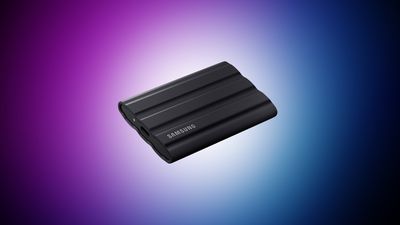
 The annual percentage yield (APY) for the

 Apple Park Visitor Center's former Exhibition Space now displays products (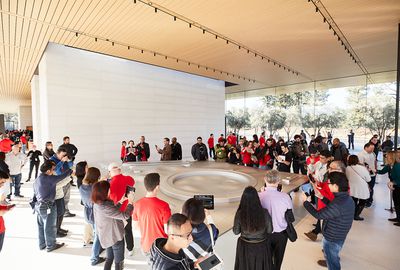
 Apple today updated the
 Apple today