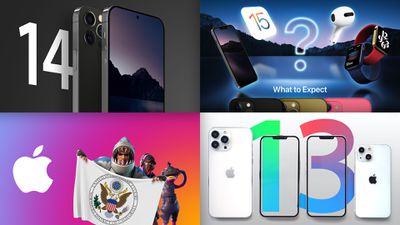
Apple's biggest product introduction is right around the corner, with an Apple event now officially announced for next Tuesday, September 14! We're continuing to see a flurry of rumors about not only the iPhone 13 and Apple Watch Series 7 that we're expecting to see at the event, but also the iPhone 14 that's a whole year away.
The other major piece of news this week was that a decision was finally handed down in the blockbuster Epic Games v. Apple trial. It was a mixed verdict with Apple winning on nine of the ten counts but the sole Epic victory meaning that U.S. developers would be able to link to alternative payment systems in their apps. But stay tuned, because this dispute isn't over yet.
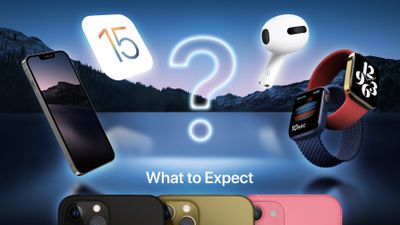
'California Streaming' Apple Event Announced for September 14: Here's What to Expect
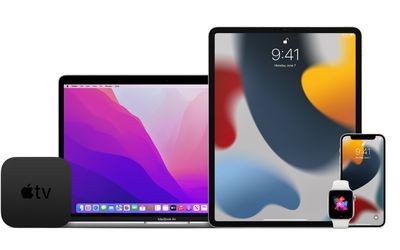
In addition to hardware, Apple is also likely to share release dates for iOS 15, iPadOS 15, watchOS 8, and tvOS 15 during or immediately after the event.
Epic Games vs. Apple Judgment Allows App Store Developers to Link to Alternative Payment Methods
Rogers' ruling would allow U.S. developers to link out to alternative payment systems rather than being limited Apple's in-app purchasing system, but the dispute is by no means over, as Epic has said it plans to appeal at least some portions of the ruling that went in favor of Apple while Apple is still considering its next steps.
Leaker Details Last-Minute iPhone 13, Apple Watch Series 7, and AirPods 3 Rumors
Just days ahead of the Apple Event, last-minute rumors have emerged about the iPhone 13, Apple Watch Series 7, and third-generation AirPods, and we've rounded up all of the details right here.
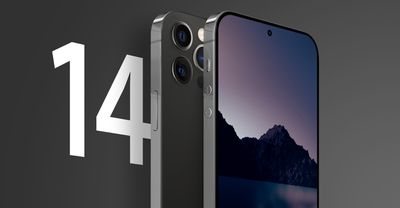
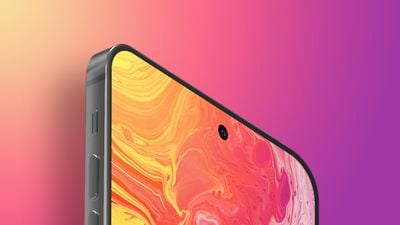
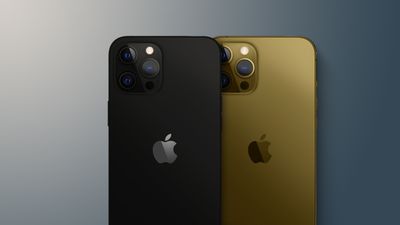
Prosser also claimed that the iPhone 14 Pro Max will have a thicker chassis that eliminates the rear camera bump, a titanium frame, round volume buttons, redesigned speaker and microphone grilles, and a Lightning connector.
iPhone 14 Pro Models Likely to Feature Under-Display Face ID
Young said it is "easier" for Apple to embed Face ID sensors under the display than it is to hide the front camera under the display, which would explain why some iPhone 14 models are expected to feature a hole-punch front camera.
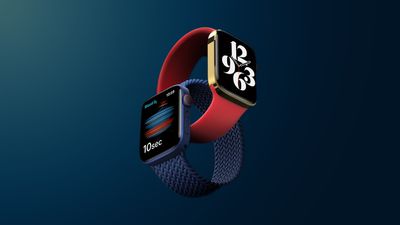
Apple Watch Series 7 models will reportedly be available in limited quantities at launch, likely due to ongoing supply chain component shortages and manufacturing challenges that arose from the Series 7's new design with larger display sizes and a flat-edged casing. Those challenges have reportedly been addressed, so hopefully, any delays or shortages will be short-lived.
MacRumors Newsletter
Each week, we publish an email newsletter like this highlighting the top Apple stories, making it a great way to get a bite-sized recap of the week hitting all of the major topics we've covered and tying together related stories for a big-picture view.
WhatsApp has announced it will give its two billion users the option to upload their chat backups to Apple's iCloud using password-protected encryption.
Currently, WhatsApp on iPhone lets users back up their chat history to iCloud, but messages and media that users back up aren't protected by WhatsApp's end-to-end encryption while in Apple's cloud servers.
Given that Apple holds the encryption keys for iCloud, a subpoena of Apple or an unauthorized iCloud hack could potentially allow access to WhatsApp messages backed up there. Apple was reportedly pressured to not add encryption to iCloud Backups after the FBI complained.
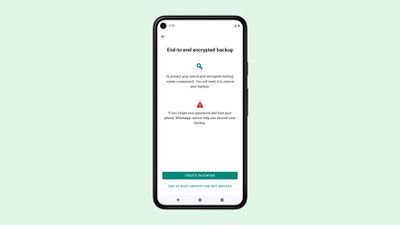
The upcoming WhatsApp feature will resolve that security vulnerability by allowing users to encrypt and password-protect their chat history before uploading it to Apple's cloud-based platform. WhatsApp began early work on the security feature back in March 2020.
The rollout will make backups secure in remote iCloud servers by making them unreadable without an encryption key. Encrypted backups will be optional, and users will be asked to save a 64-bit encryption key or create a password that is associated with the key.
According to a whitepaper published by the Facebook-owned platform, when a WhatsApp user creates a password linked to their account's encryption key, WhatsApp stores the key in a physical hardware security module (HSM) that acts like a safety deposit box and can only be unlocked using the correct password. WhatsApp only knows that a key exists in a HSM, not the key itself or the associated password to unlock it.
When the password is used to unlock the HSM, the encryption key is released which then decrypts the account's backup on Apple's servers. If the wrong password is entered repeatedly, however, the data in the HSM becomes permanently inaccessible. WhatsApp will only know that a key exists in a HSM, not the key itself or the associated password to unlock it.
"WhatsApp is the first global messaging service at this scale to offer end-to-end encrypted messaging and backups, and getting there was a really hard technical challenge that required an entirely new framework for key storage and cloud storage across operating systems," said Facebook CEO Mark Zuckerberg in a post announcing the feature.
The encrypted chat backups feature will be rolled out in the coming weeks on Android (for WhatsApp users backing up to Google Drive) and iOS, and will be available in every market where WhatsApp is operational, which could put the company at odds with some governments.
Comparatively, Apple is not making its upcoming iCloud+ Private Relay encrypted browsing feature available to users living under certain authoritarian regimes, including China, Belarus, Colombia, Egypt, Kazakhstan, Saudi Arabia, South Africa, Turkmenistan, Uganda, and the Philippines. According to Apple, "regulatory reasons" are preventing the Private Relay feature from launching in those countries.
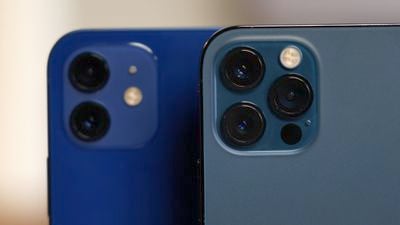
Apple today published a new support document warning iPhone users that the cameras on their devices can be damaged by exposure to certain vibrational frequencies such as those generated by high-power motorcycle engines.
iPhone camera lenses with optical image stabilization (OIS) or closed-loop autofocus (AF) are susceptible to this damage due to their use of gyroscopes and/or magnetic sensors to help compensate for movement and vibration when shooting photos or video.
The OIS and closed-loop AF systems in iPhone are designed for durability. However, as is the case with many consumer electronics that include systems like OIS, long-term direct exposure to high-amplitude vibrations within certain frequency ranges may degrade the performance of these systems and lead to reduced image quality for photos and videos. It is recommended to avoid exposing your iPhone to extended high-amplitude vibrations.
Due to this risk, Apple recommends that users not attach their iPhones directly to the chassis or handlebars of such motorcycles, as direct transmission of vibrations can be intense. Apple even recommends that users mounting their devices to lower-powered devices like mopeds and electric scooters at least use a vibration-dampening mount to minimize the chances of any damage.
First ride on the motorcycle and I think I toasted the camera in my iPhone.
8 miles. Crappy design.
— James Chadbourne (@mack505) September 4, 2021
It is unclear whether there is a specific reason Apple has posted the document at this time, but there have been a number of reports on discussion forums and other venues over the years about damage caused in such scenarios, including on mountain bikes.
Apple has previously warned that OIS and closed-loop AF systems can similarly suffer from magnetic interference that degrades camera performance when used with certain iPhone accessories, although magnet-related issues tend to be temporary and can be remedied by simply removing the accessories. Vibrations can more easily result in permanent damage to the systems.
All iPhone models from the iPhone 7 onward, as well as the iPhone 6 Plus and iPhone 6s Plus, have OIS and/or closed-loop AF and are potentially affected.
Apple is holding its annual iPhone-centric event on Tuesday, September 14, and like last year, it will be entirely digital. We've been hearing rumors about what's coming for many months now, so we have a good idea of what to expect.
We're expecting the new iPhone 13 models and Apple Watch Series 7 models to debut at the event, along with new Apple Watch bands and iPhone cases. We could also get the AirPods 3, and there are also other products on the horizon like new iPads and the M1X MacBook Pro, but with Apple rumored to be holding multiple events over the next few months, this one may have more of an iPhone focus.
This guide highlights everything that we're expecting to see at the September event based on the rumors we've heard so far.
iPhone 13
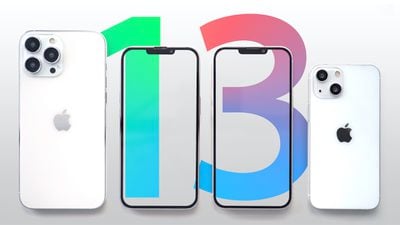
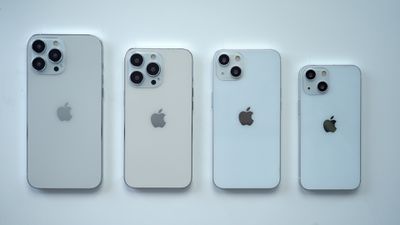
Apple will release four iPhones in 2021, including a 5.4-inch iPhone 13 mini, a 6.1-inch iPhone 13, a 6.1-inch iPhone 13 Pro, and a 6.7-inch iPhone 13 Pro Max. If that sounds a lot like the iPhone 12 lineup, well, it is.
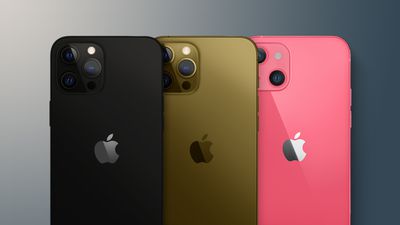
The iPhone 13 models will be almost identical to the iPhone 12 models, and we're expecting few design changes. That said, the new models might be just a little bit thicker, and there could be new colors. A darker graphite gray shade and bronze have been rumored, but not confirmed, as has a pink shade.
The side button, mute button, and volume buttons may be a bit lower and some of the biggest design changes are coming to the camera. The iPhone 13 Pro will have a bigger camera bump and the iPhone 13 mini and iPhone 13 will have lenses arranged diagonally. Camera bumps may be thicker, but individual lenses will protrude less.
On the front side, we're expecting a smaller Face ID notch with the speaker moving to the top edge of the display. There may be some improvements to Face ID itself, but we haven't heard that from a reliable source.
The iPhone 13 Pro models are rumored to be getting a 120Hz "ProMotion" display to finally put the iPhone on par with the iPad Pro. This will be enabled through new low-power LTPO backplane technology, which may also facilitate an always-on display similar to what we have on the current Apple Watch models.
Inside, the iPhone 13 models will have a 5-nanometer A15 chip and as with all updates to the A-series chip, it's expected to bring faster performance and efficiency improvements that will boost battery life.
Qualcomm's X60 modem will bring faster 5G connection speeds and better 5G coverage, and Apple is expected to bring super-fast mmWave connectivity to more countries. As for WiFi, iPhone 13 models may support the latest WiFi 6E specification.
Apple is rumored to be using bigger batteries in all the iPhone 13 models, which might bring longer battery life, but the always-on display and 120Hz refresh rate might eat some of that up on the Pro models. We've heard a rumor that wired charging might be faster with support for up to 25W, and reverse wireless charging is a possibility but hasn't been confirmed by a reliable source.
Camera technology improves each year, and rumors suggest all of the new iPhones are getting updated features. Some of the biggest improvements will come to the iPhone 13 Pro, which is expected to be on par with the iPhone 13 Pro Max this year with a better telephoto lens.
The iPhone 13 Pro and Pro Max are expected to get sensors with larger pixels to improve photos in low-light conditions, and the Ultra Wide camera on these models will feature autofocus and an improved f/1.8 aperture for low-light improvements. The sensor-shift stabilization feature available in the Pro models is expected to come to the entire iPhone 13 lineup for much better stability for the Wide camera. On the Pro models, the Ultra Wide camera may also use sensor-shift stabilization.
A new cinematic video mode will work like Portrait mode but for video, and Apple is adding ProRes support to the Pro models, which is the video equivalent of ProRAW. The built-in camera filters will be improved and will be applied to objects and people more precisely rather than being overlaid on the entire photo, plus Night Mode could get better colors and new features for recognizing the night sky.
The iPhone 13 models may support up to 1TB storage for the first time, up from the prior 512GB maximum.
There were rumors of a portless design and under-display Touch ID, but those did not pan out and we're no longer expecting those features. For more detail on what's coming in the iPhone 13 lineup, we have a dedicated iPhone 13 roundup.
Apple Watch Series 7
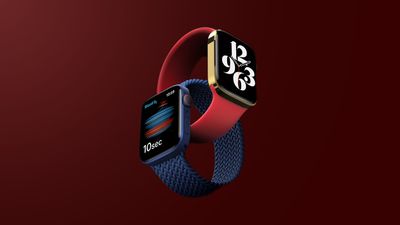
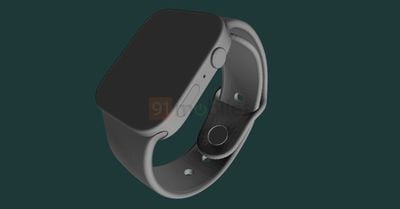
No new health features are expected for the Apple Watch this year, but it is getting the first redesign we've seen since 2018. The Apple Watch Series 7 will better match the iPhone 13 because it's adopting the same flat-edged design, which is a major change from the curved edges the Apple Watch has had since its 2015 introduction.
The Apple Watch Series 7 will come in new 41mm and 45mm size options, up from 40mm and 44mm. Combined with thinner bezels, this will allow for significantly larger displays that will also include a new lamination technique that brings the display closer to the watch's surface.
We could see new color options, such as a green color that could join or replace the blue shade introduced last year. Rumors have been mixed on whether the new design will make the Series 7 thicker or thinner, so we'll have to wait to see.
An updated S7 chip will be included in the Series 7, and because it's smaller, it leaves more room for other components like a bigger battery. New wireless connectivity is expected, as is an improved version of the current U1 Ultra Wideband chip.
Apple is designing new Series 7-exclusive watch faces to go with the larger displays, including a Modular Max face, a Continuum face, and a new world time watch face. Alongside the launch of the new watch, Apple is debuting new "Time to Run" and "Audio Meditations" features that will accompany the "Time to Walk" option that was introduced earlier this year.
Apple has reportedly been having some difficulties ramping up mass production of the Apple Watch Series 7, so while we expect to see an introduction at this event, its actual launch could be delayed a bit compared to the iPhone 13 or initially available only in very limited quantities.
For more on the Apple Watch Series 7, we have a dedicated guide that aggregates everything we know about it so far.
AirPods 3
Apple's most affordable earbuds are getting an update in 2021, and it could come at the September event, although we're a bit less certain it's coming at this event than we are with the iPhone and Apple Watch. Whenever they arrive, the AirPods 3 will get a design overhaul with a more AirPods Pro-like look.
We're expecting an AirPods Pro design with shorter stems, and there are mixed rumors on whether or not the new AirPods will have the same silicone tips or if they'll retain the current no-tip design, but it's looking like they'll be a tipless hybrid of the current AirPods and AirPods Pro.
The case is shorter and wider than the current AirPods case and is more similar to the AirPods Pro case.
New internal hardware with an updated wireless chip is a possibility, and we could see extended range and battery life improvements. The AirPods 3 won't get AirPods Pro features like Noise Cancellation, and they'll still be the most affordable AirPods.
New Software Updates
Apple is expected to release iOS 15, iPadOS 15, watchOS 8, and tvOS 15 just a few days ahead of when the new iPhone models are set to become available.
If the iPhone models are announced on the 14th and are set to launch on the 24th, for example, we could see the software updates launch on the 22nd.
Alternatively, some of the software updates could come as soon as the 15th if Apple repeats last year's timing. Either way, Apple will let us know the launch dates for the software on event day.
If Apple follows its recent pattern of releases, macOS Monterey may be released a bit after iOS 15 and its sister updates so we may not see Monterey until later in September or in October.
Expected Later This Year
Last year, Apple held events in September, October, and November, and it was an autumn event extravaganza. Multiple events proved to be successful, and it's something we're also counting on this year.
2020 was a special situation because of the iPhone delay, so we may only get two events this year, but three is still a possibility. Here's what we may see at events held in October and/or November:
MacBook Pro - Apple is working on an updated version of the MacBook Pro that will come in 14 and 16-inch size options. It will have thinner bezels and a larger display, along with a redesigned chassis. It will mark the return of MagSafe connectivity over USB-C, and Apple is also bringing back the HDMI port and SD card slot. The new MacBook Pro models will do away with the Touch Bar in favor of a row of function keys, and in many ways, this redesign will mark a return to the pre-2016 MacBook Pro. Most notably, the upcoming MacBook Pro models will use a new "M1X" chip that's an upgrade to the M1.
Mac mini - According to Bloomberg's Mark Gurman, Apple is working on a new version of the Mac mini that will feature an M1X chip. This new Mac mini will replace the current Intel version of the Mac mini and it is coming "in the next several months."
iPad 9 - There is a new version of the low-cost iPad in development and it's expected to launch before the end of the year. It will continue to have a Home button, but it will get an updated 10.5-inch display and it could be thinner and lighter than prior models. A faster A-series chip is also expected.
iPad mini 6 - Apple has major changes in store for the iPad mini 6, which is expected to be updated with an all-display design. Like the iPad Air, it will have no Home button and it could feature a Touch ID power button.
How to Watch
The iPhone 13 event will kick off on Tuesday, September 14 at 10:00 a.m. Pacific Time. Apple will live stream the event on its website and on YouTube.
For those unable to watch, MacRumors will have live coverage of the event both on MacRumors.com and through our MacRumorsLive Twitter account.
We're not expecting new Macs to debut at Apple's upcoming "California Streaming" event, but according to Bloomberg's Mark Gurman, Apple is making one small tweak to its Mac sales plans.
After the September 14 event, Apple retail stores will begin selling the 24-inch iMac in all colors, which will mean all seven colors will be able to be purchased in store.
Right now, Apple's retail stores only offer the iMac in green, pink, blue, and silver. The yellow, orange, and purple colors cannot be purchased in stores and must be ordered online.
The change will make it easier for customers who want one of the more unusual iMac colors to get an iMac right away without having to wait for shipping. It may also mean that third-party stores will be able to carry additional colors, as retailers like Best Buy have also been limited to green, pink, blue, and silver.
There are highly anticipated redesigned 14 and 16-inch MacBook Pro models that are in the works, but unfortunately, we are not expecting these new machines at the September event. Instead, Apple will likely hold a second October and/or November event that will focus on Macs and iPads.
The first season of basketball-focused TV show "Swagger" is set to premiere on Friday, October 29, Apple announced today.
"Swagger" is a drama series inspired by Brooklyn Nets superstar Kevin Durant's childhood and his experience as a talented youth basketball player courted by recruiters.
Inspired by Durant's experiences, "Swagger" explores the world of youth basketball, and the players, their families and coaches who walk the fine line between dreams and ambition, and opportunism and corruption. Off the court, the show reveals what it's like to grow up in America.
The 10-episode series is set to star Isaiah Hill, O'Shea Jackson Jr., and Quvenzhané Wallis. Kevin Durant was involved in the show's creation alongside Reggie Rock and Brian Grazer.
When the show premieres on October 29, the first three episodes will be available, with new episodes to follow each Friday.
In other Apple TV+ news, John Lithgow has been cast in Apple TV+ thriller "Sharper," and he will star alongside Julianne Moore. "Sharper" follows the story of a woman who cons her way through the world of Manhattan's wealthy elite.
Apple has also inked a deal for popular children's television show "Yo Gabba Gabba." Apple is creating a new 20-episode "Yo Gabba Gabba" series and has also acquired the rights to all prior "Yo Gabba Gabba" TV shows and specials.
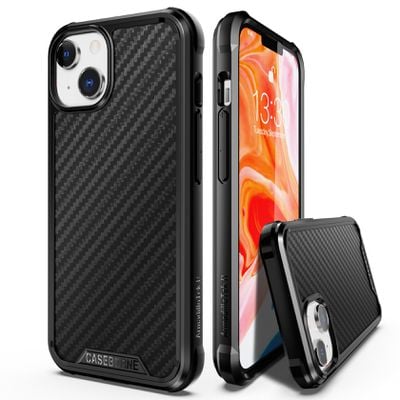
For this week's giveaway, we've teamed up with iPhone case maker CaseBorne to offer MacRumors readers a chance to win one of Apple's upcoming iPhone 13 models along with a prize pack of cases to go along with it.
CaseBorne, rebranded this year from ArmadilloTek, offers a range of different case options that are designed to offer high levels of protection for Apple's iPhones, keeping them safe from drops and bumps.
The R Series cases, priced at $30, are made from a clear polycarbonate material that leaves the body of the iPhone visible so you're not hiding the device's finish.
The cases feature soft rubber inside to absorb shock should the iPhone be dropped, and the case is enclosed in a protective aluminum frame available in iridescent, black, pink, and red. A raised lip protects the front of the display, and all buttons are protected but usable. It offers 12-foot drop protection without adding a significant amount of bulk.
CaseBorne also makes the R Series cases with a Kevlar/Aramid Fiber frame as an alternative to the clear polycarbonate, with this version available in black or red and priced at $40.
For those who need maximum protection, CaseBorne offers the Vanguard Series cases, which are thicker and more rugged. Priced at $30, the V Series cases offer three layers of protection and can keep the iPhone safe from drops as high as 21 feet.
There's a shock absorbent TPU material that combines with a hard plastic shell for total device protection, and the honeycomb design and reinforced corners provide additional protection for the iPhone's weak spots. There's a protective screen and the sides protect the buttons, plus plug-ins keep ports safe from dust.
The V Series cases come in black, orange, purple, and red, and there's a built-in kickstand at the back that can be pulled out when using the iPhone to watch videos.
CaseBorne is planning to have a full range of cases available on Amazon when the iPhone launches, with 50 percent discounted pricing for those who purchase first. Details are available on the CaseBorne website.
We have one iPhone 13 to give away, and the winner will be able to pick the color of their choice. The iPhone 13 models are not yet released, but information about the device can be found in our roundup. The prize will be available as soon as the new iPhones begin shipping, provided there are no launch delays.
CaseBorne is also including four R Series cases, two Kevlar/Aramid R Series cases, and three V series cases to fit the iPhone 13. To enter to win our giveaway, use the Gleam.io widget below and enter an email address. Email addresses will be used solely for contact purposes to reach the winners and send the prizes. You can earn additional entries by subscribing to our weekly newsletter, subscribing to our YouTube channel, following us on Twitter, following us on Instagram, or visiting the MacRumorsFacebook page.
Due to the complexities of international laws regarding giveaways, only U.S. residents who are 18 years or older are eligible to enter. To offer feedback or get more information on the giveaway restrictions, please refer to our Site Feedback section, as that is where discussion of the rules will be redirected.
The contest will run from today (September 10) at 11:00 a.m. Pacific Time through 11:00 a.m. Pacific Time on September 17. The winner will be chosen randomly on September 17 and will be contacted by email. The winner will have 48 hours to respond and provide a shipping address before a new winner is chosen.
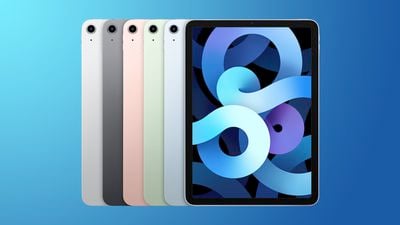
Amazon today has the 2020 64GB Wi-Fi iPad Air for $499.99, down from $599.00 in all colors. Currently, the Green color has the best shipping estimate, with a few options arriving late next week. You'll see this sale price applied at the checkout screen thanks to an automatic $39.01 coupon.
Note: MacRumors is an affiliate partner with some of these vendors. When you click a link and make a purchase, we may receive a small payment, which helps us keep the site running.
Otherwise, Amazon's stock on these iPad Air tablets has been very low over the last few weeks and continues into September. You can order Rose Gold, Sky Blue, Silver, and Space Gray at the $499.99 price tag, but shipping estimates for those are delayed into October.
Across the board, this sale represents the lowest price we've ever tracked on this model of the iPad Air. There are also a few solid deals on the 256GB Wi-Fi model and cellular models, but stock shortages stretch into those tablets as well.
For even more iPad deals, head to our full Best Deals guide for iPad. In that guide we track the best discounts online for iPad, iPad mini, iPad Air, and iPad Pro.
The year-long dispute between Epic Games and Apple reached a milestone with Yvonne Gonzalez Rogers delivering a middle-of-the road verdict that isn't quite what Epic Games or Apple wanted.
Apple will not be required to support third-party app stores as Epic Games pushed for, but Apple will have to let developers offer "buttons, external links, or other calls to action" to direct customers to in-app purchase alternatives.
In a statement on Twitter, Epic Games CEO Tim Sweeney said that the company was not happy with the verdict, and at the current time, there are no immediate plans for Fortnite to return to the App Store. Sweeney said that today's ruling "isn't a win" for developers or consumers.
Fortnite will return to the iOS App Store when and where Epic can offer in-app payment in fair competition with Apple in-app payment, passing along the savings to consumers.
— Tim Sweeney (@TimSweeneyEpic) September 10, 2021
He also said that Fortnite will return to the App Store when Epic can offer "in-app payment in fair competition with Apple in-app payment," which is unclear.
At the current time, the specifics of the judge's ruling are unknown and the exact parameters of what Apple is required to provide have yet to be established. How the ruling is interpreted and what's ultimately implemented in terms of alternative payment methods remains to be seen. The ruling, for example, does not prevent Apple from requiring developers to support in-app purchases, it simply calls for Apple to also allow for other payment methods.
What's clear, though, is that Fortnite will not immediately be returning to the App Store, and Fortnite's return isn't even up to Epic. The judge's ruling makes it clear that Epic Games violated its contract with Apple, and that Apple's decision to terminate Epic's developer account was "valid, lawful, and enforceable."
Apple is under no obligation to allow Fortnite back into the App Store, and further, the injunction preventing Apple from banning the Unreal Engine developer account has ended. Apple is well within its rights to remove Epic's access for Unreal Engine development and distribution.
Apple's termination of the DPLA and the related agreements between Epic Games and Apple was valid, lawful, and enforceable, and Apple has the contractual right to terminate its DPLA with any or all of Epic Games' wholly owned subsidiaries, affiliates, and/or otherentities under Epic Games' control at any time and at Apple's sole discretion.
Epic Games also needs to pay Apple 30 percent of the $12 million that it brought in while offering the direct payment option that was in violation of Apple's App Store rules.
Though Epic is unhappy with the decision, other companies that have been in disputes with Apple support the ruling. Spotify legal chief Horacio Gutierrez said that Spotify is "pleased" with the finding while also calling for legislation to further address Apple's anti-competitive conduct.
"We are pleased with Judge Yvonne Gonzalez Rogers' finding that Apple engaged in anti-competitive conduct and has permanently prohibited their anti-steering provisions. This and other developments around the world show that there is strong need and momentum for legislation to address these and many other unfair practices, which are designed to hurt competition and consumers. This task has never been more urgent."
Though Apple did not score a total win, Apple lawyer Kate Adams told members of the media that the ruling was a "resounding victory" that validates the App Store business model. Apple's official statement highlights the anti-trust portion of the ruling, which went in Apple's favor. Apple has yet to comment on the outside payment requirement.
Today the Court has affirmed what we've known all along: the App Store is not in violation of antitrust law. As the Court recognized 'success is not illegal.' Apple faces rigorous competition in every segment in which we do business, and we believe customers and developers choose us because our products and services are the best in the world.
Epic Games plans to appeal the parts of the ruling that it does not agree with, and Apple too will likely submit an appeal to push back on the anti-steering requirements the judge has enacted. Apple's lawyers told members of the media that they're still analyzing the judge's decision.
As of right now, Yvonne Gonzalez Rogers has given Apple 90 days to comply with her ruling and allow developers to add links and buttons to direct customers to alternative payment methods. Apple has sort of already taken steps toward the implementation of such a system with its announcement earlier this month that said "reader" apps could offer a link for account signups outside of the App Store.
A decision was reached today in the high-profile Epic Games v. Apple trial, with U.S. District Judge Yvonne Gonzalez Rogers ruling that Apple's anti-steering conduct is anti-competitive, and ruling in favor of Apple on all other counts.
In a 185-page ruling, Judge Rogers said "the Court cannot ultimately conclude that Apple is a monopolist under either federal or state antitrust laws," but she said the trial "did show that Apple is engaging in anticompetitive conduct under California's competition laws." Rogers concluded that "Apple's anti-steering provisions hide critical information from consumers and illegally stifle consumer choice":
Having defined the relevant market as digital mobile gaming transactions, the Court next evaluated Apple's conduct in that market. Given the trial record, the Court cannot ultimately conclude that Apple is a monopolist under either federal or state antitrust laws. While the Court finds that Apple enjoys considerable market share of over 55% and extraordinarily high profit margins, these factors alone do not show antitrust conduct. Success is not illegal. The final trial record did not include evidence of other critical factors, such as barriers to entry and conduct decreasing output or decreasing innovation in the relevant market. The Court does not find that it is impossible; only that Epic Games failed in its burden to demonstrate Apple is an illegal monopolist.
Nonetheless, the trial did show that Apple is engaging in anticompetitive conduct under California's competition laws. The Court concludes that Apple’s anti-steering provisions hide critical information from consumers and illegally stifle consumer choice. When coupled with Apple's incipient antitrust violations, these anti-steering provisions are anticompetitive and a nationwide remedy to eliminate those provisions is warranted.
Judge Rogers thus issued a permanent injunction that requires Apple to let U.S. developers direct customers to payment options other than Apple's in-app purchase system:
Apple Inc. and its officers, agents, servants, employees, and any person in active concert or participation with them ("Apple"), are hereby permanently restrained and enjoined from prohibiting developers from (i) including in their apps and their metadata buttons, external links, or other calls to action that direct customers to purchasing mechanisms, in addition to In-App Purchasing and (ii) communicating with customers through points of contact obtained voluntarily from customers through account registration within the app.
Apple already announced last week that, starting in early 2022, it would allow developers of "reader" apps like Netflix, Spotify, and the Amazon Kindle app to include an in-app link to their website for users to set up or manage an account. If this ruling is upheld, however, Apple will be required to extend this allowance to all types of apps. The ruling also ensures that developers would be able to explicitly mention alternative payment options.
The saga began in August 2020, when Apple removed Fortnite from the App Store after Epic Games introduced a direct payment option in the app, in defiance of the App Store rules. In an orchestrated move, Epic Games promptly filed a lawsuit against Apple, accusing Apple of having a monopoly over the sale of apps and in-app purchases through the App Store. (See our timeline of events surrounding the trial for more details.)
Judge Rogers ruled that Epic Games shall pay damages equal to 30% of the $12,167,719 in revenue that Epic Games collected from users in the Fortnite app on iOS through the direct payment option between August 2020 and October 2020, plus 30% of any such revenue Epic Games collected from November 1, 2020 through the date of judgment, plus interest.
Apple is likely to appeal the decision. We've reached out to the company for comment and we will update this story if we hear back.
Today the Court has affirmed what we've known all along: the App Store is not in violation of antitrust law. As the Court recognized 'success is not illegal.' Apple faces rigorous competition in every segment in which we do business, and we believe customers and developers choose us because our products and services are the best in the world. We remain committed to ensuring the App Store is a safe and trusted marketplace that supports a thriving developer community and more than 2.1 million U.S. jobs, and where rules apply equally to everyone.
The court documents associated with the ruling are embedded below.
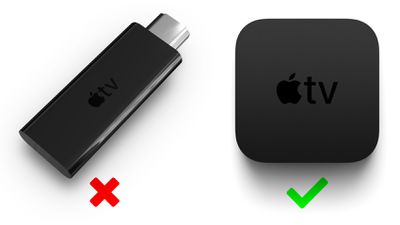
Apple has abandoned its plans for a low-cost Apple TV dongle and is set to significantly accelerate and expand the output of new content on Apple TV+ next year, according to The Information.
Sources said to be familiar with Apple's plans speaking to The Information have apparently revealed many of the company's internal discussions and attitudes around Apple TV+ in detail. The company allegedly sees Apple TV+ as a standalone business rather than a mechanism to encourage users to buy into the Apple ecosystem.
The Information reported in 2018 that Apple was working on a low-cost TV dongle device as a more inexpensive alternative to the Apple TV, which starts at $149. The project was driven by Tim Twerdahl, an Apple video and audio marketing executive, who argued that a low-cost TV device would make it more affordable for users to access Apple TV+ based on his experience overseeing similar projects at Netflix and Amazon.
Greg Joswiak and Phil Schiller reportedly overruled Twerdahl, insisting that Apple should not begin making cheap, low-margin devices due to its potential to damage its reputation for premium products, meaning that Twerdahl's low-cost TV device project was abandoned. Twerdahl is said to have recently left the company.
Apple decided that an appropriate middle-ground solution would be to develop apps for Apple TV+ on other platforms, such as devices from Samsung, Roku, Amazon, Sony, and Microsoft, which aligned with earlier concerns among executives, including Eddy Cue, that Apple TV+ would need to be available on a wide range of devices, including non-Apple ones.
Executives are said to have debated putting the Apple brand on another company's device for over a year, ahead of Apple reaching an agreement for a dedicated Apple TV+ button on the Roku remote control. Apple has apparently discussed similar arrangements with at least one other TV manufacturer, but there are no imminent plans for another dedicated button.
The report explained that Apple intends to increase the amount of regular new content on Apple TV+ in 2022, with at least one new item added per week, at more than double the pace of new content in 2021.
Despite Apple's willingness to pay a premium for Apple TV+ content, the company apparently refuses to cover budget overruns, insisting that studio partners pay for any additional costs.
Some studio executives have apparently felt frustrated with Apple's lack of willingness to market shows aggressively before they come out, treating the debut of new shows like hardware products. The company is also said to share little detail with studio partners about the objectives of marketing campaigns, and whether they are aiming to advertise to acquire subscribers or raise awareness of an individual show.
Apple TV+ is also set to benefit from more than $500 million in marketing this year. The company is believed to have spent significantly less than this on marketing in 2020. Netflix, by comparison, spent $1.1 billion on marketing during the first half of 2021 alone. Apple has also reportedly told advertising partners that it will not buy campaigns for Apple TV+ titles on Facebook or Instagram.
It was estimated that by the end of 2020, Apple TV+ had around 40 million subscribers. These numbers are roughly the same as of this summer, according to an individual said to have knowledge of Apple's subscriber figures. Approximately half of Apple TV+ subscribers are now paying for the service, with the other half still using a free trial period.
Other tidbits from the report include the fact that Apple has endeavored to protect its brand within Apple TV+ shows, insisting that the unlikeable character of "Jo" in "Mythic Quest" was not seen using Apple devices during the show's second season.
Kuo said he is optimistic about demand for the Apple Watch in 2022 given that next year's Apple Watch Series 8 will offer new health management features, and he predicted this will include body temperature measurement. This feature would conveniently turn the Apple Watch into a thermometer on your wrist, which could be especially useful for detecting a fever, a common symptom of many illnesses.
Apple has gradually expanded the health features available on the Apple Watch over the years to include heart rate tracking, irregular heart rhythm notifications, the ECG app, blood oxygen measuring, fall detection, and more. In an interview with Outside Magazine last year, Apple CEO Tim Cook said the Apple Watch is still in "the early innings" in regards to the amount of sensors that could be built into the device.
"Think about the amount of sensors in your car," said Cook. "And arguably, your body is much more important than your car."
Kuo also predicted that future AirPods will provide health management functions, but he did not provide any specific details. In May 2020, DigiTimes reported that future AirPods would adopt new system-in-package technology with embedded AI, allowing the AirPods to "monitor heart rates, step counts, and health conditions."
Chinese supplier Luxshare Precision will be the "largest beneficiary" of Apple's health management hardware products, according to Kuo.
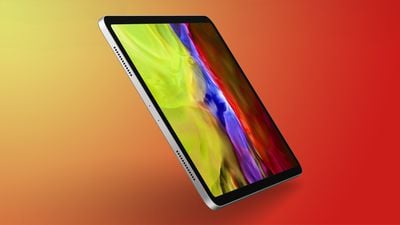
Today we're tracking a handful of deals on the 2021 iPad Pro in both 11-inch and 12.9-inch configurations. You'll have a chance to save up to $100 on these models, which also focus on Wi-Fi only tablets and are all available on Amazon.
Note: MacRumors is an affiliate partner with Amazon. When you click a link and make a purchase, we may receive a small payment, which helps us keep the site running.
Starting with the 128GB Wi-Fi 11-inch iPad Pro, you can get this tablet for $749.00, down from $799.00. We've seen this model at a lower price in the past, but this is a solid second-best deal from Amazon as the entry point into the 2021 iPad Pro ecosystem.
Secondly, the 512GB Wi-Fi 11-inch iPad Pro is priced at $999.99, down from $1,099.00. This is the lowest price we've ever tracked on this tablet, and only Amazon is offering the discount at this time.
If you're shopping for the larger tablet, Amazon has the 128GB Wi-Fi 12.9-inch iPad Pro for $999.00, down from $1,099.00; and also the 256GB Wi-Fi model at $1,099.00, down from $1,199.00.
Additionally, the matching 12.9-inch iPad Pro Magic Keyboard (2021) is seeing a slight discount on Amazon this week. You can get the accessory for $324.88, down from $349.00 in Black, which is an Amazon all-time low.
For even more iPad deals, head to our full Best Deals guide for iPad. In that guide we track the best discounts online for iPad, iPad mini, iPad Air, and iPad Pro.
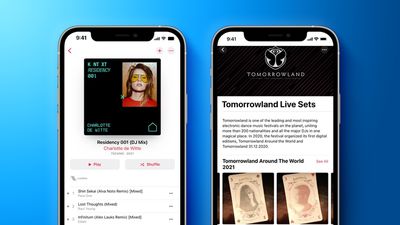
Apple has announced the creation of a process to properly identify and compensate individual creators involved in making DJ mixes that are streamed on Apple Music (via TechCrunch).
The process reportedly uses technology from Shazam, and Apple is working with major and independent labels to work out a system whereby streaming royalties are fairly divided among DJs, labels, and artists who feature in the mixes.
Since the rise of streaming services, the job of paying rights holders whose music is used in a DJ mix has been a lingering issue. The rise in popularity of the EDM genre has also resulted in an increasing number of remixes, mash-ups, and DJ mixes that incorporate samples from other songs, making working out who should be compensated even harder.
Apple Music originally introduced DJ mixes and mash-ups in 2016 through a partnership with Dubset Media Holdings to identify and pay for licensed music within mixes. Now, Apple is using the Shazam technology it acquired in 2018 to identify and compensate everyone whose content appears in a mix.
"Apple Music is the first platform that offers continuous mixes where there's a fair fee involved for the artists whose tracks are included in the mixes and for the artist making those mixes," DJ Charlotte de Witte told TechCrunch on behalf of Apple. "It's a step in the right direction where everyone gets treated fairly. I'm beyond excited to have the chance to provide online mixes again."
As part of the rollout, Apple is showcasing the thousands of mixes already available on the service within its dedicated genre section for DJ mixes within the Apple Music app. Studio K7!'s DJ Kicks archive of mixes will also start rolling out on Apple Music, giving users access to mixes that haven't been on the market in over 15 years.
The new technology will also let Apple Music subscribers see the names of individual tracks within a streamed mix, as well as give them the ability to skip or save the songs for listening offline.
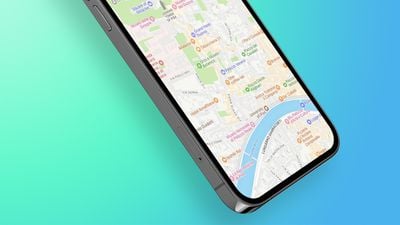
In July of this year, Apple began testing its revamped Maps experience across Italy, following rollouts in the United States, Canada, the United Kingdom, Ireland, Portugal, and Spain. Apple has now officially launched those Maps improvements in Italy, San Marino, Vatican City, and Andorra, according to MacStories.
The update brings a raft of previously unavailable Maps features to the regions, including Look Around, lane guidance, speed camera data, 3D buildings, Siri Natural Language Guidance, and improved navigation. The update also adds more detailed road coverage, and faster and more accurate navigation.
Regarding the rollout, Apple's senior VP of services Eddy Cue provided MacStories with the following statement:
"Apple Maps is the best way to explore and navigate the world, all while protecting your privacy, and we're excited to bring this experience to even more users with today's rollout. We have rebuilt the map from the ground up, with better navigation, richer detail, more accurate information for places, and remarkable features that only Apple can deliver, including Look Around, Siri Natural Language Guidance, and more. Now it is easier than ever for users in Italy to find the places they love and get to where they're going even faster and easier."
Apple Maps received a major overhaul in iOS 15 and in addition to new details in cities, an interactive globe, and enhanced driving directions, there are a handful of other smaller features that will be available.
Other new Maps features include 3D road level perspectives for complex interchanges, step-by-step augmented reality directions when walking, a redesigned transit experience, new place cards with updated info about businesses, improved search functionality, and a dedicated Maps user profile for reporting issues, selecting favorites, and choosing a preferred mode of transit.
At WWDC 2021 last month, Apple announced that its revamped Maps experience would be expanded to all users in Italy and Australia later this year.
In early 2020, Apple said it would begin rolling out the revamped Maps experience across Europe in the coming months, so other countries should soon follow. The updated maps provide more comprehensive views of roads, buildings, parks, airports, shopping malls, sports venues like baseball fields and tennis courts, and other details.
Several Apple products, including recently launched devices, are currently experiencing delayed shipping times, a possible sign that the ongoing chip shortage could be more significantly impacting Apple and its products.
During the company's third-quarter earnings call, Apple CEO Tim Cook warned that the chip shortage that has plagued the industry for the last few months would impact iPhone shipments this year. While Cook was likely referencing constraints with the upcoming iPhone 13, the shortage could be creeping onto existing models.
Ahead of an expected refresh or update, the current and soon-to-be last generation devices can be expected to be depleted in stock as Apple makes room for the newer models. As a result, select configurations of the iPhone 11 and iPhone 12 are showing up to two weeks for shipments at the time of writing.
Similarly, across the Apple Watch lineup, some models of the aluminum case of the Series 6 are at least three to four weeks out, while stainless steel models are entirely sold out or at least three weeks away. Next Tuesday, September 14, Apple is expected to release the iPhone 13 and Apple Watch Series 7 to replace the existing models.
While the iPhone and Apple Watch are soon getting updated, likely resulting in the delayed shipments, other products are less certain. For example, the 24-inch iMac, powered with the M1 Apple silicon chip, is currently at least three to four weeks out. As a matter of fact, all products with the M1 Apple silicon chip are currently experiencing some form of delay.
For instance, depending on configuration, the M1 13-inch MacBook Air, MacBook Pro, Mac mini, and the 11-inch and 12.9-inch iPad Pro are listing three days or up to a week for shipments, though specific timeframes will fluctuate. Under normal circumstances, depending on location, products may be available for same-day delivery.
The M1 Apple silicon chip was announced in November of last year, and since its announcement, Apple has expanded it to more products, including the iPad Pro. The out-of-normal shipping times for multiple M1 products could act as further proof that the chip shortage is directly limiting M1 production, hindering shipping times and general availability.
In the last several months, several reports have suggested that Apple's suppliers are struggling to keep up with demand. Specifically, the company's suppliers for mini-LED displays to be used in upcoming MacBook Pros have reportedly struggled to reach satisfactory output levels, possibly pushing Apple to invest in procuring additional suppliers.
Apple today added the 16GB fifth-generation iPod touch, released in 2013, to its list of obsolete products.
This specific variation of the iPod touch was released as a lower-end option to the fifth-generation iPod touch released a year earlier. Compared to its 32GB and 64GB companions, the 16GB model was only offered in a single silver color and lacked a rear camera or loop.
Apple followed up the fifth-generation iPod touch with the sixth-generation in the summer of 2015. Compared to the previous generation, the newer model featured improved performance and the removal of the wrist strap. Since the seventh-generation iPod touch released in 2019, Apple has not yet updated its iconic product.
Apple classifies products that have been discontinued for at least seven years as "obsolete," meaning that they cannot receive any hardware service from Apple or its service providers.
Apple has resolved its Apple Watch Series 7 production issues and will start mass producing the new model in mid to late September, with a launch later the same month still on schedule, according to a new investor note by analyst Ming-Chi Kuo seen by MacRumors.
The production issue of the Apple Watch 7 is mainly related to the panel side. However, it has been resolved, and mass production of panel modules will begin in mid-September.
The Apple Watch Series 7 will feature a new design with a flat-edged look that's similar to the flat edges used for the iPhone 12 and iPad Pro. According to Kuo, the new Apple Watch had to go through more production processes than previous models because of this "dramatic" change in the design.
Specifically, the new more durable display panel uses a contact design instead of the old cable design, and also requires a low injection pressure overmolding (LIPO) process for the first time. Apple is also using a new OLED production line that can improve efficiency and reduce panel costs, but that required new suppliers like LG Display, Young Poong, and Jabil to come on board, which in itself could have contributed to the delays.
Due to the adoption of many new panel-related production processes for the first time, the Apple Watch 7 panel module encountered reliability issues during the risk-ramp phase before Jabil started mass production, mainly including blinking panel and touch insensitivity. This complicated production issue may be related to LGD, Jabil, or Young Poong.
The good news is Apple has solved the panel module reliability issues by going through different designs of experiments (DOE) to find the best production configuration and adjusting the qualification standards on the panel and assembly sides.
"We expect Jabil to start mass production of Apple Watch 7 panel modules in mid-September," said Kuo in the note. Based on this new schedule, the analyst says the end product will start mass shipments in late September.
Both Nikkei Asia and Bloomberg previously reported that production issues due to the more complicated design meant the launch of the Apple Watch Series 7 was likely to be delayed. Separately, Bloomberg journalist Mark Gurman recently reported that the device could be available in limited quantities at launch. Gurman reiterated has this in a tweet following Kuo's latest investor note.
On Watch 7 from last weekend: “We’ll see an announcement during the usual September event alongside the iPhone, but there will be a mix of the models shipping late or in small quantities.” https://t.co/xkvN14Mv3O
— Mark Gurman (@markgurman) September 10, 2021
In his note, Kuo also mentions his optimism for 2022 Apple Watch shipments, due to the Series 8 offering "new health management features (e.g., temperature measurement, etc.)" – a reference to the recently reported thermometer function that Apple is said to be considering adding to the device as soon as next year.
Apple plans to unveil the redesigned watch alongside its new iPhone 13 lineup at next week's digital-only event on Tuesday, September 14. We have a full rundown on everything that we expect to see from the Apple Watch Series 7 in our dedicated guide.













 Note: MacRumors is an affiliate partner with some of these vendors. When you click a link and make a purchase, we may receive a small payment, which helps us keep the site running.


 Note: MacRumors is an affiliate partner with Amazon. When you click a link and make a purchase, we may receive a small payment, which helps us keep the site running.