

iOS 18.5 is now available to download, and while it's not as feature rich as some of the prior iOS 18 updates that we've had, there are still some notable new additions and security features that are worth upgrading for.
We've outlined all of the new features in iOS 18.5 below.
Pride Wallpaper
Apple introduced a new Pride Harmony wallpaper that's designed to match the new Apple Watch Pride face and the Apple Watch band that debuted earlier this month.
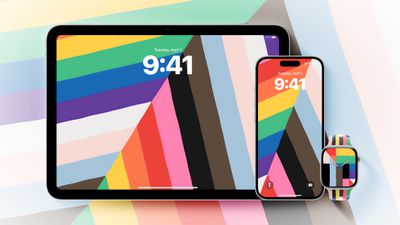
The wallpaper has thick, colorful stripes that change position when the iPhone is moved, locked, or unlocked.
Carrier Satellite Connectivity for iPhone 13
iOS 18.5 brings carrier-provided satellite support to the iPhone 13 models, which means that iPhones that do not support Apple's built-in satellite functionality can get satellite connections through carriers that support satellite connectivity.
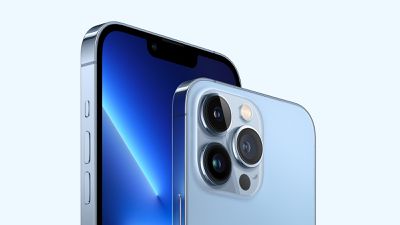
To get satellite connectivity, iPhone 13, iPhone 13 mini, iPhone 13 Pro, or iPhone 13 Pro Max owners will need to select a cellular service that has a satellite connectivity option. In the United States, for example, T-Mobile has partnered with SpaceX to provide customers with Starlink Direct service for connecting to Starlink satellites when Wi-Fi and cellular connectivity are not available.
Apple's own satellite connectivity option through Globalstar is only available on the iPhone 14 and later models due to hardware restrictions.
Screen Time Passcode Alerts for Parents
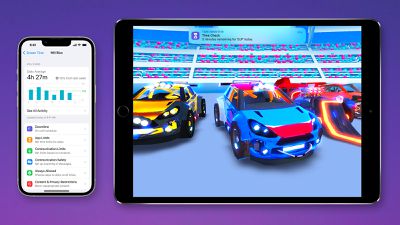
Parents will now get a notification whenever the Screen Time passcode is used on a child's device, which will prevent children from quietly bypassing Screen Time if the child knows or guesses the Screen Time passcode.
Vision Pro App Fix
Some Vision Pro users were seeing a black screen when using the Vision Pro app on the iPhone, and Apple has now fixed that issue.
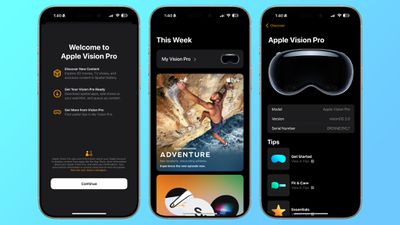
Apple TV App
When using the Apple TV app on third-party devices like smart television sets, there is now an option to use the iPhone to make a purchase.
If you tap on the three dots icon in the upper right corner of the Mail app, you can now toggle Contact Photos on and off directly from this interface. There's also an option to turn off Group By Sender.
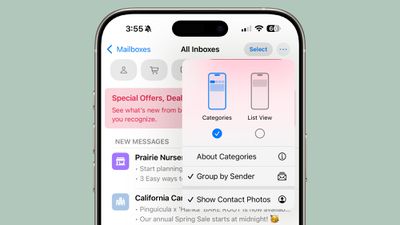
Both of these options are in iOS 18.4, but the toggles are buried in the Mail section of the Settings app. They're easier to get to with iOS 18.5 for those who want the Mail app to look more like the pre-iOS 18 Mail app.
You can still access these toggles in the Settings app, too.
AppleCare Info
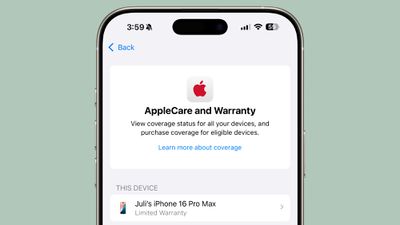
In the Settings app, if you go to General and tap on AppleCare and Warranty, there's now a banner with an AppleCare logo and an option to learn more about AppleCare coverage. There was no banner before.
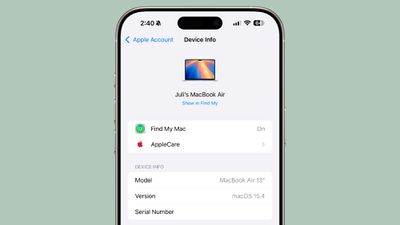
If you go to your Apple Account and tap on a device in your device list, you'll now see a new AppleCare option that you can tap into to get info on your AppleCare coverage. There's also an option to Manage Plan from this interface if you have a renewing AppleCare plan.
Security Updates
iOS 18.5 addresses more than 30 vulnerabilities that were found in iOS, including the first security flaw found in the Apple-designed C1 modem in the iPhone 16e.
The update addresses bugs that could allow maliciously crafted images and videos to crash an app, spoof a user interface through email processing, provide access sensitive data through Bluetooth, and crash Safari with malicious web content.
It also fixes bugs that would let people see call history from deleted apps, prevent the microphone in a FaceTime call from actually silencing audio, and access Notes from the Lock Screen. None of the vulnerabilities are known to have been exploited in the wild.






















![Apple Pulls Keynote, Pages and Numbers From App Store [Update: Back]](https://images.macrumors.com/t/Okb7kitB_gNr6qe5Pex9nQIysD8=/112x112/article-new/2026/01/Apple-Creator-Studio-iWork-suite.jpg)
























