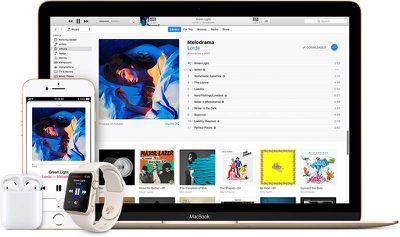
Apple is offering an Apple Pay promotion this week that discounts Fandango movie tickets by $5 when you make a purchase using either the Fandango app or the Fandango.com website.
The discount will be available on movie ticket purchases made through January 2, according to the email that went out to Apple customers this morning. When you make a purchase using Apple Pay, you will need to use the promo code "AppleCheer" at checkout to get the Fandango discount.
In addition to providing the Fandango deal, Apple is also highlighting retail apps that accept Apple Pay and can be used for New Year's party planning, including Safeway, Party City, ULTA Beauty, Lyft, TouchTunes, and McDonald's.
Over the course of the two months, Apple has been promoting Apple Pay through a series of emails that include deals and discounts. A November, email, for example, offered a discount on a Postmates Unlimited subscription.
Apple could debut its first retail location within Saudi Arabia as soon as 2019, thanks to the government's current push towards a "high-tech look" for the country. Reuters reports today that officials in Saudi Arabia's capital of Riyadh -- including Crown Prince Mohammed bin Salman -- are currently in licensing discussions with both Apple and Amazon in an effort to entice major technology companies into the country.
Apple is rumored to be talking with SAGIA, Saudi Arabia's foreign investment authority, and a licensing agreement for Apple's retail stores with the authority is expected to come by February 2018. The first location would then be targeted for an opening in 2019.
Apple and Amazon are in licensing discussions with Riyadh on investing in Saudi Arabia, two sources told Reuters, part of Crown Prince Mohammed bin Salman’s push to give the conservative kingdom a high-tech look.
A licensing agreement for Apple stores with SAGIA is expected by February, with an initial retail store targeted for 2019, said two sources familiar with the discussions.
Amazon's cloud computing division, Amazon Web Services, is said to be leading the company's discussions with Saudi Arabian officials. The talks are believed to be in "earlier stages" than Apple's, with no specific time frame given for Amazon's investment plans in the country.
The Saudi Arabian government's regulations previously placed heavy limits on foreign ownership of businesses, preventing companies like Apple and Amazon from coming to the country. In the past two years, however, falling crude oil prices "highlighted the need to diversify" the country's dependency on oil within its economy, leading to courting technology companies.
Evidence of this came in September, when Saudi Arabia lifted a ban on services that provide access to calling someone over the internet, including Apple's FaceTime. The ban was enacted in 2013 and began due to the government's fear of non-secure internet communication among its residents, but was lifted this year in the country's new efforts to "attract more business" to its economy.
Note: Due to the political nature of the discussion regarding this topic, the discussion thread is located in our Politics, Religion, Social Issues forum. All forum members and site visitors are welcome to read and follow the thread, but posting is limited to forum members with at least 100 posts.
One year after launching a "Ring in the New Year" challenge for Apple Watch owners, Apple today is rolling out the challenge again for 2018. The challenge's rules appear slightly similar to last year, requiring you to close all three Activity rings for seven days in a row in January. During the previous challenge, you had to accomplish the same goal coupled with the specific requirement of the Activity streak lasting from a Monday to a Sunday.
Apple Watch owners in the United States should start noticing the challenge appearing on their Apple Watch and within the Activity iOS app today. For users in other countries, the challenge began appearing yesterday.
While we await iFixit's inevitable comprehensive teardown of Apple's new iMac Pro, third party Mac component supplier OWC has just published its own teardown video, providing some interesting tidbits on the internal configuration of the non-user upgradeable machine.
Whereas standard 27-inch iMacs have a small hatch in the back that allows the RAM in the machine to be upgraded after purchase, the iMac Pro does not. Fortunately, an Apple Store or an Apple Authorized Service Provider is able to open up the iMac Pro and swap out the RAM, and here's what they can expect to find upon doing so.
Four DIMM memory modules (left) and two solid-state drives (right)
The teardown reveals that in the 32GB base model, there are four 8GB DIMM modules, a configuration type that appears to be mirrored in the 64GB (4 x 16GB) and 128GB (4 x 32GB) models. The good news is that this means the iMac Pro supports quad-channel memory, but the bad news is that it also means users looking to upgrade from, say, 32GB to 64GB will have to replace all four modules to do so.
The teardown also reveals that in the iMac Pro 1TB base model, Apple has chosen to use two 512GB SSDs in a RAID configuration. Rather than soldering the flash storage on the main board, both drives exist as separate modules that are attached via screws, so replacing them is at least technically feasible, even if Apple does not make it easy.
OWC says that in the near future it will be offering a DIY memory upgrade kit for the iMac Pro, although most users are likely to hand over such an undertaking to a qualified service provider. For more details on the iMac Pro's internals, including the Intel Xeon W eight-core processor, be sure to watch the video embedded above.
WhatsApp announced on Thursday that its mobile app will stop working on some older smartphones from next year, as it concentrates on developing new features for the popular messaging platform.
The decision means that from January 1, 2018, WhatsApp will pull support for the app on iPhone 3GS and older models, as well as iPhones running iOS 6 and earlier. The list of unsupported phones also includes Android 2.1 and 2.2, BlackBerry OS, and Windows Phone 7.
Explaining its reason for the move, WhatsApp said that when it was founded back in 2009, the mobile landscape was very different.
"About 70 percent of smartphones sold at the time had operating systems offered by BlackBerry and Nokia," the company said. "Mobile operating systems offered by Google, Apple and Microsoft - which account for 99.5 percent of sales today - were on less than 25 percent of mobile devices sold at the time."
Apple's iPhone 3GS was released in June 2009, while iOS 6 was released on September 19, 2012, followed by iOS 7 in 2013. According to Apteligent Research, less than 0.04 percent of iPhone users are currently using iOS 6. Apple's most recent mobile OS, iOS 11, was released on September 19, 2017, and accounts for over 75 percent of active iOS users.
Snap is reportedly working on a new Snapchat feature that will let users share stories outside of the mobile app, in an effort to boost Snapchat's presence in the social media space (via The Verge).
Called "Stories Everywhere", the feature should see Snapchat's premium video and editorial content appear on news sites and elsewhere online. The move aims to bring greater visibility to the brand, in the face of increasing competition from the likes of Facebook and Instagram.
Live streaming news network Cheddar reports that former Storyful CEO and News Corp executive Rahul Chopra is leading the "Stories Everywhere" project. Chopra's job is to attract more active users to the social platform – similar to how, in 2011, Twitter began letting people embed tweets off-platform for the first time, for example.
The strategy comes at the end of a bad year for Snap, which saw third quarter revenue fall after its March initial public offering failed to excite investors, many of which struggled to understand how the app works. In response, the company earlier this month released a redesigned Snapchat app that aims to offer a more personalized user experience that's easier to navigate, especially for new users, with brand and friends' content kept separate.
In fiscal 2017, Apple CEO Tim Cook received a salary of $3.06 million plus $9.33 million in bonuses and stock worth $89.2 million for a total compensation package of approximately $102 million, reports Bloomberg.
The data was shared today by Apple in a proxy statement filed with the United States Securities and Exchange Commission ahead of the company's annual shareholders meeting, which will take place on February 13, 2018.
Executive officers at Apple, which included Luca Maestri, Angela Ahrendts, Johny Srouji, Dan Riccio, and Bruce Sewell, all received bonuses of over $3 million, bringing their compensation, including salary and stock awards, to approximately $24.2 million each, provided each stays with the company long enough for awarded stock to vest. Angela Ahrendts, Apple's retail chief, was the highest paid executive, bringing in $24,216,072.
In addition to covering executive compensation, today's proxy statement also says that Apple's board now requires Apple CEO Tim Cook use private aircraft "for all business and personal travel." The flight policy was implemented in 2017 "in the interests of security and efficiency" based on Cook's "highly visible" role as CEO.
Over the course of 2017, Cook's personal air travel expenses amounted to $93,109, and Apple spent an additional $224,216 in personal security costs provided to Cook.
The proxy statement also includes six proposals that will require shareholder action at the upcoming shareholders meeting in February. Proposals cover standard actions like re-appointing Apple's public accounting firm and re-electing board members, along with two shareholder proposals covering proxy access amendments and the establishment of a Human Rights Committee.
Apple's board of directors is recommending shareholders vote against both shareholder proposals, with the full text of all of the proposals available in the proxy statement filed with the SEC.
Shareholders who wish to attend the shareholders meeting, which will be held at the Steve Jobs Theater at Apple Park, will need to register using Proxyvote.com starting at 8:00 a.m. on January 22, 2018. Apple plans to accept registrations on a first-come, first-serve basis as space is limited.
Note: Due to the political nature of the discussion regarding this topic, the discussion thread is located in our Politics, Religion, Social Issues forum. All forum members and site visitors are welcome to read and follow the thread, but posting is limited to forum members with at least 100 posts.
The Apple Lisa, released in 1983, was one of the first personal computers to come equipped with a graphical user interface, and soon the operating system that ran on the Lisa will available for free, courtesy of the Computer History Museum and Apple.
As noted by Gizmodo, Al Kossow, a software curator at the Computer History Museum, recently announced that both the source code for the Lisa operating system and the Lisa apps have been recovered. Apple is reviewing the source code, and once that's done, the museum will be releasing the code publicly.
Just wanted to let everyone know the sources to the OS and applications were recovered, I converted them to Unix end of line conventions and spaces for Pascal tabs after recovering the files using Disk Image Chef, and they are with Apple for review. After that's done, CHM will do an @CHM blog post about the historical significance of the software and the code that is cleared for release by Apple will be made available in 2018.
The only thing I saw that probably won't be able to be released is the American Heritage dictionary for the spell checker in LisaWrite.
Back when the Lisa was first released, Apple charged $9,995, with the machine aimed at business users. It was equipped with a 5MHz Motorola 68000 CPU, 1MB of RAM, and a 5MB hard drive. Given its high price, Apple only managed to sell about 100,000 of the Lisa computers. Though Steve Jobs originally denied it, he later said the Lisa was named for his daughter, Lisa Brennan.
Apple's Lisa operating system featured the text-based Workshop for developing software and the Lisa Office System, which had seven apps that included LisaWrite, LisaCalc, LisaDraw, LisaGraph, LisaProject, LisaList, and LisaTerminal.
The Lisa computer was followed by the Macintosh in 1984, and the Macintosh was essentially a more affordable, improved version of the Lisa, which allowed it to outsell the Lisa. Though Apple did introduce additional versions of the Lisa computer at a lower price tag, it was ultimately discontinued only a few short years after its introduction.
Instagram has been testing a "Recommended for You" feature that is now rolling out widely to all users, reports TechCrunch. Recommended posts show up in your standard image feed and are suggested based on posts liked by accounts you follow.
When shown in a feed, these posts are denoted by a label at the top that clearly marks them as recommended, similar to how sponsored posts are handled. With recommended posts, though, Instagram shows several in a row instead of just one.
Recommended posts and videos have previously been displayed in the Explore tab, but are now being featured more prominently. Instagram users now have several feed interruptions, including these new recommended posts, sponsored posts, and stories.
According to an Instagram spokesperson who spoke to TechCrunch, recommended posts are meant to appear "after you've viewed all the posts in your feed." There is no disabling the Recommended for You feature, but recommended posts can be temporarily hidden by tapping the three dots at the top of a recommended post and choosing "Hide."
Instagram has been slowing introducing changes that bring posts from people who aren't actively followed into the Instagram feed. Earlier this month, for example, Instagram added a feature allowing users to follow hashtags rather than individual Instagram accounts.
Recommended for You is still rolling out to all users on iOS and Android devices and may not yet be available for everyone.
After presents were unwrapped across the world on Christmas morning, Amazon's Alexa app [Direct Link] earned the #1 spot on the iOS App Store's Top Free chart, suggesting Echo and other Alexa devices were very popular this holiday season (via TechCrunch).
This marks the first time the Alexa app gained a #1 spot on Apple's App Store, and it remained there for over a day. Currently, Alexa sits at #2 on the Top Free chart in the App Store, having lost the top spot today to YouTube.
Amazon yesterday said that the Echo Dot was the #1 selling Amazon Device this holiday season, as well as being "the best-selling product from any manufacturer in any category across all of Amazon," with millions of Echo Dots sold. With so many Echo products being purchased for Christmas and other holiday celebrations, users were led to download the Amazon Alexa app so they can set up their speaker, control it, integrate with other smart home products, and more.
Data gathered from Sensor Tower's App Store analytics shows the Alexa app climbing the Top Free United States iOS App Store charts in the days leading up to Christmas and then peaking at #1 on December 25 and December 26. On Christmas day, the Alexa app gained prominence on the Top Free App Store charts in other countries as well, including Great Britain (rising to #2), Germany (#5), and Austria (#5).
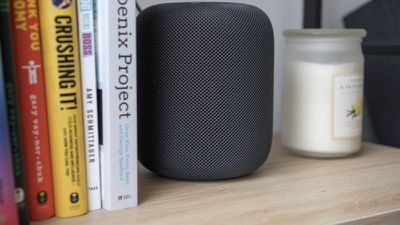
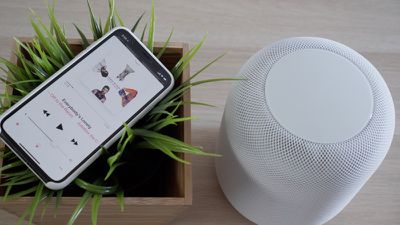
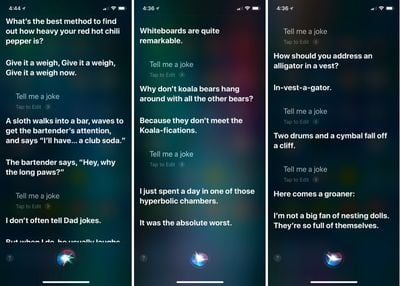
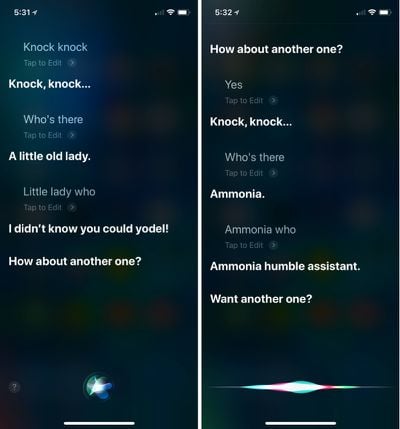
As Amazon's Alexa devices continue to dominate the smart speaker market, Apple has plans to release its own music-focused smart speaker device -- the HomePod -- in early 2018. HomePod will be controlled mainly through the user's voice using Siri, and include access to Apple Music and other expected smart speaker functionalities, like asking about the weather, traffic, setting reminders, timers, and more.
Apple's iPhone and iPad were again the most popular mobile devices gifted around the world during the holidays this year according to new data shared today by mobile analytics firm Flurry.
In the week leading up to Christmas and the end of Hanukkah (12/19 to 12/25), Flurry took a look at all new smartphone and tablet activations to see which devices consumers were purchasing most.
44 percent of new device activations were Apple devices, while Samsung devices accounted for 26 percent of activations. Huawei, Xiaomi, Motorola, LG, OPPO, and Vivo trailed behind Apple and Samsung with each responsible for 2 to 5 percent of new device activations.
The 2017 activation numbers closely mirror the activation numbers we saw from Flurry in 2016. Apple also saw the highest number of device activations -- 44 percent -- during the same time period last year, followed by Samsung at 21 percent.
Similar to last year, 44% of new phone and tablet activations were Apple devices. While Samsung dominates global market share, they fell short as the gift of choice during the holiday season, with only 26% of activated devices in the lead up to Christmas. Samsung's activation rate is up 5% from the 2016 holiday season, which can likely be attributed to the 2017 introduction of the Galaxy S8 after the late 2016 recall of their malfunctioning Note devices.
Broken down, it's actually Apple's older devices that saw the highest number of new activations rather than the newer devices. 15.1 percent of activations were for the iPhone 7, followed by 14.9 percent for the iPhone 6. Apple's flagship device, the iPhone X, was popular though, making up 14.7 percent of new activations. The iPhone 8 was responsible for 8.1 percent of new activations, and the iPhone 8 Plus was responsible for 8.7 percent.
It's important to note that Flurry examined worldwide activations, where older, more affordable devices are popular. Apple no longer sells the iPhone 6, for example, but it's still readily available internationally from third-party resellers who offer it at a discounted price.
When looking at device size, "phablets" or devices that measure in at 5 to 6.9 inches, made up 53 percent of all new device activations, while smaller phones (3.5 to 4.9 inches) made up 35 percent of activations. Full-sized tablets like the iPad (with only cellular models counted here) were responsible for 8 percent of activations. Interest in larger devices has grown significantly over the course of the last two years.
To gather its data, Flurry measured smart device activations and app downloads from the more than one million mobile apps that use the Flurry Analytics service. Flurry says it has insight into more than 2.1 billion devices around the world.
Nearly three years after Energous debuted its wire-free "power-at-a-distance" charging system called WattUp, the Federal Communications Commission has now approved the technology. Specifically, the FCC certification is for the company's first-generation WattUp Mid Field transmitter, which powers up devices at a distance of up to three feet away (via Engadget).
The news marks the first FCC certification ever for a wire-free charging system, which Energous said will open up "a tremendous opportunity for the electronics industry." The company mentioned that the WattUp Mid Field transmitter could be used in the future by "nearly any small electronic device," including smartphones, tablets, smart watches, earbuds, wireless keyboards and mice, smart speakers, and more.
Next, Energous will demonstrate the WattUp technology at CES 2018 in January. CEO Stephen R. Rizzone mentioned that the system's ability to charge both wire-free and via a traditional mat system will give WattUp an edge on the market.
"Older wireless charging technologies have received limited adoption over the past 15 years, and are confined to contact-based charging only. The FCC certification of Energous' power-at-a-distance wireless charging transmitter is a major market milestone. It opens up options, outside of just contact-based charging, to Wireless Charging 2.0: an ecosystem where devices can be charged both, via pad and at a distance," said Stephen R. Rizzone, president and CEO of Energous.
"Untethered, wire-free charging -- such as charging a fitness band even while wearing it -- is exactly what consumers have been waiting for. We are now in a position to move our consumer electronics, IoT and smart home customers forward at an accelerated pace."
WattUp is able to charge any battery-operated device using a technique that Energous likens to Wi-Fi, as long as the device has one of the company's receivers. A WattUp Power Router (a "transmitter") emits energy using a radio frequency signal delivered by miniature antenna arrays and custom control chips. Devices with a WattUp "receiver" (consisting of multiple miniature antennas) are then able to convert that RF signal into battery power.
Following the debut of WattUp at CES 2015, speculation pointed towards Apple possibly working with Energous on implementing the receiver technology directly into future iPhones, or at least helping the company build a MFi certified WattUp iPhone accessory. Once rumors of wireless charging in the 2017 iPhone lineup began swirling, Apple and Energous were again tied together, but eventually Apple opted for inductive wireless charging on the iPhone 8 and iPhone X.
Energous doesn't have any consumer-available products for purchase yet, but it's expected that the company will announce more news about its WattUp device at CES, which runs January 9 through 12 in Las Vegas.
Increasing numbers of iPhone X owners with children are finding that they are unable to approve family purchases using Face ID. The scale of the frustration was recently highlighted by ArsTechnica, which linked to a page on Apple's support forum containing hundreds of complaints.
Basically, iPhone X users are unable to use facial authentication with the "Ask to Buy" feature, which lets parents approve their kids' iOS purchases and downloads. On iOS devices with Touch ID, parents – or "family organizers", as Apple calls them – can use Touch ID to approve Ask to Buy, but iPhone X owners are forced to enter their password manually on every occasion, which could quickly become a nuisance for device owners with big families.
The inability to approve family purchases with Face ID is noteworthy, given that Apple has marketed it as a functional like-for-like replacement for Touch ID, but with enhanced security and speed. The frustration surrounding the missing functionality appears to have come to a head only recently because of the popularity of App Store gift cards over the holiday season.
Face ID is generally very secure in everyday use cases, and while some attempts to fool the feature have been successful, many involve complicated technical methods and a good deal of preparation.
That said, we have seen evidence of a 10-year-old child unlocking his mother's iPhone X with his face, even though Face ID was set up with her face. Apple itself also notes that Face ID often fails to identify between identical twins, while the probability of a false match is higher among children under the age of 13, because their distinct facial features may not have fully developed. These caveats have led some to speculate whether Apple is erring on the side of caution in choosing not to deploy Face ID for family purchase approval.
In early 2013, Apple settled a class action lawsuit originally filed by parents after their children ran up hundreds of dollars on in-app purchases in freemium games. In 2014, the company entered into an agreement with the Federal Trade Commission, promising to provide $32 million in refunds to parents whose children purchased unauthorized in-app items.
With the year quickly drawing to a close, now is an opportune time to reflect on the biggest Apple rumors and leaks of 2017.
Many new products released by Apple this year were widely rumored in the months leading up to their introductions, including the iPhone X, iPhone 8 and iPhone 8 Plus, Apple Watch Series 3, Apple TV 4K, HomePod, and new iPads. We even had an advanced look at software features like Animoji.
2017 was a particularly interesting year for Apple rumors given leaked or prematurely released versions of iOS 11 and HomePod firmware contained references to several products that had yet to be announced. While not every rumor proved true, much of Apple's roadmap this year was revealed ahead of time.
We've rounded up some of the most notable rumors and leaks of the year, primarily focusing on information that proved to be accurate.
2017 in Rumors
iPhone X
iPhone X is so radically different that rumors about the device began to surface all the way back in early 2016, so we'll start with a primer.
In the same month, DigiTimes revealed the device would have a 5.8-inch display, and KGI Securities analyst Ming-Chi Kuo said it would have glass on both the front and back sides, a metal frame, wireless charging, and facial or iris recognition.
By April 2016, the device was being called the iPhone 8. Barclays analyst Mark Moskowitz said it wouldn't have a home button.
In May 2016, Daring Fireball's John Gruber heard early scuttlebutt suggesting the device would have an edge-to-edge display, with the front-facing camera, Touch ID, and other sensors hidden under the display.
The information provided to Gruber wasn't entirely accurate, but he was on the right track. Rumors continued to surface about Apple removing the home button and adopting facial or iris recognition in lieu of Touch ID.
In September 2016, Kuo said stainless steel would likely be Apple's metal of choice for the iPhone X's frame, with slightly curved 2.5D cover glass on top of the display, as used since the iPhone 6 and iPhone 6 Plus.
iPhone X part leak in June 2017 reveals vertically-aligned dual-lens camera
By the end of 2016, several reports had claimed Apple would release a trio of new iPhones in 2017, including the all-new 5.8-inch model and updated 4.7-inch and 5.5-inch models to replace the iPhone 7 and iPhone 7 Plus.
The first iPhone X rumors of 2017 lent credence to the device having a stainless steel frame, facial recognition, and support for inductive charging, rather than RF-based over-the-air wireless charging from Energous.
In March, KGI Securities analyst Ming-Chi Kuo dismissed a rumor about the iPhone X having a USB-C connector, noting that it would still have a Lightning connector with support for fast charging via USB-C Power Delivery.
In late March, analysts at Barclays said the iPhone X would have a True Tone display that shifts colors based on ambient lighting.
In April, we saw the first schematic of the iPhone X's sensor housing, more commonly known as the notch. The notch houses the front camera, an infrared camera, a flood illuminator, a dot projector, a microphone, an ambient light sensor, a proximity sensor, and an earpiece that doubles as a speaker.
Rumors about Apple placing Touch ID on the back of the iPhone X persisted into May, but they ultimately proved to be inaccurate. Also in May, we learned the device would have louder stereo speakers.
July saw both KGI Securities analyst Ming-Chi Kuo and Bloomberg confirm that Face ID would fully replace Touch ID on the iPhone X.
Perhaps the biggest iPhone X leak to date came in late July courtesy of Apple itself. Shortly after the company accidentally released an internal version of firmware for its upcoming HomePod speaker, developers uncovered a glyph of an iPhone with an all-screen design except for a notch at the top.
Despite so much of the iPhone X being revealed in the HomePod firmware, August still saw some fresh leaks, including a photo of the device's A11 Bionic chip. Japanese website Mac Otakara also reported that the iPhone X's inductive charging ability would support transmission of up to 7.5 watts of power.
As if the HomePod firmware leaks weren't bad enough for Apple, MacRumors was anonymously provided with download links to a final version of iOS 11 in early September. The software update contained several unredacted references to unannounced iPhone X hardware and software features.
MacRumors uncovered iPhone X screenshots within the iOS 11 filesystem that showed off the new gesture-based home screen indicator. There were also hints that the elongated side button, previously known as the sleep-wake button, could be held to activate Siri or double tapped to bring up the Apple Pay wallet.
The golden master of iOS 11 also referenced the Face ID name for Apple's facial recognition system, True Tone support, a collection of new iPhone X wallpapers, and Apple's new Portrait Lighting feature, including the Contour Light, Natural Light, Stage Light, Stage Light Mono, and Studio Light options.
Within the iOS 11 filesystem, we also found a video file showing four different Animoji characters, including a monkey, cat, dog, and robot. The discovery made it clear that Apple had been working on animated emoji that could presumably be controlled with the iPhone X's then-rumored facial recognition system.
The iOS 11 golden master soon made its way into the hands of some developers, who continued to make discoveries, including technical details about the A11 Bionic being a six-core chip with two high power cores and four low power cores.
If you got a new iPhone or iPad for Christmas, you may have an old one that you're ready to sell or trade in to get a bit of extra cash. You'll want to make sure to adequately erase everything on it to get it ready for its next owner.
There are only a few steps to follow so it take you just a few minutes to clean up an old iOS device. Here's what to do:
Unpair Your Apple Watch
If you're selling your iPhone and have an Apple Watch linked to it, you're going to want to unpair it first.
Make sure your iPhone and Apple Watch are close to each other.
Open up the Apple Watch app on the iPhone.
Choose the "My Watch" tab.
Select the Apple Watch you want to unpair and tap the "i" button.
Tap "Unpair Apple Watch."
Tap a second time to confirm.
You'll need to enter your Apple ID password to turn off Activation Lock.
Turn Off Find My iPhone
Most trade-in sites won't accept your old iPhone or iPad if Find My iPhone isn't disabled, and if you sell an iOS device with the feature still turned on, the new owner won't be able to use it, creating a huge hassle for both of you.
Find My iPhone needs to be turned off because it's tied to Activation Lock. A phone that's linked to your iCloud account through Find My iPhone can't be used by anyone who doesn't have your Apple ID and password.
Open the Settings app.
Tap on your name to open your account settings.
Tap "iCloud."
Scroll down to "Find My iPhone."
Tap it.
Tap the toggle to turn it off.
To turn off Find My iPhone, you'll need to enter your Apple ID password as an extra security measure, which is designed to keep someone who has your unlocked iPhone from turning the feature off.
After Find My iPhone is off, it's time to erase everything on your iPhone. Before you do this, make sure you have an iCloud backup and that there's nothing stored on your device that you're going to miss.
Open the Settings app.
Choose "General."
Scroll down to the bottom of the menu.
Select "Reset."
Choose "Erase all Content and Settings."
You'll need to enter your device passcode if you have one set.
Tap Erase iPhone, then tap it again to confirm.
If you didn't already turn off Find My iPhone, it will be turned off at this juncture and your device will be removed from your iCloud account.
Your iPhone will switch over to an Apple loading screen as the erasing process starts. It will take a few minutes for the device to be fully erased, but once it's done and boots up again, your old iPhone or iPad is clean, unassociated with your Apple ID, and ready to be sold.
AirPods were a hot ticket item this holiday season, selling out from Apple and other retailers.
We're guessing quite a few MacRumors readers got new AirPods during the holidays, so we thought we'd share some super handy tips and tricks that'll help you get the most out of your new earphones.
To use all of the below features, you're going to need to install iOS 10.2 or later, and for some features, iOS 11 or later is required. On the Apple Watch, watchOS 3 or later is required, and on Mac, macOS 10.12 Sierra or later is required.
Devices that support iOS 10.2 or later include the iPhone 5 and later, the iPad mini 2 and later, the iPad Air and later, the 6th-generation iPod touch, and all iPad Pro models. All Apple Watch models work with AirPods, as do Macs that support Handoff functionality.
To take full advantage of AirPods, an iCloud account is required, but if you have an Apple device, you likely use iCloud regularly.
Customize Tap Functionality
Your AirPods are equipped with accelerometers and other hardware that allow them to respond to a double tap, and though it isn't obvious, these gestures can be customized to your liking. Here's how:
Make sure your AirPods are connected to your iPhone or iPad, either when you're wearing them or with the case open and nearby your device.
Open up the Settings app.
Choose "Bluetooth."
Next to the AirPods in the Bluetooth menu, tap the little "i" button.
Select "Left" and "Right" to customize what your AirPods do when you double tap them. Each one can be set to a separate action.
Choices include "Siri," which activates Siri, "Play/Pause," which starts or stops a song, "Next Track," which moves to the next track of whatever's being played, and "Previous Track," which goes back to the track that was previously being played. "Off" turns off whatever's playing.
Once you have your settings in place, whenever you double tap on an AirPod, it will activate whatever action you chose. With Siri, for example, you can double tap to bring up Siri.
You can also use this AirPods setting menu to change the name of your AirPods, deactivate Automatic Ear Detection and set either the left or right AirPod to serve as a fixed microphone.
Note: "Next Track" and "Previous Track" are both options that were introduced with iOS 11, so you will need to have iOS 11 installed to see these two AirPods options. Without iOS 11, you can only choose "Siri," "Play/Pause," and "Off."
Tap Your Ear
You don't necessarily have to tap right on your AirPod to use the double tap gestures. Many people prefer to tap softly on the back of an ear instead. It's a little less audibly jarring and it works just as well.
Switching Devices
There's an Apple-designed chip called a "W1" inside of your AirPods, and this chip connects your AirPods to your iCloud account. What this means is that every device you have where you're signed into iCloud knows your AirPods exist and can connect to them without having to go through a pairing process every time.
Switching between devices is as simple as opening up the Bluetooth settings on a given device and then choosing your AirPods to connect seamlessly. On the device you used to set up your AirPods, they'll connect automatically whenever you open up the case.
Quickly Pair to Apple TV
There's a little trick to make it easier to pair your AirPods to your Apple TV. With the AirPods in your ears or in the case with the lid open, turn on your Apple TV.
At the main Apple TV screen, hold down on the Play/Pause button on the Siri Remote to bring up an interface that lets you select an audio source. Swipe down to your AirPods, click the main button on the remote, and a connection is established.
If you're using the Apple Remote app or the Control Center Apple TV Remote, you can long press on the Play/Pause button to bring up the audio menu.
Quickly Pair to an iOS device
To pair your AirPods on an iOS device running iOS 11, you don't need to open up the Settings app. Instead, you can use the Now Playing widget in Control Center. Here's how:
On your iOS device, swipe up from the bottom of the display to bring up Control Center.
On the main music widget, tap the two lines located in the upper right corner.
From the list, choose your AirPods.
Once selected from the Control Center list, your AirPods will connect to your iOS device automatically. It takes a few swipes and taps, but it's ultimately quicker than opening up the Settings app.
Pair AirPods to Your Apple Watch
You can pair the AirPods directly to Your Apple Watch to listen to music. Here's how:
With the AirPods in your ears, swipe up from the bottom of the Apple Watch display to bring up Control Center.
Tap on the AirPlay icon at the bottom of control Center.
Choose AirPods.
Take Advantage of Siri
If one of your AirPod double-tap gestures is set to "Siri," you can tap on an AirPod to activate Siri. Siri can play songs and albums from your Apple Music Library, or if you're in the mood for something like 80's music, just ask Siri. Siri will play music from different genres, Apple Music playlists, and radio stations if you have an Apple Music subscription.
Using Siri is a simple, hands-free way to listen to whatever you want on your AirPods, and Siri's also, unfortunately, the only way to adjust the volume on the AirPods without having to use your connected device.
In addition to asking Siri to play music, all of the standard Siri commands are supported, since it's just routing through your phone. Siri can make phone calls, send texts, set reminders, control HomeKit devices, open apps, answer simple questions, and more.
Siri requires an internet connection to function, so the device connected to your AirPods will need to be connected to WiFi or Cellular for Siri on AirPods to work.
Using Just One AirPod
You don't need to use both AirPods at once. If you want to make a call or better hear your ambient surroundings, you can choose to use just one AirPod.
If you have Automatic Ear Detection turned on and take an AirPod out, you may need to press play again, but once you do, it works just like having two AirPods in your ears. Music won't play out of the AirPod not in use, and if you do put it back in, your music resumes in both AirPods.
Pairing AirPods with a non-Apple Device
Your AirPods are designed to work with Apple products, but they use Bluetooth and can pair with your Android device, your PC, or any other device that works with Bluetooth headphones. Here's how to pair with a non-Apple device:
Put the AirPods in the AirPods case.
Open up the lid.
Press and hold the button on the back of the case until a white light flashes.
Open up Bluetooth settings on the device you're connecting to and choose the AirPods.
Get Your Calls Announced
If you get an incoming call while your AirPods are in your ears and want to know who it is without having to look at your iPhone, there's an "Announce Calls" feature for that. Here's how to use it:
Open the Settings app.
Scroll down to "Phone."
Select "Announce Calls."
Toggle on "Headphones & Car" to have calls announced when either headphones are connected or you're in the car. "Headphones Only" will announce calls only when your headphones are in, and not when you're in the car, and "Always" means your iPhone will audibly tell you who's calling even when headphones aren't in.
Locate a Lost AirPod
As of iOS 10.3, there's a dedicated "Find My AirPods" feature for keeping track of your AirPods. Find My AirPods is limited to the AirPods themselves -- it can't locate a lost case, nor does it work when the AirPods are disconnected from an iOS device and stored in a case.
Find My AirPods basically lets you know the last known location of your AirPods. You can access it from the Find My iPhone app or from iCloud, but for detailed instructions on the feature, check out our dedicated how to.
Check Your AirPods Battery
To check the battery of your AirPods while you're using them, swipe on the right of the iPhone or iPad display to bring up your widgets. Find the "Batteries" widget to get a readout on the battery life of your iOS device, your AirPods, and any other connected Bluetooth devices that support the feature.
If your AirPods aren't in your ears, just open up the case when it's near your iPhone to get a popup that shows you the battery life. This is also the only way to see the battery of the AirPods case.
If you have an Apple Watch, you can open up the Control Center while you're using the AirPods and tap the battery icon to see the battery life of both the Apple Watch and the AirPods. On Mac, use the Bluetooth menu to check battery on paired AirPods.
You can also ask Siri to tell you what your remaining battery life is.
Interpreting the Light on the AirPods Case
If you open up the case for your AirPods, you'll see a little light located inside.
Here's what each color means:
Green: Fully charged Orange: Not a full charge Amber: Less than one full charge remains Flashing white: Ready to pair
Charging
AirPods charge with a Lightning cable, so it's super simple to charge them up when the battery is low. Given the design of the AirPods, they're compatible with many iPhone docks on the market, so if you have a dock for your iPhone, you can also use it to charge the AirPods.
Get Your AirPods Serial Number and Check Firmware
If you need the serial number for your AirPods or want to make sure you're running the most up-to-date version of the AirPods firmware, here's how:
Open up the Settings app on your iOS device while your AirPods are in your ears.
Choose "General."
Choose "About."
Scroll down to "AirPods" and tap it.
This menu lists model number, serial number, hardware version, and firmware version.
Wrap Up
The AirPods are one of Apple's most popular accessories in recent history, and they've been largely well-received by Apple customers thanks to the ease of use, simple pairing, long range Bluetooth connectivity, universal fit, easy device switching, and decent battery life.
If you're new to AirPods, you'll likely fall in love with them after just a few uses, and even more so when you've read through our tips and figured out everything they're capable of.
Are there must-know AirPods tips and tricks we've left out? Let us know in the comments!
It was an amazing year for games in 2017, especially during the last few months of the year as developers rushed to get new titles out before the holidays. Many popular PC and Mac games made their way to iOS devices in 2017, and ARKit brought a wealth of new augmented reality gaming experiences to our iPhones and iPads.
For our list of top 10 games of 2017, we've teamed up with our sister site TouchArcade. Our colleagues over at TouchArcade delve into the massive influx of new iOS games that come out each week to highlight what's worth downloading, so we asked them to share their picks for the most notable, most purchase-worthy games that came out this year. This is just a fraction of TouchArcade's list of 100 of the best iOS games in 2017.
The Binding of Isaac: Rebirth is a game that's been around since 2012 and on consoles since 2014, and it finally came to iOS devices this year. A dark game, The Binding of Isaac: Rebirth was inspired by a biblical tale, and the goal is to get the main character, Isaac, away from his evil mother while battling through a series of procedurally generated dungeons.
This is a roguelike dual-stick shooter with virtual controls and support for MFi controllers. Our sister site TouchArcade says the replay value is "absolutely bonkers" and "unparalleled in the genre," so even though you're shelling out $15, you're getting 500+ hours of gameplay. Read TouchArcade's full review.
Cat Quest, also available on Steam, PS4, and Nintendo Switch, is an open world RPG set in the kingdom of Felingard, where the goal is to take on the role of a cat who is on a quest to rescue his kidnapped sister.
As with traditional RPGs, the idea in Cat Quest is to collect loot, complete quests, and venture through dungeon after dungeon defeating enemies to progress through the game. Cat Quest has adorable graphics that are sure to charm any cat enthusiast, and the gameplay is fun. TouchArcade says the feel of the game "is incredible," with music, combat, and movement combining to create "an amazingly epic environment." Read TouchArcade's full review.
Death Road to Canada is an action RPG where players are tasked with managing a car of passengers on a road trip to Canada to escape the hordes of zombies that have invaded the United States. It's a little bit like a modern version of Oregon Trail, but it's much harder and there are zombies to contend with.
Along the way to Canada, players must make stops and fight zombies to gather supplies and recruit new team members. The game ends when the team dies, but gameplay is never-ending because each new game is randomly generated with different events. Read TouchArcade's full review.
FEZ Pocket Edition is the mobile version of the popular puzzle platformer FEZ, which has been available on other platforms since 2012. In FEZ, players take on the role of Gomez, who lives on one 2D plane of a 3D world. Using a magical fez, players can travel between a total of four 2D planes that make up the 3D world, rotating back and forth between them to solve puzzles and collect cubes to save the universe.
As the game continues, new gameplay elements are unlocked, and it gets tricker and tricker to solve the puzzles. There are no enemies to contend with -- this is a pure puzzle game. TouchArcade reviewed FEZ and called it a "good game" that's difficult, but not frustrating because there are no real consequences for failure. An MFi controller is recommended to make gameplay better, but it's not required.
Fire Emblem Heroes is a Nintendo franchise, and one of the new Nintendo-branded games that came to iOS devices this year. Fire Emblem Heroes is a tactical roleplaying game where players use turn-based battles to defeat enemies
Characters from across the Fire Emblem universe are available to play, and players are tasked with developing their skills to defeat increasingly difficult enemies. In this mobile version, the storyline has players taking on the role of a summoner to call heroes from different Fire Emblem worlds to save the Kingdom of Askr. It's not a replacement for a full Fire Emblem game, but it works well on mobile. Read TouchArcade's full review.
Gorogoa is a card or tile-based puzzle game where players combine, rearrange, and explore each image to discover the connection between them to advance through the game. Gorogoa has the potential to be frustrating because there isn't always an obvious solution to a puzzle, but the artwork, gameplay, and storyline keep players engaged.
Gameplay consists of rearranging, shifting, and zooming in and out on panels to reveal hidden secrets and progress through the story. Our sister site TouchArcade called the puzzle mechanics in the game "very inventive" and "fun to discover," but it's the hand-drawn art that "really stands out." Read TouchArcade's full review.
GRID Autosport is a racing game where players take on the role of a pro-racer aiming to build a racing career. There are more than 100 cars and tracks in the game, so there's plenty of gameplay for session after session.
Our sister site TouchArcade called GRID Autosport "the best racing game on mobile by far," delivering a "fully premium experience," impressive visuals, customizable controls, and "tons of ways to play." Read TouchArcade's full review.
Reigns: Her Majesty is the followup to Reigns, a card based game where players took on the role of a king and swiped left or right to make decisions affecting the kingdom. In this version, players play the queen, and gameplay is largely the same as the original game.
The idea is rule the kingdom through a series of decisions, which you make by swiping left or right. Players must balance the church, the people in the kindgom, the army, and the kingdom's wealth, with every decision made impacting one of these four areas.
If balance is not maintained, the reign of the current queen ends, and players start fresh with a new queen. New content and cards are unlocked as in-game events and milestones are reached, keeping the gameplay fresh time and time again. Read TouchArcade's full review.
Splitter Critters is a lemmings-style puzzle game where the idea is to split the world with a swipe on the display and then rearrange the pieces to guide little critters back to their space ship while overcoming obstacles.
Splitter Critters won a 2017 Apple Design Award in June and was named Apple's iPhone Game of the Year in December. The game's tearing mechanic is simple enough that it can be played by people of all skill levels, and there are multiple solutions to each puzzle. In a review, TouchArcade called Splitter Critters "inventive, well-presented, and most importantly, fun." Read TouchArcade's full review.
The Witness is an open world puzzle-based exploration game that was inspired by Myst. Players are stuck on an island, and the idea behind the game is to solve puzzles and progress through the 11 island regions. The Witness originally game out in 2016, but didn't make its way to iOS devices until September of 2017.
Gameplay is nonlinear and consists of exploring the island and solving maze-style puzzles that gradually incorporate new concepts, so players may find themselves returning to an area once a new mechanic has been unlocked. TouchArcade describes The Witness as a "very difficult game" that can be repetitive, but says it is "an essential experience for any enthusiastic gamer." Read TouchArcade's full review.
Make sure to head over to TouchArcade to check out their full list of top games of 2017, which is complete with reviews, trailers, and a wealth of information on all of the top game picks. TouchArcade is also worth following on a regular basis if you're interested in the iOS gaming scene and want to keep track of what's worth spending a few bucks on in a given week.
Disagree with this list? Let us know what your favorite 2017 games are in the comments. We'd love to hear!
Apple will reduce its shipment forecast for the iPhone X in the first quarter of 2018 from 50 million units down to 30 million units, according to a report this week by Economic Daily News (via Reuters). A handful of similar downgraded shipment predictions were shared by Apple analysts recently, most believing that the price of the iPhone X will lead to a decline in user demand early next year. The reports have caused shares in both Apple and some of its suppliers to fall.
JL Warren Capital predicted shipments of 25 million iPhone X units for Q1 2018, citing a "high price point and a lack of interesting innovations," while Sinolink Securities said the device's $1,000 price would "dampen consumer enthusiasm." Now that early adopters have gotten their hands on the iPhone X and the first wave of demand has been fulfilled, the high price of the device is again causing market watchers to predict "weakened demand" in early 2018 (via Bloomberg).
Analysts have lowered iPhone X shipment projections for the first quarter of next year, citing signs of lackluster demand at the end of the holiday shopping season.
"After the first wave of demand has been fulfilled, the market now worries that the high price of the iPhone X may weaken demand in the first quarter," Zhang wrote.
Lowered shipment and demand expectations are typical around this time of year. In 2016, a Nikkei report said that Apple would reduce iPhone 7 production by 10 percent in Q1 2017 because of "sluggish" demand and accumulated inventory building up throughout the holiday season.
In terms of availability, iPhone X has been pretty easy to obtain for those looking to purchase the smartphone. Shipping times improved consistently in the lead-up to Christmas and availability at U.S. Apple Stores increased to an average of 75 percent, up from 44 percent the week before Christmas, according to Gene Munster.
Although downgraded shipping estimates have begun to proliferate, other analysts are looking at higher shipment forecasts for the iPhone X. Loop Capital increased iPhone X shipment numbers to between 40 and 45 million units in Q1 2018, while analysts at Jefferies forecast about 40 million iPhone X sales for the quarter.
Apple's first foldable iPhone, with a book-style design featuring a ~5.5-inch outer display and a ~7.8-inch inner display with a minimal crease down the middle.