Verizon today announced it is lowering its deductible for cracked screen repairs for customers signed up for its Total Mobile Protection plan. Starting on Thursday, October 19, the fee will be reduced from $49 to $29. Total Mobile Protection itself costs $11 per month for smartphones and $9 per month for tablets.
Enrolling in Total Mobile Protection is typically only allowed within 30 days of activating a new account or upgrading to a new device, but Verizon is offering an open enrollment period between tomorrow and Friday, November 17 for any existing customer with a functional device less than two years old.
Verizon said customers who need repairs have the option of bringing their device to one of its 296 carry-in locations across the United States, while technicians are also available to meet customers at home, office, school, or during travel in 152 cities. Verizon allows up to three claims per year per enrolled device.
Total Mobile Protection also includes expert technical support called Tech Coach and other perks like the potential for same- or next-day device replacements.
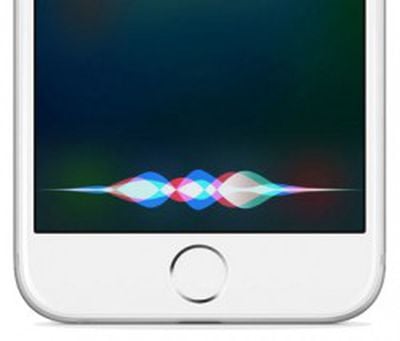
A new entry in Apple's Machine Learning Journal provides a closer look at how hardware, software, and internet services work together to power the hands-free "Hey Siri" feature on the latest iPhone and iPad Pro models.
Specifically, a very small speech recognizer built into the embedded motion coprocessor runs all the time and listens for "Hey Siri." When just those two words are detected, Siri parses any subsequent speech as a command or query.
The detector uses a Deep Neural Network to convert the acoustic pattern of a user's voice into a probability distribution. It then uses a temporal integration process to compute a confidence score that the phrase uttered was "Hey Siri."
If the score is high enough, Siri wakes up and proceeds to complete the command or answer the query automatically.
If the score exceeds Apple's lower threshold but not the upper threshold, however, the device enters a more sensitive state for a few seconds, so that Siri is much more likely to be invoked if the user repeats the phrase—even without more effort.
"This second-chance mechanism improves the usability of the system significantly, without increasing the false alarm rate too much because it is only in this extra-sensitive state for a short time," said Apple.
To reduce false triggers from strangers, Apple invites users to complete a short enrollment session in which they say five phrases that each begin with "Hey Siri." The examples are saved on the device.
We compare the distances to the reference patterns created during enrollment with another threshold to decide whether the sound that triggered the detector is likely to be "Hey Siri" spoken by the enrolled user.
This process not only reduces the probability that "Hey Siri" spoken by another person will trigger the iPhone, but also reduces the rate at which other, similar-sounding phrases trigger Siri.
Apple also says it created "Hey Siri" recordings both close and far in various environments, such as in the kitchen, car, bedroom, and restaurant, based on native speakers of many languages around the world.
For many more technical details about how "Hey Siri" works, be sure to read Apple's full article on its Machine Learning Journal.
Earlier in October, Sonos announced its new smart speaker device, called the Sonos One, which will launch On October 24 with support for Amazon's Alexa voice assistant. The Sonos One allows users to control the speaker entirely through voice, providing smart speaker capabilities into a music-focused device, similar to Apple's marketing for the upcoming HomePod.
Ahead of the October 24 launch, reviews for the Sonos One have been posted online, with many sites giving the new speaker a favorable review thanks to Sonos' expected high-quality playback, which becomes particularly useful with Alexa controls. Still, those voice commands are limited at launch with only a few music services supporting Alexa, making the Sonos One slightly harder to recommend for users not already in the Amazon ecosystem.
Engadget said that the Sonos One provides "significantly better" music quality than the likes of Google Home and Amazon Echo "without breaking the bank" at $199. The site elaborated that the Sonos One uses the same audio hardware as the company's Play:1 speaker, so users can expect "clear, dynamic and loud sound" when playing music, although the "low end is not as strong as what you'll get from larger (and more expensive) speakers."
Engadget wrapped up by noting that while the speaker stumbled occassionally with voice controls and lacks support for Spotify voice commands and Google Assistant at launch, it's still "the best-sounding smart speaker you can buy."
The Play:1 has been Sonos' best-selling speaker, and with good reason. It offers significantly better music quality than your average Bluetooth or smart speaker, at a reasonable price. It's also a great first step into a multi-speaker setup for your home. The Sonos One does all of that and adds voice controls without raising the price. Those voice controls may have a few bugs to work out, but aside from one frustrating afternoon, it worked well for me.
The Sonos One is a great way for most people to significantly upgrade their audio setup while also getting the convenience of voice controls. I wish that both Spotify voice commands and the Google Assistant were supported at launch, but this speaker will keep getting more features through upcoming software updates. Given that, I have no problem recommending it now. It'll work right out of the box as an Alexa-enabled device, it'll support more music services over time and it's a great way to dip your feet into the Sonos ecosystem. Just don't be surprised if you end up wanting to buy a few more.
The Verge broke down the supported music services on the Sonos One, commenting that voice commands at launch (through Alexa) are only supported with Pandora, Amazon Music, iHeartRadio, TuneIn, and SiriusXM. Spotify users will gain access "soon," but any Apple Music or Tidal subscribers will have to start playback through the Sonos app, and after that they can use Alexa to control the songs.
There are some early frustrations and missing features that prevent the Sonos One from being a perfect marriage between Sonos sound and Alexa’s voice smarts. You can’t yet play music from Spotify with Alexa, but I’ve been told that’s coming “soon.” Other services, such as Apple Music and Tidal, are absent with no ETA, and it’s quite possible that they’ll never support voice playback. They all work perfectly fine through the Sonos app, and once music is playing from any service, Alexa can always pause, skip tracks, adjust volume, or tell you what song or artist is playing. But the bottom line is that, at least for now, Alexa is unable to play anything from your Spotify library. Instead, you’ve got Pandora, Amazon Music, iHeartRadio, TuneIn, and SiriusXM to work with out of the box.
In 2018, Sonos One will also update with support for AirPlay 2, and then iOS users will be able to more easily control music playback with the speaker. While many interesting features are promised for future updates, The Verge still gave the speaker a score of 8 out of 10 and said, "Even with the Spotify situation factored in, I’ve found the Sonos One to be good enough in most other places to earn a solid recommendation if you’re looking to spend a couple hundred bucks on an in-home speaker."
Like a few reviews, Wired mentioned a convoluted setup process that requires you to switch between the Alexa and Sonos apps multiple times, further pointing out that any device trying to seamlessly connect two ecosystems is "sure to stumble occasionally." Still, the site was a fan of the new speaker, stating that the "key point" of any Sonos product remains: "the One is a great-sounding Sonos speaker," and voice controls -- while limited -- are still a bonus.
This new $199 speaker takes the current Alexa-Sonos relationship and removes the complexity. You could think of it as an Echo with much improved sound. It does all of the Alexa things, but it's foremost a Sonos speaker, so it does all the Sonos things too—it works as part of a multi-room system, it streams from scores of services, and it obeys the company's controller apps. The One has some faults. Amazon world and Sonos world are two nuanced and complex domains, and any device that attempts to bridge the two is sure to stumble occasionally. But the key point remains: The One is a great-sounding Sonos speaker, and that's reason enough to consider one. It also so happens that you can command it with your voice.
Many reviews compared the Sonos One to Google's and Apple's upcoming products, which compete in the same high-quality music playback area but have noticeable differences in price. While the Sonos One will cost $199 when it launches next week, Apple's HomePod will run for $349, and the Google Home Max will be priced even higher at $399, with both latter products debuting in December. For more of the latest HomePod news and information, be sure to check out our HomePod Roundup.
Flexibits, the company that makes popular calendar app Fantastical, today launched a new contacts management app, Cardhop. Designed to be more than just a simple contacts app, Cardhop is interactive and is designed to be your communications hub, allowing you to email, message, and interface with your contacts from one central location.
When developing Cardhop, Flexibits aimed to do the same thing for contacts that it did for the calendar - turn an app that can be dull, unintuitive, and slow into a robust, streamlined app that offers a lot more utility.
Cardhop imports all of your contacts from your Mac (which are typically also synced with iOS devices using iCloud) and it provides an interface that makes it easy to search for an existing contact or add a new one using the same natural language parsing that's available in Fantastical.
A search for "Eric" for example, will bring up the card for a contact named Eric, with information like phone number, email address, birth date, home address, Twitter handle, Facebook profile, Skype username, and more. There are dozens of fields that can be added for each contact.
Entering a phrase like "Eric 867-5309 work" will automatically add the phone number you entered to Eric's contact card under the work heading, and similar phrases can be used to quickly update or remove information for all contacts. Added information will sync to the default Apple Contacts app.
If you start typing a name that's not already in your contacts list, Cardhop will automatically add a new entry with the information. Groups of contacts are also supported, so you can create a group like "work" to automatically send an email or a message to everyone you work with.
Cardhop's most useful feature is perhaps its quick actions. Every contact card in Cardhop features four customizable quick action buttons for interacting with contacts and performing tasks like placing a call, sending a tweet, or sending an email. The following quick actions are available: Call, Copy, Directions, Email, FaceTime, FaceTime Audio, Large Type, Message, Skype, Telegram, Twitter, URL, and VoIP.
Clicking on one of the quick action buttons performs the task assigned to the button, but typing a quick action like "Skype Eric" or "Message Eric" also works. When using the call feature, there's also an option to place the call on your iPhone from your Mac using Bluetooth. Cardhop has the potential to save time in a workflow because it automates tasks that would normally take several clicks.
Cardhop also takes advantage of the underused "note" feature available in the default Contacts app, making a notes section front and center for each contact in the app. Notes can be used to add details about contacts that you want to remember, leading to richer interactions.
"Until now, contacts apps were basically boring databases," said Michael Simmons, Co-founder of Flexibits. "Cardhop is an entirely different approach and we think it's going to simplify and truly change the way people think about and interact with their contacts."
Cardhop is normally priced at $19.99, but to celebrate its launch, Flexibits is offering it for $14.99 for a limited time. Cardhop can be downloaded from the Mac App Store.
Best Buy today launched an early access sale for members of the My Best Buy program, marking the first day of a new 3-Day sale that's gearing up this week. Only one Apple product has an early access discount -- the mid-2017 refresh of the MacBook Air -- but there are a few other deals on 4K television sets and Bluetooth headphones. As the week progresses and Best Buy opens up the sale to more users and adds new products, we'll be sure to share any notable discounts.
For now, take a look at a few of the early access sales below:
For these early access deals, remember that you'll need to be logged in to your My Best Buy account in order to see the sale prices.
There are also a few discounts on items outside of the 3-Day Sale, ranging from the latest iMacs, to multiple Philips Hue lamps, and even DJI's new miniature Spark drone. Check them out below:
It's worth noting that previous sales on Apple Watch Series 2 and iPad mini 4 remain ongoing at Best Buy, so if you're interested in those products you still have a chance to purchase them at a discount. There are many more items on sale on Best Buy's Hot Deals page, including Epson all-in-one printers and select Insignia cables and chargers, so be sure to browse all of the discounts here.
For more of the latest deals on Apple products, accessories, and more, head over to our Deals Roundup.
Note: MacRumors is an affiliate partner with Best Buy
Apple Maps now provides indoor maps for eight additional airports in the United States, as the new feature continues to roll out in iOS 11.
The recently added airports include O'Hare International and Midway International in Chicago, McCarran International in Las Vegas, Baltimore–Washington International, Miami International, Minneapolis–Saint Paul International, Oakland International, and Portland International.
The feature has also been available for Philadelphia International Airport and San Jose International Airport since iOS 11 was in beta.
When searching for these airports, Apple Maps users can tap "look inside" or simply zoom in to view terminals, boarding gates, security checkpoints, airline check-in desks, baggage claim carousels, information kiosks, restrooms, stores, restaurants, parking garages, and even escalators, elevators, and stairs.
It is even possible to browse by floor, or search for shops, food, drinks, or restrooms in a specific terminal. Tapping on a restaurant, for example, brings up a detailed place card with photos, hours, and additional information.
Apple software engineering chief Craig Federighi previewed Apple's indoor maps at its Worldwide Developers Conference in June. Skip to around the 1:07:50 mark of Apple's WWDC 2017 keynote video to watch.
Apple said indoor maps will also be available at several other major airports, including Los Angeles International, JFK and LaGuardia in New York, San Diego International, Toronto Pearson International, Vancouver International, Heathrow and Gatwick in London, and Amsterdam Airport Schiphol.
Apple is also adding indoor maps to shopping malls, making it easier to find the exact location of stores, restaurants, restrooms, escalators, elevators, and stairs on each floor. Users can also filter stores by categories such as clothes, shoes, accessories, beauty, food, and drinks, with detailed place cards for each.
A few shopping malls currently supported include Westfield's Valley Fair in San Jose and the San Francisco Centre.
Adobe's annual Adobe MAX conference kicks off today, and the company is introducing a whole slew of updates to its Creative Cloud platform. Among those updates is a new version of Adobe Photoshop Lightroom CC, which is now a full cloud-based photography service.
Lightroom CC has been available cross-platform for some time now with a dedicated Mac app and an iOS app, but with the new cloud service, Adobe is aiming to make editing and organizing photos simpler for both professionals and enthusiasts across multiple devices.
The new version of Lightroom CC continues to offer the same image editing capabilities that have been available in previous versions of Lightroom, but there's a new streamlined user interface with quick adjustment tools and presets that are quicker and easier to use.
All content is stored in the cloud, with Adobe providing users with up to 1TB of storage space that includes support for RAW images.
Full resolution photos stored in Lightroom can be edited on any device using the Lightroom CC app for Mac, the iOS app, or the web interface. Lightroom backs up all photos and keeps edits synced across devices.
Lightroom CC supports Adobe Sensei machine learning technology, which is able to recognize objects and people in photographs to make searching for and finding content simpler. Keywords are automatically applied to photos based on content.
Sharing tools make it simple to share Lightroom CC content directly to social networks, and there's an option to create Lightroom web galleries to showcase multiple photos at once. Lightroom CC also supports integration with Adobe Portfolio.
On iOS devices, the updated Lightroom CC app features the same Adobe Sensei search technology, and it offers an enhanced iPad layout, support for the iOS 11 Files app, and support for the HEIF image format introduced in iOS 11.
With the launch of the new cloud-based Lightroom CC app, Adobe is not eliminating the previous version of Lightroom. The older non-cloud version of Lightroom, which will continue to focus on a more traditional desktop-first workflow, has been renamed to Lightroom Classic CC. Lightroom Classic CC is also getting several new updates. It is gaining an enhanced Embedded Preview workflow for scrolling through large sets of photos faster than before, and new editing capabilities like a new Color Range and Luminance Masking feature.
With the launch of the Lightroom CC Cloud Photography service, Adobe is introducing new pricing plans. The Lightroom CC Cloud service with 1TB of storage plus Photoshop CC and access to Lightroom for mobile and web is priced at $19.99 per month. For existing Photography subscribers, Adobe is dropping that price to $14.99 per month for the first year.
Adobe is adding Lightroom CC to the existing Creative Cloud Photography plan and providing current subscribers with 20GB of storage space. The plan will continue to cost $9.99 per month and includes Lightroom CC, Lightroom mobile, Lightroom web, Lightroom Classic, and Photoshop CC.
A standalone Lightroom CC plan is available for customers who don't need Photoshop access. It includes 1TB of storage and access to the mobile and web apps for $9.99 per month. For mobile only users, there's a Lightroom Mobile plan for iOS that offers 100GB of cloud storage for $4.99 per month.
More information about Adobe's New Lightroom CC Cloud Photography service can be found on the Adobe website.
Apple and GE today announced a new partnership that will provide developers with the tools to make their own powerful industrial apps.
The two companies unveiled a new software development kit for iOS that will give developers the ability to make iPhone and iPad apps that use analytics from GE's industrial "Internet of Things" platform Predix.
For example, a Predix app can notify workers on their iPhones of a potential issue with equipment, such as a wind turbine, and allow them to collaborate with remote teams when performing inspections and repairs, collecting relevant data instantly.
Apple said these industrial apps will "close the information loop" faster and thereby increase cost savings and minimize unplanned downtime.
"GE is an ideal partner with a rich history of innovation across the industrial world in areas like aviation, manufacturing, healthcare and energy," said Apple CEO Tim Cook. "Together, Apple and GE are fundamentally changing how the industrial world works by combining GE's Predix platform with the power and simplicity of iPhone and iPad."
"The partnership between Apple and GE is providing developers with the tools to make their own powerful industrial IoT apps," said GE CEO John Flannery. "Our customers increasingly need to arm their workforces through mobility. Working together, GE and Apple are giving industrial companies access to powerful apps that help them tap into the predictive data and analytics of Predix right on their iPhone or iPad."
GE also said it will standardize on iPhone and iPad for mobile devices, and promote Mac as a choice for its global workforce of more than 330,000 employees. In turn, Apple said it will promote GE's Predix as the industrial "Internet of Things" analytics platform of choice to its customers and developers.
The new Predix SDK for iOS will be available to download on Thursday, October 26, and Predix apps will be available on the App Store.
Three Adobe apps that have been available in a beta capacity are officially launching, including Adobe XD CC for user interface design, Adobe Dimension CC for 2D to 3D compositing, and Adobe Character Animator CC for 2D character animations.
Adobe is also introducing a new Lightroom CC app that includes a built-in cloud storage feature, and it is announcing feature updates for Photoshop CC, InDesign CC, Illustrator CC, and Premiere Pro.
"Adobe continues to lead the creative revolution, driving modernization and innovation that will accelerate the creative process across all platforms and devices," said Bryan Lamkin, executive vice president and general manager, Digital Media at Adobe. "Today, we unveiled a new generation of Creative Cloud, with a wide spectrum of capabilities--from new experience design, 2D animation and 3D rendering apps to an all-new, cloud-based photography service. These tools enable creative professionals and enthusiasts to express themselves and reach their full creative potential anytime, anywhere, on any device."
Photoshop CC is gaining 1,400 new brushes from Adobe's acquisition of KyleBrush.com, and Adobe is introducing new tools and tutorials that are designed to make it easier for first-time Photoshop users to learn how to do basic tasks in the app, which are available in a new Learn Panel.
Adobe is integrating the Lightroom cloud catalog into Photoshop for quicker access to Lightroom photos, there are new tools for editing 360 spherical panoramic images, and new Range Masks make it easier to make local adjustments with fine control.
Photoshop CC also features improved brush preset management tools, automatic brush stroke smoothing, better select and mask tools, a new Curvature Pen tool, improvements for painting performance, and a symmetry painting experience for creating mirrored brush strokes along a symmetry axis.
Illustrator CC features an updated Essentials workspace with a new Properties Panel that offers up dynamic access to controls and better panel organization for less clutter on the workspace. It also includes support for more artboards (up to 1,000), an option to disable Zoom to Selection, support for variable fonts, and global color swatches.
InDesign CC includes supports for endnotes and annotations, enhancements to object-styles, paragraph borders, and an option to manage text in Creative Cloud Libraries.
Adobe Stock, Adobe's collection of professionally created images and videos, is being updated with new motion graphics templates for Premiere Pro and After Effects, and TypeKit is using Adobe Sensei technology for a new feature that lets users search for fonts using a photograph.
These are just a handful of the new features Adobe is introducing today. Details on all of the updates debuting across Adobe's range of apps can be found on the Adobe website.
Adobe is planning to raise the price of its Creative Cloud plans in North America in the near future. Starting on March 1 or when a contract is up for renewal, pricing across all plans will increase. The Adobe CC plan that provides access to all apps for individuals, for example, will be priced at $52.99 instead of $49.99 going forward. Pricing information is available on Adobe's Creative Cloud membership site.
Apple Pay support in Spain has been extended to CaixaBank and ImaginBank, according to reports out of the country this morning.
Spanish tech blog AppleSfera first reported that cards issued by the banks were working with Apple's mobile payment system as of Tuesday, and CaixaBank has now officially confirmed the support.
Apple Pay integration with Caixabank had been promised "before the end of the year". Previously the biggest financial entities in Spain to support Apple Pay were American Express and Banco Santander (Mastercard cards), so the addition of CaixaBank and ImaginBank (CaixaBank's mobile arm) should see the digital payment platform get a lot more coverage in the country.
Apple Pay is expected to be introduced in the near future to several more countries including Sweden, Finland, and Denmark.
Apple pushed an update to users of its iTunes U iOS app on Tuesday, bringing the education-focused service up to speed with recent changes introduced in iTunes 12.7 last month.
Apple launched iTunes U in 2007 as a free repository of educational content through the iTunes Store, allowing educators to create course collections comprising audio, media, handouts, ebooks, and other bundled content. In 2012, Apple introduced the iTunes U iOS app, enabling users to access their collections within an app container.
However, September's iTunes update completely removed the App Store, and with it the section for managing iTunes U Collections. Apple previously notified educational institutions using iTunes U that it would be migrating their collections to Apple Podcasts.
iTunes U collections can now be found in the Podcasts section of iTunes on Mac or PC, or in the Podcasts app on iOS devices or Apple TV. After the iTunes U iOS app is updated to version 3.6, it will only include courses, not collections. The app version history also indicates performance improvements for accounts with a large number of courses.
A bug in macOS High Sierra is causing users to receive iMessages and SMS texts on Macs and other iCloud-connected devices long after they were originally sent, according to reports that have been gradually building up over the last week or so.
First spotted by AppleInsider, a growing number of complaints on Apple's support forums detail the issue, which is affecting Mac owners with iPads, iPhones, and Apple Watches. The issue has also been picked up on MacRumors' forums, while at least one MacRumors staff member has experienced the same problem.
On updating to macOS High Sierra, some users report that iMessages only appear on their Mac after a long delay compared to their iPads and iPhones. Others have noticed that notifications are not coming through at all on other devices connected to the same iCloud account.
Some contributors to Apple's support forum and the MacRumors forum have suggested a couple of temporary fixes, including disabling and re-enabling messages, or sending messages on a Mac instead of an iOS device. Recent beta versions of macOS High Sierra don't appear to solve the problem, making reverting to macOS Sierra the only persistent workaround. Meanwhile, a community bug report has been created to alert Apple to the issue.
There's some speculation that the bug could be related to changes to the way iMessages function behind the scenes. Apple is working to bring iCloud syncing to iMessage in macOS High Sierra and iOS 11, so that deleting a message on one device removes it from all devices linked to the same account, for example. The advertised feature was pulled when the two operating systems were launched, but Apple hopes to introduce it later this fall.
Microsoft and Qualcomm have revealed they hope to release ARM-powered laptops by the end of the year, with the two companies promising multi-day battery life from the new machines (via Trusted Reviews).
At its annual 5G summit in Hong Kong, Qualcomm revealed new details about the PCs it is developing in partnership with Microsoft. Known as "Always Connected PCs", the laptops are powered by Qualcomm's Snapdragon 835 processor and rely on an ARM emulation layer to run x86 Windows 10 desktop applications.
ARM processors require fewer transistors, which enables a smaller die size for the integrated circuitry. Their smaller size and lower power consumption are two reasons why they can be found in iPhones and iPads, but the increasing performance and efficiency of the chips is making the step up to laptops a realistic proposition.
Microsoft said it is already testing "hundreds" of the ARM-powered laptops internally on a daily basis, with battery life in particular exceeding expectations.
"To be frank, it's actually beyond our expectations. We set a high bar for [our developers], and we're now beyond that. It's the kind of battery life where I use it on a daily basis. I don't take my charger with me. I may charge it every couple of days or so. It's that kind of battery life."
Bernard added: "I would consider it a game-changer in terms of the way people have experienced PCs in the past."
The first round of Always Connected PCs are said to be coming from the likes of Asus, HP, and Lenovo, but they aren't expected to be cheap. Qualcomm said more affordable Windows 10 Always Connected PCs should become available once the portfolio expands.
Apple is reportedly looking into using ARM-based core processor chips for future MacBooks, which would reduce the company's dependence on Intel. Industry sources claim that Apple would instead build its notebook chips using ARM Holding's technology, a British company that designs ARM architecture and licenses it out to other companies.
Facebook Live, the feature that allows Facebook users to broadcast live video to followers and friends, was today updated with support for screen sharing.
As noticed by The Next Web, there's now a button for sharing your computer screen when broadcasting on Facebook Live.
Image via The Next Web
Using the screen sharing feature requires a Facebook Screen Sharing browser extension to be installed in the Chrome browser.
Facebook's built-in screen sharing feature lets users decide what to share based on application, with an option available to stream specific browser tabs.
Screen sharing was previously available in Facebook Live, but it required third-party Open Broadcaster Software to use, and it was more complicated to get running than Facebook's new solution.
Eftpos, a debit payments network in Australia, today announced that ANZ eftpos Access cards now feature support for Apple Pay.
ANZ is the first bank in Australia to make in-store eftpos mobile payments available to 1.6 million ANZ eftpos Access cardholders through Apple Pay.
Visa, American Express, and MasterCard credit and debit cards issued in Australia by participating banks already supported Apple Pay, but the addition of eftpos is notable as it's widely used in the country.
"Today marks a significant milestone for eftpos as we move from our traditional card based payment method into mobile, enabling consumers with an iPhone or Apple Watch to choose the eftpos account they wish their mobile payment to be made from, being either their eftpos CHQ/SAV account. Customers can set their account preference out of CHQ/SAV and then save themselves entering their account each time they pay. After providing trusted, secure card-based payments for 30 years, eftpos can now also be used to make mobile payments," Mr Jennings said.
"About 1.6 million ANZ eftpos Access cardholders now have the opportunity to make payments on an iPhone or Apple Watch, many of whom may not have had the opportunity to make in store mobile payments before. As Australia's most used debit card network, we are thrilled to be providing ANZ eftpos Access customers with more payment choice, with added benefits of enhanced security and comfort."
As Business Insider points out, support for eftpos reduces fees for both customers and retailers compared to other payment methods.
Support for eftpos is now listed on Apple's Australian Apple Pay website and Apple Pay is available to ANZ Access card customers in Australia immediately.
Several Apple executives were today awarded 128,584 restricted stock units or RSUs worth upwards of $20 million at Apple's current price. The RSUs are set to vest after a set period of time and serve as bonus compensation to encourage employees to stay with the company.
Johny Srouji, Phil Schiller, Dan Riccio, Luca Maestri, Craig Federighi, Eddy Cue, and Angela Ahrendts all received 128,584 restricted stock units this month. 64,885 RSUs were awarded on 10/1, while an additional 63,699 were awarded on 10/15.
For the first batch, the vesting of the restricted stock units depends on Apple's total shareholder return starting on the first day of fiscal 2018 and ending on the last day of fiscal 2020. Up to 200 percent of the shares can vest should Apple's performance in the S&P 500 be in the 85th percentile or higher relative to other companies.
If Apple's performance falls below that, a smaller percentage of shares will vest, but should the company hit its target, each executive could receive 129,770 shares worth over $20 million at today's prices. Apple did not hit that target with its last performance based stock award.
The second batch of RSUs will vest over time and each executive will see the full award of 63,699 shares should they stay with the company. One-third of the shares will vest on April 1, 2020, another third on April 1, 2021, and the final third on April 1, 2022. Chris Kondo, Apple Senior Director of Corporate Accounting, also received a smaller award of 12,740 shares that will vest starting in 2018.
At a maximum, each executive could earn up to 193,469 shares by 2022, worth more than $30 million today.
Popular messaging app WhatsApp was today updated with a new feature that's designed to allow WhatsApp users to share their location in real-time with family and friends.
Live Location through WhatsApp features end-to-end encryption and includes tools to allow users to specify who they share their location with and for how long.
To use Live Location, WhatsApp users need to open a chat with a person or group, select the "Location" feature in the attach button, and then choose the new option to "Share Live Location." When selecting the share option, users can select an amount of time the location sharing feature will last before expiring.
The person on the other end will be able to see the user's real-time location on a map, and if, in a group chat, more than one person shares their location, multiple locations will be displayed on the same map.
Live Location is available on both iOS and Android devices, and it will be rolling out to the WhatsApp apps "in the coming weeks."
WhatsApp can be downloaded from the App Store for free. [Direct Link]
The third macOS High Sierra 10.13.1 beta can be downloaded from the Apple Developer Center or through the Software Update mechanism in the Mac App Store with the proper profile installed.
macOS High Sierra 10.13.1 appears to focus on bug fixes, performance improvements, security enhancements, and other under-the-hood changes, but it also introduces a range of new Unicode 10 emoji like crazy face, pie, pretzel, t-rex, vampire, exploding head, face vomiting, shushing face, love you gesture, brain, scarf, zebra, giraffe, fortune cookie, pie, hedgehog, and more.
The new emoji are also available in iOS 11.1 and watchOS 4.1.
macOS High Sierra is a major update that introduces APFS, a new more modern file system, HEIF and HEVC photo and video encoding improvements for smaller file sizes without compromising quality, Metal 2, and several new features for Safari, like autoplay blocking for videos and Intelligent Tracking Prevention to better protect user privacy.