In macOS Tahoe Beta 2, Apple included a new option to add a background to the menu bar, making it possible to have a menu bar design that’s similar to the menu bar in macOS Sequoia.
As part of macOS Tahoe’s Liquid Glass design, Apple removed the background of the menu bar, so it blends into the wallpaper or background behind it. The icons of the menu bar are more free floating with the transparent look, though Apple does add a slight gradient to wallpapers to improve visibility.
The menu bar toggle is available in the System Settings app under the Menu Bar section. Turning it on clearly delineates the background from the menu bar for those that prefer the non-transparent aesthetic.
With the second beta of macOS Tahoe, Apple is making updates to address some of the issues that developers have raised. Apple also changed the color of the Finder icon to better match the traditional Finder colors.
In the initial macOS Tahoe beta, Apple swapped the colors of the Finder icon, a longtime Mac classic. Rather than featuring blue on the left side of the face and light blue on the right side, the icon was primarily white and the right side of the face was blue.
macOS Tahoe Finder icon in beta 2
The updated Finder look was a significant deviation from the design that Apple has used for Finder since 1996, and many Mac users were unhappy with the change. Apple had tweaked the Finder colors and design slightly over the years, but the first Tahoe beta marked the first significant change that we've seen because of the decision to put the darker color on the right.
Apple has now reverted the Finder icon to a more traditional color scheme, while keeping the Liquid Glass look. The left side of the face is blue, while the lighter side is a white/blue gradient that has a layered, glass-like appearance.
macOS Tahoe Finder icon in beta 1
The icon isn't the same as the version in macOS Sequoia because it doesn't use an even color split, but it's much closer to the original design while still looking fresh.
iOS 26 adds a new Recovery Assistant feature to all compatible iPhones, and it can help return the device to a working state, with no Mac or PC required.
Recovery Assistant was introduced in the first iOS 26 beta, but Apple only mentioned the feature in its release notes for the second iOS 26 beta today.
"Recovery Assistant is a new way to recover your device if it doesn't start up normally," says Apple. "It can look for problems and attempt to resolve them if found."
Apple says an iPhone running iOS 26 will boot into a Recovery mode if the device has "encountered an issue while starting."
Here is what Recovery mode says on the iPhone's screen: "This iPhone encountered an issue while starting. To aid in diagnosing and resolving it, it has booted into Recovery. Recovery will look for any problems and attempt to resolve them if found."
According to a Reddit post, Recovery Assistant can help you return an iPhone to a working state with help from another Apple device, such as an iPad. This process can be initiated through the menu in the top-right corner of the Recovery mode on the affected iPhone. On the other Apple device, you can follow the on-screen steps to download and install a newer iOS version on the iPhone that is in Recovery mode, to help revive it.
This seems to expand on a recovery feature that debuted on iPhone 16 models last year.
The second beta of iOS 26 includes a new ringtone that's an alternative to the classic "Reflection" ringtone that Apple uses as a default on iPhones.
Apple didn't give the new ringtone a special name, and it's just listed as "Alt 1" as an option if you tap into Reflection. You can get to the ringtone in iOS 26 by opening up Sounds and Haptics in the Settings app, tapping on Ringtone, and then tapping on Reflection.
The classic Reflection ringtone is still the default, so if you prefer the new sound, you'll need to set it manually. You can listen to the ringtone below.
iOS 26 has a glassy new ringtone called "ReflectionAlt1-EncoreRemix"
It's not live yet in the beta but it is present in the filesystem. Perhaps an iPhone 17 exclusive? pic.twitter.com/TxEAz9Ro6F
— Aaron (@aaronp613) June 20, 2025
With the second beta of iOS 26 that Apple provided to developers today, Apple addressed one of the major complaints that people have had with Liquid Glass.
iOS 26 beta 1 on left, iOS 26 beta 2 on right
The Control Center buttons are now slightly more opaque, making it easier to see the different control options even on a multicolored background. The new, more opaque look is apparent with the standard app icons and the glass icon style.
The Liquid Glass design refresh in iOS 26 will be an adjustment, but small tweaks like the one Apple made to Control Center will make it easier for people to transition when the operating system launches this fall.
Apple today provided developers with the second beta of macOS Tahoe 26 for testing purposes, with the update coming two weeks after the first beta was released following WWDC.
Registered developers can download the new beta software through the System Settings app.
macOS Tahoe features Apple's Liquid Glass redesign, which extends across all of the new updates this year. Apple also brought the Phone and Journal apps to the Mac for the first time, and introduced a new cross-platform Games app.
With the update, Apple overhauled how Spotlight works, enabling new functionality that allows it to be used to complete all kinds of actions like sending emails without having to open up an app. There are also changes to a number of apps, including Messages, Safari, and Notes.
Apple today provided developers with the second betas of iOS 26 and iPadOS 26 for testing purposes, with the updates coming two weeks after Apple seeded the first betas following the WWDC keynote.
Registered developers can download the new beta software using the Software Update section of the Settings app.
iOS 26 and iPadOS 26 feature Apple's new Liquid Glass design aesthetic, with a focus on translucency and glass-like interface elements. The new design extends to the Lock Screen, Home Screen, and Control Center, along with menus and buttons in apps.
Apple's new software includes new features for apps like Messages, Phone, Shortcuts, and Apple Music, along with new Apple Intelligence features, a revamp for CarPlay, and more. In iPadOS 26, there's a whole new multitasking system that supports multiple app windows for a more Mac-like experience.
While the iOS 26 and iPadOS 26 betas are limited to developers right now, Apple plans to release a public beta in July. The updates will launch in the fall.
Apple today provided developers with the second betas of watchOS 26, tvOS 26, and visionOS 26 for testing purposes, with the betas coming two weeks after the first betas were released after the WWDC keynote.
The software updates can be downloaded through the Settings app on each device. A developer account is required.
watchOS 26 and tvOS 26 adopt new Liquid Glass design changes inspired by visionOS, much like iOS 26 and macOS 26. watchOS has a new AI-powered Workout Buddy for motivation and the Smart Stack incorporates more personal context for better suggestions. There's also a new Notes app and support for Live Translation.
tvOS 26 supports karaoke using an iPhone as a microphone, improvements for using AirPlay speakers with a TV, new Aerial screen savers, and support for quicker logins to apps at setup thanks to Apple Account syncing.
visionOS 26 adds support for spatial widgets that can be placed anywhere in the space around you, along with refinements to make personas more lifelike and support for shared spatial experiences between two Vision Pro users.
The betas are limited to developers right now, but watchOS 26 and tvOS 26 will be available to public beta testers in July. The updates will launch in the fall.
watchOS 26 is adding a new "Show Data When Locked" setting to the Apple Watch.
MacRumors contributor Steve Moser discovered the new setting within the code for the first watchOS 26 beta, and a Reddit user has seemingly found it in action, but we have yet to figure out where it is exactly. Leave a comment if you know.
The new privacy setting allows you to toggle on or off the ability to view data in the little "complications" that appear on select watch faces.
There is one exception: Apple says data from the Health app will never be visible in complications when an Apple Watch is locked, regardless of the toggle's position.
This is one of the many smaller but useful quality-of-life improvements in watchOS 26 that Apple did not announce during its WWDC 2025 keynote.
Apple's Audio Sharing feature on iPhone and iPad lets you share your device's Bluetooth audio with a second pair of wireless headphones, allowing two of you to listen to the same music together while running, or enjoy a movie on a plane without disturbing those around you, for example. Keep reading to learn how it works.
Device Compatibility
To get started with Audio Sharing in iOS 18 or later, first make sure that the headphones and the iPhone/iPad that you plan to use are compatible with the feature.
According to Apple, Audio Sharing is supported by the following devices:
iPhone models:
iPhone 8 or later
iPhone SE (2nd generation) or later
iPad models:
iPad (5th generation or later)
iPad mini (5th generation or later)
iPad Air (3rd generation or later)
iPad Pro 10.5-inch
iPad Pro 11-inch (all generations)
iPad Pro 12.9-inch (2nd generation or later)
Next, you'll need one of the following compatible wireless headphones:
AirPods (all models)
AirPods Pro (all models)
AirPods Max
Beats Fit Pro
Beats Flex
Beats Solo Pro
Beats Solo3 Wireless
Beats Studio3 Wireless
BeatsX
Powerbeats
Powerbeats Pro
Powerbeats3 Wireless
How to Use Audio Sharing on iPhone and iPad
Depending on the headphone model, there may be minor differences in the setup process of sharing audio, but they shouldn't diverge too much from the way of doing it with AirPods, which goes like this.
With your AirPods connected and in your ears, start playing audio on your iPhone or iPad.
If you have the Music app open and showing the media playback controls, tap your AirPods at the bottom of the screen. Alternatively, swipe down for Control Center, then in the audio playback controls panel, tap the icon in the top-right corner representing your connected AirPods.
Tap Share Audio... below the playback controls.
You should see a prompt on your device's screen offering to Share Audio. Now, bring your friend's AirPods, inside their case, close to your device, and flip the lid open.
When your friend's AirPods are detected, tap Share Audio.
Hold the button on the back of the AirPods charging case if requested.
When you've successfully connected, the iPhone or iPad hosting the audio controls the volume level on both pairs of headphones, but both people listening can also use any headphone controls they may have to change volume independently.
Pro Tip: If you have an Apple TV 4K running tvOS 14 and later, you can also Share Audio over two pairs of wireless headphones. You'll find similar options to those described above in the Apple TV Control Center.
JetBlue today announced that it now supports the iPhone feature that makes it easier to share the location of AirTag-equipped baggage at airports.
iOS 18.2 added a new feature to the Find My app that allows you to temporarily share the location of an AirTag-equipped item with others, including employees at participating airlines. This way, if you have put AirTags inside your bags, the airline can better help you find them in the event they are lost or delayed at the airport.
Here is how JetBlue explains the process:
Customers who place an Apple AirTag or Find My network accessory in their bag can now choose to securely share its location with JetBlue's Baggage Service team, helping the airline reunite customers with their belongings more quickly.
To share an item's location, customers can generate a Share Item Location link in the Find My app on their iPhone, iPad, or Mac. This link can be provided to JetBlue by scanning a QR code in the baggage claim area or by working with a crewmember at the airport's Baggage Service Office. JetBlue crewmembers will use the temporary link to help locate and retrieve bags found within JetBlue stations or other contracted facilities.
iPhone, iPad, and Mac users running iOS 18.2, iPadOS 18.2, and macOS Sequoia 15.2 or later can generate a "Share Item Location" link in the Find My app. Anyone they share the link with can then view a web page with a location of the item on a map. The page will automatically update with the item's latest known location.
Apple said it worked directly with airlines to put systems in place to "privately and securely" accept the "Share Item Location" links. Access to each link is "limited to a small number of people," and airport employees are required to "authenticate" to view the link by signing into their Apple Account or partner email address.
The item's location stops being shared "as soon as a user is reunited with their item," or automatically expires after seven days.
Counterpoint Research VP Ross Young today cast doubt on the 20th-anniversary iPhone featuring a truly all-screen design, but he still expects Apple to make some progress towards that ambitious goal over the next few iPhone generations.
In a post on X today, Young reiterated that at least some new iPhones launching in 2026 will be equipped with under-screen Face ID. While he did not mention any specific models, he is very likely referring to the iPhone 18 Pro and iPhone 18 Pro Max.
Despite the move to under-screen Face ID, Young said that the 2026 iPhone models will still have some visible Face ID elements, and for this reason he believes that the devices will still have a "notch" (aka the Dynamic Island), but he said that it will be "smaller" compared to the one on the iPhone 14 Pro through iPhone 16 models.
Young's information seems to conflict with a report last month from The Information's Wayne Ma that said the iPhone 18 Pro and iPhone 18 Pro Max would have "only a small hole cutout in the top-left corner to accommodate the front-facing camera." This wording suggested that the devices might not have a Dynamic Island at all, but Young has implied that there will still be a smaller Dynamic Island, which would still be an improvement.
In his Power On newsletter over the weekend, Bloomberg's Mark Gurman also said that Apple would shrink the size of the Dynamic Island on at least some iPhone models launching next year, so there are now multiple sources who believe that iPhone 18 models will still have a smaller Dynamic Island rather than only a front camera hole.
Young said he is unsure if the front camera hole will nonetheless be moved to the top-left corner of the iPhone 18 screen, or if it will remain more centered.
Young does expect all Face ID elements to eventually be moved under the screen, but he now believes that change will not happen until 2028.
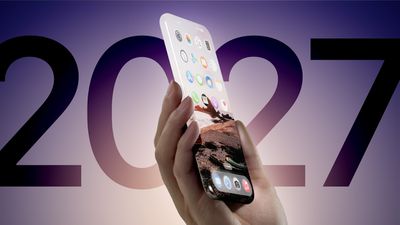
Apple is rumored to be planning a redesigned iPhone model for release in 2027, to mark the 20th anniversary of the device's launch. However, a source with a proven track record has now cast doubt on the device featuring an all-screen design.
In his Power On newsletter last month, Bloomberg's Mark Gurman said that Apple was planning a 20th-anniversary iPhone model "without any cutouts in the display." He later added that the device would have "extraordinarily slim bezels" around the screen, along with "curved glass sides around the entire phone, even at the edges."
In a post on X today, however, Counterpoint Research VP Ross Young revised his expectations for future iPhone displays. He now believes that the first iPhone with both under-screen Face ID and an under-screen front camera will be released all the way in 2030, suggesting that a truly all-screen iPhone remains a full five years away.
At one point, Young expected an iPhone with under-screen Face ID and an under-screen front camera to launch as early as 2027, so his current expectation of 2030 is disappointing news for Apple fans, if accurate. At the same time, it is not too shocking, as an all-screen iPhone is one of those rumors that seems to get pushed back over and over again.
Gurman and Young both have very good track records with Apple rumors, but their timelines for an all-screen iPhone now differ, so we will have to wait and see if Gurman responds. If we go by the latest word from Young, though, the 20th-anniversary iPhone might not be the ambitious, all-screen model that Apple fans have long dreamed of.
Gurman and Young have shared conflicting information in the past. In February 2024, Young was first to report that the rumored micro-LED Apple Watch Ultra was canceled. In a since-deleted post on X, Gurman responded by telling Young that he was looking forward to wearing his micro-LED Apple Watch in a few more years. A few weeks later, Gurman relented and reported that the micro-LED Apple Watch project had been canceled.
Amazon today is taking up to $55 off Wi-Fi and cellular models of Apple's 11th generation iPad. Prices start at $299.00 for the 128GB Wi-Fi iPad, down from $349.00, a second-best price on this model.
Note: MacRumors is an affiliate partner with Amazon. When you click a link and make a purchase, we may receive a small payment, which helps us keep the site running.
Additionally, Amazon has the 512GB Wi-Fi iPad for $594.95 ($55 off) and the 128GB cellular iPad for $449.00, down from $499.00. Amazon is providing an estimated delivery of around June 28 for free shipping, while Prime members should be able to get the tablets a bit faster in most cases.
The 11th generation iPad is mainly a spec bump for the tablet line, now featuring the A16 chip and more storage, with the same design as the 10th generation iPad. The new iPad starts with 128GB of storage, and is also available in 256GB and a new 512GB configuration. The previous model was only available in 64GB and 256GB configurations.
If you're on the hunt for more discounts, be sure to visit our Apple Deals roundup where we recap the best Apple-related bargains of the past week.
Deals Newsletter
Interested in hearing more about the best deals you can find in 2025? Sign up for our Deals Newsletter and we'll keep you updated so you don't miss the biggest deals of the season!
Apple is engaged in eleventh-hour negotiations with European Union regulators in an effort to delay or avoid a new wave of financial penalties stemming from noncompliance with the bloc's Digital Markets Act (DMA), the Financial Times reports.
The company is under pressure to make significant changes to its App Store policies in the European Union after being fined €500 million earlier this year for preventing developers from directing users to alternative purchasing options outside of Apple's in-app payment system. That practice, referred to by regulators as "anti-steering," is explicitly prohibited under the DMA, which came into effect for designated gatekeepers, including Apple, in March 2024.
People involved in the discussions told the Financial Times that Apple is preparing to offer new concessions ahead of a Thursday, June 26 deadline, after which the European Commission is empowered to impose escalating daily fines of up to 5% of Apple's average global turnover. Based on Apple's 2023 revenue of $383 billion, such fines could amount to more than $50 million per day.
Apple's expected concessions will primarily relate to its steering rules, which have previously required developers to use Apple's payment infrastructure and prohibited them from linking users to external purchasing platforms. The upcoming proposals may ease those restrictions.
Apple introduced a new framework for alternative app marketplaces in the EU in iOS 17.4, which went into effect in March. The update allows developers to distribute apps through third-party app stores and to use alternative payment methods within their own apps.
However, some major developers and the European Commission itself argue that the changes do not go far enough to satisfy the requirements of the DMA. In particular, attention has focused on the Core Technology Fee (CTF), a charge of €0.50 per annual install on apps distributed outside the App Store after the first one million downloads. Sources cited by the Financial Times said the Core Technology Fee has also been part of the recent discussions between Apple and the European Commission.
Note: Due to the political or social nature of the discussion regarding this topic, the discussion thread is located in our Political News forum. All forum members and site visitors are welcome to read and follow the thread, but posting is limited to forum members with at least 100 posts.
With iPadOS 26, Apple is introducing a new Local Capture feature that lets users produce high-quality video and audio recordings right from their iPad while using any video conferencing app, and then easily share the audio and video files once the call is over.
Recently, Six Colors editor Jason Snell decided to put the new local audio and video capture feature in the iPadOS 26 beta through its paces, recording an entire podcast episode using nothing but iPads, and it's fair to say that he was very impressed with the results.
In iPadOS 18 and earlier versions, Apple makes remote podcasting on iPad basically impossible due to a privacy-protective limitation: the system only allows one app to access the microphone at a time. This means podcasters can't run a video call app like Zoom while simultaneously using a separate recording app to capture their own voice locally.
Apple's solution in iPadOS 26 sidesteps the multi-app microphone access issue entirely. Instead of allowing multiple apps to compete for audio access, the system now includes a built-in Local Capture feature accessible through Control Center. This records high-quality local audio and video whenever you're on a call, saving files directly to the Files app, ready for sharing.
The captured files contain lossless audio in FLAC format and video in HEVC, which ensures professional-grade quality. Snell noted the feature worked flawlessly even in the first developer beta, though he suggested Apple could add real-time audio level monitoring and gain adjustment controls before release. "Beyond that," says Snell, "this feature is a winner."
Let's see if Apple responds to his feedback. You can read his full appraisal over on Six Colors. iPadOS 26 remains in developer beta, with the public release expected in the fall.
Next year's iPhone 18 will use TSMC's next-generation 2-nanometer fabrication process in combination with an advanced new packaging method, and the world's leading pure-play foundry has reportedly already established a dedicated production line for Apple in anticipation of mass production in 2026.
According to previous reports, Apple's A20 chip in iPhone 18 models will switch from the previous InFo (Integrated Fan-Out) packaging to WMCM (Wafer-Level Multi-Chip Module) packaging. Technically, the differences between the two packaging methods are quite striking.
InFo allows integration of components, including memory, within the package but focuses more on single-die packaging where memory is typically attached to the main SoC (such as DRAM placed on top or near the CPU and GPU cores). It's optimized for reducing the size and improving the performance of individual chips.
WMCM, on the other hand, excels at integrating multiple chips within the same package (hence the "Multi-Chip Module" part). This method allows more complex systems, such as CPUs, GPUs, DRAM, and other custom accelerators (e.g., AI/ML chips) to be tightly integrated in one package. It provides greater flexibility in arranging different types of chips, stacking them vertically or placing them side by side, while also optimizing communication between them.
TSMC plans to start manufacturing 2nm chips in late 2025, and Apple is expected to be the first company to receive chips built on the new process. TSMC generally builds new fabs when it needs to increase production capacity to handle significant orders for chips, and TSMC is expanding in a major way for 2nm technology.
To serve its major client Apple, TSMC has established a dedicated production line at its Chiayi P1 fab, where WMCM packaging monthly capacity is expected to reach 10,000 units by 2026, reports DigiTimes. According to Apple analyst Ming-Chi Kuo, only "Pro" models in the iPhone 18 series are likely to use TSMC's next-generation 2nm processor technology because of cost concerns. Kuo also believes that the iPhone 18 Pro will feature 12GB of RAM as a result of the new packaging method.
Terms like "3nm" and "2nm" describe generations of chip manufacturing technology, each with its own set of design rules and architecture. As these numbers decrease, they generally indicate smaller transistor sizes. Smaller transistors allow more to be packed onto a single chip, typically resulting in increased processing speed and improved power efficiency.
Last year's iPhone 16 series is based on an A18 chip design built using a second-generation "N3E" 3nm process. Meanwhile, this year's upcoming iPhone 17 lineup is expected to use A19 chip technology that's likely built on an upgraded 3-nanometer process called "N3P." Compared to earlier versions of 3nm chips, the N3P chips offer increased performance efficiency and increased transistor density.
Apple's February launch of the iPhone 16e, which replaced the iPhone SE line, marked a strategic shift in the company's flagship smartphone lineup. Starting at $599, the iPhone 16e offers a 6.1-inch OLED display, Face ID, an A18 chip, and a USB-C port, positioning it as a more affordable alternative within the iPhone 16 family. Does that mean we should expect an iPhone 17e to be added to the upcoming iPhone 17 series?
Apple's iPhone 17 lineup is expected to feature four models: iPhone 17, iPhone 17 Pro, iPhone 17 Pro Max, and a new ultra-thin iPhone 17 Air that replaces the existing Plus model. The iPhone 17 Air is rumored to have a significantly thinner design with an aluminum chassis and a 6.6-inch display, aiming to offer a balance between portability and performance.
Given this lineup, it's natural to question whether Apple will continue the "e" series with an iPhone 17e, since the introduction of the iPhone 17 Air could potentially represent Apple's approach to providing a mid-tier option, replacing the need for an "e" variant. However, Apple is likely to market the new ultra-thin Plus-replacing device as a desirable premium option despite its single camera and lack of other features, so we do not expect it to sell for less than $899, which is the current price for the iPhone 16 Plus. At $899, the iPhone 17 Air would be more expensive than the iPhone 17, but less expensive than the iPhone 17 Pro.
A stronger possibility is that Apple releases an iPhone 17e next year around the same February window, using the model's launch as a way to reinvigorate its flagship lineup mid-cycle. Apple could choose to do this each year. It's a more exciting strategy than simply offering new iPhone colors in the spring, which Apple has done in the past.
Indeed, one rumor in April suggested Apple's next-generation iPhone 17e was already nearing the trial production stage, though the leaker behind the claim suggested a May 2026 release for the device rather than February. In addition, respected industry analyst Ming-Chi Kuo ha since predicted that Apple will launch a second-generation iPhone 17e in the first half of next year. And it is not expected to be the last of its kind.
Looking further ahead, Kuo says a third-generation "e" device will reportedly be released alongside the standard iPhone 18 in the first half of 2027. That's because Apple is now said to be launching the standard iPhone 18 and iPhone 18e in the spring – a full six months after the iPhone 18 Pro models – as part of its switch to a split iPhone yearly launch strategy.
If the claims turned out to be inaccurate, Apple could always opt to release "e" series iPhone models based on a non-linear roadmap, similar to the iPhone SE. The first-generation iPhone SE was released on March 2016, while the second-generation model arrived in April 2020, and the third-generation iPhone SE came in March 2022.
As Apple continues to evolve its iPhone strategy, the success of the iPhone 16e in the coming months may ultimately determine whether we'll see future "e" variants alongside the main iPhone lineup. In that sense, iPhone 16e sales figures and user feedback may be the best gauge as to where Apple might head next. And early reports suggest the device is doing well: recent data from Consumer Intelligence Research Partners (CIRP) suggests Apple's iPhone 16e is off to a strong start, capturing 7% of U.S. iPhone sales in its first partial quarter of availability.