Apple will increase the price of its high-end iPhones by just $100 per model upon the announcement of the iPhone 18 Pro and iPhone 18 Pro Max, Bloomberg's Mark Gurman reports, which is a smaller bump than many had been bracing for ahead of today's event.
In June, Apple hiked the cost of all of its Macs, iPads, and home products in response to the global memory shortage, but chose to keep iPhone pricing intact at the time. That is widely expected to change today, with the iPhone 18 Pro and iPhone 18 Pro Max expected to come in at a higher price than their predecessors.
Gurman's $100 figure comes in well below some of the more dire predictions floated over the summer. Analytics firm IDC had suggested increases of up to $200 for the Pro models, while GF Securities analyst Jeff Pu warned costs for the A20 Pro chip, RAM, and storage could push prices as much as $300 higher. TrendForce, citing memory chip costs that have risen nearly 400% year-on-year, had also modeled a $150 to $200 jump. Apple appears to be absorbing more of that cost itself rather than passing all of it on to buyers.
Earlier this year, Apple took steps to soften the blow of rising prices by launching the Apple Upgrade program in the U.S. The Klarna-backed leasing plan allows customers to pay a monthly fee in perpetuity and swap their device out annually for the newest version. Wireless carriers could also help to ease iPhone "sticker shock" by offering aggressive installment plans and trade-in incentives, Gurman added.
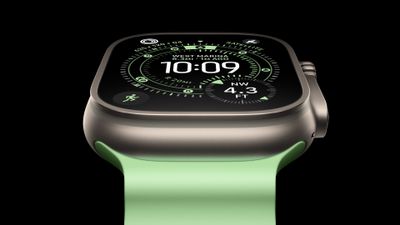
Apple has highlighted a battery boost with each new Ultra model. Last year, the Ultra 3 was rated for up to 42 hours of normal use, up from 36 hours on the Ultra 2.
Apple's upcoming iPhone 18 Pro will come with a narrower Dynamic Island that will allow it to display more Live Activities than the current iPhone 17 Pro, according to Bloomberg.
Mark Gurman reports that the new "smaller and improved" Dynamic Island on the iPhone 18 Pro and iPhone 18 Pro Max will allow users to "toggle between three live tasks" at the top of their screen.
Previously, the Dynamic Island could only display up to two Live Activities at a time. This design has been in place since the iPhone 14 Pro and iPhone 14 Pro Max, which launched in 2022.
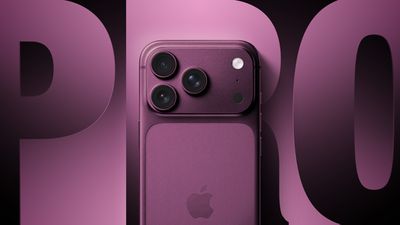
Otherwise, Gurman says the look of the iPhone 18 Pro models is similar to the iPhone 17 Pro models, save for a new "burgundy red" color option replacing the popular Cosmic Orange. Sky blue and Silver have also been reported previously as potential color options.
Internal upgrades include a new A20 Pro chip manufactured using TSMC's 2nm process, longer battery life, a revamped vapor chamber cooling system, and a mechanical aperture lens that enables more precise depth of field and better low-light performance – though this latter feature may be exclusive to the larger iPhone 18 Pro Max.
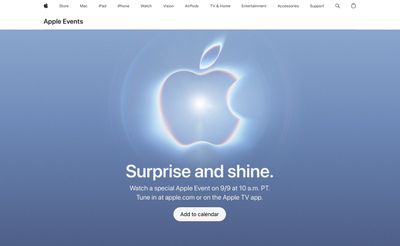
Apple's "Surprise and Shine" event kicks off at 10:00 a.m. Pacific Time later today, and we'll have full coverage right here on MacRumors.
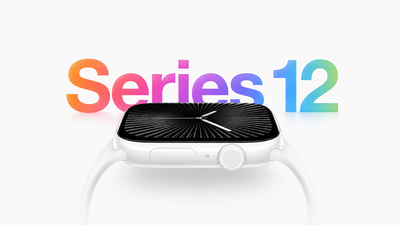
The Apple Watch Series 12 and Ultra 4 models set to be unveiled today include a new privacy-focused feature that can analyze your day and provide a summary of what took place, including conversations you've had, according to Bloomberg's Mark Gurman.
Gurman says the feature is designed to compete with the wave of recent AI wearables that promise to log and recall a user's day. Unlike some of those devices, Apple's system apparently cannot show a transcript and does not record or store audio, which is a distinction Apple is likely to promote on given the privacy concerns raised by always-listening AI hardware.
The feature will arrive alongside the new "Readiness" app, a variant of the existing Vitals app that Apple is introducing to compete more directly with wearable fitness software from Oura and Whoop. Readiness draws on the Apple Watch's sensor array, including heart rate and blood-oxygen data, and Apple is pairing the new health and fitness features with a revamped Health app for the iPhone.
The Apple Watch Series 12 and Apple Watch Ultra 4 will also receive new color options along with changes to the case and bands. The Series 12 will bring back a ceramic case option for the first time since the Apple Watch Series 5. The Ultra 4 will purportedly tout improved battery life.
Apple is set to unveil its first foldable iPhone on Wednesday, September 9, at the company's "Surprise and Shine" event beginning at 10:00 a.m. Pacific Time, and a last-minute leak from Bloomberg's Mark Gurman has revealed some key details about the foldable.
Foldable iPhone name: Previous rumors and reports have clung to the name "iPhone Ultra" for Apple's first foldable iPhone – a name that Gurman himself has used several times in the past. However, in his latest report, Gurman says Apple has settled on the name "iPhone Duo" for the device.
Base storage: A rumor from back in March suggested the foldable iPhone would have a base storage capacity of 256GB, with 512GB and 1TB options also available. Gurman's latest report corroborates the base 256GB storage option. While his report doesn't mention the other two storage options, it seems likely they will define two higher price points.
Starting price: TrendForce estimates and other reports have suggested the iPhone Duo will start at above $2,000, and perhaps go as high as $2,500. Gurman's latest report says the starting price will be $2,000 for the 256GB model, while the highest-capacity model will be around $3,000.
Color options: Previous rumors suggested Apple would "stay away from fun colors" for its first foldable iPhone, with a darker color being described as a shade of indigo rather than black. Gurman's last-minute report backs up that idea, saying the iPhone Duo will come in white and dark blue.
Gurman says the iPhone Duo will "go on sale as early as October," suggesting it will be available to buy at a later date than the iPhone 18 Pro models, which are also expected to be unveiled today at Apple's "Surprise and Shine" event.
A series of screenshots seemingly show Verizon's AI chat assistant answering detailed questions about the iPhone 18 Pro and iPhone 18 Pro Max, just hours before Apple's announcement event.
The screenshots were shared privately with MacRumors by an X user who says the responses came from the "Ask Verizon" AI assistant built into the carrier's app. The conversation is timestamped September 8 at 1:48 to 1:52 p.m., the day before Apple's "Surprise and shine" event. According to the screenshots, the assistant made the following interesting claims about the iPhone 18 Pro and iPhone 18 Pro Max:
The iPhone 18 Pro Max features the same variable aperture main camera lens as the iPhone 18 Pro.
Variable aperture lets the lens opening adjust between f/1.4 and f/4.0 for better low-light shots, natural bokeh, and sharper group photos.
The iPhone 18 Pro Max gets an "advanced" Sensor-shift OIS for improved low-light video stabilization and a larger main sensor for more detail and light.
The iPhone 18 Pro Max features a 48MP telephoto camera with up to 10x optical zoom, up from 8x on the iPhone 18 Pro.
The iPhone 18 Pro Max has 16GB of RAM, compared to 12GB on the iPhone 18 Pro.
The iPhone 18 Pro starts at $1,099.99, with the iPhone 18 Pro Max starting at $1,199.99.
The iPhone 18 Pro comes in four colors: Dark Cherry, Titanium Gray, Titanium White, and Titanium Black.
Several of these claims sit awkwardly next to what's already been reported. The pricing the chatbot gave, $1,099.99 for the iPhone 18 Pro and $1,199.99 for the Pro Max, exactly matches the iPhone 17 Pro's current starting prices, even though there is a general consensus from analysts that prices will increase this generation.
The color names are also seem to be incorrect. Recent leaks have pointed to Dark Cherry alongside Silver and Sky Blue, not the "Titanium Gray," "Titanium White," and "Titanium Black" names the assistant listed, which more closely resemble the finish names Apple used for the iPhone 15 Pro lineup back in 2023. This clearly raises the possibility that the chatbot pulled outdated or unrelated training data rather than surfacing a genuine leak. The assistant also made a series of more plausible claims:
The iPhone 18 Pro has a 6.3-inch Super Retina XDR display, while the iPhone 18 Pro Max has a 6.9-inch display.
The iPhone 18 Pro Max offers longer battery life than the Pro due to its larger size.
Both models feature a triple-lens rear camera system.
The main camera is 48MP with the f/1.4 to f/4.0 variable aperture and Sensor-shift OIS.
The ultra wide camera is 48MP, aimed at high-resolution macro and wide shots.
Both models support ProRAW and ProRes video recording.
Both models are powered by the A20 Pro chip.
We have been unable to independently verify or replicate the exchange, suggesting the chatbot may have since been patched, or that the original screenshots were altered or otherwise inaccurate. Given that, and the fact that AI chatbots are known to hallucinate plausible sounding but false information, the claims should be treated with skepticism rather than as a legitimate leak.
Update: Verizon tells MacRumors that the alleged leak from the AI chatbot is untrue.
For months now, the foldable iPhone has generally been referred to as the "iPhone Ultra," even internally, but Apple is apparently going in a different direction for the official name, emphasizing the dual-screen nature of the device.
Gurman says the iPhone Duo will start at $2,000 for 256 GB of storage and max out at around $3,000. Rumors had suggested the phone would likely start at above $2,000, perhaps as high as $2,500, so a $2,000 entry-level price could help bolster customer demand.
The entry-level version will include 256 gigabytes of storage, with Apple offering higher-capacity versions that will take the price all the way up to roughly $3,000. Apple blew through its cost goals due to the recent memory shortage, so it's eating some of the expense to keep within reach of $2,000. It's also passing the costs along to consumers who buy higher capacities.
As for availability, the device will reportedly come in white and dark blue and "go on sale as early as October." Rumors have long suggested the foldable iPhone could launch later than the iPhone 18 Pro and Pro Max due to production difficulties, although Gurman previously stressed that the gap in launch timing would be minimal.
Other iPhone Duo details in Gurman's report include the use of a new A20 Pro chip, Apple's C2 modem, dual 48-megapixel rear cameras, a 12-megapixel front camera, a magnetic hinge system and "support for the Apple Pencil stylus." Gurman said last week that Apple had tested a smaller version of the Apple Pencil for use with the foldable iPhone, but said that a launch was unlikely.
Today's last-minute report includes a few other details on the iPhone 18 Pro and Pro Max, as well as Apple Watch Series 12 and Ultra 4 models and AirPods 5 models. While most of the details on those products had previously been rumored, Gurman notably says that the iPhone 18 Pro and Pro Max will see $100 price increases compared to their current equivalents, a smaller increase than some had feared.
Apple's "Surprise and Shine" event kicks off at 10:00 a.m. Pacific Time tomorrow, and we'll have full coverage throughout our MacRumors channels.
Apple today released a firmware update (version 1.4.90) for its 140W USB-C Power Adapter.
It is unclear what is included in the latest firmware, as Apple does not publish release notes for this. The update will be installed automatically over time when the power adapter is plugged in and connected to a Mac or other device. There is no way to manually apply the update.
Apple today released a firmware update (4A203) for its upcoming Beats 360 headphones, suggesting that a launch is approaching. With the firmware now available, it seems likely that Apple will announce the Beats 360 at some point in September.
Beats 360 have already leaked across multipleregulatory databases and retail listings over the past several months, and soccer stars like Lamine Yamal and Antonee Robinson were spotted wearing them around the 2026 FIFA World Cup.
MacRumors was first to report on the Beats 360 name last month after the headphones appeared in various retail listings on Amazon and other reseller websites, some of which have since been removed. The listings revealed that the headphones will be available in Black, Cloud, Sky, and Pink, at a minimum. There will also be interchangeable Performance Knit and UltraPlush ear cushions and headbands that come in those same four colors, plus extra options like Volt and Navy, allowing you to create your own personalized look.
Beats 360 have a unique design with some similarities to the AirPods Max, including telescoping headband arms that smoothly extend and stay in place to maintain the desired fit. One of the product listings said the over-ear headphones offer up to 1.75× more noise cancellation than the Beats Studio Pro that came out in 2023.
The listing also said that the Beats 360 are Apple's first-ever sweat-resistant and water-resistant over-ear headphones, with an IPX4 rating.
Other features and specs mentioned in the listing included all-day battery life, a fold-flat design, and a high-fidelity acoustic platform. According to code uncovered by MacRumors contributor Aaron Perris, the Beats 360 will support hands-free Siri, meaning that you can say "Hey Siri" or simply "Siri" to activate the assistant.
Beats 360 will come with a set of interchangeable Performance Knit cushions and a woven ripstop fabric carrying case, but customers will need to supply their own USB-C charging cable and power adapter. One listing said the headphones will be priced at $299.99 in the U.S., but we cannot confirm if that information is accurate.
Beats Studio Pro are regularly priced at $349.99.
It is unclear exactly when Apple plans to officially unveil the Beats 360, but with all of these leaks across regulatory databases, athlete teasers, retail listings, and firmware updates, an announcement this month seems likely.
Apple is hosting an online streaming event for the public and press on Wednesday, September 9 at 10:00 a.m. Pacific Time. The company is expected to announce new iPhone 18 Pro models and a new foldable "iPhone Duo" alongside new Apple Watch models, and potentially AirPods 5 and other products during the event, dubbed "Sunshine and Shine." Here's how you can watch it and when, wherever you are in the world.
There are multiple ways to watch the September 9 event, with details listed below. We've also included a useful guide on when the event will take place in your particular time zone.
Apple Events Website
With the Apple Events website, you can watch the event live on a Mac, iPhone, iPad, PC, or any other device with a web browser. The Apple Events website works in Safari, Chrome, Firefox, and other main browsers.
Just navigate to www.apple.com/apple-events/ using a web browser at the appropriate time to watch. You can visit the site now to add an event reminder to your calendar.
YouTube
Apple also plans to stream the event live on YouTube, which is perhaps the easiest and most efficient way to watch because the YouTube live stream can be viewed on every platform where YouTube is available, which is pretty much all platforms, from smartphones and tablets to consoles and smart TVs.
Apple used to have a dedicated Apple Events app on the Apple TV, but ahead of WWDC 2020, it was folded into the Apple TV app. On event day, there will be a prominent Apple TV app section dedicated to the live stream, which can be watched on any device where the Apple TV app is available.
This includes the Apple TV, iPhones, iPads, and Macs, as well as select smart TVs, streaming devices, and gaming consoles. If you have an Apple TV, the Apple TV app is one of the best ways to watch the event live. Apple hasn't updated the Apple TV app with the new event as of yet, but it should be added soon.
Apple's event will take place at 10:00 a.m. Pacific Time, like most Apple events. Event times in other time zones are listed below.
Honolulu, Hawaii — 7:00 a.m. HST
Anchorage, Alaska — 9:00 a.m. AKDT
Cupertino, California — 10:00 a.m. PDT
Phoenix, Arizona — 10:00 a.m. MST
Vancouver, Canada — 10:00 a.m. PDT
Denver, Colorado — 11:00 a.m. MDT
Dallas, Texas — 12:00 noon CDT
New York, New York — 1:00 p.m. EDT
Toronto, Canada — 1:00 p.m. EDT
Halifax, Canada — 2:00 p.m. ADT
Rio de Janeiro, Brazil — 2:00 p.m. BRT
London, United Kingdom — 6:00 p.m. BST
Berlin, Germany — 7:00 p.m. CEST
Paris, France — 7:00 p.m. CEST
Cape Town, South Africa — 7:00 p.m. SAST
Helsinki, Finland — 8:00 p.m. EEST
Istanbul, Turkey — 8:00 p.m. TRT
Dubai, United Arab Emirates — 9:00 p.m. GST
Delhi, India — 10:30 p.m. IST
Jakarta, Indonesia — 12:00 a.m. WIB next day
Shanghai, China — 1:00 a.m. CST next day
Singapore — 1:00 a.m. SGT next day
Perth, Australia — 1:00 a.m. AWST next day
Hong Kong — 1:00 a.m. HKT next day
Seoul, South Korea — 2:00 a.m. KST next day
Tokyo, Japan — 2:00 a.m. JST next day
Adelaide, Australia — 2:30 a.m. ACST next day
Sydney, Australia — 3:00 a.m. AEST next day
Auckland, New Zealand — 5:00 a.m. NZST next day
MacRumors Coverage
If you're not able to watch or just want to follow along with us as we watch the event unfold, visit MacRumors.com for our liveblog or follow us on Twitter at MacRumorsLive for our live tweet coverage.
Both the MacRumors site and our X (Twitter) account are excellent ways to discuss the new announcements with other Apple enthusiasts as Apple unveils its new products. Later in the day and throughout the week, we'll also have much more in-depth coverage of all of Apple's announcements, so make sure to stay tuned.
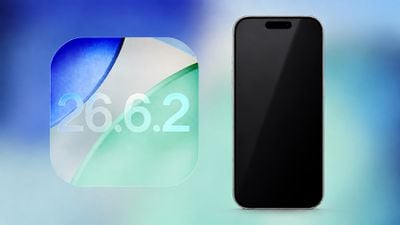
Apple today released iOS 26.6.2 with a fix for "an issue that prevents downloading a software update over a cellular connection."
The minor software update is rolling out now for the iPhone 11 series and newer. To update your iPhone, open the Settings app and tap on General → Software Update. It might take a few minutes for the update to be visible to everyone.
iOS 26.6.2 arrives approximately three weeks after iOS 26.6.1, which delivered security fixes.
Apple is expected to release iOS 27 later this month, with the company likely to announce a release date during its event this Wednesday.
Apple's biggest event of the year is almost here, and all eyes are on Cupertino. With the first foldable iPhone expected to headline Apple's "Surprise and Shine" event on Wednesday, September 9, at 10:00 a.m. Pacific Time, the rumor mill has been running full throttle, fuelled by the biggest single design change in the life of the iPhone.
To get you up to speed, here's a quick reference guide to the rumored upgrades, expected prices, and possible pre-order/release dates of everything we're expecting to see today.
Rumors by Model
iPhone 18 Pro / Pro Max
Similar overall design to the iPhone 17 Pro models, with a more uniform finish across the aluminum and glass back.
Smaller Dynamic Island, said to be achieved by Apple moving some Face ID components beneath the screen.
More efficient LTPO+ displays.
A20 Pro chip manufactured using TSMC's 2nm process.
12GB of RAM and 256GB starting storage.
Variable-aperture main camera for greater control over light and background blur – although reports disagree on whether this will be exclusive to the Pro Max.
Possible Samsung image sensor for improved image quality and camera responsiveness.
Simplified Camera Control button that retains pressure sensing but removes the capacitive layer.
Larger battery in the Pro Max, which could well result in a slightly thicker and heavier body.
Possible Apple C2 modem, although U.S. models could retain Qualcomm modems for mmWave support.
The strongest color rumors include Dark Cherry, Light Blue, and Silver. Other rumors have suggested no Silver, and a black finish has also been suggested.
iPhone Duo (Foldable)
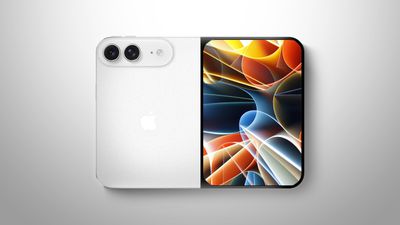
Apple's first folding iPhone, with "iPhone Duo" among the rumored names, with "iPhone Fold" and "iPhone Ultra" remaining outlying possibilities.
Book-style design with an approximately 5.5-inch outer display and 7.8-inch inner display.
Chassis measuring just 4.5mm thick when unfolded.
Liquid-metal hinge and an extremely inconspicuous – but not completely invisible – display crease.
Touch ID integrated into the Side button in lieu of Face ID.
Wide and Ultra Wide rear cameras, plus selfie cameras on both the outer and inner displays.
A20 Pro chip and an expected 12GB of RAM.
MagSafe charging support.
iPad-like multitasking, including side-by-side apps.
Silver/white and a very dark indigo finish among the rumored colors.
Apple Watch Series 12
Familiar design, with no major change to the case expected.
Faster S12 chip and improvements to health and fitness tracking.
Possible return of a ceramic case, with white and dark gray versions reportedly tested.
Continuous heart-rate monitoring throughout the day among the features Apple is testing, along with a new "Readiness" app.
More wellness metrics through revamped Health and Fitness experiences.
Apple Watch Ultra 4
Similar design to the Apple Watch Ultra 3.
Faster S12 chip and related health and fitness improvements.
Likely continuous heart-rate collection if the Series 12 gets it.
Possible expansion of satellite capabilities, including Apple Maps and photo sharing in Messages.
AirPods 5 (Possible)
Two versions expected, with and without active noise cancellation.
Possible H3 chip for better sound quality and lower latency.
iPhone 18 (Regular)
The regular iPhone 18 is not expected to feature tomorrow. Apple is reportedly moving that model's launch to spring 2027, when the iPhone 18e and iPhone Air 2 are also expected to debut as part of a new split-year release schedule.
iPhone 18 Pro and iPhone Duo Pricing Expectations
Higher memory costs could push up prices for both Pro models this year. Based on TrendForce's forecasts for the Pro models and Bloomberg's latest reporting on the foldable, the possible U.S. starting prices are:
Model
Estimated Starting Price
iPhone 18 Pro
$1,249–$1,299
iPhone 18 Pro Max
$1,349–$1,399
iPhone Duo
$2,199 (rumored)
Remember that these are estimates, with the Pro figures representing possible prices sourced from TrendForce's projected increases. Bloomberg's Mark Gurman today reported that the device will have a $2,000 starting price for the foldable with 256GB of storage, with some upgraded storage configurations potentially approaching $3,000. Reliable figures for every storage tier are not available.
When Can I Pre-order iPhone 18 Pro and iPhone Duo?
iPhone 18 Pro pre-orders could begin on Saturday, September 12, at midnight Pacific Time / 3 a.m. Eastern Time. The potential Saturday opening would avoid September 11, similar to Apple's approach in 2015.
Friday, September 18 is the most likely release date for the iPhone 18 Pro and Pro Max. It's our best educated guess, but we believe that is when deliveries and retail availability will begin.
As already mentioned, reports remain divided on the foldable's launch schedule. There's still a possibility that its unveiling tomorrow may precede its arrival in stores by several weeks or more.
MacRumors Coverage
Follow MacRumors.com and our MacRumorsLive account on Twitter (X) for coverage as the announcements happen. We'll have individual stories on the new products, followed by more detailed looks at their features, pricing, and availability throughout the week. Stay tuned!
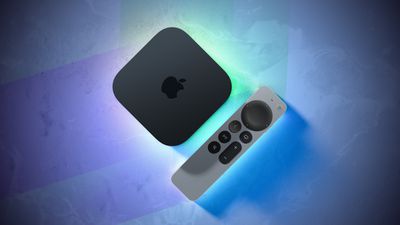
The next Apple TV 4K will be equipped with an A19 or A19 Pro chip, according to evidence in Apple's code uncovered by MacRumors contributor Aaron Perris. In particular, the device's model identifier points towards the A19 generation of chips.
Accordingly, the next Apple TV would have 8GB or 12GB of RAM, up from 4GB in the current 2022 model with the A15 Bionic chip. Other rumored upgrades for the next model include Siri AI support, an Apple-designed N1 wireless networking chip with Wi-Fi 7 support, and a revised Siri Remote.
Nearly all configurations of the Apple Watch SE 3 are suddenly "unavailable" on Apple's online store in the U.S. and other countries we checked, for reasons unknown.
Apple is holding an event this Wednesday to announce new iPhones and Apple Watches, but an Apple Watch SE 4 was not expected tomorrow, as new generations of the Apple Watch SE have never been released in back-to-back years. The original Apple Watch SE debuted in September 2020, the Apple Watch SE 2 arrived in September 2022, and the Apple Watch SE 3 was announced in September 2025.
Is this a sign that an Apple Watch SE 4 will be announced tomorrow after all, or is this simply a temporary issue that will be resolved soon? We shall see.
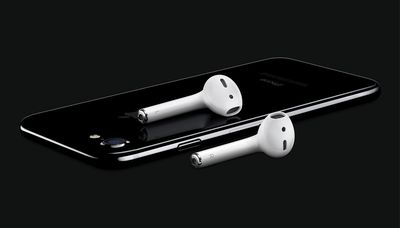
Apple unveiled the first AirPods on September 7, 2016, meaning the iconic wireless headphones are now 10 years old. However, the AirPods did not launch until December that year.
On the same day, Apple ignited controversy when it introduced the iPhone 7 and iPhone 7 Plus without a headphone jack. Apple still sells EarPods for customers who want wired headphones, with 3.5mm headphone jack, Lightning, and USB-C versions available for use with a wide variety of devices.
Apple plans to announce an all-new "Readiness" app during its "Surprise and Shine" event this Wednesday, according to Bloomberg's Mark Gurman.
In a social media post today, Gurman said the "Readiness" app will be a "variant" of the existing Vitals app on the Apple Watch. "The idea is to better compete with software from Whoop and Oura," he said. For example, Oura's smart rings offer a daily "Readiness Score" from 0 to 100 that shows how prepared your body is for the day.
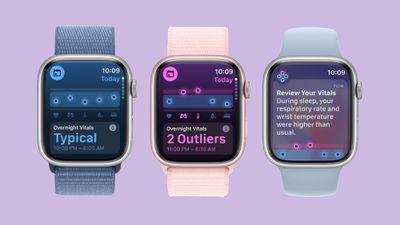
Introduced on watchOS 11, the Vitals app consolidates your key health metrics, including your average heart rate, respiratory rate, blood oxygen, wrist temperature, and sleep duration from the previous night. Based on many of the same metrics, the Readiness app would likely show you how recovered your body is for activity.
Evidence of the "Readiness" app in watchOS 27 beta code was already discovered a few days ago by a MacRumors forum member known as "pdfu."
The app will be unveiled alongside the Apple Watch Series 12 and Apple Watch Ultra 4. Gurman previously reported that both of these new models will feature continuous heart rate sensing, regardless of whether you are actively exercising.
Breakout hit comedy show "Small Prophets" has been renewed for a second season, according to Deadline, a little over a week after Apple TVacquired the worldwide rights to the show's first season. This was the first time the company has acquired the streaming rights to an existing show.
"Small Prophets" is set to stream on Apple TV worldwide starting on October 7, with creator Mackenzie Crook returning to write and direct season two.
TrinamiX, a subsidiary of the German chemical giant BASF, is suing Apple in the U.S. District Court for the Western District of Texas, accusing the company of infringing seven patents related to face authentication technology used in Face ID.
In its complaint, first reported by Reuters, trinamiX said it spent years developing technology to stop people from fooling face unlock systems with a photo, a fake mask, or a silicone copy of someone's face.
The complaint says Apple's original version of Face ID, introduced with the iPhone X in 2017, did not use trinamiX's technology, but that newer iPhones and iPads do. TrinamiX's system is designed to tell real skin apart from things like photos or masks, essentially adding a check that catches fakes conventional optical face scanning methods would miss.
The complaint alleges that "Apple knew or should have known of the high probability that updating its iPhones and iPads to incorporate Face ID using material and skin detection" infringed seven trinamiX patents, causing "substantial damages and irreparable injury." The seven patents cover two areas: detecting skin during face unlock and identifying what material something is made of.
TrinamiX names a broad swath of Apple devices as accused products, including the iPhone 15, iPhone 15 Plus, iPhone 15 Pro, iPhone 15 Pro Max, iPhone 16, iPhone 16e, iPhone 16 Plus, iPhone 16 Pro, iPhone 16 Pro Max, iPhone 17, iPhone 17e, iPhone 17 Pro, iPhone 17 Pro Max, iPhone Air, 11-inch iPad Pro (4th generation), 12.9-inch iPad Pro (6th generation), and the 11- and 13-inch iPad Pro models with the M4 and M5 chips.
TrinamiX is asking the court to find that Apple infringed its patents, to block Apple from making, using, selling, offering for sale, or importing the accused products, and to award damages and attorneys' fees. The company has requested a jury trial. The full complaint is available via IP Fray.
Apple's first foldable iPhone, with a book-style design featuring a 5.4-inch outer display and a 7.6-inch inner display with a minimal crease down the middle.



 The
The 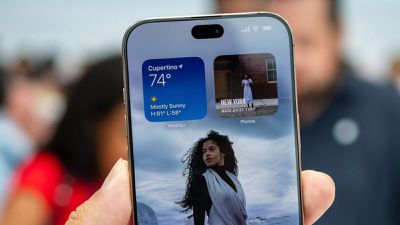

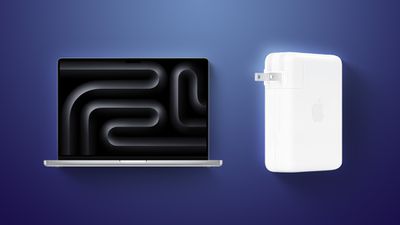 Apple today released a firmware update (version 1.4.90) for its 140W USB-C Power Adapter.


 The next Apple TV 4K will be equipped with an A19 or A19 Pro chip, according to evidence in Apple's code uncovered by MacRumors contributor Aaron Perris. In particular, the device's model identifier points towards the A19 generation of chips.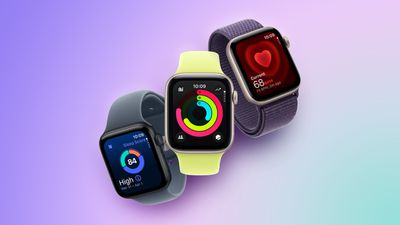
 Apple unveiled the first AirPods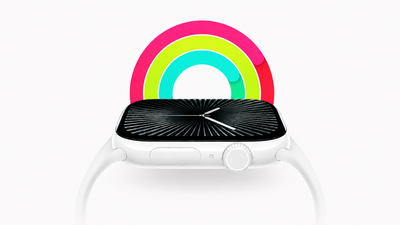
 Breakout hit comedy show "Small Prophets" has been renewed for a second season, according to