

Apple in the spring of 2020 unveiled and released the first Magic Keyboard for iPad Pro, which is similar to a Smart Keyboard for iPad but with a built-in trackpad for better navigation with a cursor. In 2021, Apple debuted a second-generation 12.9-inch version that works with the 2021 iPad Pro.
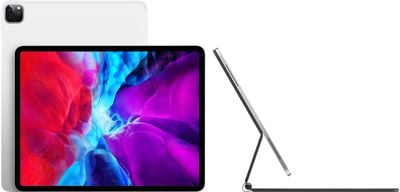
In the guide below, we cover everything we know about Apple's Magic Keyboard, including compatible devices, feature set, and more.
iPad Pro Magic Keyboard Reviews
Reviews of the Magic Keyboard for the iPad Pro have been largely positive, and many reviewers have been impressed with the key feel and the quality and functionality of the trackpad.
The biggest complaint about the Magic Keyboard has been the weight, which adds quite a lot of bulk to the iPad Pro. As mentioned above, the 12.9-inch model paired with a Magic Keyboard is heavier than a MacBook Air.
Reviewers found the trackpad to be a little bit small in comparison to the trackpad on a MacBook, but said that it works smoothly and is superior to the trackpad on Microsoft's Surface machines. Another complaint included the lack of function keys on the keyboard, preventing users from controlling things like key brightness. Below, we've included multiple review videos, and a list of sites with full reviews of the Magic Keyboard.
Written Reviews
Video Reviews




Version Differences
The first Magic Keyboard was released for the 2020 iPad Pro models in March of 2020, and a second-generation version came out in April 2021.
The Magic Keyboard for the 11-inch model is unchanged and is compatible with both the 2020 and 2021 iPad Pro models, but that's not the case for the 12.9-inch iPad Pro models.
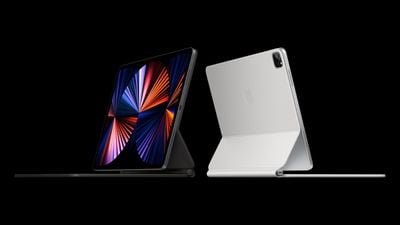
Apple's 2021 iPad Pro is 0.5mm thicker than the 2020 iPad Pro due to the inclusion of a mini-LED display in the new model, so the first-generation Magic Keyboard for iPad Pro will not fit the 2021 iPad Pro models.
The updated 12.9-inch Magic Keyboard released in 2021 is, however, backwards compatible with the 2020 model. So if you have a 2020 iPad Pro you can buy the 2021 Magic Keyboard (which is the only version available now), but if you have a 2021 iPad Pro, you will need to make sure you're getting the 2021 Magic Keyboard.
If you already have a 2020 12.9-inch Magic Keyboard, it will not fit the 2021 iPad Pro models.
It's also worth noting that in 2021, Apple also introduced a white version of the Magic Keyboard for the first time, which is available for both the 11-inch and 12.9-inch iPad Pro models.
Design
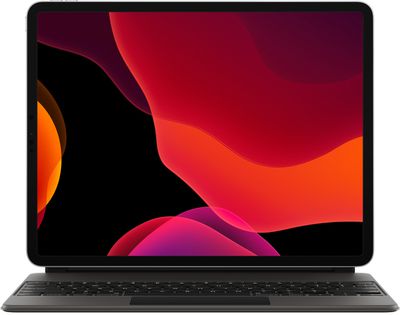
The Magic Keyboard is similar in design to Apple's prior Smart Keyboard Folio for the iPad Pro, but there are some unique design elements worth noting.
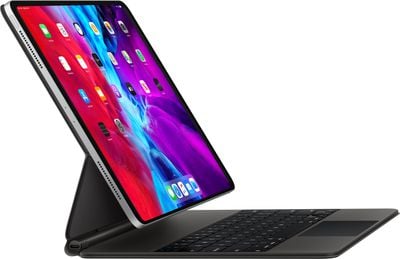
The keyboard itself attaches magnetically and wraps around the front and back of the iPad and it is flush with the iPad when closed, but when open, the back part of the keyboard case angles forward to attach to the area in front of the keyboard, leaving the iPad Pro floating in the air above the keyboard portion.

In this floating position, the iPad Pro is secured to the case using a magnetic connection. A cantilevered hinge allows the iPad Pro to be adjusted to various viewing angles. When closed, the Magic Keyboard offers front and back protection for the iPad Pro.
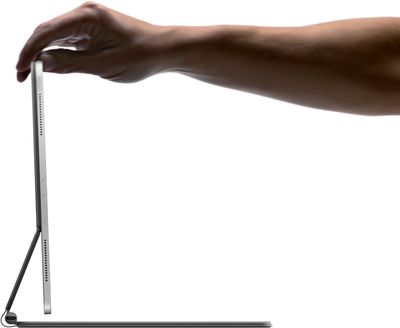
The design of the Magic Keyboard does not allow it to be flipped around to the back of the iPad Pro for a sketching or drawing mode. Using the iPad Pro outside of a standard laptop mode requires the Magic Keyboard to be removed.
Weight
The new Magic Keyboard is heavier than the iPad Pro itself, which is something to consider before purchasing. The 12.9-inch version of the Magic Keyboard weighs 710 grams (1.6 pounds), heavier than the 641 grams (1.41 pounds) of the 12.9-inch iPad Pro.
Combined, that's just about three pounds, which is heavier than a MacBook Air and close to the weight of a 13-inch MacBook Pro.
The Magic Keyboard for the 11-inch Magic Keyboard weights 601 grams (1.3 pounds), while the 11-inch iPad Pro weighs 471 grams (1.04 pounds), so the 11-inch keyboard is heavier than the 11-inch iPad Pro, but the combined weight doesn't make the setup heavier than a MacBook.
Trackpad
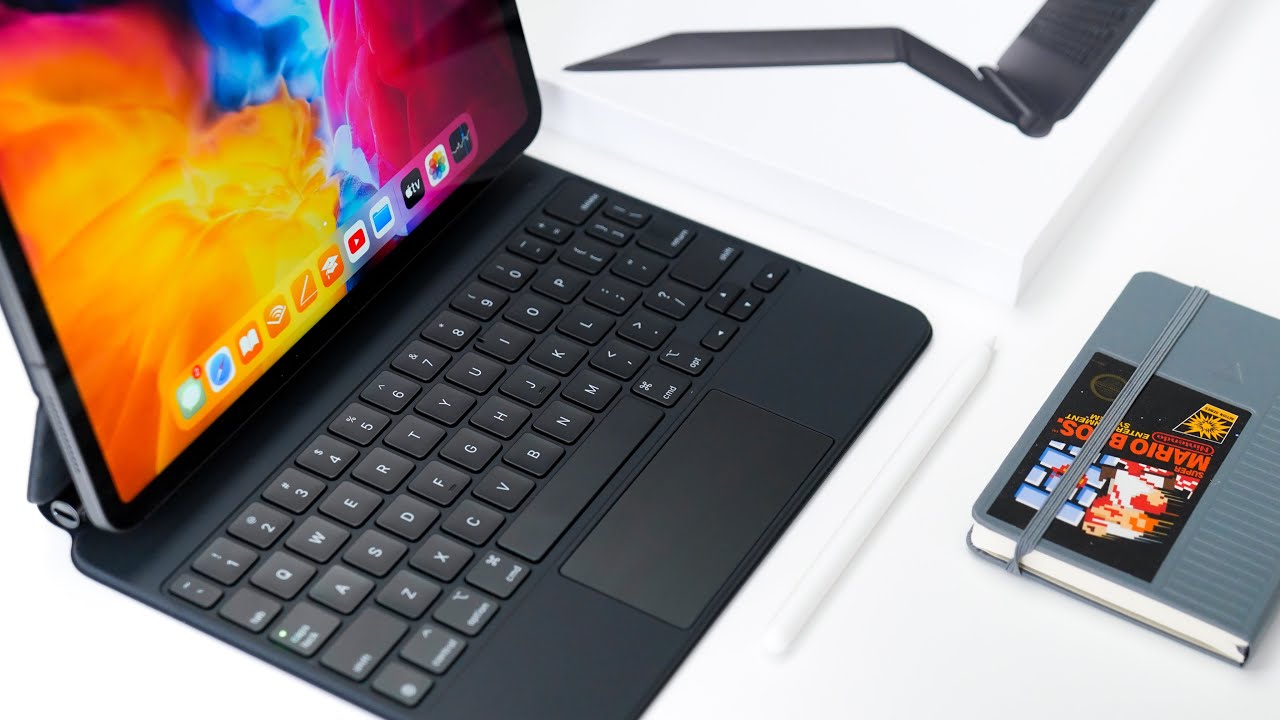
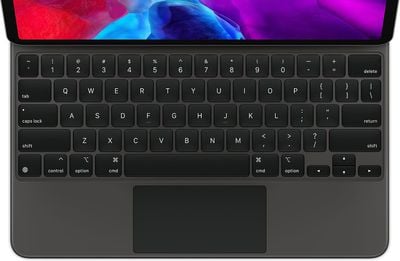
The trackpad on the Magic Keyboard is located below the keys, much like on a MacBook. It's smaller than the trackpad on a MacBook, but works in much the same way, allowing navigation throughout iPadOS with swipes, gestures, and taps.
Keys and Key Feel
The Magic Keyboard is a full-size keyboard that uses the same scissor switch mechanism that Apple first implemented in the 2019 16-inch MacBook Pro and the 2020 MacBook Air.
Scissor switches are more reliable than the butterfly switches that Apple was using in prior keyboards, with the butterfly switches prone to failure due to dust and other small particulates. The scissor switch keyboard can be seen in this x-ray of the Magic Keyboard shared by iFixit.
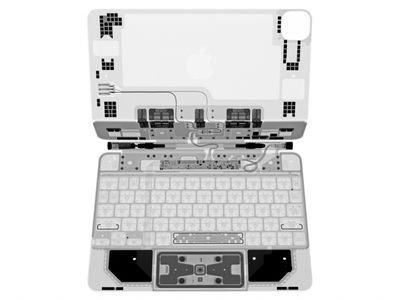
The scissor mechanism offers 1mm of travel for a quiet but responsive typing experience that Apple says is the best typing experience ever on an iPad. Compared to the Smart Keyboard Folio that does not have a trackpad, the keys on the Magic Keyboard offer a more satisfying press thanks to the 1mm of travel.
The keys on the Magic Keyboard are backlit and the brightness adjust based on the ambient lighting in the room.
Trackpad Gestures
Apple designed a unique trackpad experience built for a touch-first interface for the iPad, introducing support for multi-touch gestures and the cursor.


When using the trackpad, the cursor displays on the iPad Pro's screen as a circle, a design Apple chose because it looked similar to the tip of a finger. The cursor displays only when the trackpad is touched and is in use, and it fades away when not in use.
The Magic Keyboard works across iPadOS, with the cursor transforming when there are elements on the display that can be interacted with. The experience of using the trackpad is similar to using a trackpad on Mac, and it feels just as natural as it does on a Mac.
You can quickly edit text in apps using the cursor, scroll through Safari, enter multitasking views, and more, with a number of gestures supported. We've outlined some of the available gestures and navigation options below:
- Bring the cursor to the top right of the iPad's display to open Control Center.
- Bring the cursor to the top left of the iPad's display to open Notification Center.
- Tap to open apps.
- Press and hold to activate long press features.
- Bring the cursor to the bottom of the screen to open the Dock.
- Slide the cursor all the way to the right side of the screen to get to Slide Over apps.
- Swipe down with three fingers to access the Home screen.
- Swipe left or right with three fingers to swap between open apps.
- Swipe upwards with three fingers and hold to get to the multitasking view.
- Use pinch gestures to zoom in and out where appropriate.
- Swipe down with two fingers to bring up Spotlight search.
- Scroll through webpages in Safari with two fingers on the trackpad.
- Long press when editing text to select text to copy or drag and drop.
- Use two fingers in a text editing app to bring up Cut, Copy, and Paste options.
- Click with two fingers for a right click gesture.
Both Apple apps and third-party apps work with the trackpad by default, and developers are getting an API to add deeper trackpad support into their apps. Apple is also building support into specific apps like Pages, Keynote, and Numbers.
Lap Stability
The Magic Keyboard is stable on a lap and is built to be well-balanced for lap use. It is a rigid keyboard with no flexibility.
Tilt
The tilt of the iPad Pro when inside the Magic Keyboard can be adjusted from 90 to 130 degrees.
USB-C Port
There's a USB-C port on the Magic Keyboard that allows for passthrough charging, leaving the USB-C port on the iPad Pro itself open for connecting to displays or accessories. The USB-C port provides power to the iPad Pro inductively, and while it doesn't provide quite as much power as the standard power adapter, it's not too far off.
Some Magic Keyboard owners have had trouble charging the keyboard using a third-party charging cable or power adapter, which is something to be aware of. Apple's iPad Pro charging cable and power adapter may be required.
Compatible Devices
The first-generation 12.9-inch Magic Keyboard released in 2020 is compatible with 2018 and 2020 iPad Pro models. It is not compatible with 2021 iPad Pro models.
The second-generation 12.9-inch Magic Keyboard released in 2021 is compatible with 2018, 2020, and 2021 12.9-inch iPad Pro models.
The 11-inch Magic Keyboard options sold in 2020 and 2021 are compatible with iPad Pro models from 2018, 2020, and 2021, as well as the fourth-generation iPad Air.
Software Requirements
Using the Magic Keyboard with an iPad Pro requires the iPadOS 13.4 update, which enables mouse and trackpad support along with many trackpad gestures and options.
Magic Keyboard and Trackpad How Tos
- How to Adjust Backlight Key Brightness on a Magic Keyboard for iPad Pro
- How to Remap Modifier Keys on iPad When Using a Keyboard
- How to Use a Bluetooth Mouse or Trackpad With Your iPad
- How to Control an iPad With an External Keyboard Using Accessibility Shortcuts
Pricing and Purchase Info
The Magic Keyboard for the 11-inch iPad Pro costs $299, and the Magic Keyboard for the 12.9-inch iPad Pro costs $349. The Magic Keyboards can be purchased from Apple's online store.
Magic Keyboard Hidden Features
There are a lot of little hidden features and tweaks that aren't immediately obvious when using the Magic Keyboard, so make sure to check out our tips and tricks video to learn about some handy features like adjusting the backlighting of the keys and bringing up the onscreen keyboard.

Other Keyboard With Trackpad Options
There are a few other keyboard cases with trackpad designed for the iPad Pro and Apple's other iPads, which can be found in our guide on keyboard trackpad cases available for purchase.
In the future, the Magic Keyboard could be released for additional iPad models.
Guide Feedback
Have questions about the Magic Keyboard, know of a something we left out, or want to offer feedback on this guide? Send us an email here.












































