Skip to Content

Everything You Need to Know About Apple's Find My Network Accessory Program

by

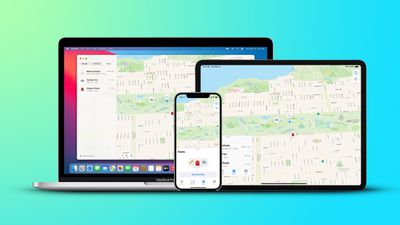
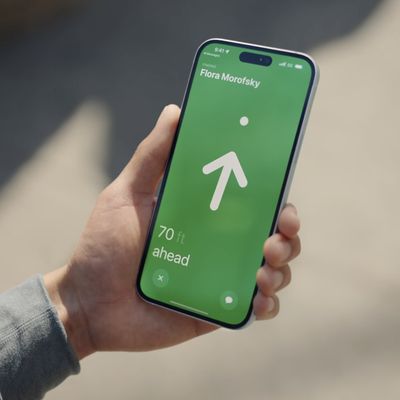
Apple launched the Find My network accessory program designed for third-party accessory makers in April 2021, allowing device makers to integrate ‌Find My‌ right into their products.

apple findmy network feature
With the ‌Find My‌ network accessory program, third-party accessory makers can add ‌Find My‌ integration to their devices, allowing products to be tracked in the ‌Find My‌ app right alongside Apple devices and AirTags.

This guide covers everything that you need to know about the accessory program, from how it works to which devices offer ‌Find My‌ integration.

How Tracking Third-Party Accessories Works

Accessory makers that join Apple's Made for iPhone program and participate in the ‌Find My‌ network accessory program can add ‌Find My‌ integration into any Bluetooth device.
find my app items tab
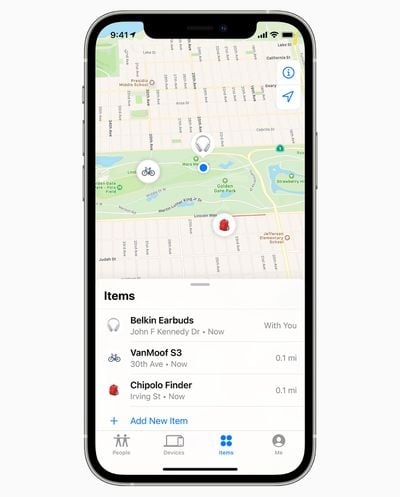
That means that a Bluetooth or WiFi device with ‌Find My‌ compatibility can be tracked right in the ‌Find My‌ app alongside your Apple products. In iOS 14.3 or later, there's an "Items" tab available in ‌Find My‌, which is where all third-party accessories can be located.

‌Find My‌ for third-party accessories works just like ‌Find My‌ for any of your Apple devices, with your accessories shown on a map. Third-party ‌Find My‌ accessories can take advantage of all of Apple's ‌Find My‌ functionality.

So if a Bluetooth-equipped device is nearby, it will show up in the ‌Find My‌ app, but if it's out of range, the map will show the last known location. If you lose an item and someone else with an ‌iPhone‌, iPad, or Mac comes close to it, it can communicate with their device with the approximate location of the item relayed securely and privately back to you.

Setting Up Third-Party Find My Devices

The ‌Find My‌ app is the one-stop shop for adding, controlling, and locating any Find My-compatible accessory, as third-party accessories designed to work with ‌Find My‌ can't support other apps or item location networks.

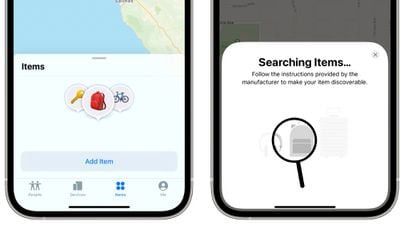
There's an "Items" tab in the ‌Find My‌ app on ‌iPhone‌, ‌iPad‌, and Mac, and to add an item, you just tap on the "Add Item" option. You will need to follow the instructions from the device maker to put your ‌Find My‌ accessory into a pairing mode, and that will vary from manufacturer to manufacturer.
find my add items
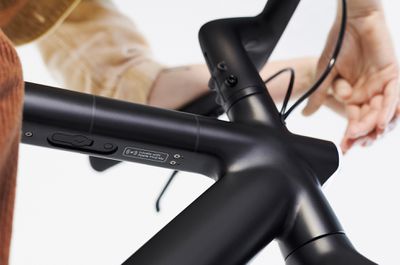
With VanMoof bikes, for example, you need to double press on the power button of the bike to put it into pairing mode to connect it to the ‌Find My‌ app.

You can give all of your items custom names and assign an emoji to them so you can identify each one at a glance on the ‌Find My‌ map. Adding an item to ‌Find My‌ does require your Apple ID, as it links that item to your ID.

Locating Lost Third-Party Devices With Find My

If you open up the ‌Find My‌ app and navigate to the Items tab, you can see all of your Find My-compatible accessories on a map. You'll see current location if the accessory is able to communicate with your ‌iPhone‌, ‌iPad‌, or Mac over Bluetooth, or the last known location if it is too far away. It will also tell you the last time that your device communicated with the accessory.
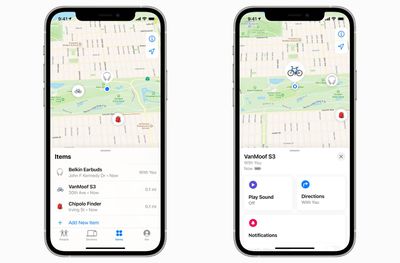
find my third party iphone
You can play sounds on ‌Find My‌ accessories, and if lost, place them into a Lost Mode. Putting a device into Lost Mode allows you to lock it down to prevent it from being paired with another Apple device, and it adds a phone number and message in case anyone comes across your lost item.

If someone who has an ‌iPad‌, ‌iPhone‌, or Mac comes across your lost ‌Find My‌ accessory, they can use the ‌Find My‌ app to see your message and get in touch. You'll also get a notification when it's located through another person's device, and its location will show up on the map.

The ‌Find My‌ network that allows lost devices to be found through crowdsourcing is anonymous and encrypted, so while you will get info on where your lost item might be, you won't see who discovered it unless they contact you after you've provided a message and a phone number.

Putting an Item Into Lost Mode

You can put a lost item into Lost Mode by tapping on its name in ‌Find My‌ and then tapping "Enable" under Lost Mode. Apple prompts you to input a phone number where you can be reached, and you can also choose to get a notification when updated location information becomes available.
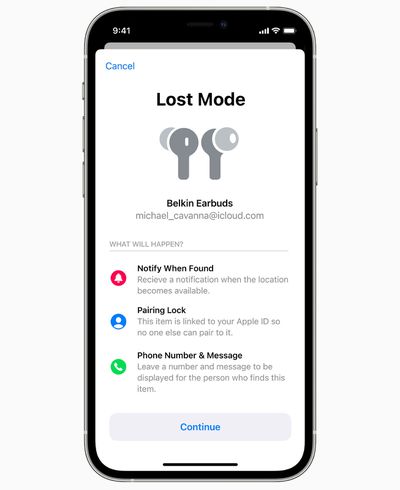
find my lost mode
Lost Mode can be disabled by toggling off "Enabled" under the Lost Mode option.

Preventing Theft

‌Find My‌ items are linked to your ‌Apple ID‌ much like iPhones, iPads, and Macs. If someone steals an accessory with ‌Find My‌ built in, that person will not be able to link the item to their own ‌Apple ID‌ account.

Getting Directions to a Lost Item

Tapping on any of your third-party accessories in the ‌Find My‌ app will show its last location. If it's not close by, you can tap on "Directions" to open its location in the Apple Maps app to get directions from your current location to the location of your item.

Separation Alerts

Apple in iOS 15 added Separation Alerts to the ‌Find My‌ app, which are designed to let you know if you leave an Apple device, a device attached to an AirTag, or a Find My-enabled third-party device behind.
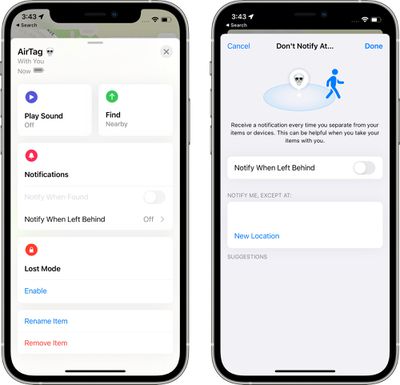
separation alerts
You can set up Separation Alerts in the ‌Find My‌ app, so if you want to make sure your ‌iPhone‌ is always with you or that you don't leave the house without the keys, this is the feature to use.

Updating Items

Third-party accessories that connect to ‌Find My‌ can get firmware updates. To install an update, tap on the item's name in the ‌Find My‌ app and then tap on "Update Available." If no Update Available button is listed, then the item is up to date.

Check an Item's Serial Number

Tapping on an item in the ‌Find My‌ app and then tapping on "Show Details" will let you see information like serial number or model number, and it will let you know if the manufacturer has an app available for you to download to add additional features to the item.

How to Identify Someone's Lost Item

If you come across a lost item and you know that it has ‌Find My‌ integration, you can open up the ‌Find My‌ app and tap on the "Identify Found Item" option to see if the person who has lost it has left a message and a contact number so you can get in touch with them.

Scanning for lost items using the ‌Find My‌ app will take you to a website to see a Lost Mode message.

Unknown Item Safety Alerts

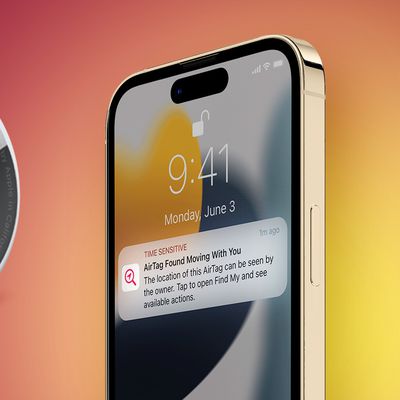
If Apple detects a ‌Find My‌ accessory that is on your person or moving with you, it will send you a safety alert. This is so you can make sure no one has planted a tracking device on you.

If you get one of these alerts, you can tap into it to see the unknown item on a map or play a sound. You can also tap "Learn More About This Item" to get details, such as serial number, and there is an option to disable the item so that it stops sharing your location. Tap on "Instructions" and then tap "Disable Item" to do this.

Note that if you have an item belonging to another person and disable location alerts, the item will not be usable to you because it is already linked to an ‌Apple ID‌.

There are instances where safety alerts can be inconvenient, such as if a family member nearby has a ‌Find My‌ item that your device is picking up. In this situation, you can turn off safety alerts for people in your Family Sharing group or tap on "Pause Safety Alerts" to mute them for the day.

Safety alerts can be turned off entirely as well if you're getting an annoying number of notifications. Under the "Me" tab, go to Notifications and then toggle off Item Safety Alerts. This needs to be done on a per-device basis.

Removing an Item From Find My

If you want to sell or give away a ‌Find My‌ accessory, you need to remove it from ‌Find My‌. Bring it near your device, tap "Remove Item," and follow the instructions.

You can also remove an item from your account if it's not nearby, but it will still be locked and won't be able to be added to anyone's account because of its link to your ‌Apple ID‌.

Third-Party Accessories That Support Find My

There are a limited number of ‌Find My‌ accessories available at the current time, but Apple expects more manufacturers to add ‌Find My‌ support in the future.

works with apple find my

Compatibility Requirements

Adding a compatible third-party accessory to the ‌Find My‌ app requires iOS 14.3 or later, iPadOS 14.3 or later, or macOS Big Sur 11.1 or later.

AirTags

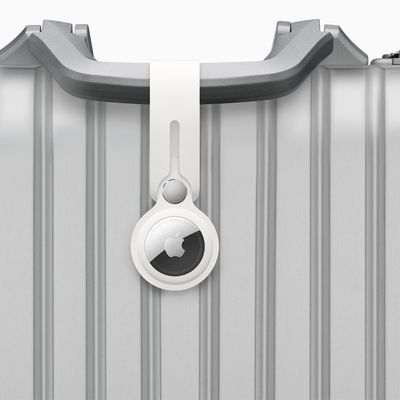
Apple in April 2021 introduced AirTags, which are small, circular, Bluetooth-enabled item trackers designed to be attached to items like keys and wallets to allow them to be tracked right alongside Apple devices and ‌Find My‌ Network accessories in the ‌Find My‌ app.

For everything you need to know about AirTags and how they work, we have a dedicated AirTags guide.
Related Articles

AirTag on Baggage

AirTag 2: These Airlines Offer Feature That Helps Find Your Lost Bags

Monday January 26, 2026 11:20 am PST by
Apple offers a Share Item Location feature in the Find My app that allows you to temporarily share the location of an AirTag-equipped item with others, including employees at participating airlines. This way, if you put an AirTag inside your bags, the airline can better help you find them in the event they are lost or delayed at the airport. Given that Apple announced the AirTag 2 today, we...
AirTag on Baggage

These 36 Airlines Offer iPhone Feature That Helps Find Your Lost Bags

Monday January 12, 2026 11:03 am PST by
On iOS 18.2 and later, there is a Share Item Location feature in the Find My app that allows you to temporarily share the location of an AirTag-equipped item with others, including employees at participating airlines. This way, if you put an AirTag inside your bags, the airline can better help you find them in the event they are lost or delayed at the airport. The feature also works with...
iOS 18 2 Share Item Location

These 30 Airlines Offer iPhone Feature That Helps Find Your Lost Bags

Wednesday July 30, 2025 10:49 am PDT by
iOS 18.2 was released in December with a new feature in the Find My app that allows you to temporarily share the location of an AirTag-equipped item with others, including employees at participating airlines. This way, if you have put AirTags inside your bags, the airline can better help you find them in the event they are lost or delayed at the airport. The feature also works with other...
ios 18 2 share item location

iPhone Feature for Tracking Lost Baggage Expands to Saudia Airlines

Wednesday July 30, 2025 5:54 am PDT by
Saudia, the flag carrier airline of Saudi Arabia, now supports Apple's iPhone feature that makes it easier to share the location of AirTag-equipped baggage at airports, according to local media. With iOS 18.2, Apple introduced a new Find My feature that lets you temporarily share the location of an AirTag-equipped item – such as a bag – with others, including participating airline staff, ...
AirTag on Baggage

iPhone Feature for Tracking Lost Bags With AirTag Expands to JetBlue

Monday June 23, 2025 8:44 am PDT by
JetBlue today announced that it now supports the iPhone feature that makes it easier to share the location of AirTag-equipped baggage at airports. iOS 18.2 added a new feature to the Find My app that allows you to temporarily share the location of an AirTag-equipped item with others, including employees at participating airlines. This way, if you have put AirTags inside your bags, the...
AirTag on Baggage

iPhone Feature for Tracking Lost Baggage Expands to 2 More Airlines

Tuesday April 15, 2025 5:06 am PDT by
Taiwan's China Airlines and Air India now support Apple's iPhone feature that makes it easier to share the location of AirTag-equipped baggage at airports, according to local media. With iOS 18.2, Apple introduced a new Find My feature that lets you temporarily share the location of an AirTag-equipped item – such as a bag – with others, including participating airline staff, to help...
Apple Find My south korea

Apple Announces 'Find My' Network Availability in South Korea

Tuesday April 1, 2025 3:09 am PDT by
Apple today announced 'Find My' network availability in South Korea. The launch brings the full range of Apple's location-based ‌Find My‌ services to South Korean customers for the first time, enabling them to keep track of devices, belongings, and loved ones. With the ‌Find My‌ network enabled, users will be able to to locate their iPhones, iPads, Macs, and other Apple devices, as...
find my friends precision finding

Find My Network Exploit Turns Any Bluetooth Device Into a Tracker

Thursday February 27, 2025 8:59 am PST by
George Mason University researchers claim to have uncovered a serious vulnerability in Apple's Find My network that allows hackers to track virtually any Bluetooth-enabled device without the owner's knowledge. Called "nRootTag," the exploit tricks the Find My network into treating ordinary Bluetooth devices as if they were AirTags, allowing hackers to turn laptops, smartphones, game...
AirTag on Baggage

New iPhone Feature for Tracking Lost Baggage Expands to More Airlines

Thursday February 6, 2025 6:45 am PST by
A newer iPhone feature that makes it easier to share the location of AirTag-equipped baggage at airports has been adopted by more airlines. iOS 18.2 added a new feature to the Find My app that allows you to temporarily share the location of an AirTag-equipped item with others, including employees at participating airlines. This way, if you have put AirTags inside your bags, the airline can...
iOS 18 2 Share Item Location

United, Delta, and Air Canada Will Begin Supporting Find My for Lost Luggage This Week

Monday December 16, 2024 7:29 am PST by
Starting this week, the U.S. and Canadian airlines United, Delta, and Air Canada are rolling out support for iOS 18.2's new item location sharing feature to help track lost or delayed baggage, according to Apple's marketing chief Greg Joswiak. The feature allows you to temporarily share the location of an AirTag with others, including employees at select airlines. This way, if you have put...
iOS 18 2 Share Item Location

Apple Announces iOS 18.2's New AirTag Location Sharing Feature Coming to These 15+ Airlines

Monday November 11, 2024 8:18 am PST by
Last week, we reported on a new feature in the Find My app on the iOS 18.2 beta that allows you to temporarily share an AirTag's location with a trusted person, and soon with airlines. Apple today announced the feature, providing more details. Apple said more than 15 airlines will offer the feature "in the coming months," including Delta, United, Air Canada, British Airways, Virgin Atlantic, ...
Twelve South PlugBug Find My Large

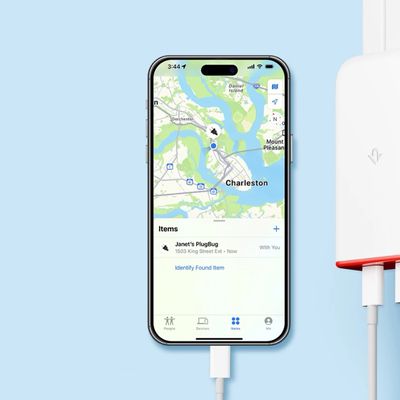
Twelve South Introduces USB-C Wall Chargers With 'Find My' Support

Thursday September 5, 2024 10:30 am PDT by
Well-known accessory maker Twelve South has introduced the first-ever USB-C wall chargers with built-in support for Apple's Find My app. If you ever misplace these chargers, you can simply open the Find My app on your iPhone, iPad, or Mac and track the location of them. The chargers do not need to be plugged in to an outlet for Find My functionality to work, as they are powered by a...
FindMy Feature

Apple to Launch 'Find My' Network in South Korea Next Spring

Thursday September 5, 2024 2:55 am PDT by
Apple has announced it will finally introduce its popular 'Find My' network to South Korea in the spring of 2025, after apparently overcoming local regulatory hurdles. The launch will bring the full range of Apple's location-based Find My services to South Korean customers for the first time, enabling them to keep track of devices, belongings, and loved ones. Last July, a petition on Korea's ...
FindMy Feature

Apple's Find My Is 'Super Creepy Surveillance Tech' That Shouldn't Exist, Says Epic Games CEO Tim Sweeney

Tuesday July 30, 2024 4:04 pm PDT by
Epic Games CEO Tim Sweeney today commented on Apple's Find My service, referring to it as "super creepy surveillance tech" that "shouldn't exist." Sweeney went on to explain that several years ago, "a kid" stole a Mac laptop out of his car. Years later, Sweeney was checking Find My, and as the Mac was still connected to his Apple ID account, it showed him the location where the thief lived. ...
esr geo wallet specs colors

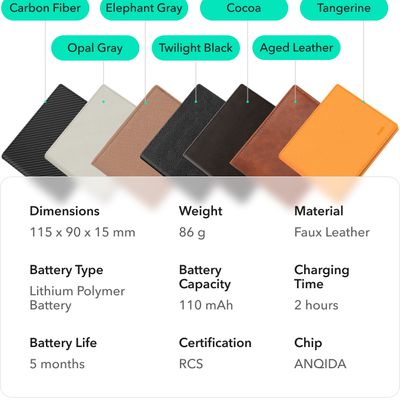
ESR Crowdfunding World's First Wallet With Built-In 'Find My' Support

Tuesday July 23, 2024 8:07 am PDT by
Last year, ESR was one of the first companies to launch a MagSafe wallet accessory with full support for Apple's Find My network, using an on-board rechargeable module to tap into the network of hundreds of millions of Apple devices to help you keep tabs on your wallet. ESR has returned today with a new crowdfunding campaign for what it says is the first full-fledged wallet with integrated Find...
AirTag and iPhone Notification Feature

Google to Launch Android Find My Network After Apple Adds Third-Party Tracker Alerts to iPhone

Thursday April 4, 2024 11:58 am PDT by
Google today began letting Android customers know that it will soon launch a promised Android-based Find My Device network, reports 9to5Google. Google announced the upcoming Find My feature last year, but it has not yet debuted because Apple and Google were working to develop a cross-platform solution for unwanted tracking alerts. Code in iOS 17.5 suggests that Apple is adding support for...
Find My AirPods Feature

Apple Clarifies How Many Items Can Be Tracked in Find My

Thursday January 11, 2024 7:25 pm PST by
Apple today confirmed that up to 32 items can be added to the Find My app on the iPhone and iPad, up from a previous limit of 16. Apple revealed this information in a support document updated today:You can add up to 32 items in Find My. In addition to AirTag and the third-party Find My network accessories in the Items tab, AirPods Max count as one item, AirPods and AirPods Pro (1st...
aircard wallet

AirCard Combines Find My Support With a Digital Business Card and More

Tuesday June 13, 2023 1:51 pm PDT by
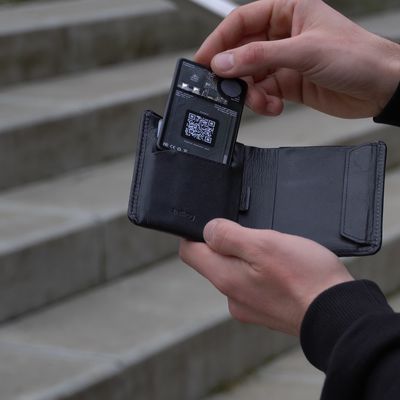
Tech accessory company Rolling Square is winding down a successful Kickstarter campaign for AirCard, an innovative Find My-enabled digital business card, with over $700,000 raised so far. Similar to a few other Find My trackers like the Eufy SmartTrack Card, Rolling Square's AirCard is a thin card-sized device intended to be carried in a wallet that can leverage Apple's Find My network of...
targus find my backpack

Targus Debuts Backpack With Find My Integration

Thursday June 1, 2023 2:31 pm PDT by
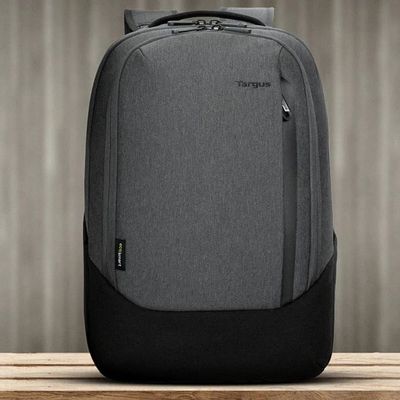
Targus today announced the launch of the Cypress Hero Backpack with built-in Find My integration that works with the Find My app on Apple devices. Priced at $150, Targus says that the backpack combines eco-friendly materials, laptop protection, and a built-in location feature to keep tech items safe. The backpack can be tracked through the Items tab in the Find My app, right alongside...
Ember Mug

Apple Begins Selling Ember's Temperature-Controlled Travel Mug Compatible With Find My

Wednesday May 24, 2023 9:45 am PDT by
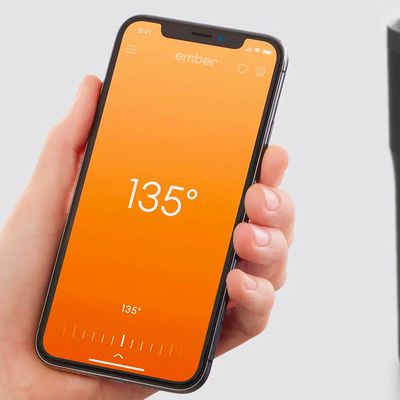
Apple this week began selling Ember's temperature-controlled Travel Mug 2+ with recently added support for the Find My app on the iPhone, iPad, and Mac. The mug launched earlier this year and is priced at $199.95 on Apple's online store in the United States. The addition of Find My support enables users to track the location of the mug in the Find My app, and a new built-in speaker can emit...