Apple Clarifies How Many Items Can Be Tracked in Find My
Apple today confirmed that up to 32 items can be added to the Find My app on the iPhone and iPad, up from a previous limit of 16.

Apple revealed this information in a support document updated today:
You can add up to 32 items in Find My. In addition to AirTag and the third-party Find My network accessories in the Items tab, AirPods Max count as one item, AirPods and AirPods Pro (1st generation) count as two items, and AirPods Pro (2nd generation) count as three items.
We confirmed that Apple increased the item limit starting with iOS 16 and iPadOS 16, but the change was not reflected on Apple's website until now.
Items that count towards the limit include AirTags, AirPods, newer MagSafe Wallets, select Beats headphones, third-party accessories with Find My support, and more, according to Apple. Once the items are added to the app, users can track the location of each one on a map across the iPhone, iPad, and Mac.
Some models of AirPods are considered multiple items due to each individual earbud and charging case being counted separately.
(Thanks, Nicolás Álvarez!)
Popular Stories
Several iCloud services are experiencing issues, according to Apple's system status page.
Find My, Game Center, Photos, iCloud Calendar, iCloud Mail, iCloud Contacts, iCloud Web Apps, and iWork for iCloud are all experiencing service interruptions.
Apple says only some users may run into problems. The issue started at 3:33 p.m. Eastern Time and is...
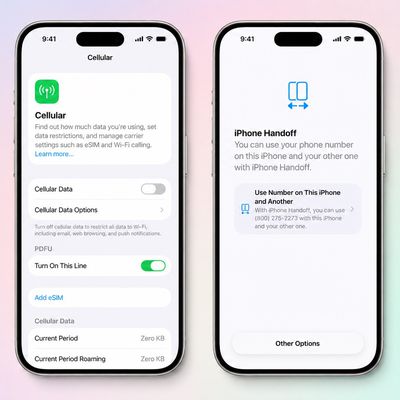
T-Mobile will charge customers $5 per month to use iPhone Handoff, an e-SIM feature that allows the same phone number to be used on two separate iPhones.
iPhone Handoff requires carrier support, and at launch, only T-Mobile users in the U.S. and Deutsche Telekom users in Germany will be able to use it.
T-Mobile says customers can use their number across two compatible iPhone models and...
Production theater company IMAX has responded in a mixed way to Apple's embrace of a 1:1.4 aspect ratio on the iPhone Duo's inner and outer displays. The boxier ratio happens to be very close to the classic "full-frame" IMAX 1.43:1 aspect ratio, which comes from the geometry of the company's original 15-perforation/70mm film system.
In response to an X post from someone wondering if we'll see...