How to Turn Off Daily Cash Notifications on Your iPhone - MacRumors
Skip to Content

How to Turn Off Daily Cash Notifications on Your iPhone

by

One of the perks of Apple Card's rewards system is "Daily Cash," where Apple pays out your cash back bonuses on a daily basis rather than making you wait weeks for it to show up on a credit card statement.
wallet
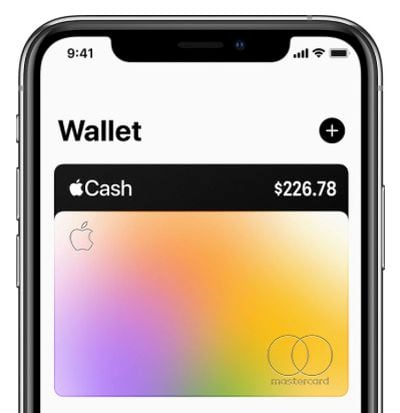
There's no limit to how much Daily Cash that you can earn with ‌Apple Card‌, and if you've set up Apple Cash, it's added automatically to the virtual Apple Cash card that lives in the Wallet app on your iPhone (otherwise it's paid on a monthly basis as a credit on your statement balance).

Each morning you'll get a notification on your iPhone that tells you how much Daily Cash was added to your Apple Cash card the day before and how much Daily Cash has been added to your Apple Cash card so far in the current month.

If you don't want to receive these Daily Cash notifications every morning, follow the steps below to turn them off. Just be aware that disabling them also means you won't get other ‌Apple Card‌ alerts like spending summaries and payment reminders.

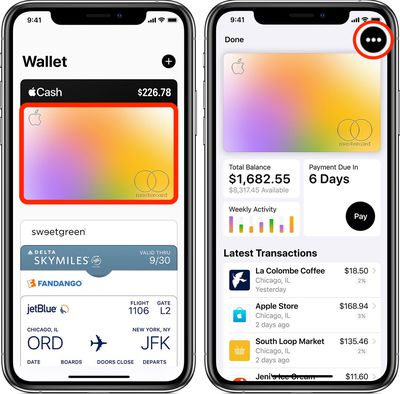
  1. Launch the Wallet app on your iPhone.
  2. Tap your ‌Apple Card‌.
  3. Tap the black ellipsis button (the three encircled dots) in the top-right corner of the screen.
    how to add a bank account apple card

  4. Scroll down to Transactions.
  5. Toggle the switch next to Allow Notifications to the OFF position.
You can see all of the Daily Cash transactions from your ‌Apple Card‌ purchases any time you like. Click here to learn how.
Popular Stories

apple card savings account

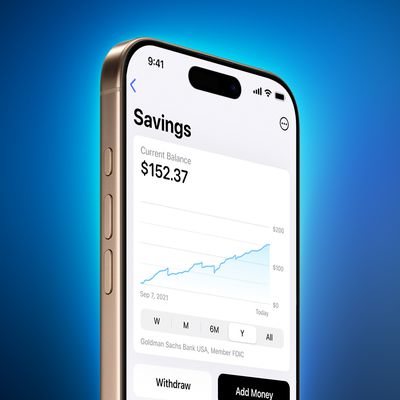
Apple Lowers Savings Account Rate for Apple Card Users

Thursday April 23, 2026 8:07 am PDT by
The interest rate on Apple Card's savings account was today lowered from 3.65% to 3.50%. Push notifications regarding the cut were sent to ‌Apple Card‌ users on Thursday. Savings account interest rates often fluctuate with changes made by the Federal Reserve, and when rates are lowered, banks cut their annual percentage yield (APY). That said, today's cut doesn't appear tied to a...

Apple Event Logo

Apple Just Released a New Accessory

Monday May 4, 2026 8:13 am PDT by
Apple today released a new Pride Edition Sport Loop for the Apple Watch. The band features a rainbow design with 11 colors of woven nylon yarns. The new Pride Edition Sport Loop is available to order now on Apple.com and in the Apple Store app in 40mm, 42mm, and 46mm sizes, and it will be available at Apple Store locations starting later this week. In the U.S., the band costs $49. There...
Instagram Feature 2

PSA: Instagram Encrypted Messaging Ends on Friday, May 8

Tuesday May 5, 2026 8:24 am PDT by
Instagram will remove end-to-end encryption for direct messages between users from May 8, 2026. When the date comes around, Meta will potentially be able to see the contents of all messages between users on the social media platform. Encrypting messages has been an optional feature in Instagram since 2023, but in March of this year the social media platform quietly updated a help page to say ...