The 10.5.2 Update is recommended for all users running Mac OS X Leopard and includes general operating system fixes that enhance the stability, compatibility and security of your Mac.
For detailed information on this update, please visit this website: http://docs.info.apple.com/article.html?artnum=307109.
For detailed information on security updates, please visit this website: http://docs.info.apple.com/article.html?artnum=61798.
A number of improvements are detailed, but some highlights are listed here:
- Airport: Improves connection reliability and stability
- Back to my Mac: Adds support for more third-party routers, as detailed in this article.
- Dock: Updates Stacks with a List view option, a Folder view option, and an updated background for Grid view.
- Desktop: Addresses legibility issues with the menu bar with an option to turn off transparency in Desktop & Screen Saver preferences.
- Desktop: Adjusts menus to be slightly-less translucent overall.
- iSync: Adds support for Samsung D600E and D900i phones.
- RAW Image: Adds RAW image support for several cameras, as detailed in this article.
- Safari: Addresses issues with Safari reliably resolving certain domains.
- Time Machine: Adds a menu bar option for accessing Time Machine features (the menu extra can be enabled in Time Machine preferences).
- Time Machine: Improves backup reliability when computer name contains slash or non-ASCII characters.
- Time Machine: Addresses issues in which some external drives are not recognized by Time Machine.
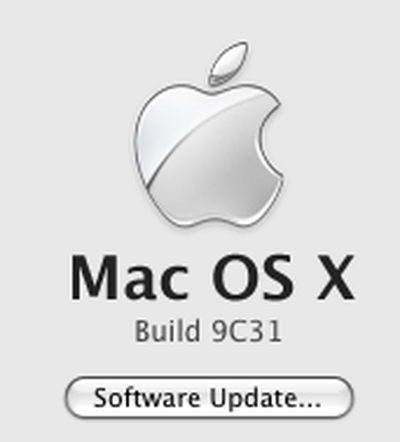
The final build number of Mac OS X 10.5.2 is 9C31, the same as the last developer's build. Once you install Mac OS X 10.5.2, readers should recheck their software update, as the Leopard Graphics Update appears once 10.5.2 is installed.
Standalone Combo Updater (353MB) is also available.
Please add undocumented issues in the Mac OS X 10.5.2 Fixes, Bugs and Problems guide. For discussion, questions and issues, please post to our Mac OS X forum.
 |
 |
 |
 |
Mac OS X Server 10.5.2
Mac OS X 10.5.2 Server has also been released. With the following changes:
Software Update Server
Addresses an issue which could prevent Software Update Server from working properly on a system that had been upgraded from Mac OS X Server 10.4.x.
Mail Server
Addresses an issue in which Virtual Mail users were required to have short names configured in order to become active.
Password Server
Addresses an issue that could block object changes from being propagated to Open Directory replica servers.
Discuss the Server release our Mac OS X Server forum.