Apple Unveils M2 Ultra Chip as Most Powerful Apple Silicon Chip Yet
Apple today unveiled the M2 Ultra chip alongside the new Mac Studio and Mac Pro, the most powerful Apple silicon chip to date.
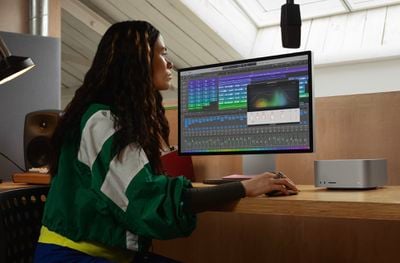
The M2 Ultra is based on the M2 Max chip that debuted in the refreshed 14- and 16-inch MacBook Air earlier this year. It is built using two M2 Max chips connected via "UltraFusion," Apple's custom-built packaging technology.
The M2 Ultra chip has a 24-core CPU that consists of 16 high-performance cores and eight high-efficiency cores. This nets the chip 20 percent faster performance than the M1 Ultra. Users can configure the GPU with 60 or 76 next-generation cores, which is up to 12 more cores compared to the GPU of the M1 Ultra.
The M2 Ultra features a 32-core Neural Engine that is 40 percent faster than the M1 Ultra, and it has improved video processing that can play back up to 22 streams of 8K ProRes video simultaneously.
Every Mac Pro now contains the M2 Ultra chip, supporting up to 192 GB of unified memory – 50% more than M1 Ultra. Apple also noted that with M2 Ultra in the Mac Pro, the transition to Apple silicon is complete across the Mac desktop and laptop lineups.
Popular Stories
Apple announced the M6 chip last week, just ahead of its September iPhone event, providing the clearest indication yet of what the A20 will bring to the iPhone 18 lineup.
Apple silicon generations share much of their architecture across the A-series and the M-series, so a new A-series chip normally functions as a partial preview of the M-series chip that follows it. This year the order...
Apple today revealed the A20 Pro chip in the iPhone 18 Pro and iPhone 18 Pro Max, built on a brand new architecture using 2nm process technology.
Apple described the A20 Pro as "an exceptional chip that sets a new bar for mobile computing." The chip has a 6-core CPU design with two new super cores that Apple says are up to 20% faster, calling them "desktop class" and "the fastest in any...
Images claiming to show the inside of an Apple-made AI server, believed to power Private Cloud Compute, surfaced online this week, offering a first look at how the hardware is laid out.
The images were shared earlier this week by the X user @hsuchingpo, an account with a track record of Apple hardware and prototype leaks. Captioned simply "Apple M5 Server," the leaker said the hardware is "mo...