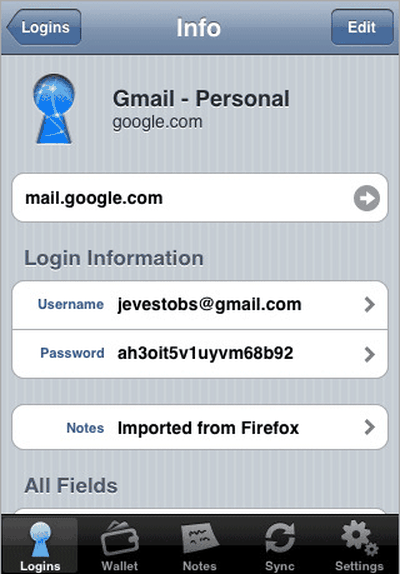
1Password Brings Password Management to iPhone
Agile Web Solutions has released their iPhone-native version of
1Password. The free application provides a long needed feature on the iPhone: password management. While the iPhone's on screen keyboard provides reasonable predictive capabilities when writing a text or email, it comes in no use when entering logins and passwords in Safari.
1Password provides a free solution for iPhone and iPod Touch users that keeps security in mind. The application encrypts all your passwords and even provides two levels of defense with an Unlock Code and Master Password. While the free standalone application will manage your iPhone passwords by itself, the real strength lies in the use alongside the Mac desktop version ($34.95) of the application. The iPhone version will sync wirelessly with your Mac version to import all your passwords for use on your iPhone. A video of the Mac version demos its functionality.
In order to get automatic login and password functionality on the iPhone, the application does launch websites within its own built-in web browser. The browser provides comparable functionality to Apple's own Safari browser including zooming and panning.
Popular Stories
Apple has announced it will be holding a special event on Tuesday, May 7 at 7 a.m. Pacific Time (10 a.m. Eastern Time), with a live stream to be available on Apple.com and on YouTube as usual. The event invitation has a tagline of "Let Loose" and shows an artistic render of an Apple Pencil, suggesting that iPads will be a focus of the event. Subscribe to the MacRumors YouTube channel for more ...
Apple today released several open source large language models (LLMs) that are designed to run on-device rather than through cloud servers. Called OpenELM (Open-source Efficient Language Models), the LLMs are available on the Hugging Face Hub, a community for sharing AI code. As outlined in a white paper [PDF], there are eight total OpenELM models, four of which were pre-trained using the...
Apple is set to unveil iOS 18 during its WWDC keynote on June 10, so the software update is a little over six weeks away from being announced. Below, we recap rumored features and changes planned for the iPhone with iOS 18. iOS 18 will reportedly be the "biggest" update in the iPhone's history, with new ChatGPT-inspired generative AI features, a more customizable Home Screen, and much more....
Apple has dropped the number of Vision Pro units that it plans to ship in 2024, going from an expected 700 to 800k units to just 400k to 450k units, according to Apple analyst Ming-Chi Kuo. Orders have been scaled back before the Vision Pro has launched in markets outside of the United States, which Kuo says is a sign that demand in the U.S. has "fallen sharply beyond expectations." As a...
Apple is finally planning a Calculator app for the iPad, over 14 years after launching the device, according to a source familiar with the matter. iPadOS 18 will include a built-in Calculator app for all iPad models that are compatible with the software update, which is expected to be unveiled during the opening keynote of Apple's annual developers conference WWDC on June 10. AppleInsider...