Tim Hardwick

Tim is a Senior Editor at MacRumors and has been writing for the site since 2016. Formerly a magazine journalist, his work has appeared in over 30 newsstand print publications and online brands covering a range of topics, from the latest trends in technology to the mysteries of ancient history.
Based in the UK, Tim's current role at MacRumors involves editorial oversight and how tos, in addition to covering daily news and contributing occasional reviews. Tim can be reached at tim@macrumors.com, Telegram (@waxeditorial) or Twitter.
Based in the UK, Tim's current role at MacRumors involves editorial oversight and how tos, in addition to covering daily news and contributing occasional reviews. Tim can be reached at tim@macrumors.com, Telegram (@waxeditorial) or Twitter.
Tim Hardwick's Articles

Logitech Announces Z606 5.1 Surround Sound Speakers With Bluetooth Connectivity
Logitech today added a new 5.1 surround sound speaker system to its audio range featuring wireless multi-source connectivity.
Called the Logitech Z606, the six-speaker system offers 160 watts of peak power and includes 3.5mm audio jack and RCA cable connections along with a built-in Bluetooth 4.2 module for quickly connecting to TVs, smartphones, tablets, consoles and computers.
The...
Read Full Article • 18 comments
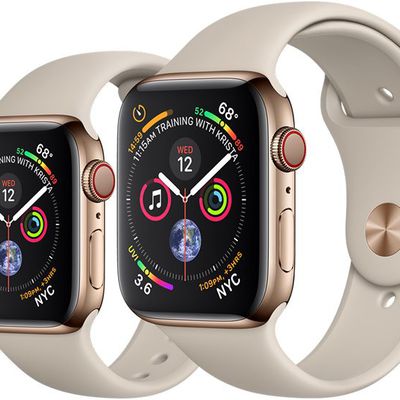
Apple to Add Sleep-Tracking Features to Apple Watch by 2020
Apple is said to be testing a sleep tracking app for a future Apple Watch, according to a new report today filed by Bloomberg's Mark Gurman.
The company has been using the sleep-tracking feature for several months with testers at secret sites around its Cupertino, California, headquarters, according to people familiar with the work. If the functionality is successful in the testing stages, the ...

How to Find the Beats 1 Archives in Apple Music
Apple Music's flagship Beats 1 radio station has been running since 2015 and has since broadcast several top DJ shows and multiple live performances by famous artists.
If you're a new listener to Beats 1, you'll be happy to know that Apple Music includes an archive of its most popular radio shows and playlists from years past. Here's how you can find them and start listening right away.
La...
How to Set an Apple Music Song as an Alarm
If you use your iPhone as your alarm clock, chances are it's one of Apple's default alarm sounds that gets you out of bed in the morning. But did you know that you can set any song in your iPhone's music library as an alarm to wake you from your slumber?
What's more, if you're an Apple Music subscriber, you can choose almost any song you can think of to be your alarm, so long as it's included...

Customer Emails to Tim Cook Said to Have Helped Shape Apple Watch Development
During his time as Apple CEO, Steve Jobs was well known for personally responding to some of the customer emails he received, which has even led to some of his best replies being collected in a book.
Customers who email current Apple CEO Tim Cook also occasionally receive responses, and a CNBC report over the weekend reveals how these emails are processed and often shared with other...
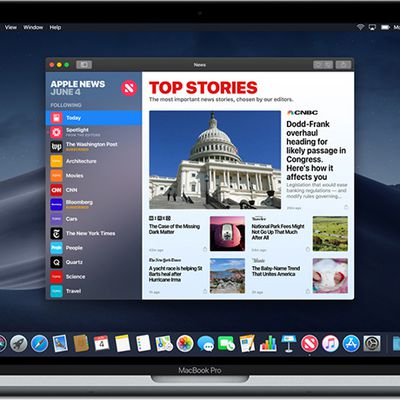
Publishers Reportedly Struggling to Monetize Privacy-Centric Apple News
Over the last month we've learned that Apple is readying an Apple News service that will provide access to paywalled news content and magazines for a monthly fee. As we understand it, Apple will keep 50 percent of all subscription revenue and the other half of the revenue will be split among publishers.
Apple is said to be launching the service in March, but despite magazine publishers...

How to Subscribe to a Friend's Playlist in Apple Music
If you're an Apple Music subscriber, you can download the playlists that your friends on the service have elected to share.
Before you can see what your friends are listening to in Apple Music you need to set up your profile and start sharing. Follow the first set of steps below to do so, and then continue onto the second series of steps to view your friends' shared playlists in Apple Music.
...
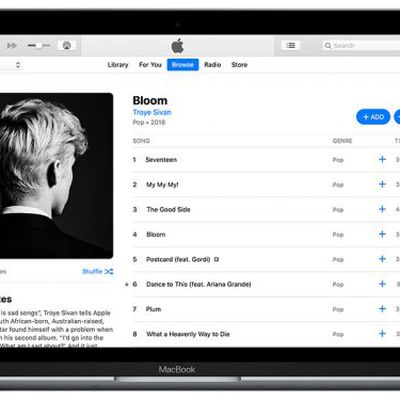
How to See What Your Friends Are Listening to on Apple Music
If you're an Apple Music subscriber, you can share what you're listening to with friends and see what they're listening to on the streaming music service.
Before you can see what your friends are listening to in Apple Music you need to set up your profile and start sharing. Follow the first set of steps below to do so, and then continue onto the second series of steps to follow your friends.
...
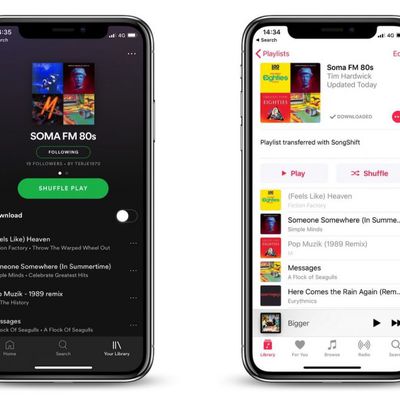
How to Transfer Your Spotify Playlists to Apple Music
If you switch from Spotify to Apple Music, you can transfer your playlists from one streaming service to the other using one of several third-party apps available on the App Store.
In this article, we're going to use one such app called SongShift to do exactly that, as it's easy to set up and you can test it for free before paying the $3.99 in-app purchase that lets you batch process more...

TSMC on Course to Secure 5nm Chip Orders for 2020 iPhones
Apple chipmaker TSMC will miniaturize its fabrication process to 5 nanometers in a bid to secure orders for Apple's processors in its 2020 iPhones, according to industry sources cited in a DigiTimes report.
TSMC recently confirmed that it plans to invest $25 billion towards volume production of 5nm chips by 2020, and today's report backs expectations that those chips are likely headed for...
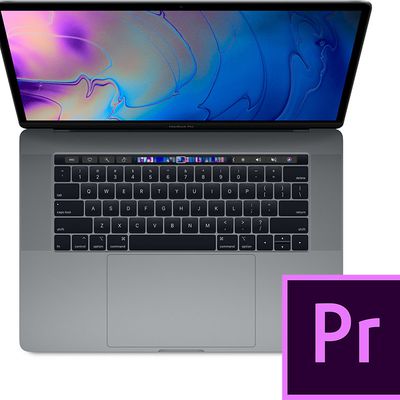
Adobe Issues Premiere Pro Fix for Bug That Caused Blown-Out MacBook Pro Speakers
Adobe has released an update for Adobe Premiere Pro via the Creative Cloud app to resolve an audio issue that left some users with blown-out MacBook Pro speakers.
Earlier this month, we reported on an issue affecting a significant number of Premiere Pro users whereby the software suddenly caused loud, distorted audio to play through their MacBook Pro speakers, resulting in permanent damage. ...
OWC Releases App for Ejecting All Drives Connected to an OWC Dock with a Single Click
OWC this week announced a neat and tidy solution for quickly disconnecting multiple drives from any OWC dock, with the release of a free Dock Ejector utility.
The Mac app lives silently in your menu bar and allows you to safely eject all drives connected to your OWC dock with a single click, ensuring all data has been written before any disk is unmounted.
We've experienced a couple of...

Gartner: iPhone Sales Suffered Worst Quarterly Decline for Three Years Over 2018 Holiday Period
Apple recorded its biggest decline in iPhone sales for almost three years over the holiday quarter, according to new market research data by Gartner.
Apple sold 64 million iPhones in the fourth quarter of 2018, down from 73 million in Q4 2017. Those numbers followed a pattern of declining smartphone sales globally in Q4 2018, with growth of just 0.1 percent over the period and 408.4...

Apple Falls From 1st to 17th Spot in 'World's Most Innovative Company' Rankings
Fast Company today published its annual rankings of the 50 most innovative companies in the world, with Apple dropping from 2018's top spot to 17th place this year.
According to the rankings, the most innovative company for 2019 is Chinese tech firm Meituan Dianping, which "expedites the booking and delivery of services such as food, hotel stays, and movie tickets." In 2018, the platform...
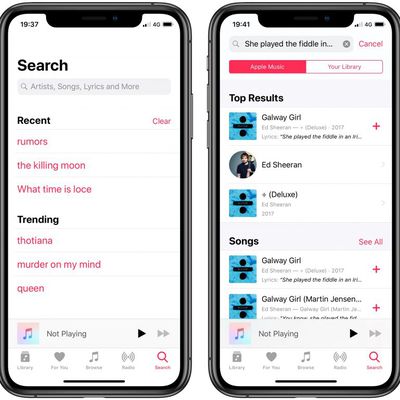
How to Search for Songs Using Lyrics in Apple Music
Have you recently found yourself singing some song lyrics only to discover that you're unable to remember the actual name of the song they belong to?
As an Apple Music subscriber, you can quickly search the entire Apple Music catalog using just a short lyric phrase, allowing you to find the song in question and add it to your library or your favorite playlist for safekeeping. Here's how it...
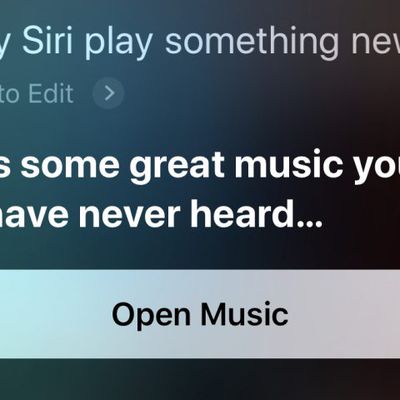
Useful Siri Commands That Work With Apple Music
As an Apple Music subscriber, you can use Siri as a personal DJ to control song playback, queue up songs, find song facts, add songs to your library, play your favorite playlists, or even play something new.
Below is a list of Siri commands that will work on any iPhone or iPad with an internet or cellular connection. Simply say "Hey Siri" or press and hold the Side button/Home button on your ...
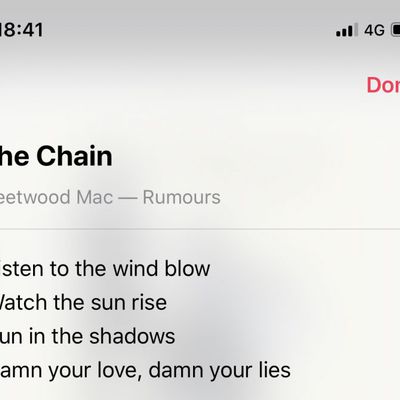
How to See Song Lyrics in Apple Music
If you subscribe to Apple Music, you can view the lyrics for your favorite songs right from within the Music app on your iPhone or iPad.
First, you'll need to start playing a song in the Apple Music catalog or in your library. Once a song is playing, tap on the song's banner just above the Apple Music menu bar at the bottom to bring up the full song interface.
From here, there are two...
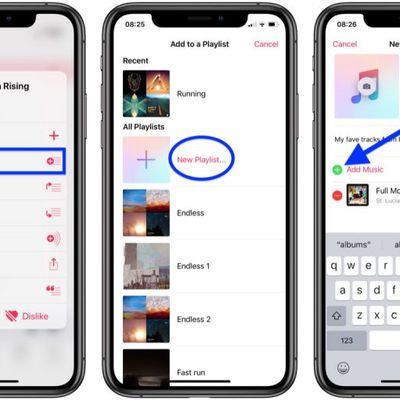
How to Create a Playlist in Apple Music
In Apple Music, you can easily create playlists and combine music from your own collection with music from the Apple Music catalog. Here's how to do it.
Create a Playlist on iPhone and iPad
Launch the Music app on your iOS device and find a song that you want to start a playlist with.
Long press or 3D Touch on the song.
Choose Add to Playlist -> New Playlist.
Tap to give your playlist a...
How to Add Photos to Playlists in Apple Music
Once you've created a playlist in Apple Music, adding a cover image of your own is easy. Here's how to do it.
Add a Photo to a Playlist on iPhone and iPad
Launch the Music app on your iOS device and navigate to the playlist you want to add a picture to.
Tap Edit in the upper right corner of the screen.
Tap the cover image.
Choose Take Photo or Choose Photo from the pop-up menu.
Take...
Apple Mulling Preview of New Modular Mac Pro at WWDC in June
Apple is considering previewing its upcoming redesigned Mac Pro at its Worldwide Developers Conference this June, according to a new report by Bloomberg today.
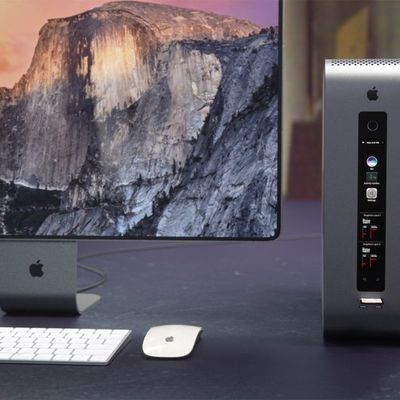
Modular Mac Pro concept from Curved.de
Apple has said it is working on a high-end high-throughput modular Mac Pro for its pro user base that will be easily upgradable and will feature components for the most system intensive tasks.
...