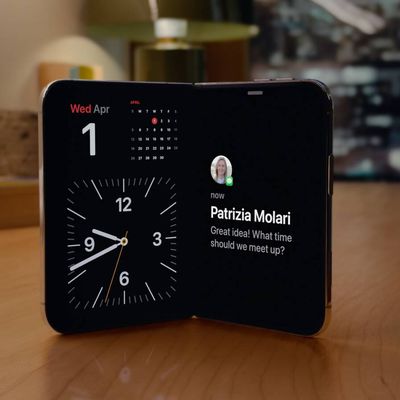
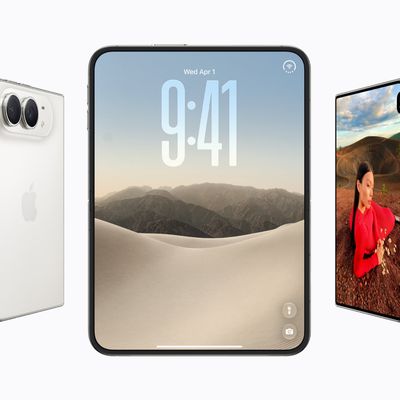
On traditional "slab" iPhones, Reachability is an optional feature that lowers the top half of the screen so it's within easy reach of your thumb, which is great for one-handed use. With the release of iOS 27.3, currently in beta, Apple has brought Reachability to the iPhone Duo, but it works differently because of the device's extra-wide outer display.
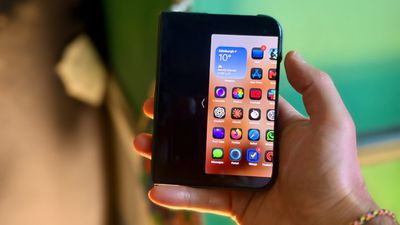
The iPhone Duo's passport-sized outer display means it's the far side, not the top, that's hardest to reach during one-handed use. That's why Reachability shifts the whole interface sideways, so either edge of the screen comes to you.
The feature is switched on by default once you've updated, so you may not need to change a thing, but some people have reported that it's too easy to accidentally trigger it. Either way, here's where to look if you want to switch it on or off.
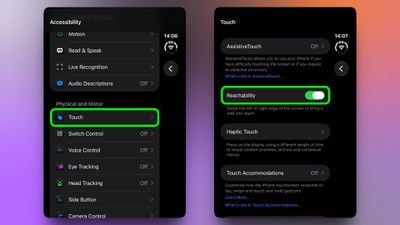
- Open the Settings app on your iPhone Duo.
- Tap Accessibility.
- Under "Physical and Motor," tap Touch.
- Toggle the switch next to Reachability to enable or disable it.
If you choose to enable Readability, with your Duo closed, swipe a short distance left on the left edge of the outer display to bring the right side of the screen within reach, or swipe right on the right edge to bring the left side over. With the content shifted across, you should be able to tap controls on the far side of the display without adjusting your grip.
Note that Reachability on iPhone Duo requires the iOS 27.3 beta update, and the feature does not work on the device's inner display.