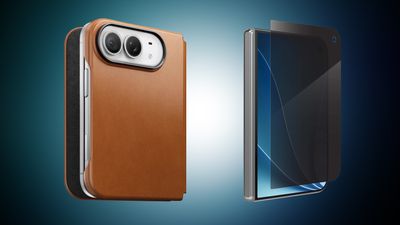
iPhone Duo will start arriving to pre-order customers this Friday, and in anticipation of the launch we've gathered all of the best cases and screen protectors you can get for your new iPhone Duo. This includes accessories from popular brands like OtterBox, Speck, ZAGG/Mophie, and more.
Note: MacRumors is an affiliate partner with some of these vendors. When you click a link and make a purchase, we may receive a small payment, which helps us keep the site running.
Most of these retailers aren't offering discounts on iPhone Duo cases yet, but at ZAGG you can get 20 percent off your order when you purchase any two items, including iPhone Duo accessories. This is a perfect opportunity to get a case and screen protector for the smartphone at a discounted rate.
Amazon has some notable TechWoven dupe cases on sale, available for $29.69, which is $50 cheaper than any of Apple's official iPhone Duo cases. Otherwise, you'll find the full list of retailers offering accessories for the iPhone Duo below.
Shoppers should note that some of these devices are up for pre-order right now and will launch in November or later, but many are shipping cases for the Duo right now.
Amazon - iPhone Duo cases from Spigen, Speck, ZAGG, and more
AT&T - Discounts on iPhone Duo cases and screen protectors from Speck, Spigen, and more
Best Buy - iPhone Duo cases from Dbrand, OtterBox, Spigen, Kate Spade, and more
Burton Goods - Save on leather cases for iPhone Duo
ESR - iPhone Duo Silicone Leather case with Flex Stand
Target - iPhone Duo cases from ZAGG, Case-Mate, and Kate Spade
ZAGG - Save 20% when you buy 2 items from ZAGG, including iPhone Duo cases and screen protectors
If you're on the hunt for more discounts, be sure to visit our Apple Deals roundup where we recap the best Apple-related bargains of the past week.
Deals Newsletter
Interested in hearing more about the best deals you can find as we head into the holidays? You can sign up for our Deals Newsletter and we'll keep you updated so you don't miss the biggest deals of the season!
In a statement shared with MacRumors today, an Apple spokesperson said there will be "limited" availability of the iPhone Duo for walk-in customers at Apple Stores in select countries when the device launches this Friday, October 23.
Apple's full statement:
On Friday morning, our teams look forward to welcoming customers at Apple Stores to experience iPhone Duo and the incredible iPhone line-up for themselves. Apple Stores will have limited iPhone Duo available for walk-in customers, and we're working hard to get this revolutionary new product into customers' hands as quickly as possible.
Apple said there will be limited iPhone Duo availability for walk-in customers on Friday in the U.S., Australia, Austria, Belgium, Canada, Mexico, Germany, the Netherlands, Singapore, Spain, Sweden, Switzerland, Türkiye, and the U.K. Apple said there will also be walk-in supply at certain Apple Stores in Italy, but it did not say which ones.
In Macao, Apple said the iPhone Duo will be available for walk-in customers only on launch day, and there will be limited inventory.
Apple said the iPhone Duo will not be available for walk-in purchase on launch day in France, China, Hong Kong, India, Japan, Malaysia, South Korea, Taiwan, Thailand, and the United Arab Emirates. In these countries, customers will need to place a reservation for Apple Store pickup at a specific time slot via Apple's online store.
Apple restricts walk-in availability in some countries at launch due in part to manage crowd sizes and as an anti-scalping measure.
Apple's online store currently advises customers to check back on Saturday, October 24 in regards to Apple Store pickup reservations, so it is unclear if it will be possible to place a reservation on Friday, October 23 launch day.
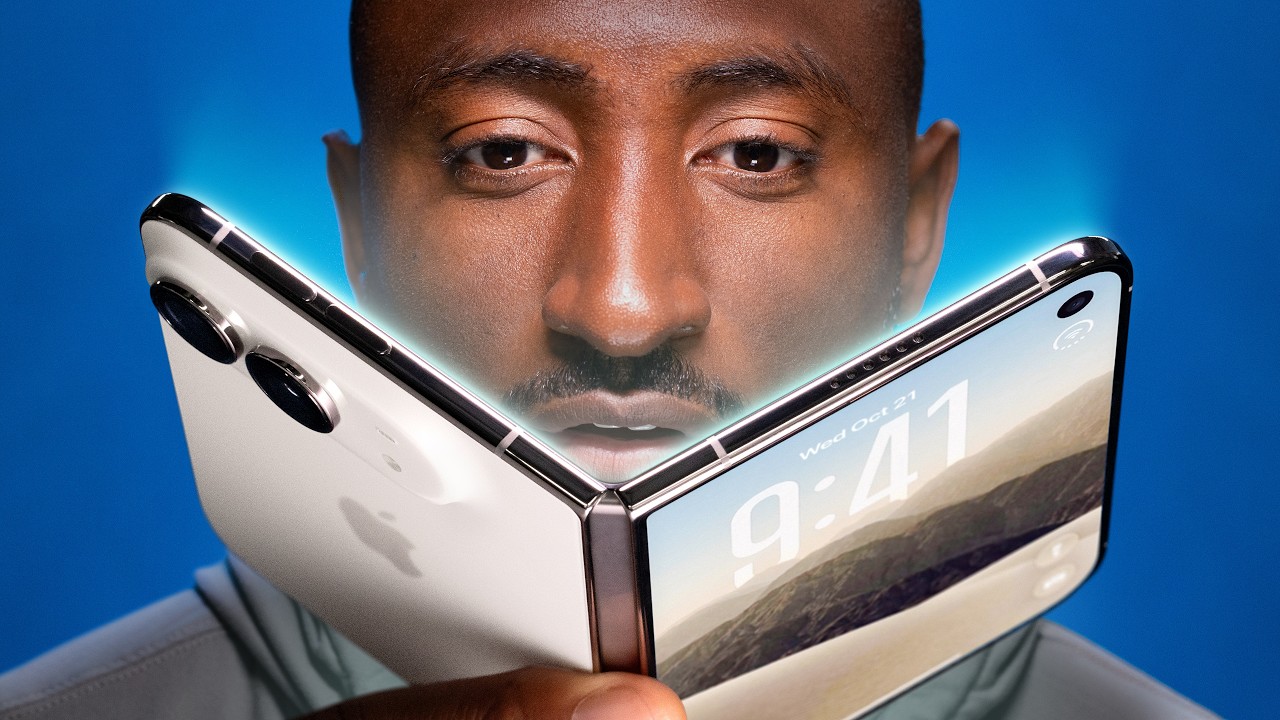
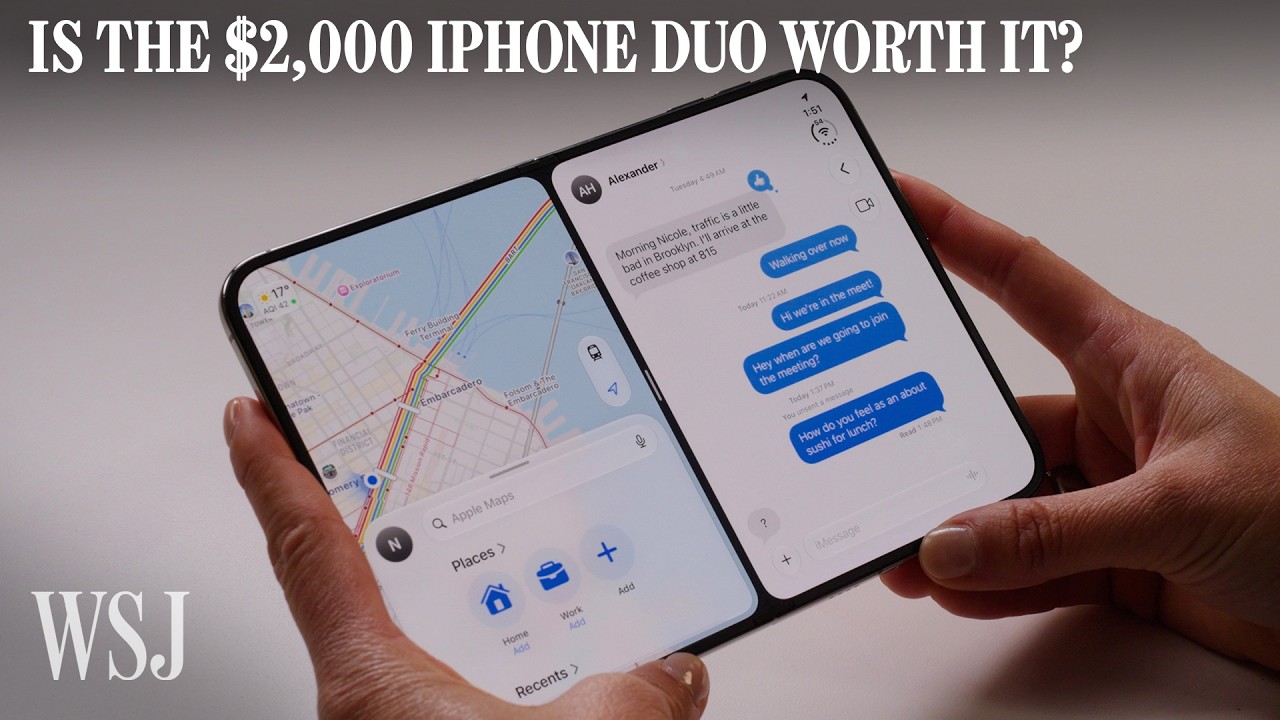
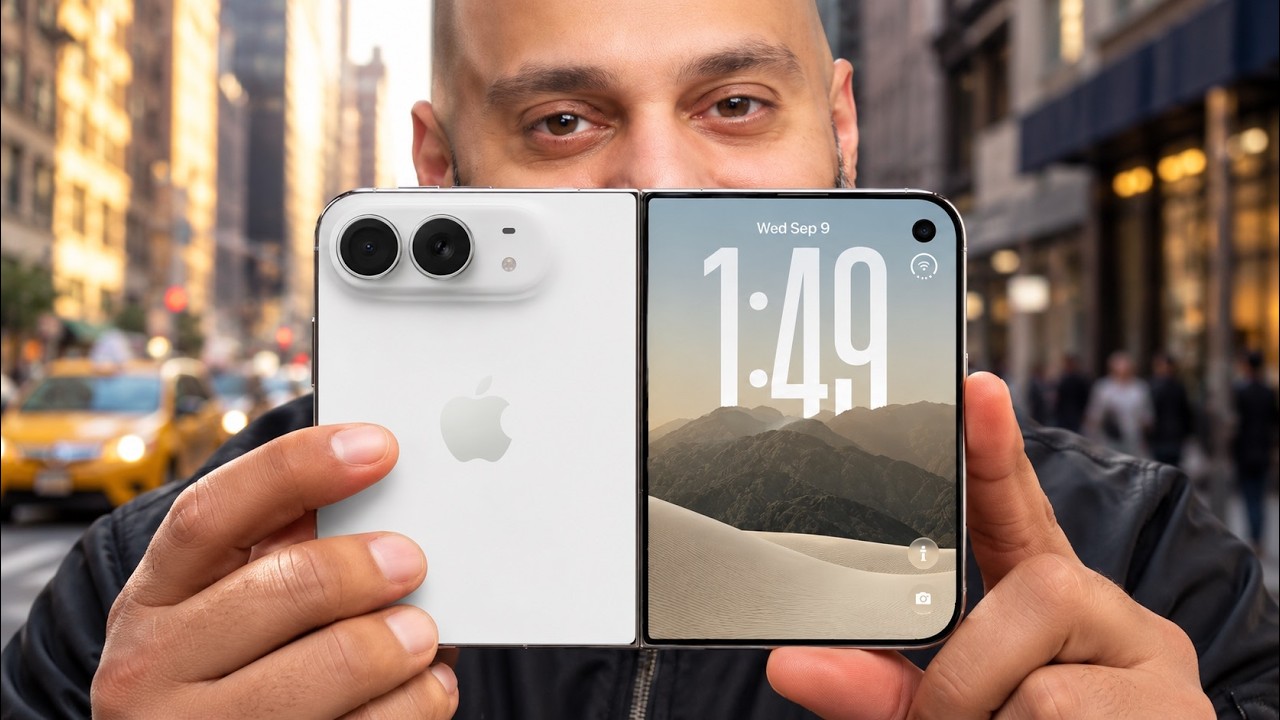
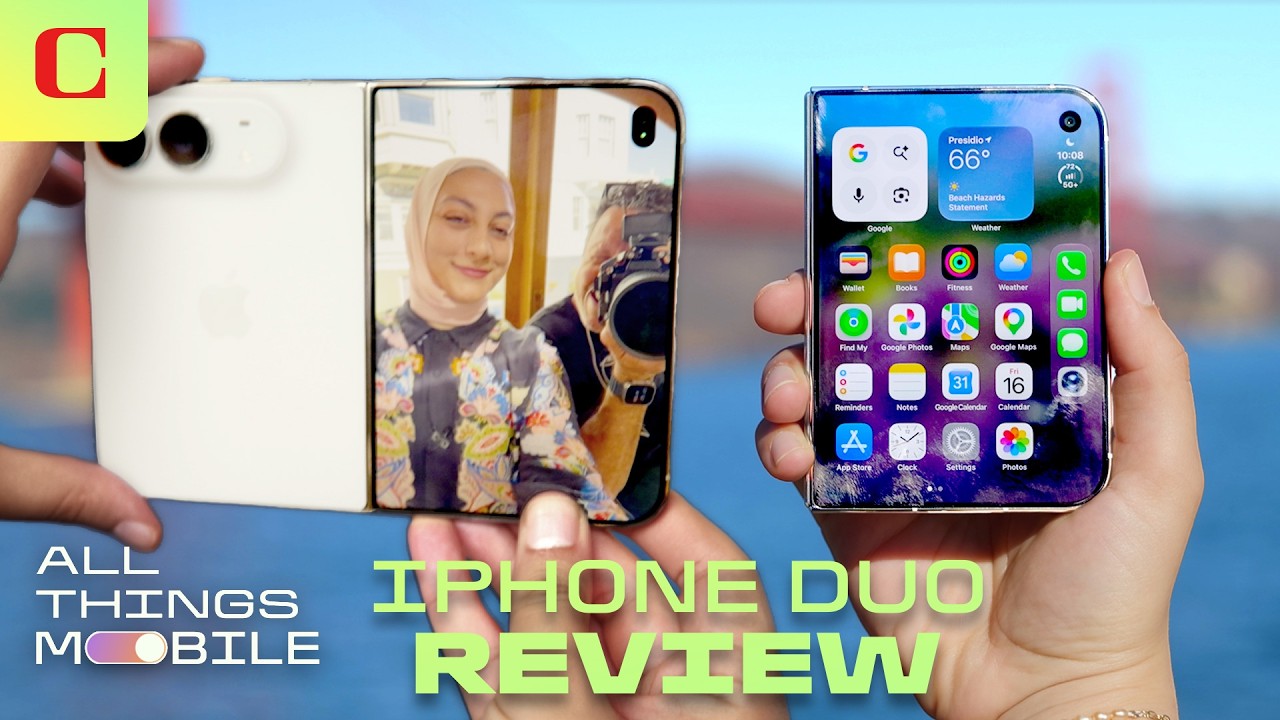
The first reviews of the iPhone Duo were published today, providing us with a closer look at the foldable device in action ahead of its launch on Friday.
It is expensive, it's full of compromises, and it can be incredibly frustrating to use. Switching from the Duo back to one of our standard slab phones to get something done often felt like a relief. Sometimes you just need your iPhone to do what you need it to do — that's why Apple has been so risk-averse in changing it.
But all of the risk and weirdness of the Duo is also fun, in the way the best early adopter devices are fun. It's incomplete as a product, but complete enough as an idea that you can see where things are going. It's reminiscent of the very first MacBook Air, which took exactly no one by storm — it took a full redesign for Apple to get it right, and then it took over the entire industry.
Coming from the iPhone 18 Pro and 18 Pro Max that I reviewed last month, I experienced no material slowdown in overall performance on the iPhone Duo. The foldable shares the same A20 Pro chip with the same 6-core CPU, 7-core GPU, and dual 16-core Neural Engine. This is not an iPhone Air vs. iPhone 17 Pros situation where the Air has one less GPU core and throttles under sustained performance because it's too thin, overheats, and doesn't have a vapor chamber to cool it. While not as large as the one in the iPhone 18 Pros, the iPhone Duo's vapor chamber, which Apple says helps provide up to 35% higher sustained performance than the iPhone 17 Pro, does a solid job cooling it down to prevent lag or slowdown when apps really activate all the CPU and GPU cores.
This responsiveness is backed by the single-core and multi-core scores on Geekbench 7, the standard benchmarking app for measuring a device's CPU and GPU's power. The iPhone Duo and iPhone 18 Pro scored nearly identical scores (averaged out over three tests): 4,002 on single-core and 10,728 on multi-core. Similarly, the GPU test also returned nearly the same score: 60,608. I ran the same CPU and GPU tests on the iPhone Duo's closest Android competitor, the Galaxy Z Fold 8. The CPU in its Qualcomm Snapdragon 8 Elite Gen 5 for Galaxy chip only mustered 3,112 on single-core. It fared nearly equal on multi-core with a 10,438 score. For the GPU, the Z Fold 8 scored a measly 17,331 on the GPU test. That puts the Z Fold 8 at 22% less powerful on single-core and a whopping 71% less performant for the GPU.
WIRED's Julian Chokkattu said many third-party apps in the App Store still need to be updated to support the full width of the iPhone Duo's inner display:
Much of my time this past week has been thinking about wasted space. Sometimes I questioned Apple's decision to move all the navigation elements of iOS to the right rail—there's so much wasted space in some apps! Then I use an app that uses all that space, and I'm content. That's probably my takeaway. If you want to try Apple's first folding phone, wait a few months for developers to optimize their apps.
In the meantime, apps that are not optimized for the device are letterboxed, meaning they have large black bars on the left and right sides of the app.
Of course, some customers might have to wait a few months for the iPhone Duo regardless, with pre-order delivery dates into November to January but getting bumped up for some. By then, more apps will have been recompiled with the iOS 27.1 SDK.
Despite the Duo's compact 5.4-inch cover screen, it doesn't feel cramped. I can comfortably do just about anything I would on a bar-style phone, just on a smaller scale. The keyboard is roomy, taking up around half the cover screen, so typing feels seamless and easy. I haven't grappled with any more typos than usual. I tend to stick to the cover display for less-involved tasks such as checking an email, texting, ordering an Uber or snapping a photo.
When I'm doing something that requires more time or effort, I open the Duo to use its 7.6-inch inner display. That includes working in Google Docs, watching a YouTube video, streaming, scrolling through the Photos app or multitasking. Reading is a delight with the Duo's matte display, which feels easier on the eyes, including while outdoors. The under-display FaceTime camera, which virtually disappears when not in use for a call or photo, also makes content look more immersive without a gaping black hole.
I think switching from Face ID to Touch ID has been the hardest thing to get used to on iPhone Duo. I've become so accustomed to just looking at my iPhone to unlock it. Having to deliberately reach for the side button feels like a step backward, even though Touch ID works quickly and reliably.
One benefit I have enjoyed: Touch ID is a lot easier to use when your iPhone is lying flat on a table. Instead of picking up your iPhone to unlock it with Face ID, you can rest your finger on the Touch ID sensor and to glance at your locked notifications.
iPhone Duo also supports Apple Watch unlock. If you enable this feature, you can swipe up on your iPhone Duo's lock screen, and it will automatically unlock if you're wearing your Apple Watch (so long as your Apple Watch has a passcode on it and is unlocked).
I used my iPhone Duo without Apple Watch unlock enabled for the first few days to get a feel for what it's like to use an iPhone with Touch ID for the first time in nearly a decade. Ultimately, I turned on Apple Watch unlock, and it does make the experience significantly better.
Tom's Guide's Mark Spoonauer conducted a battery life test that involves browsing the web at 150 nits of display brightness over 5G until the battery dies, and he said the iPhone Duo lasted for 13 hours and 20 minutes.
Samsung's Galaxy Z Fold8 lasted 10 hours and 6 minutes, and the iPhone 18 Pro Max clocked in at 17 hours and 31 minutes:
iPhone 18 Pro Max: 17 hours and 31 minutes
iPhone Duo: 13 hours and 20 minutes
Samsung Galaxy Z Fold8: 10 hours and 6 minutes
iPhone Duo has two rear 48-megapixel Fusion Main and Fusion Ultra Wide cameras, but no Telephoto camera. PetaPixel's Jaron Schneider has published more of a photography-focused review, and photographer Tyler Stalman has a video review.
Apple plans to add Reachability support to the iPhone Duo in a software update coming later this year, according to WIRED's Julian Chokkattu. The feature will presumably be available on both the inner and outer displays, but the article did not say.
Available on other iPhone models, Reachability is an accessibility setting that allows you to swipe down on the bottom edge of the screen to lower the top half of the interface so that controls are easier to reach with one hand.
Loop Capital has lowered its rating on Apple from "Buy" to "Hold," saying the company is unlikely to make up an estimated 13 million iPhone shipments cut from its plans for the second half of 2026, according to Investing.com.
The firm reduced its Apple stock price target from $370 to $330. Loop previously believed shortages of memory and processors had delayed shipments that Apple would recover in 2027. Its latest supply chain checks have led it to drop that assumption.
The firm now forecasts 79 million iPhone shipments in the December quarter, below initial estimates of 85 million. It also expects a lower average selling price, reducing its forecast from $1,239 to $1,123.
For 2027, Loop actually expects Apple to ship more iPhones than it previously forecast, with its estimate now at 260 million units. However, it expects those phones to sell for less on average, leading it to cut its iPhone revenue forecast from $315 billion to $285 billion. Rising memory costs could also squeeze Apple's profits.
Apple's widely reported split launch schedule makes the financial outlook harder to assess. The iPhone 18 Pro models arrived in September and the iPhone Duo launches October 23, but the standard iPhone 18, iPhone 18e, and iPhone Air 2 are not expected until the spring of 2027.
Counterpoint Research attributed much of Apple's third-quarter shipment decline to the missing standard model. Apple still secured a record third-quarter market share of 22%, despite the fact that global smartphone shipments fell 20% year over year.
Apple retail stores in Bordeaux and Lille were looted earlier this week amid unrest accompanying demonstrations against the high cost of living in France, Boursorama reports. Both locations were among numerous businesses targeted across the country. The same Bordeaux location, Apple Sainte-Catherine, was previously looted in December 2018 during unrest surrounding France's "yellow vest" demonstrations.
Note: This discussion thread is located in our Political News forum with special rules.
Apple Music subscribers can now stream directly to compatible Bluesound speakers and hi-fi equipment, allowing playback without sending audio via AirPlay 2.
Bluesound offers a range of high-end home audio products ranging from wireless speakers and soundbars to streaming components that connect to existing hi-fi systems. Its products use BluOS, a platform that lets users control music and link audio equipment across multiple rooms.
The new integration makes Apple Music accessible within the BluOS Controller app. Once a subscriber signs in, the player retrieves the music itself, freeing their iPhone or iPad from handling the audio stream. AirPlay 2 remains available.
For households with several BluOS products, the addition also brings Apple Music into the same system used to manage playback around the home. Users can play music across grouped devices or choose different music for individual rooms.
The update extends beyond Bluesound's own products to compatible BluOS equipment from NAD Electronics, PSB Speakers, DALI Loudspeakers, Cyrus, and Monitor Audio. Bluesound has not specified the streaming quality offered by the integration. The feature launched on October 20 via a free BluOS software update.
Apple CEO John Ternus says improving the user's experience guides Apple's design decisions, whether that means adding practical features or an animation that simply makes a device more enjoyable to use.
In the video, Ternus was asked how Apple distinguishes a design choice that contributes to a product from one that merely attracts attention. He said teams work together to determine what will make a product better for its users, ruling out ideas that are frivolous or distracting.
That approach apparently still leaves room for playful details. Ternus pointed to the animation that appears when opening the iPhone Duo's inner display, explaining that it serves no functional purpose but can make the experience more satisfying. "Sometimes you just want a little whimsy," he said.
Ternus also discussed Kids Cue, which displays Peanuts characters such as Snoopy on the iPhone Duo's outer screen to draw a child's attention toward the camera during a photo. He said developing a different kind of iPhone gave Apple's teams an opportunity to explore ideas made possible by the new hardware. Asked how involved he remains with design, Ternus said:
I'm a mechanical engineer by background, and the team that the product designers work most closely with are the industrial designers. So, I've been working hand in hand with industrial designers at Apple since I started. And it's an amazing relationship.
I think what's so special about this place is design is at the center of it. Design means everything to us. And what's incredible is our designers, both on the software side and the hardware side, they really understand the engineering. And the engineers have a very deep appreciation for design. And so it's a really powerful collaboration.
The same focus on the experience purportedly informs Apple's approach to AI. Ternus said the technology creates opportunities to improve existing products and develop new ones, but users should be able to appreciate a feature without needing to understand that AI makes it possible. He identified personalized experiences, supported by access to information on the user's phone, as a particular focus for Apple.
The comments follow a report earlier this month that Ternus has made product design a major priority since becoming CEO in September, visiting Apple's design studio several times a week. The interview ended with a question about what Ternus wants to preserve as CEO:
The opportunities in the products, that stuff will change. It'll evolve as it does as new technologies come, but the way we work, I don't want that to change.
The full interview also covers Apple's updated parental controls, Ternus's transition to CEO, and his interest in motor racing.
The UK's competition regulator has proposed changes to make it easier and cheaper for companies to offer alternatives to Apple Pay on the iPhone (via Reuters).
The Competition and Markets Authority (CMA) says Apple's fees and restrictions make it too difficult for rivals to launch contactless payment apps. Its proposals would give developers more ways to access the iPhone's NFC technology, which allows users to pay by holding their device near a payment terminal.
Apple opened up NFC access to developers in the UK in 2024, but companies must sign an agreement with Apple and pay fees. They also have to use the iPhone's Secure Element, which is a chip that stores sensitive information such as payment credentials.
The CMA wants Apple to also support host card emulation (HCE), an alternative that lets payment apps work without using the Secure Element. It also proposes rules that it expects would substantially lower Apple's access fees, although it would still allow the company to charge something.
Apple already offers HCE access for free in the European Union under commitments agreed in 2024. The CMA highlights that rival payment apps have since launched in the EU, while no competing wallet-type product has launched in the UK under Apple's current terms.
Apple told Reuters that developers can already offer contactless services using its technology:
We do not believe the CMA should require Apple to adopt an approach with lower privacy and security protections. We will continue to engage constructively to reach an outcome that is in the best interest of our users.
The CMA said the evidence it reviewed did not suggest either approach was inherently insecure. The proposals are open for consultation until November 17, 2026. The CMA will make a final decision after reviewing responses.
Note: This discussion thread is located in our Political News forum with special rules.
WhatsApp is developing an optional in-app browser for its iPhone app that would let users open any link shared in chats without leaving the app, according to WABetaInfo.
A new "In-app browser" option under Settings and Chats would let users enable the feature or continue opening links in their default browser. Users would also be able to clear cookies, cache, and other browsing data. The feature would also expand existing support for certain business links.
More premium games are launching on the App Store this year than last, Apple's App Store Worldwide head Carson Oliver told Polygon, including more franchises coming from PC and consoles.
Oliver said:
We've seen incredible growth of games coming to the App Store, in general, with more premium games releasing on the App Store this year than last. While many of those are indies, we're also seeing more console and PC franchises coming to mobile, as it is a burgeoning audience for those games.
Oliver singled-out "Balatro," "Stardew Valley," "Slay the Spire," and "Bloons TD 6" as games finding success on mobile, and singled out cozy games, management simulations, and roguelikes as particularly successful categories.
Oliver suggested that part of the opportunity comes from players whose first gaming device was an iPhone. Having grown up playing with touch controls, those users give independent developers an audience accustomed to games designed around a touchscreen.
For an entire generation of players, their very first gaming device wasn't a console or a PC, it was an iPhone with a touchscreen. These users embrace direct touch as their primary controller, making iPhone and iPad the ultimate canvas for indie innovation.
The interview followed Apple's Indie Games Week promotion, which highlighted seven new and upcoming iPhone and iPad games, including "Sifu," "Vampire Crawlers," "No Man's Sky," and "Little Kitty, Big City."
With games such as Vampire Crawlers being sold directly on the App Store, Polygon asked where Apple Arcade fits into the company's plans. Oliver described subscriptions and individual purchases as options developers can use alongside one another:
We want to give developers a trusted place to reach users around the world, support them at each stage, and help them build successful businesses. To achieve that goal, we provide developers with flexible business model options. That means a breakthrough phenomenon like Balatro can thrive as a premium download, and it can also find a home as part of the Apple Arcade service. The important thing is that we give developers the flexibility to make the best choice for every game and players the freedom to play how they want.
Oliver also discussed how Apple helps smaller studios get noticed, pointing to the App Store's editorial team:
From day one, the App Store was built to level the playing field for discovery and distribution, so that an indie title can sit shoulder-to-shoulder with the biggest entertainment franchises.
Alongside editorial recommendations, Apple recently introduced Creative Assets, which gives developers more control over their games' presentation in the store:
We also provide indie developers with tools and services to break through to new audiences and drive engagement. For example, we just launched Creative Assets. This new feature lets indie game developers tell their game's story in a richer way by showcasing artwork of their choosing in two of the most important places players find games: search results and product page headers.
Oliver said Apple's development tools are also reducing the work required to bring existing games to its platforms:
Technologies like Game Porting Toolkit 4, MetalFX, and our open-source Unity plug-ins dramatically cut the time, effort, and cost required for developers to bring PC and console games to Apple devices.
Apple could face additional payments on top of a $5.7 billion patent verdict, with Taction Technology asking a federal judge for more damages, interest, and royalties on future iPhone and Apple Watch sales.
The request follows a September jury verdict that Apple's Taptic Engine infringed two Taction patents covering haptic feedback, the technology that produces taps and vibrations in devices. Apple disputes the verdict and is seeking to have it overturned or obtain a new trial.
According to Reuters, Taction says the $5.7 billion award covers sales from 2021 through to late March 2026. It now wants compensation for approximately six more months of sales that were not included in the jury's initial calculation.
Taction is also asking for interest on the damages at an annual rate of 7%, citing California law. That could increase the amount by hundreds of millions of dollars. Separately, it wants interest to continue accumulating after the court enters its final judgment until Apple pays.
The company's request also extends to future sales. Taction wants Apple to pay royalties on devices using the disputed technology until the patents expire on September 24, 2035. Under its proposal, Apple would report U.S. sales every quarter and pay within 30 days of the quarter ending.
Moreover, Taction argues that newer models, including the iPhone 18 Pro and Apple Watch Series 12, should also be covered because their relevant technology has not changed enough to escape the patent claims. To support that position, it points to Apple's earlier litigation against Samsung, in which Apple argued that royalties should extend to newer products with essentially the same infringing technology.
Apple maintains that its Taptic Engine is fundamentally different from Taction's technology. It has also challenged the size of the jury's award, arguing that the evidence did not support the $5.7 billion calculation, and has said it will appeal.
Bethesda's beloved role-playing game "The Elder Scrolls V: Skyrim" has reached multiple generations of consoles since its 2011 debut, but it never officially came to the Mac. A new unofficial project called SkyrimMT now aims to make playing and modding it on Apple silicon Macs easier than ever.
Mac owners have found ways to play Skyrim over the years, including installing Windows through Boot Camp on Intel Macs and using compatibility software such as CrossOver. Boot Camp is unavailable on Apple silicon Macs, leaving players dependent on other solutions to run the Windows game.
SkyrimMT's appeal is in bringing that process together in an app built specifically for Skyrim. Its automated setup installs the required compatibility software and guides users through signing in to Steam and installing their copy of the game. It supports Skyrim Special Edition and Anniversary Edition.
Its native mod manager supports browsing Nexus Mods, installing Nexus Collections and Wabbajack modlists, and importing Mod Organizer 2 setups. Common additions such as Skyrim Script Extender and SkyUI can also be installed through the app. Users can maintain separate mod profiles, inspect conflicts, sort load orders, and restore earlier configurations from snapshots.
Under the hood, SkyrimMT runs the Windows game through Wine and uses DXMT to translate its Direct3D 11 graphics to Apple's Metal.
SkyrimMT requires an Apple silicon Mac running macOS Ventura 13 or later, approximately 25GB of free storage, and a Steam copy of the game. The open-source app is available from the project's GitHub releases page.
Apple has showcased four design projects created using its products for this year's "Designers of Tomorrow" exhibition in Paris.
The exhibition explores the theme of presence through furniture and lighting. Architect Salem S. Charabi used a MacBook Pro to sketch and model a lantern, while designer Yoonjeong Lee used an iPad Pro and the Apple Pencil to develop ideas for a combined table and lamp.
Isabel Rower used an iPhone to document her work and Keynote to experiment with visual ideas for a chair featuring ceramic bead fringe. Parafernalia founders Genki Matsumura and Sebastián Zorrilla used Procreate, Messages, and FaceTime to collaborate between Monterrey and Mexico City on a steel piece that opens into a table and stools.
Now in its second year, the program is organized with Design Miami and curated by Rodman Primack. Apple's Molly Anderson helped select the participants as a member of the jury. The exhibition opened at Hôtel de Maisons on October 20. See Apple's full press release for more information.
Apple is continuing to work on 6G, the successor to 5G that's on track to be ready sometime around 2030. Apple has been preparing for the eventual launch of the 6G standard since at least 2020.
Apple is hiring a 6G Cellular Modem Systems Engineer who will "define and build the next generation of cellular technology" as the company transitions to 6G. Apple designs its own modems now, so it will need to be ready when 6G rolls out.
6G is still under development. Spectrum bands haven't been established, and official performance requirements won't be formally approved until later this year. 6G goals include faster data upload speeds, lower latency, and better power efficiency. 5G is already used for home internet, and that will likely expand with 6G.
Companies like Apple, Qualcomm, Nokia, Samsung, and Ericsson are doing 6G research. Apple is a founding member of the Next G Alliance, an industry group established by the Alliance for Telecommunications Industry Solutions (ATIS) to advance 6G in North America.
With just a couple of days to go until the iPhone Duo launches, the first unboxing video has surfaced online from someone who managed to get a device early.
The iPhone Duo ships flat instead of folded, and it is otherwise packaged like any other iPhone.
We've already seen first impressions from members of the media who tried the iPhone Duo in person, but the unboxing video is the first look from outside the press.
We're expecting iPhone Duo reviews to go live as soon as tomorrow, and the device will launch on October 23. New iPhone Duos purchased from Apple's online store won't arrive until January 25, and Apple hasn't said whether stores will have the iPhone Duo for walk-in purchases on the 23rd.
Apple's website is telling people to check back for in-store stock on the 24th, and some Apple retail employees are reportedly being told to warn customers there likely won't be launch-day stock. Apple's websites in Japan, South Korea, and the United Arab Emirates say the iPhone Duo will be limited to customers with a pickup reservation.
Perplexity today said it is updating Perplexity Computer to run fully locally on Mac. The local version runs on Qwen 3.6 or PPLX Pro (a post-trained version of Qwen) in the Perplexity app for Mac on supported Apple silicon Macs.
Perplexity highlights the new Mac mini machines and says 36GB of memory or more is recommended to run locally. With the local setup, the AI model, task planning, reasoning, and file processing are handled on-device. Code and tool execution run in isolated sandbox environments.
Computer can use native apps on the Mac and complete tasks without sending personal data to the cloud. Perplexity says it can work across apps like Notes, Messages, Mail, Keynote, and Numbers.
Perplexity also offers Hybrid Compute, which combines frontier models that run in the cloud with local models to process information privately. It's an alternative for users who want local processing but don't have a Mac that's powerful enough. Hybrid Compute works on Macs with as little as 24GB of memory,
When running Computer locally, if a task requires current information, browser use, or cloud-connected apps, users can authorize cloud access and decide when to spend credits. There's also an option to call on one of more than 15 frontier models for tougher problems when needed.
Local Computer for Mac is available now for Perplexity Pro, Max, and Enterprise subscribers. Users can download Perplexity for Mac and then choose the fully local option to use it.
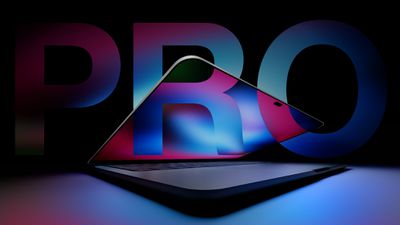
Apple is working on a high-end MacBook Pro, and it's nearly ready to launch. It will have several firsts in a Mac, including an OLED display and a touchscreen.
Design
Apple hasn't redesigned the MacBook Pro since the launch of the M1 Pro and M1 Max models in 2021, so it's due for a new look. The new MacBook Pro is expected to feature some minor design changes. There's only so much you can do in a laptop form factor, but rumors say it will be lighter and possibly a bit thinner than before, which suggests some tweaks to the casing.
Apple plans to get rid of the notch, replacing it with an iPhone-style Dynamic Island. A Dynamic Island could better unify the way Siri AI behaves across the iPhone and the Mac with iOS 27 and macOS Golden Gate, and it will take up less space on the display.
We haven't heard rumors of keyboard or trackpad changes, and neither needs an overhaul.
Size Options
The OLED MacBook Pro will be available in both 14-inch and 16-inch size options. It's not yet clear if it will replace the current models or be sold as a higher-end option alongside them.
Display
Apple's upcoming MacBook Pro will be the first with an OLED display. OLED display technology is already used for the iPhone, Apple Watch, and iPad Pro, but it has taken time for larger-sized OLED screens to come down in price.
OLED will be an upgrade over the current mini-LED display technology in most cases, bringing richer colors and a higher contrast ratio with true blacks. In an OLED display, individual pixels turn off instead of dimming when not in use, so there's less blooming. OLED displays tend to have better HDR than mini-LED, but sometimes don't match the mini-LED brightness levels.
Rumors indicate Apple is using rigid OLED panels with oxide TFT backplanes and advanced tandem OLED structures. Tandem OLED panels are used in the iPad Pro and have a longer lifespan with less burn-in than single-stack OLED panels.
Touchscreen
Along with OLED technology, the MacBook Pro is expected to have the first touchscreen display on a Mac. Users will be able to use their fingers to interact with the Mac's display, similar to an iPad.
Touchscreen capabilities will be used alongside the trackpad and keyboard, suggesting Apple sees touch as supplementary instead of a primary control method. Apple is rumored to be adapting macOS Golden Gate for touch input.
Apple plans to add a reinforced hinge to the MacBook Pro's display so that it doesn't wobble when it's tapped.
Touchscreen Hints in macOS 27
There are features in macOS Golden Gate that hint at a future touchscreen Mac. Apple added direct touch input to Sidecar so users can tap and interact with macOS elements when using the iPad as a Mac display.
macOS Golden Gate supports an iPhone-style pull-to-refresh option, and it can be used across apps like Safari, Mail, News, Podcasts, and Calendar. A pull-to-refresh option makes the most sense on a touch display.
Chips
The current high-end MacBook Pro models are equipped with M5 Pro and M5 Max chips, and Apple plans to use the same chips for the OLED MacBook Pro.
Apple already introduced an M6 chip in the latest Mac mini, and it's expected to appear in a low-end MacBook Pro and an iMac on October 28, but Bloomberg says Apple isn't going to release any other chips in the M6 series. Apple's chip plans changed earlier this year, and the company is now accelerating the launch of the M7 series. The M7 chips feature major neural-processing improvements that will meet demand for machines better able to handle AI tasks.
With no M6 Pro or M6 Max planned, Apple will need to use the M5 Pro and M5 Max so it doesn't have to wait for the M7 series before debuting the OLED MacBook Pro. A second-generation OLED MacBook Pro will use the M7 Pro and M7 Max chips, with that machine planned for late 2027.
Naming
There were rumors that the OLED model would be called the "MacBook Ultra," but that's apparently not happening. Apple's product unveiling has the tagline "Pro and tell," making it clear the new device will keep the Pro name.
Pricing
Apple's OLED MacBook Pro is expected to be a premium product, with a price tag higher than current MacBook Pro models. Apple raised the prices of all Macs in June 2026, so the MacBook Pro could be even more expensive. MacBook Pro pricing went up a minimum of $300 as part of the June price hikes.
The higher-end 14-inch MacBook Pro with M5 Pro chip starts at $2,499 after the price increase, while the 16-inch M5 Pro MacBook Pro starts at $2,999. The M5 Max models start at $4,099 for the 14-inch model and $4,399 for the 16-inch model.
Launch Date
Apple will introduce new Macs on Wednesday, October 28 as part of a "Pro and tell" launch. There won't be a livestreamed event, but some members of the media have been invited to Los Angeles to try out the new devices.
The OLED MacBook Pro could launch as soon as November 6.


 Note: MacRumors is an affiliate partner with some of these vendors. When you click a link and make a purchase, we may receive a small payment, which helps us keep the site running.









 Apple plans to add
 Apple retail stores in Bordeaux and Lille were looted earlier this week amid unrest accompanying demonstrations against the high cost of living in France,


 WhatsApp is developing an optional in-app browser for its iPhone app that would let users open any link shared in chats without leaving the app, according to