One of the advantages of the iPhone Duo's folding design is that you aren't limited to using the front camera when taking self-portraits. It may sound counterintuitive, but by unfolding the device, you can flip it around and take selfies with the higher-quality 48MP rear Fusion cameras instead.
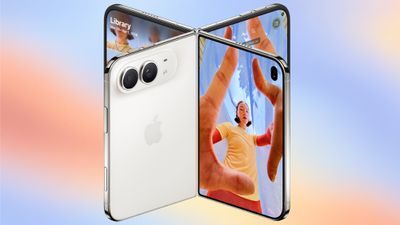
The Duo's outer display is what makes this use case practical, since once the rear cameras are pointing at you, it shows a live preview along with the camera controls – so you can frame the shot before you take it. Keep reading to learn how it's done.
How to Take Selfies With the Rear Cameras on iPhone Duo
- Unfold your iPhone Duo and open the Camera app.
- Turn the phone around so that the rear cameras are pointing toward you.
- Drag the Show Camera slider on the outer display to bring the Camera app onto that screen.
- Frame your shot on the outer display, then tap the shutter button, or press either volume button or Camera Control.
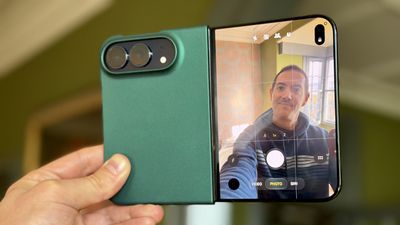
Note that the rear-camera selfie option only works when your iPhone Duo is open. If you want the person you're photographing to see themselves instead, that's a different feature called Duo Preview – see our separate how-to for the details.