When taking a group photo, it usually means one person remains stuck behind the camera or everyone has to rush to pose before a timer ends. Smart Take on iPhone Duo means you don't have to do either. All you do is prop the phone up and get in the frame yourself, and the feature captures photos automatically when you strike a pose or hold still.
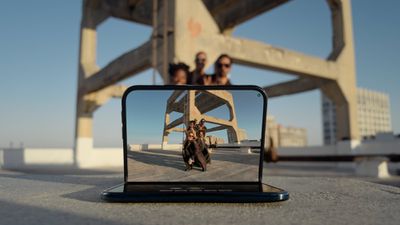
iPhone Duo takes up to 20 photos over a couple of minutes, and the flash blinks each time. That way, you know a shot has been taken without walking back to check. (You can control this behavior by toggling Camera ➝ Flash During Capture in the Settings app.)
Not only that, if you half-fold the Duo and prop it up on its side, one half of the screen shows the camera view while the other half shows the photos it has already captured. Keep reading to learn how to use it.
How to Use Smart Take on iPhone Duo
- Open the Camera app on your iPhone Duo.
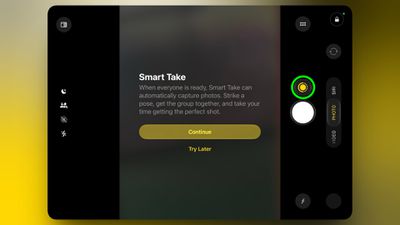
- Prop it on a stable surface like a table, or hold it securely in your hand. The Smart Take button will appear on the camera screen when the phone is stable.

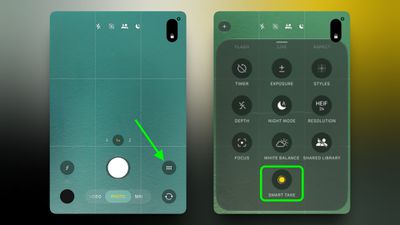
- If you don't see the Smart Take button, tap the Camera Controls button (the six little dots), then tap Smart Take.
- Tap the Smart Take button to start, then get into the frame and strike a pose or hold still. To stop taking photos, tap the Smart Take button again.
Tip: If you touch and hold the image thumbnail that appears below the shutter button, you can see a preview of the photo that's just been taken.