Tim Hardwick

Tim is a Senior Editor at MacRumors and has been writing for the site since 2016. Formerly a magazine journalist, his work has appeared in over 30 newsstand print publications and online brands covering a range of topics, from the latest trends in technology to the mysteries of ancient history.
Based in the UK, Tim's current role at MacRumors involves editorial oversight and how tos, in addition to covering daily news and contributing occasional reviews. Tim can be reached at tim@macrumors.com, Telegram (@waxeditorial) or Twitter.
Based in the UK, Tim's current role at MacRumors involves editorial oversight and how tos, in addition to covering daily news and contributing occasional reviews. Tim can be reached at tim@macrumors.com, Telegram (@waxeditorial) or Twitter.
Tim Hardwick's Articles
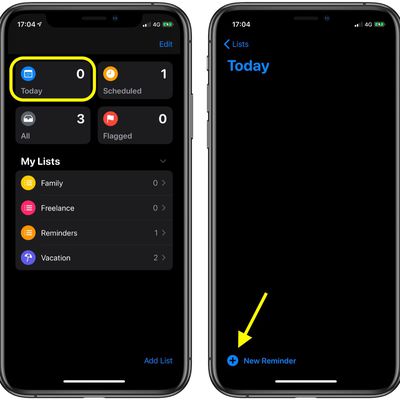
How to Create a Reminder in the iOS Reminders App
For iOS 13, Apple overhauled the interface of its Reminders app and added some new features that make it a lot more competitive with rival third-party apps offering similar reminder functions.
As with the previous version of Reminders, you can make as many reminders as you think you'll need in the new Reminders app, and you can add them to dedicated reminder lists for specific projects....
Read Full Article

Samsung Plans to Launch a Flip Phone-Style Device With 6.7-inch Bendable Display Early Next Year
Undeterred by its recent Galaxy Fold un-launch, Samsung is apparently set to unveil a luxury smartphone early next year that can be folded down into a compact-sized square, according to a new report from Bloomberg.
Samsung's Galaxy Fold hasn't even been released yet The South Korean smartphone giant is working on a device with a 6.7-inch inner display that shrinks to a pocketable square when...
Apple Pay Expands to More Banks in Netherlands and Launches in Country of Georgia
Apple Pay officially launched in the Netherlands in June, but Dutch bank ING was the sole card issuer offering support Apple's digital payment system to the country.
Today, more banks in the Netherlands announced support for Apple Pay. Dutch challenger bank Bunq now shows up in Apple's Wallet when users in the country choose to add a card, as does Monese, N26, and Revolut.
With Apple...

Apple and Burberry Develop Personalized Retail Chat Service for Luxury Shoppers
Apple has been working with Burberry on a new chat service called "R Message" that integrates with the luxury fashion retailer's internal iOS app and allows store associates to directly communicate with customers.
Vogue Business reports that the service, now being piloted, will be invitation-only and is designed to enable staff to chat with "high-value" clients via Burberry's internal app,...
China Reportedly Used iPhone Exploits to Target Uyghur Muslims
Last week we reported on Google's discovery of an old iPhone vulnerability – now fixed by Apple – that enabled malicious websites to steal data from thousands of users over a two-year period.
Google described these attacks in its original blog post as "indiscriminate," however a report over the weekend by TechCrunch suggests the websites were part of a state-backed attack that specifically...
Apple Classifies Early 2013 21.5-inch iMac as Obsolete
Apple has added the Early 2013 21.5-inch iMac to its vintage and obsolete products list. The model of iMac is now classified by the company as vintage in the United States and Turkey, and obsolete in the rest of the world.
Apple defines vintage products as those that have not been manufactured for more than five but less than seven years. Macs and other products on the vintage and obsolete...
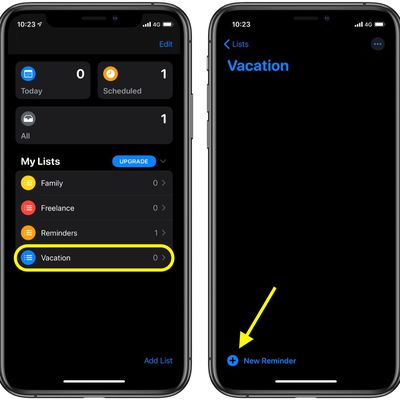
How to Add a Reminder to a List in the Reminders App
For iOS 13, Apple overhauled the interface of its Reminders app and added some new functions that make it a lot more competitive with rival third-party to-do apps.
As with the previous version of Reminders, you can create as many lists as you need in the new Reminders app, and add as many reminders to each as you like. Here's how it works.
To add a reminder to a list you created, tap its...
How to Create a Scheduled Reminder in iOS
For iOS 13, Apple overhauled the interface of its Reminders app and added some new functions that make it a lot more competitive with rival third-party to-do apps.
As with the previous version of Reminders, you can make as many lists as you need in the new Reminders app, and add as many reminders to each as you like – including scheduled reminders. Here's how it works.
To add a scheduled...
How to Create a New List in Reminders
In iOS 13, Apple overhauled the interface of its Reminders app and added some new functions that make it a lot more competitive with rival third-party to-do apps.
As with the previous version of Reminders, you can make as many lists as you need in the Reminders app. You can have separate lists for family, friends, work, or for other custom categories.
The redesigned interface also...

'Pokémon Masters' Now Available for iPhone and iPad
Japanese developer DeNA's latest free-to-play Pokémon game, Pokémon Masters, has just been released a day early on iOS and Android.
Announced in June, the game is a collaboration between Pokémon Company and DeNA, the mobile game company also responsible for Super Mario Run and Fire Emblem Heroes.
Pokémon Masters switches up the dynamic that Pokémon fans will be used to. The title has...
How to Choose an Image Size When Uploading a Photo in Safari for iOS
When it comes to uploading an image to a website using your mobile device, you may be concerned about your data cap or the time the upload is going to take, especially if the original image is in a very high resolution.
Happily, in the latest version of Safari for iOS 13, Apple has added an feature that lets you choose what size image to upload. The options include Actual Size, Large, Medium,...

How to Remove Annoying iOS Prompts Asking You to Finish Setting Up Your Device
If you recently updated the software version on your iPhone or iPad, you may be receiving prompts from the Settings app to finish setting up your device.
These alerts are usually the result of skipping steps during the iOS setup process, such as enabling Siri or setting up Apple Pay.
If you don't plan to set up these features anytime soon, the settings prompts and notification badges can...

'Hey Beeb' – BBC Developing Voice Assistant for iPlayer App and Website
The BBC has announced its intention to launch its own voice assistant next year to help users find their favorite programs and interact with online services hosted by the public broadcaster.
The voice assistant's working title and wake-word is currently "Beeb," and it will be built into the BBC's website, its iPlayer app and other mobile apps, and made available to manufacturers who want to...
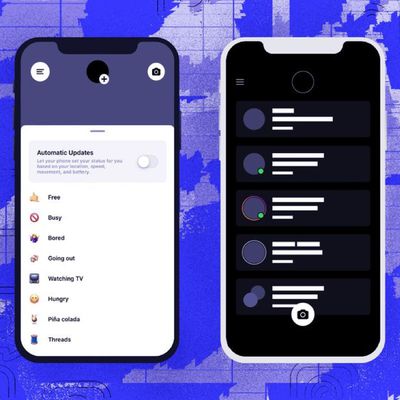
Instagram is Developing Another Direct Messaging App to Rival Snapchat
Facebook is said to be working on another messaging app called "Threads" that would act as a companion to the main Instagram app, reports The Verge.
Despite the demise of its standalone "Direct" messaging app, the social media company still appears intent on challenging Snapchat with the development of a rival platform. To that end, Threads would promote "constant, intimate sharing between...
How to Delete Frequently Visited Sites From Safari's Start Page in iOS
In Apple's Safari browser for iPhone and iPad, every new window or tab you open automatically displays the start page, giving you convenient one-touch access to your favorite websites and any other sites you frequently visit, as well as Siri Suggestions and websites recommended to you by friends and family.
Your Frequently Visited sites appear immediately below your Favorite sites. If there's...
How to Save an Open Tab as a Bookmark in Safari on iOS
Website bookmarks are a great way to build and organize a list of sites that interest you, so that you can refer back to them quickly in your favorite browser.
In Safari on Mac, saving a tab as a new bookmark is as easy as selecting Bookmarks -> Add Bookmark... from the menu bar. In iOS, the option is a little more hidden, but once you know where it is, it's just as easy to use.
In Safari, ...
How to Customize Your Favorite Sites in Safari for iOS
In Apple's Safari browser for iPhone and iPad, every new window or tab you open automatically displays the start page, giving you convenient one-touch access to your favorite websites and any other sites you frequently visit, as well as Siri Suggestions and websites recommended to you by friends and family.
Your favorite websites appear at the top under Favorites, and you can customize these...
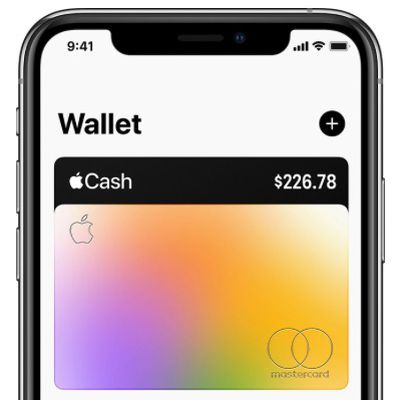
How to Turn Off Daily Cash Notifications on Your iPhone
One of the perks of Apple Card's rewards system is "Daily Cash," where Apple pays out your cash back bonuses on a daily basis rather than making you wait weeks for it to show up on a credit card statement.
There's no limit to how much Daily Cash that you can earn with Apple Card, and if you've set up Apple Cash, it's added automatically to the virtual Apple Cash card that lives in the...
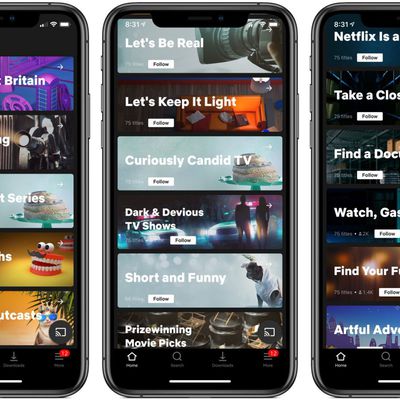
Netflix Tests Human Curated 'Collections' Feature on iOS
Netflix is testing a human curated discovery feature on iOS called "Collections" that surfaces TV shows and movies the user might be interested to watch (via TechCrunch).
Collections in Netflix for iOS
Netflix says the content is curated by experts on its creative teams and that the collections are organized according to similar factors, such as genre, tone, story line, and character traits.
...

Disney+ Will Offer up to Four Simultaneous Streams and 4K Content for $6.99 a Month
Disney's annual D23 Expo kicked off in Anaheim on Friday, and the company has revealed more details about its upcoming streaming service, Disney+.
According to CNET, Disney+ will cost $6.99 a month and give subscribers the ability stream up to four devices at the same time, with high-definition 4K content included at no extra cost.
That will make it highly competitive with Netflix,...