

Tim Hardwick

Tim is a Senior Editor at MacRumors and has been writing for the site since 2016. Formerly a magazine journalist, his work has appeared in over 30 newsstand print publications and online brands covering a range of topics, from the latest trends in technology to the mysteries of ancient history.
Based in the UK, Tim's current role at MacRumors involves editorial oversight and how tos, in addition to covering daily news and contributing occasional reviews. Tim can be reached at tim@macrumors.com, Telegram (@waxeditorial) or Twitter.
Based in the UK, Tim's current role at MacRumors involves editorial oversight and how tos, in addition to covering daily news and contributing occasional reviews. Tim can be reached at tim@macrumors.com, Telegram (@waxeditorial) or Twitter.
Tim Hardwick's Articles

Israeli Security Firm Claims Spyware Tool Can Harvest iCloud Data in Targeted iPhone Attack
An Israeli security firm claims it has developed a smartphone surveillance tool that can harvest not only a user's local data but also all their device's communications with cloud-based services provided by the likes of Apple, Google, Amazon, and Microsoft.
According to a report from the Financial Times [paywalled], the latest Pegasus spyware sold by NSO Group is being marketed to potential...
Read Full Article • 129 comments

1Password Restores Free-to-Use Local Vault Option in Latest Version of iOS App
1Password has restored the option for customers who originally purchased its iOS app to create a local vault during setup, after users queued up online to voice their frustrations with the fact that the option was silently removed in an update.
The Canadian password management service caused a string of complaints on Reddit and elsewhere earlier this month when a v7.3.3 update to the 1Password ...
How to Stop Sharing Your Location With a Friend Using Find My
In iOS 13 and iPadOS, the Find My app replaces the Find My Friends and the Find My iPhone apps of old, and brings their features together in a unified interface that allows you to find whatever you need.
The Find My app works much like the two apps it replaces. For example, you can use it to share your location with friends, get notifications on friends' movements, stop sharing your location...
How to Share Your Location With a Friend Using Find My
In iOS 13 and iPadOS, Apple combined the earlier Find My Friends and Find My iPhone apps into a single app called "Find My," a sort of catch-all place on your iOS device that you can use for finding whatever you need to find.
Find My works much like the apps it replaces. For example, the new app lets you share your location with friends and family members, and allows them to share their...
How to Turn Off Location Sharing Using Find My
In iOS 13 and iPadOS, Apple has combined its stock Find My Friends and Find My iPhone apps into a single, unified app called "Find My" – a sort of catch-all user interface for finding your friends and devices.
Find My works similarly to the apps it replaces. For example, just like Find My Friends, it gives you access to your location sharing options – including the option to disable...

Trade-In Survey Claims iPhone Loyalty Down to 8-Year Low
iPhone loyalty has hit its lowest level since 2011 and Samsung has been the main benefactor, claims a new survey conducted by trade-in service BankMyCell.
The survey, cited by CNET, tracked 38,000 people who had traded in iPhones since October 2018 and found that 73 percent upgraded to a later model. The finding suggests iPhone retention rate is down 15.2 percent when compared with data from...

'Sky: Children of the Light' Now Available on iPhone and iPad
Sky: Children of the Light, by Journey developer thatgamecompany, is now available for iPhone, iPad, and iPod touch. Its release follows last year's launch of the beta version of the game, titled Sky: Light Awaits.
The title was first unveiled on stage in 2017 during Apple's headline iPhone X event. Originally it was billed as an Apple TV-only game that would support single-finger play...

Apple Trials AirPods Production in Vietnam in Bid to Cut Reliance on China
Apple will begin trialing AirPods production in Vietnam as part of a strategy to diversify product manufacturing beyond China, according to a new report by Nikkei Asian Review.
China's GoerTek, one of Apple's key contract manufacturers, will this summer begin testing the resilience of its manufacturing processes for the newest generation of AirPods at its audio factory in northern Vietnam,...
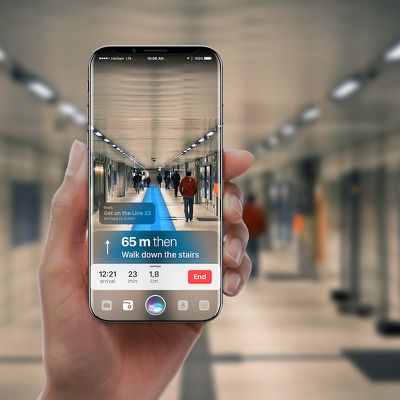
Apple Readies 3D Sensing Rear Camera Component Supplies for 2020 iPhones
Apple has asked one of its manufacturing partners to ready components for use in rear Time-of-Flight (ToF) camera lenses said to be coming to next year's iPhone lineup, according to DigiTimes.
Apple has reportedly asked its supply chain partner to supply VCSEL components for use in rear ToF camera lens in its mobile devices to be released in 2020, according to supply chain sources.Multiple...

Twitter CEO Jack Dorsey Gives Talk to Apple's Marketing Department
Jack Dorsey, CEO of Twitter and Square, visited Apple headquarters on Tuesday to give a talk to employees, according to a report by Bloomberg.
The billionaire's address at Apple is said to be one of several speakers talking to select Apple staff as part of an ongoing series.
Dorsey reportedly spoke with employees from the marketing department, and while the address may highlight shared...
How to Locate Friends Using Find My
In iOS 13 and iPadOS, Apple combined the earlier Find My Friends and Find My iPhone apps into a single app called "Find My," a sort of catch-all place on your iOS device that you can use for finding whatever you need to find.
Find My works much like the apps it replaces. For example, the new app features a section that allows you to locate friends and family members that have shared their...
How to Mark an Apple Device as Lost in the Find My App
In iOS 13 and iPadOS, Apple has combined the Find My Friends and the Find My iPhone apps into a single app, simply called "Find My."
Find My works similarly to the Find My iPhone and Find My Friends apps that it replaces, but it also allows you to locate lost devices that aren't connected to Wi-Fi or LTE by using the Bluetooth signal of other nearby Apple devices. When your lost device is...
How to Remove a Lost Device From Your iCloud Account in Find My
In iOS 13 and iPadOS, Apple has combined the Find My Friends and the Find My iPhone apps into a single app called "Find My." Find My works similarly to the apps it replaces. For example, just like Find My iPhone, it allows you to put stolen, lost or misplaced Apple devices into Lost Mode.
Remotely turning on Lost Mode ensures that your passcode is required on the device, meaning no one but...
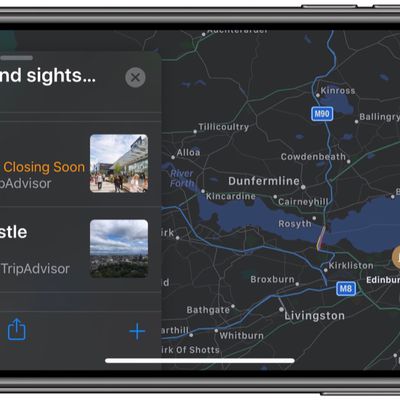
How to Create a Collection in Apple Maps
In iOS 13, Apple added a Collections feature to its Maps app on iPhone and iPad that lets you search for and aggregate lists of different locations, such as restaurants you're thinking of eating out at, sightseeing locations for when you're on vacation, or other places you want to visit.
Collection lists can also be shared, so you can create lists of places for friends and family that will...
How to Send Feedback About Errors in Apple Maps
In iOS 13, Apple introduced a redesigned customer feedback process for its Apple Maps app which is designed to make it easier for users to submit corrections for things like incorrect addresses, business locations, or operating hours.
If you find an error or something that needs updating in Apple's maps information, you can now send the correct details in just a few quick taps. The following...
How to Add Places to Your Favorites in Apple Maps
In the latest version of Apple Maps that comes with iOS 13, Apple has added a Favorites feature that lets you search for specific places and then add them to a list. Favorites are meant for places that you visit frequently, and Home and Work are already added by default.
Any place you frequent can be added to the Favorites list, such as a favorite restaurant or coffee shop, or a friend or...
How to Use Look Around in Apple Maps
With iOS 13, Apple introduced several additional features to its Maps app, one of which is called Look Around. This gives you a street-level view of what's around your current location or the location you search for on the map.
If you've ever used Google Street View, you already have a good idea of how Look Around works, but Apple's equivalent feature includes a couple of functions that...
Apple Stops Selling Lower-Cost iPhones in India
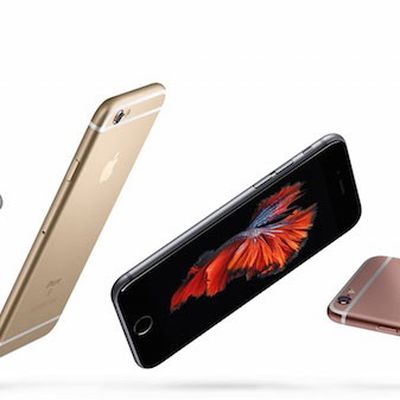
Apple has reportedly stopped selling iPhone SE, iPhone 6, iPhone 6 Plus, and iPhone 6s Plus in India, meaning anyone in the market for a new Apple smartphone will have to shell out more for a later model.
According to The Economic Times, the strategy indicates Apple is no longer prioritizing shifting iPhones in the country by volume and is instead refocusing efforts on increasing its revenue ...
Fall 1989 Catalog for Steve Jobs' NeXT Company Uploaded to Archive.org
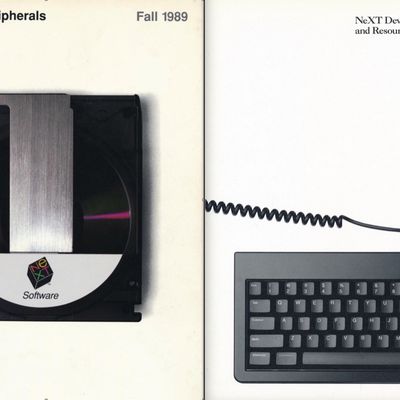
An interesting piece of technology history was highlighted by The Verge over the weekend that may be of interest to Apple users both young and old.
Amateur computer historian Kevin Savetz recently scanned the Fall 1989 issue of the NeXT catalog and uploaded the files to Archive.org. That makes the entire 138-page book available for perusal online, offering an intriguing glimpse into NeXT's...

Amazon Reportedly Developing Echo With Better Sound Quality to Rival Apple HomePod and Other Speakers
Amazon is developing a higher-quality version of its popular Echo smart speaker, according to a new report today by Bloomberg's Mark Gurman.
Prototypes of the cylindrical speaker are wider than the current Echo to squeeze in additional components including at least four tweeters, said the people, who requested anonymity to discuss an internal matter. The speaker is reportedly being developed...

















