

The HomePod and the HomePod mini are designed to automatically adjust the volume of the Siri assistant based on the level of noise in the room, but you can also verbally adjust ‌Siri‌'s volume level separately from the volume level of the media that's playing.
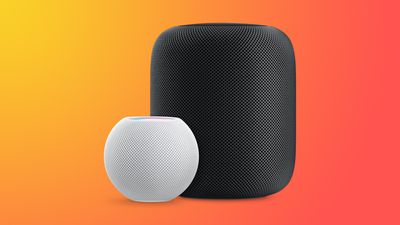
HomePodandMini feature orange
This how to walks you through the commands that you need to specifically adjust ‌Siri‌'s volume as needed.

How to Change Siri's Volume on HomePod

On ‌HomePod‌ or ‌HomePod mini‌, you can ask ‌Siri‌ to set the ‌Siri‌ volume to a specific percent, which is an adjustment that is separate from the media volume.

To do so, just say "Hey ‌Siri‌, change your volume to [percent]." You can also say "Hey ‌Siri‌, speak at [percent]."

If you tell ‌Siri‌ to set the ‌Siri‌ volume to 34 percent, for example, it will adjust it to that level while the music volume stays the same. ‌Siri‌ can be forced to be quieter or louder than your music.

Change the Media Volume on HomePod

You can also verbally adjust the media volume with a similar command, and this will adjust just the song volume without changing the ‌Siri‌ sound level.

To change the media volume, just say "Hey ‌Siri‌, change the media volume to [percent]."

Music levels can also be adjusted using the - and + buttons on the top of the ‌HomePod‌ or through a connected iPhone or iPad, but adjusting ‌Siri‌ volume specifically seems to require the spoken command.

Related Roundups: HomePod, HomePod mini

Top Rated Comments

Darth-Kylie Avatar
63 months ago

Too bad Siri's volume won't stay set. Set the volume to a percentage and then ask a question. It jumps back up. You can verify by asking Siri what her speaking volume is.

Also, when did it become impossible to set or check the volume of other HomePods around the house? The only response I get now from Siri is "I can't volume information on multiple speakers".
This. It’s infuriating that there isn’t a maximum or persistent volume slider for Siri in each HomePod’s settings. Also, that it doesn’t allow you to set a nighttime speaking volume there.
Score: 12 Votes (Like | Disagree)
michaeldlord Avatar
63 months ago
Too bad Siri's volume won't stay set. Set the volume to a percentage and then ask a question. It jumps back up. You can verify by asking Siri what her speaking volume is.

Also, when did it become impossible to set or check the volume of other HomePods around the house? The only response I get now from Siri is "I can't check volume information on multiple speakers".
Score: 9 Votes (Like | Disagree)
PigsOnTheWing Avatar
63 months ago
This article needs to be deleted as Sir's volume level absolutely, positively does not stick beyond the initial request.
Score: 8 Votes (Like | Disagree)
subjonas Avatar
63 months ago
While this feature would be seriously welcome, for some people in this thread [https://forums.macrumors.com/threads/14-4-brings-separate-siri-volume-control.2282052/]
including myself, the Siri volume reverts back to default volume the next time Siri speaks.
Score: 7 Votes (Like | Disagree)
Sanlitun Avatar
63 months ago
No this doesn't work.

You can ask Siri to set voice volume to 10% and then immediately ask her what time it is and she will revert to an automatic volume setting. Every time. Siri will not retain volume settings.

There is a huge thread on /r/Homepod Reddit ('https://www.reddit.com/r/HomePod/comments/lgtvcg/is_your_siri_too_loud_sometimes/') in regards to this, and in my case it's almost a dealbreaker with the HomePod.
Score: 5 Votes (Like | Disagree)
MrPresident Avatar
63 months ago
“Hey Siri, what is your speaking volume?”

“I’m at 61%”

“Hey Siri, change s speaking volume to 50%”

“Ok, I’ll dial it down”

“Hey Siri, what is your speaking volume?”

“I’m at 61%”
Score: 4 Votes (Like | Disagree)

Popular Stories

iOS 26

iOS 26.4 and iOS 27 Features Revealed in New Leak

Friday December 12, 2025 10:56 am PST by
Macworld's Filipe Espósito today revealed a handful of features that Apple is allegedly planning for iOS 26.4, iOS 27, and even iOS 28. The report said the features are referenced within the code for a leaked internal build of iOS 26 that is not meant to be seen by the public. However, it appears that Espósito and/or his sources managed to gain access to it, providing us with a sneak peek...
Apple Logo Top Half

Early iOS 26 Software Leak Uncovers Dozens of Upcoming Apple Features

Monday December 15, 2025 3:05 pm PST by
Software from an iPhone prototype running an early build of iOS 26 leaked last week, giving us a glimpse at future Apple devices and iOS features. We recapped device codenames in our prior article, and now we have a list of some of the most notable feature flags that were found in the software code. In some cases, it's obvious what the feature flags are referring to, while some are more...
apple beta 26 lineup

Apple Leak Confirms Work on Foldable iPhone, AirTag 2, and Dozens More Devices

Monday December 15, 2025 2:05 pm PST by
Last week, details about unreleased Apple devices and future iOS features were shared by Macworld. This week, we learned where the information came from, plus we have more findings from the leak. As it turns out, an Apple prototype device running an early build of iOS 26 was sold, and the person who bought it shared the software. The OS has a version number of 23A5234w, and the first...
Apple Foldable Thumb

Leak Reveals Foldable iPhone Details

Monday December 15, 2025 9:09 am PST by
The first foldable iPhone will feature a series of design and hardware firsts for Apple, according to details shared by the Weibo leaker known as Digital Chat Station. According to a new post, via machine translation, Apple is developing what the leaker describes as a "wide foldable" device, a term used to refer to a horizontally oriented, book-style foldable with a large internal display....
iOS 26

iOS 26.3 Beta 1 Features: What's New So Far

Monday December 15, 2025 4:23 pm PST by
Apple is testing iOS 26.3, the next version of iOS 26 that will launch around January. Since iOS 26.3's testing is happening over the holidays, it is a smaller update with fewer features than we've seen in prior betas. We've rounded up what's new so far, and we'll add to our list with subsequent betas if we come across any other features. Transfer to Android Apple is making it simpler...
iOS 26

Apple Releases iOS 26.2 With Alarms for Reminders, Lock Screen Changes, Enhanced Safety Alerts and More

Friday December 12, 2025 10:10 am PST by
Apple today released iOS 26.2, the second major update to the iOS 26 operating system that came out in September, iOS 26.2 comes a little over a month after iOS 26.1 launched. ‌iOS 26‌.2 is compatible with the ‌iPhone‌ 11 series and later, as well as the second-generation ‌iPhone‌ SE. The new software can be downloaded on eligible iPhones over-the-air by going to Settings >...
iOS 26

iOS 26.2 Coming Soon With These 8 New Features on Your iPhone

Thursday December 11, 2025 8:49 am PST by
Apple seeded the second iOS 26.2 Release Candidate to developers earlier this week, meaning the update will be released to the general public very soon. Apple confirmed iOS 26.2 would be released in December, but it did not provide a specific date. We expect the update to be released by early next week. iOS 26.2 includes a handful of new features and changes on the iPhone, such as a new...
airpods max 2024 colors

AirPods Max 2 Likely to Offer These 10 New Features

Monday December 15, 2025 7:41 am PST by
Apple released the AirPods Max on December 15, 2020, meaning the over-ear headphones launched five years ago today. While the AirPods Max were updated with a USB-C port and new color options last year, followed by support for lossless audio and ultra-low latency audio this year, the headphones lack some of the features that have been introduced for newer generations of the regular AirPods and the ...
















