Apple Releases watchOS 10.2 With Health Data Support for Siri, Swipe to Change Watch Face Option and More
Apple today released watchOS 10.2, the newest version of the watchOS 10 operating system that was released in September. watchOS 10.2 comes over a month after watchOS 10.1, a major update that brought Double Tap support, NameDrop, and more.
watchOS 10.2 can be downloaded for free through the Apple Watch app on an iPhone running iOS 17 or later by opening it up and going to General > Software Update. To install the new software, the Apple Watch needs to have at least 50 percent battery and it needs to be placed on a charger.
The watchOS 10.2 update adds support for using Siri to access and record data in the Health app on the Apple Watch Series 9 and the Apple Watch Ultra 2. Users can ask Siri questions like "How did I sleep last night?" or "How many steps have I taken this week?"
Health data can be added to the Health app through Siri as well with statements like "My weight is 195.3 pounds," or "I've taken my 6:00 p.m. medications." This is functionality that Apple announced with the launch of the newest Apple Watch models, and it is limited to these devices as they are the only Apple Watches that support on-device Siri processing.
watchOS 10.2 also reintroduces an option to swipe to change the Apple Watch face, a feature that was removed in watchOS 10 and has been missed by some. Apple's full release notes for the update are below.
watchOS 10.2 includes new features, improvements, and bug fixes, including:
- Access and log Health app data with Siri (Available on Apple Watch Series 9 and Apple Watch Ultra 2)
- Automatically view Now Playing when in proximity of HomePod (2nd generation) or HomePod mini playing media from Music or Podcasts (Available on - Apple Watch Series 6 and later and Apple Watch Ultra)
- Enable the ability to swipe to change watch faces in Settings
- Enable the ability to confirm ending workouts in Settings
- Prioritize the volume of either the music or trainers' voices in most Fitness+ workouts
- Resolves an issue that can cause watch faces added in the Watch app on iPhone to not appear on Apple Watch
More information on the features in watchOS 10 can be found in our watchOS 10 roundup.
Popular Stories
Apple is planning for a major design overhaul of the iPhone, iPad, and Mac interfaces with the introduction of iOS 19, iPadOS 19, and macOS 16 later this year, reports Bloomberg. The update will "fundamentally change" the look of Apple's operating system, introducing a more consistent cross-platform experience.
Apple plans to update the style of icons, menus, apps, windows, and system...
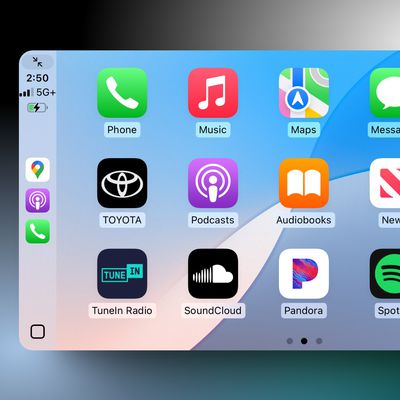
The upcoming iOS 18.4 update for the iPhone includes a smaller but meaningful improvement for Apple's in-car iPhone mirroring system CarPlay.
Specifically, CarPlay now shows a third row of icons, up from two rows previously. However, this change is only visible in vehicles with a larger center display. For example, a MacRumors Forums member noticed the change in a Toyota Tundra with a...
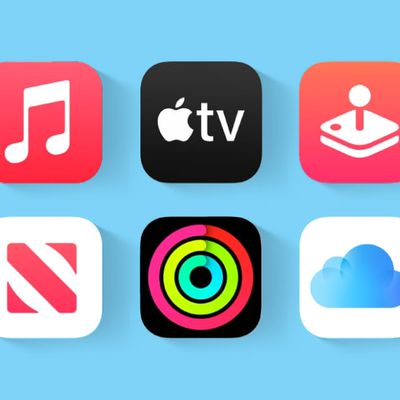
Apple One allows you to subscribe to up to six Apple services for one discounted monthly price. There are three Apple One tiers: Individual, Family, and Premier.
Over the last month, the highest-end Apple One Premier plan has gained two additional perks.
Here is what Apple One Premier already included, for $37.95 per month:Apple Music
Apple TV+
Apple Arcade
Apple News+
Apple Fitness+...
Despite being released over two years ago, Apple's AirPods Pro 2 continue to dominate the wireless earbud market. However, with the AirPods Pro 3 expected to launch in 2025, anyone thinking of buying Apple's premium earbuds may be wondering if the next generation is worth holding out for.
Apart from their audio and noise-canceling performance, which are generally regarded as excellent for...
Apple is set to release iOS 18.4 in early April, bringing further refinements to Apple Intelligence features, a neat new capability to iPhone 15 Pro devices, new emoji, and more.
While not quite as packed with new features as Apple's preceding iOS 18 point releases, iOS 18.4 still introduces enhancements that aim to make your iPhone smarter and more intuitive. Below, we've listed 12 new...
YouTuber iDeviceHelp on Friday posted a video that shows off mockups of Apple's forthcoming iPhone 17 models that are purportedly based on "internal documents." We're sharing the video here since it was made in collaboration with leaker Majin Bu, who last month published similar iPhone 17 renders that were widely corroborated by separate leakers with links to Apple's Chinese supply chain....
Apple employees are internally testing iOS 18.3.2 for iPhones, according to our website's visitor logs, which have been a reliable indicator of upcoming iOS versions. The software update should be released in the next week or two.
iOS 18.3.2 will be a minor update that addresses software bugs and/or security vulnerabilities. Don't expect any new features.
iOS 18.3.2 will be an interim...
Apple today released iOS 18.3.2 and iPadOS 18.3.2, minor updates for the iOS 18 and iPadOS 18 operating systems that came out last September. iOS 18.3.2 and iOS 18.3.2 come a month after Apple released iOS 18.3.1 and iPadOS 18.3.1.
The new software can be downloaded on eligible iPhones and iPads over-the-air by going to Settings > General > Software Update.
According to Apple's release...
iPhones are finally getting a much-requested setting, but availability is limited.
The upcoming iOS 18.4 update introduces an option to set a default navigation app, other than Apple Maps, but unfortunately this new setting is limited to users in the EU. There, you can now set an app like Google Maps or Waze as your default navigation app on the iPhone by opening the Settings app and tapping ...