

iCloud Passwords for Windows Gains 2FA Code Generator - MacRumors
Skip to Content

iCloud Passwords for Windows Gains 2FA Code Generator

The iCloud Keychain password manager in Apple's ‌iCloud‌ for Windows app now supports two-factor authentication codes, according to user reports posted on Reddit.
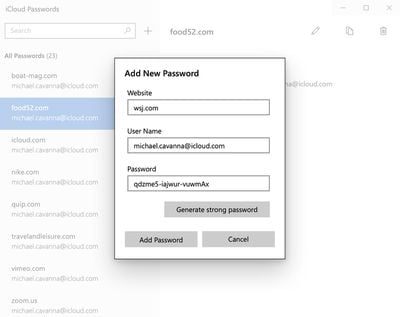
icloud windows strong password
Two-factor authentication, or 2FA, acts as an additional layer of security for online accounts, by requesting a code generated by a password manager when the account owner logs in.

Apple includes support for the generation of 2FA codes in ‌iCloud‌ Keychain in iOS 15 and macOS Monterey, thereby avoiding the need for a third-party two-factor authentication app. Now it appears that Apple has brought parity to the password manager that is included in its ‌iCloud‌ for Windows utility by including a 2FA generator, according to Redditors.

Apple debuted the ‌iCloud‌ Keychain password manager app last August, allowing Windows users to access their ‌iCloud‌ Keychain passwords for cross-device functionality. Apple in November also added an option to let uses generate strong passwords in ‌iCloud‌ for Windows.

With the password management option, those who are running Windows can access their ‌‌iCloud‌‌ Keychain passwords and can add, edit, copy and paste, delete, and look up usernames or passwords.

‌‌iCloud‌‌ password extensions for Microsoft Edge and Windows Chrome work in tandem with the password feature, letting ‌‌iCloud‌‌ passwords be autofilled on a Windows machine just like in Safari. ‌‌iCloud‌‌ for Windows Passwords is part of ‌‌iCloud‌‌ for Windows, and Windows users can download it from the Microsoft Store.

(Via 9to5Mac.)

Popular Stories

macOS 27 on MacBook Pro

Apple Says macOS 27 Won't Be Compatible With These Macs

Wednesday June 3, 2026 8:29 am PDT by
During WWDC 2025, Apple revealed that macOS 26 Tahoe would be the final major macOS version for Intel-based Macs. macOS 27 will be compatible with Apple silicon Macs only, meaning that you will need a Mac with an M-series chip or a MacBook Neo with an A18 Pro chip in order to install the software update. Apple will unveil macOS 27 during its WWDC 2026 keynote this Monday, June 8, and the...
MacBook Neo on Yellow Feature

MacBook Neo is So Popular That Apple Reportedly Doubled Production

Wednesday June 3, 2026 9:24 am PDT by
On an earnings call in late April, Apple's CEO Tim Cook said that customer response to the MacBook Neo was "off the charts," and the popularity of the laptop has reportedly led the company to significantly boost production. Apple supply chain analyst Ming-Chi Kuo this week said he believes that MacBook Neo shipments to Apple were doubled from an initial target of 5 million units to 10...
iphone 18 pro blue%402x

iPhone 18 Pro: Dark Cherry, Light Blue, and Dark Gray Chassis Leaked [Update]

Thursday June 4, 2026 5:18 am PDT by
Update: Since publication, new information has come to light suggesting the images have been AI-manipulated and are not in fact iPhone 18 Pro chassis parts. The original article follows. The color options Apple is reportedly planning for the upcoming iPhone 18 Pro and ‌iPhone 18 Pro‌ Max have appeared online today in the form of images of chassis parts of unknown authenticity....

Top Rated Comments

51 months ago
It doesn't make security sense to have your TOTP codes ('https://en.m.wikipedia.org/wiki/Time-based_one-time_password') in the same password manager as your passwords. The purpose of the TOTP is to have a separate factor - putting it in the same manager that handles your passwords nullifies that if your manager is compromised.

Score: 7 Votes (Like | Disagree)
FreakinEurekan Avatar
51 months ago
The screenshot used has literally nothing to do with the article 🧐
Score: 4 Votes (Like | Disagree)
51 months ago

but the story image isn't the code generator window, it's the "manually add a password to keychain" window.
And the user does not even exist on wsj.com - how rude.
Score: 4 Votes (Like | Disagree)
51 months ago
but the story image isn't the code generator window, it's the "manually add a password to keychain" window.
Score: 4 Votes (Like | Disagree)
n0va Avatar
51 months ago
Would’ve killed for this 3 years ago haha

Cool to see they finally let us use 2FA on windows though
Score: 4 Votes (Like | Disagree)
50 months ago
Good that it is finally available.
Score: 2 Votes (Like | Disagree)










































