

Apple today seeded the third betas of iOS 13 and iPadOS to developers for testing purposes, two weeks after releasing the second betas and a month after unveiling the new operating system at the Worldwide Developers Conference.
Registered developers will need to download the profile for the iOS 13 and iPadOS betas from Apple's Developer Center. Beta 3, like Beta 2, can be downloaded over-the-air once the proper profile has been installed.
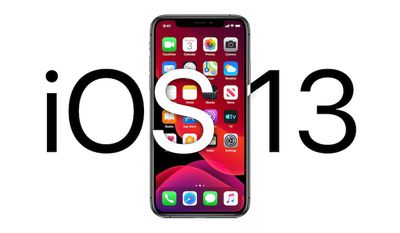
Apple split iOS 13 and iPadOS into separate updates in 2019, one designed for iPhone and one designed for iPad. iPadOS is identical to iOS 13 in almost every way, though there are some iPad-specific features such as new multitasking capabilities. For the most part, the two operating systems share the same features.
iOS 13 is a major update with a long list of new features. Perhaps the most noticeable outward-facing change is a new systemwide Dark Mode that changes the entire look of the operating system from light to dark, darkening everything from system elements to apps.
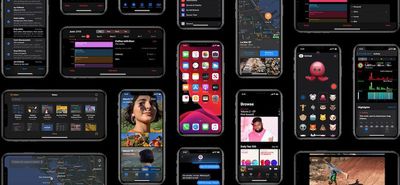
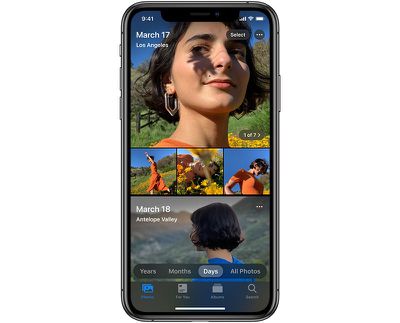
Apple overhauled the Photos app, introducing a new Photos tab that curates your entire Photos library and shows you a selection of highlights organized by day, month, or year, and there are revamped Photo editing tools.
For the first time, you can edit video right in the Photos app, cropping, rotating, applying filters, and adjusting lighting and color. There's a new High-Key Mono lighting effect, and for Portrait Lighting in general, intensity can be adjusted.
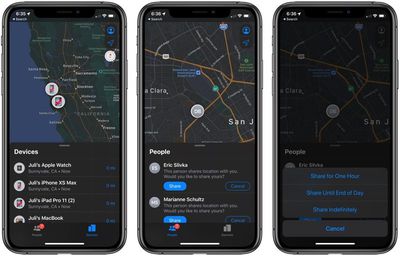
There's a less obtrusive volume HUD, a new Find My app that combines Find My iPhone and Find My Friends and lets you track your devices even with they don't have an LTE or WiFi connection.
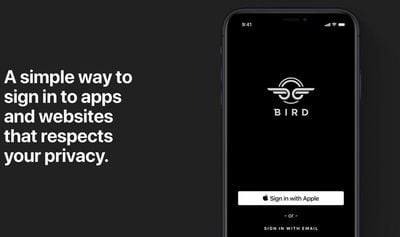
A Sign In with Apple feature (not yet active) gives you a convenient and data safe way to sign into apps and websites, providing an alternative to Facebook and Google sign in options. Apple's even able to generate single-use randomized email addresses so you don't have to give your real info to apps and websites.
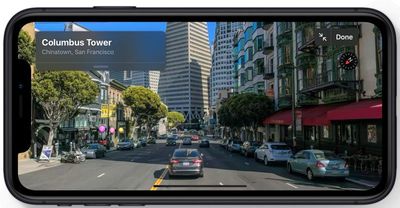
Maps has a new street-level "Look Around" mode and a Collections feature for making lists of places, Reminders has been entirely overhauled to make it more functional, there's a profile feature in Messages along with new Memoji and Animoji stickers, and Siri has a new voice.
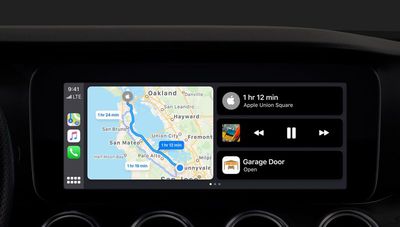
CarPlay in iOS 13 has been overhauled with a new look, multiple sets of AirPods (or Powerbeats Pro) can be connected to the same phone so you can share music with a friend, Siri on HomePod can detect multiple voices for multi-user support, and HomePod also supports Handoff.
There are a ton of additional new features and changes coming in iOS 13, and for a full rundown of what you can expect, you should check out our iOS 13 roundup. For a list of what changed in beta 2, make sure to check out our what's new in beta 2 post. Not much changed, but some features that weren't previously working were activated. We'll also be adding beta 3 changes below once we've had a chance to install the new OS.
The beta testing period will allow Apple to work out bugs ahead of the release of iOS 13 and iPadOS, and it will let developers build iOS 13 and iPadOS features into their apps ahead of a public release coming this fall.
What's New in iPadOS
- Split View In iPadOS, Split View now shows which side of the display is actively receiving text input.
It's subtle, but iPadOS 13 beta 3 shows which app in Split View is actively receiving text input. Watch the pill-shaped indicator at the top. This has been an issue since Split View launched in iOS 9. pic.twitter.com/VkJyOGFMFh — Federico Viticci (@viticci) July 2, 2019
What's New in iOS 13
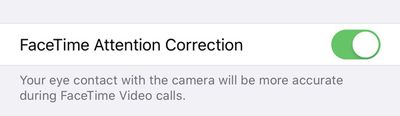
- FaceTime Attention Correction - In the Settings section of FaceTime, there's a new "FaceTime Attention Correction" option that changes the way your attention is focused on the iPhone during a call. The setting says that eye contact with the camera will be more accurate during FaceTime Video calls.
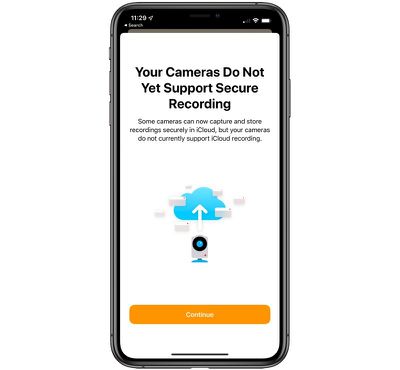
- Home app - In the Home app, there's a new popup that lets you know your cameras do not support secure recording, an iOS 13 feature, if you have HomeKit-connected cameras.
- Find My - There's a new "Me" tab in the Find My app that displays your current location.
- Apple Arcade - When opening the App Store and selecting the Arcade tab, there's a new video highlighting the upcoming Apple Arcade service.


















































