How to Set Up Home Theater Audio with HomePod and Apple TV 4K - MacRumors
Skip to Content

How to Set Up Home Theater Audio with HomePod and Apple TV 4K

by

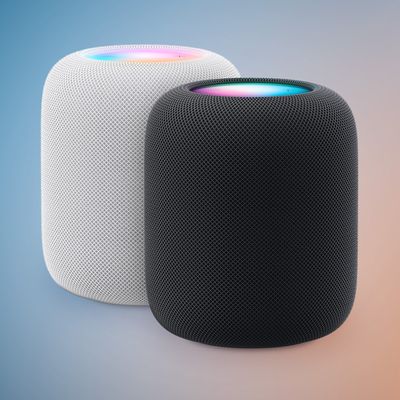
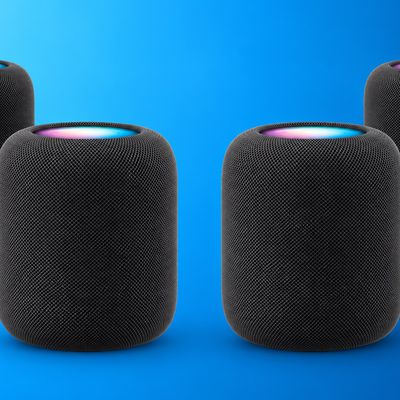
If you have an Apple TV 4K and own a HomePod or a stereo pair, you can create a theater experience with Dolby Atmos or surround sound right in your home.
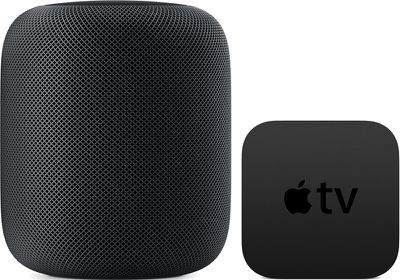
homepodappletv
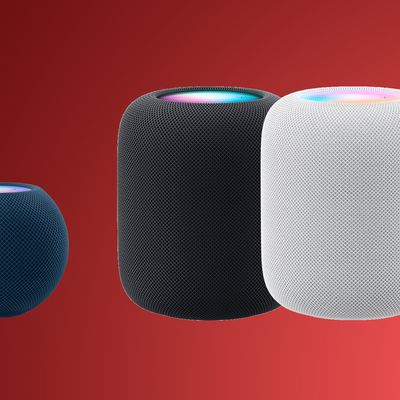
Note that this feature is reliant on the directional and spatially aware capabilities of the original ‌‌HomePod‌‌, so it is not available on the ‌HomePod mini‌. Here's what you need.

Home Theater Audio: What You'll Need

  • An ‌Apple TV‌ 4K updated to tvOS 16.3 or later
  • One or two ‌HomePod‌ speakers updated to ‌HomePod‌ 16.3 software or later
  • An iPhone or iPad updated to iOS or iPadOS 16.3 or later

How to Set Up Home Theater Audio

  1. Using the Home app on your iOS device, put your ‌Apple TV‌ and ‌HomePod‌ in the same room. If you want to use two ‌HomePod‌ speakers, create a stereo pair, then put the stereo pair in the same room as your ‌Apple TV‌ in the Home app.
  2. Turn on your ‌Apple TV‌.
  3. A screen will appear asking if you want to use ‌HomePod‌ as TV Speakers. Select Use as TV Speakers to turn on home theater audio.
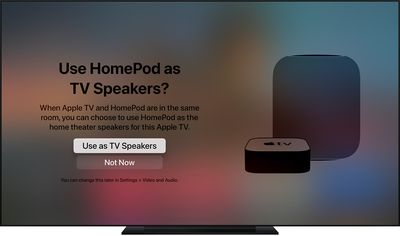
tvos14 use homepod as tv speaker
If you don't see the setup screen on your ‌Apple TV‌, you can manually enable home theater audio on ‌Apple TV‌ or using your iOS device.

On Apple TV:

  1. From the Home screen on ‌Apple TV‌, select Settings -> Video.
  2. Select Audio > Default Audio Output.
  3. Select the room with your ‌HomePod‌ or stereo pair.

On iPhone, iPad, or iPod touch:

  1. In the Home app, press and hold the ‌Apple TV‌ pane.
  2. Scroll down and tap Default Audio Output.
  3. Select the room with your ‌HomePod‌ or stereo pair.
  4. Tap Back, then tap Done.

You should now be able to enjoy a more immersive home theater experience when playing content on your ‌Apple TV‌ 4K. An additional benefit of using HomePods as home theater speakers is that it fixes a relatively common issue where ‌‌Apple TV‌‌ sometimes forgets that HomePods are the preferred speakers for audio output.
Related Roundup: HomePod
Buyer's Guide: HomePod (Caution)

Popular Stories

HomePod 2 and Mini feature 1

Apple Releases HomePod Software 26.5

Monday May 11, 2026 9:59 am PDT by
Alongside iOS 26.5, iPadOS 26.5, and macOS Tahoe 26.5, Apple has released new HomePod 26.5 software for the HomePod and the HomePod mini. The update comes a little over a month after Apple released HomePod Software 26.4. According to Apple's release notes, HomePod Software 26.5 includes performance and stability improvements. ‌HomePod‌‌‌‌‌‌‌ software is installed...
Dynamic Island iPhone 18 Pro Feature

11 Reasons to Wait for the iPhone 18 Pro

Monday May 11, 2026 9:01 am PDT by
We're only four months out from the launch of Apple's premium next-generation smartphone lineup, and while we're not expecting a sea change in terms of functionality, there are still several enhancements rumored to be coming to the iPhone 18 Pro and iPhone 18 Pro Max. One thing worth noting is that Apple is reportedly planning a major change to its iPhone release cycle this year, adopting a...
iOS 26

iOS 26.5 Features: Everything New in iOS 26.5

Monday May 11, 2026 5:09 pm PDT by
Apple released iOS 26.5 after a few months of beta testing, and while it doesn't have the Siri features we were hoping for since those are being held until iOS 27, there are a handful of useful changes worth knowing about. Subscribe to the MacRumors YouTube channel for more videos. End-to-End Encryption for RCS Support for end-to-end encryption (E2EE) for RCS messages between iPhone and...