In macOS, Apple's Safari is the default browser for accessing the web, but you don't have to keep it that way. This article shows you how to change your default web browser to an alternative option. Keep reading to learn how.
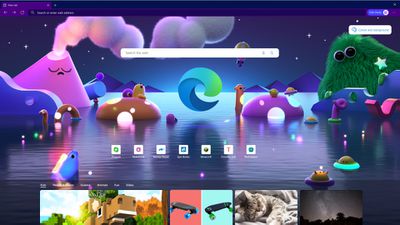
Apple's Safari has been met with complaints from some users in recent years over the browser's bugs, user experience, and website compatibility. Fortunately, there are several alternative browsers available for Mac, with the most popular being Google Chrome, Microsoft Edge, and Mozilla Firefox.
While Chrome is the most popular choice among Mac users, Microsoft Edge is catching up. In fact, Edge is on the verge of overtaking Safari as the world's second most popular desktop browser, thanks to its fast performance and strong feature set.
While all browsers have something different to offer, the choice between them really comes down to personal preference. The main contenders are all free to download, so the best thing to do is install them, try them out, and keep the one you like best. Then you can make it your default browser to replace Safari.
The following sets of steps show you how to do just that. The first set of steps assume you are running macOS Ventura or later, while the second set of steps are for earlier versions of macOS that still feature the System Preferences panel. Bear in mind that both sets of steps assume you have already downloaded and installed the browser you want to use.
Change Default Browser on macOS Monterey and Earlier
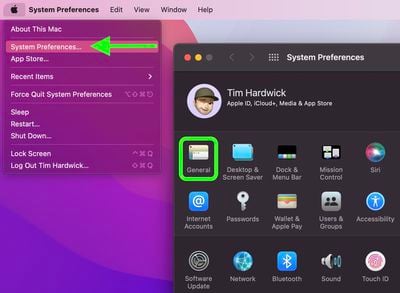
- Launch System Preferences from your Mac's Dock, from the Applications folder, or from the Apple menu bar ( -> System Preferences...).
- Select General, the first icon in the preference panel.

- Click the dropdown menu next to "Default web browser" and select your choice from the list of installed browsers.
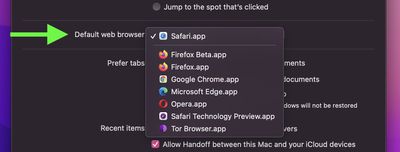
Change Default Browser on macOS Ventura and Later
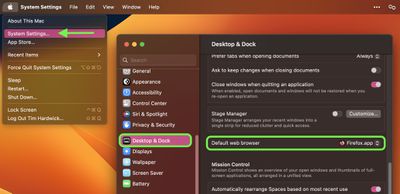
- Launch System Settings from your Mac's Dock, from the Applications folder, or from the Apple menu bar ( -> System Settings...).
- Select Desktop & Dock in the sidebar.
- Scroll down to "Default web browser" and click the dropdown menu next to it to select your choice from the list of installed browsers.
That's all there is to it, you have now successfully changed your default web browser from Safari to your preferred app. Want to do the same thing on your iPhone or iPad? Check out our dedicated article to learn how.