M4 Macs Unable to Run macOS VMs Earlier Than Ventura 13.4

New M4-based Macs are reportedly unable to run virtual machines of older macOS versions prior to macOS Ventura 13.4, according to user reports and developer findings.
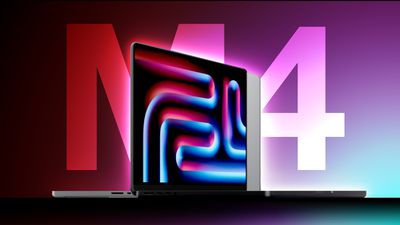
M4 MacBook Pros Thumb
According to an in-depth write-up by the Eclectic Light Company's Howard Oakley, security researcher Csaba Fitzl highlighted the issue, which has been documented in Apple Feedback and affects popular virtualization software including UTM. When attempting to run a virtual machine with an earlier version of macOS on M4 Macs, users encounter a black screen, and the VM fails to boot entirely.

The limitation appears to occur during early kernel boot processes, as indicated by Activity Monitor showing only one active virtual core despite multiple cores being allocated. This suggests the failure happens before the VM kernel can initialize additional cores.

The limitation is not an issue on M1, M2, and M3 Macs, all of which can successfully run VMs of macOS Monterey (12.0.1) and later versions (with some limitations), though Big Sur virtualization was never supported on Apple silicon Macs.

For users who rely on older macOS versions in virtual machines for testing or compatibility purposes, this limitation may be an important consideration before upgrading to M4-based Macs. Currently supported macOS versions for virtualization on M4 Macs include:

  • macOS Ventura 13.4 and later
  • macOS Sonoma 14
  • macOS Sequoia 15

Given the nature of the issue occurring early in the boot process, Oakley reports that a fix would likely require Apple to release updated IPSW files for older macOS versions, which would be unprecedented for the company, perhaps making it unlikely.

The restriction adds to existing virtualization limitations on Apple silicon Macs, such as the inability to run App Store applications in VMs. Apple did however introduce a notable enhancement to its virtualization framework in macOS Sequoia by enabling Mac users to sign into iCloud within macOS VMs.

Apple in October unveiled new M4 powered versions of its iMac, Mac mini, and MacBook Pro models. For more information on the virtualization issue, be sure to read Oakley's informative write-up.


Tag: M4

Popular Stories

maxresdefault

Apple Shows Off a Key Reason to Upgrade to the iPhone 17

Saturday February 7, 2026 9:26 am PST by
Apple today shared an ad that shows how the upgraded Center Stage front camera on the latest iPhones improves the process of taking a group selfie. "Watch how the new front facing camera on iPhone 17 Pro takes group selfies that automatically expand and rotate as more people come into frame," says Apple. While the ad is focused on the iPhone 17 Pro and iPhone 17 Pro Max, the regular iPhone...
apple wallet drivers license feature iPhone 15 pro

Apple Says These 7 U.S. States Plan to Offer iPhone Driver's Licenses

Monday February 9, 2026 6:24 am PST by
In select U.S. states, residents can add their driver's license or state ID to the Apple Wallet app on the iPhone and Apple Watch, and then use it to display proof of identity or age at select airports and businesses, and in select apps. The feature is currently available in 13 U.S. states and Puerto Rico, and it is expected to launch in at least seven more in the future. To set up the...
m5 macbook pro deal

Why You Shouldn't Buy the Next MacBook Pro

Tuesday February 10, 2026 4:27 pm PST by
Apple is planning to launch new MacBook Pro models as soon as early March, but if you can, this is one generation you should skip because there's something much better in the works. We're waiting on 14-inch and 16-inch MacBook Pro models with M5 Pro and M5 Max chips, with few changes other than the processor upgrade. There won't be any tweaks to the design or the display, but later this...
Apple Logo Zoomed

Apple Expected to Launch These 10+ Products Over the Coming Months

Tuesday February 10, 2026 6:33 am PST by
It has been a slow start to 2026 for Apple product launches, with only a new AirTag and a special Apple Watch band released so far. We are still waiting for MacBook Pro models with M5 Pro and M5 Max chips, the iPhone 17e, a lower-cost MacBook with an iPhone chip, long-rumored updates to the Apple TV and HomePod mini, and much more. Apple is expected to release/update the following products...
iOS 26

Apple Releases iOS 26.3 and iPadOS 26.3

Wednesday February 11, 2026 10:07 am PST by
Apple today released iOS 26.3 and iPadOS 26.3, the latest updates to the iOS 26 and iPadOS 26 operating systems that came out in September. The new software comes almost two months after Apple released iOS 26.2 and iPadOS 26.2. The new software can be downloaded on eligible iPhones and iPads over-the-air by going to Settings > General > Software Update. According to Apple's release notes, ...

Top Rated Comments

anshuvorty Avatar
16 months ago
Just add yet another wrinkle to the addage or user experience where macOS isn't really a legacy OS or an OS that supports legacy usage; it isn't like Windows where the UI might be modern and pretty but still allows for decades and decades of older software to run quite nicely; on macOS, you are lucky if you can run anything older than 2-3 years...this is yet another example of that.

So, I am not really surprised at this development; Apple wants its users and its developers to constantly be on the cutting edge in terms of hardware and software. If you want Unix/Linux legacy compability, macOS isn't where you will find it, you will be better off using an Open Source Unix/Linux OS instead...
Score: 31 Votes (Like | Disagree)
Trusteft Avatar
16 months ago
Seeing the fantastic Apple operating system (and computers) turn into a mobile phone OS, few years at a time. Meh.
Score: 28 Votes (Like | Disagree)
Populus Avatar
16 months ago

Just add yet another wrinkle to the addage or user experience where macOS isn't really a legacy OS or an OS that supports legacy usage; it isn't like Windows where the UI might be modern and pretty but still allows for decades and decades of older software to run quite nicely; on macOS, you are lucky if you can run anything older than 2-3 years...this is yet another example of that.

So, I am not really surprised at this development; Apple wants its users and its developers to constantly be on the cutting edge in terms of hardware and software. If you want Unix/Linux legacy compability, macOS isn't where you will find it, you will be better off using an Open Source Unix/Linux OS instead...
Apple has a completely different policy regarding legacy software and code than Windows, I’d even say they’re opposites.

This has it’s negative side, but also (in my humble opinion), it also has some benefits.

We were all surprised by how quick and graceful was the adoption of the new ARM64 architecture by developers, while on Windows the transition to ARM is way slower.

Also the big quantities of old code on Windows, and I’m not talking 6-7 years old but even older, might make it less efficient. And there’s the problem of the inconsistency of the UI across the system, something that macOS isn’t free of, but offers a much more cohesive and consistent experience.

As I said, I don’t think Apple cutting support of devices or apps so quickly is absolutely a good thing, and I think they should provide more legacy support from now to all Apple Silicon machines, including the M1. But cutting the cord to old (7+ years), useless code, is beneficial for the platform efficiency.
Score: 15 Votes (Like | Disagree)
cjsuk Avatar
16 months ago

Just add yet another wrinkle to the addage or user experience where macOS isn't really a legacy OS or an OS that supports legacy usage; it isn't like Windows where the UI might be modern and pretty but still allows for decades and decades of older software to run quite nicely; on macOS, you are lucky if you can run anything older than 2-3 years...this is yet another example of that.

So, I am not really surprised at this development; Apple wants its users and its developers to constantly be on the cutting edge in terms of hardware and software. If you want Unix/Linux legacy compability, macOS isn't where you will find it, you will be better off using an Open Source Unix/Linux OS instead...
You’re no better on windows. There are tonnes of broken APIs. And definitely not on Linux. Try dealing with .so hell.

The only reason they appear to work better is because most windows apps that rely on broken APIs are full of if statements and crap. I’ve written enough in my time. And on Linux the tested configuration is at distribution level so someone has done that legwork. There are plenty of problems in the periphery. And let’s not forget the old ELF switch over of course.


I would be surprised if you can get any Linux stuff that is not just talking to kernel API/ABI to actually work after 4-5 years. Especially GTK/Qt stuff. Unless you static link the entire thing.
Score: 14 Votes (Like | Disagree)
jlc1978 Avatar
16 months ago

On ios after upgrading Apple teases you with a little cloud icon of abandoned apps. You can‘t copy the app over from the old to new device so you eventually lose them.
IMHO, that's as much a developer issue as an Apple issue. OS's evolve and things get deprecated over time, and if developers want to continue to stay in business they need to adapt their apps; especially if they use undocumented features. If an OS is designed to maintain 100% backward compatibility it would rapidly become a mess; although I think OS developers should work to ensure established API functionality remains available for a reasonable amount of time.


I personally I’m not interested in running older OS, and if I need to, I have an old 2014 Mac mini sleeping and connected to the local network ready to be awaken from my new M4 Mac mini. But I can understand there might be cases where an older version might be needed.
I would think, if running on older hardware is mission critical, you have it around to be used as test mules. I do that with an Intel MBA, for example.
Score: 11 Votes (Like | Disagree)
jakey rolling Avatar
16 months ago

You’re no better on windows. There are tonnes of broken APIs. And definitely not on Linux. Try dealing with .so hell.
I mean, "it runs" is still within the definition of working better when the alternative is "it doesn't run."
Score: 10 Votes (Like | Disagree)