Skip to Content

Google Authenticator Now Supports Backing Up 2FA Codes Using Google Account

The Google Authenticator app used to store one-time access codes for account security now supports backups and syncing across devices using a Google Account, Google announced today.
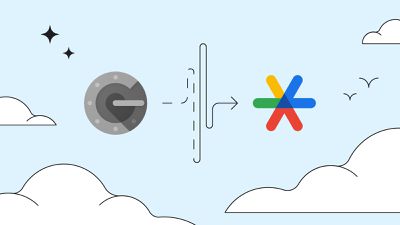
google authenticator
With Google Account support, one-time passwords can be saved in the cloud, so if you lose the device with your Google Authenticator app installed, you won't lose access to all of your authentication codes. Prior to the integration of Google Account support, all codes in the Google Authenticator app were stored on device, which is problematic when a device is lost.

Google says with one-time passwords available in a Google Account, users are "better protected from lockout," increasing convenience and security. Google Account integration for Google Authenticator is available on both iOS and Android devices. Adding Google Account support will require signing into the account in the Google Authenticator app, and once that is done, codes will be automatically backed up and restored on any new device where you sign in to your Google Account.

The latest version of the app is required, and on iPhone and iPad, it can be downloaded from the App Store for free. [Direct Link]

Tag: Google

Popular Stories

MacBook Neo Feature Pastel 1

First MacBook Neo Benchmarks Are In: Here's How It Compares to the M1 MacBook Air

Thursday March 5, 2026 4:07 pm PST by
Benchmarks for the new MacBook Neo surfaced today, and unsurprisingly, CPU performance is almost identical to the iPhone 16 Pro. The MacBook Neo uses the same 6-core A18 Pro chip that was first introduced in the iPhone 16 Pro, but it has one fewer GPU core. The MacBook Neo earned a single-core score of 3461 and a multi-core score of 8668, along with a Metal score of 31286. Here's how the...
imac video apple feature

Apple Unveils Seven New Products

Friday March 6, 2026 11:48 am PST by
Apple this week unveiled seven products, including an iPhone 17e, an iPad Air with the M4 chip, updated MacBook Air and MacBook Pro models, a new Studio Display, a higher-end Studio Display XDR, and an all-new MacBook Neo that starts at just $599. iPhone 17e features the same overall design as the iPhone 16e, but it gains Apple's A19 chip, MagSafe for magnetic wireless charging and magnetic...
Apple MacBook Pro M4 hero

Apple Planning 'MacBook Ultra' With Touchscreen and Higher Price

Sunday March 8, 2026 8:05 am PDT by
Apple is planning to launch an all-new "MacBook Ultra" model this year, featuring an OLED display, touchscreen, and a higher price point, Bloomberg's Mark Gurman reports. Gurman revealed the information in his latest "Power On" newsletter. While Apple has been widely expected to launch new M6-series MacBook Pro models with OLED displays, touchscreen functionality, and a new, thinner design...


Top Rated Comments

38 months ago
Seems like a bad idea…

Google has your keys.
Score: 17 Votes (Like | Disagree)
TheYayAreaLiving 🎗️ Avatar
38 months ago
Sorry, but I have mad trust issues with Google. :confused:
Score: 14 Votes (Like | Disagree)
Sydnxt Avatar
38 months ago
Do you guys honestly think Google employees will be using your 2FA keys to login to your accounts?
Score: 14 Votes (Like | Disagree)
38 months ago

Do you guys honestly think Google employees will be using your 2FA keys to login to your accounts?
No.

What does concern me is what other information they are able to skim off my device simply because I have their app installed (location, clip board contents, etc.) that adds to their already voluminous collection. Simple as that.


Example: WTF does Google need my contacts for in order for the authenticator app to work? Why are they collecting Search History? Location?!!?! F Google!

Attachment Image
Score: 11 Votes (Like | Disagree)
julianps Avatar
38 months ago

I think the desirability of this new feature depends on how you use Google Authenticator. If you use GA 2FA codes for anything sensitive or confidential, such as banking (risk: losing control over a checking account or credit card) or mobile phone carrier accounts (risk: becoming the victim of a SIM swapping attack), it's probably better to copy the codes over to another device manually. That way you maintain complete control over critical information and avoid any exposure to the cloud.

But for logins that aren't for anything that needs to be kept private or secure, syncing via your Google account probably is OK in most circumstances.

In any case, I hope passkeys ('https://tidbits.com/2022/06/27/why-passkeys-will-be-simpler-and-more-secure-than-passwords/') become widely adopted soon. Then all the time and effort we spend dealing with passwords and 2FA can be used on something more fun or more productive.
I use the Authenticator feature in Apple's Keychain. It syncs between iOS/iPadOS and MacOS and I keep the verification codes in the Notes/Comments field. iOS backup acts as insurance. And (for now) I trust Apple more than Google (Authenticator) or Microsoft (Authenticator). I did consider BitWarden, but why bother when Keychain is ubiquitous?
Score: 8 Votes (Like | Disagree)
klasma Avatar
38 months ago
I wonder what the details of this picture are supposed to tell us: 🤔


Our starry 2FA keys are taking a partially discontinuous, convoluted path into a Google snowflake, and then fly away like birds, while clouds are passing by?

Attachment Image
Score: 7 Votes (Like | Disagree)