

Apple Seeds Second tvOS 14.5 Beta to Developers - MacRumors
Skip to Content

Apple Seeds Second tvOS 14.5 Beta to Developers

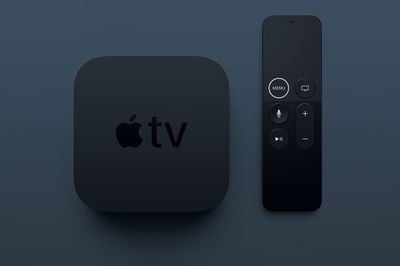
Apple today seeded the second beta of an upcoming tvOS 14.5 update to developers for testing purposes, with the new beta software coming two weeks after Apple released the first tvOS 14.5 beta.
apple tv 4k banner
Designed for the fourth and fifth-generation Apple TV, the tvOS 14.5 developer beta can be downloaded onto the ‌‌‌‌‌‌‌‌‌Apple TV‌‌‌‌‌‌‌‌‌ via a profile that's installed using Xcode.

tvOS 14.5 brings support for the latest PlayStation 5 DualSense and Xbox Series X controllers, which can be used to play games from the tvOS App Store and Apple Arcade.

play station dualsense controller
Support for the new controllers has also been included in iOS 14.5 and iPadOS 14.5, so the latest gaming controller options from Sony and Microsoft are now compatible with Apple's product lineup.

We don't yet know if there's anything else included in tvOS 14.5 in terms of features because tvOS updates are often minor in scale, but the release of tvOS will see Apple begin enforcing its new App Tracking Transparency rules, with developers now required to ask for and receive a user's permission to access their random advertising identifier (known as the IDFA) to track user activity across apps and websites for ad customization purposes.

Going forward, when an app wants to access a person's advertising identifier on tvOS, users will have a prompt with options to "Allow Tracking" or "Ask App Not to Track." Selecting "Ask App Not to Track" will prevent the app's developer from accessing the user's IDFA, and developers will also have to respect the user's tracking preference and refrain from using other invasive cross-app tracking methods.

The main tvOS 14 update released in September brought expanded Picture in Picture support, new HomeKit integration with HomeKit Secure Video cameras, support for multiple ‌Apple Arcade‌ profiles, and more, with details available in our tvOS 14 roundup.

Related Roundup: Apple TV
Buyer's Guide: Apple TV (Don't Buy)

Popular Stories

Where is the New Apple TV Feature

Next Apple TV's Chip Revealed in Latest Leak

Tuesday September 8, 2026 10:19 am PDT by
The next Apple TV 4K will be equipped with an A19 or A19 Pro chip, according to evidence in Apple's code uncovered by MacRumors contributor Aaron Perris. In particular, the device's model identifier points towards the A19 generation of chips. Accordingly, the next Apple TV would have 8GB or 12GB of RAM, up from 4GB in the current 2022 model with the A15 Bionic chip. Other rumored upgrades for...


iOS 27 Feature Cool

Apple Releases New iOS 27, iPadOS 27, macOS 27, and tvOS 27 Public Betas

Monday August 31, 2026 2:13 pm PDT by
Apple today released the sixth public betas of iOS 27, iPadOS 27, tvOS 27, and macOS Golden Gate, allowing anyone with a compatible device to download and test the new software. The sixth betas come a week after Apple seeded the fifth betas and a few hours after the eighth developer betas. You can get started by signing up on Apple's beta website and then opting in to the public beta by...
Apple TV Remote Icon

iOS 27 to Upgrade Apple TV Remote App in Two Ways

Thursday September 10, 2026 2:33 am PDT by
Apple has updated the design of the virtual Apple TV Remote for the iOS 27 Release Candidate, which was released yesterday, and there are two new features that have been added to the iPhone app's interface. First up, Apple has added a new button to the top-right corner of the Remote UI with a glyph showing four squares. Pressing the button pops out an app menu similar to the Apple TV home...

Top Rated Comments

73 months ago
Macrumors. Please highlight the framerate issue and development.

Backstory: The Appletv hardware has never supported integer frame rates such as 24.000 FPS. Only fractional frame rates are supported such as 23.976 FPS. This is usually fine however there is more and more content, especially on Netflix that is produced at 24.000 FPS. So there is a skipped frame every 41 seconds or so. The viewer would see a stutter in the content. People like myself have been blasting on the forums and Apple feedback that their hardware doesn’t support a widely used FPS operation. (Side note, most if not all other streaming boxes that are much cheaper support both fractional and integer frame rates)

Two weeks ago: tvOS beta 14.5 beta 1 did something never seen before… it added support for 24fps!! However! They removed support for 23.976fps! With this configuration it presents a similar but opposite issue. Frame doubling when playing back 23.976fps material. It’s being forced to play it at 24fps.

Since beta 2 was released today we will see very shortly what steps Apple has taken to rectify the situation, but considering how our input has fallen on deaf ears for almost 4 years, I’m not too hopeful. So Macrumors please make a post about this in the likely event it’s not fixed today to support both fractional and integer frame rates. I can give links to other forums with better information if needed. Thank you.

EDIT: Well it appears in tvOS 14.5 beta 2 both fractional and integer frame rates are supported!!! Truly a day to celebrate!!
Score: 13 Votes (Like | Disagree)
73 months ago
Well it appears in tvOS 14.5 beta 2 both fractional and integer frame rates are supported!!! Truly a day to celebrate!!

Macrumors, I still think this is news worthy considering how long it’s been an issue. It would be a positive post that it’s finally fixed and hopefully it would pressure them to not do something stupid like remove the change. Lol
Score: 3 Votes (Like | Disagree)
Realityck Avatar
73 months ago
Note the Public Beta of this beta2 (tvOS 14.5) is available now that the Macrumors site is back up
Score: 1 Votes (Like | Disagree)
73 months ago

Most people don’t care, understand or even see the issue hence no article updated.
Yeah, probably doesn't warrant as much page coverage as the latest round of ground-breaking emoji tweaks. But a mention would be nice.
Score: 1 Votes (Like | Disagree)
BWhaler Avatar
73 months ago
Please fix the dumpster fire which is the non-functioning Library tab in the Apple TV app. It does not work, yet “purchases” elsewhere does.
Score: 1 Votes (Like | Disagree)
73 months ago
Disappointing that MR haven’t updated the article with the frame rate support news. I would argue that this is more report worthy than support for new game controls.
Score: 1 Votes (Like | Disagree)










































