Apple Reminds iPhone 5 Owners to Update to iOS 10.3.4 by November 3 - MacRumors
Skip to Content

Apple Reminds iPhone 5 Owners to Update to iOS 10.3.4 by November 3

by

Apple has started advising iPhone 5 owners to update to iOS 10.3.4 before November 3, otherwise several key functions like iCloud and the App Store will no longer work on their device because of a time rollover issue.
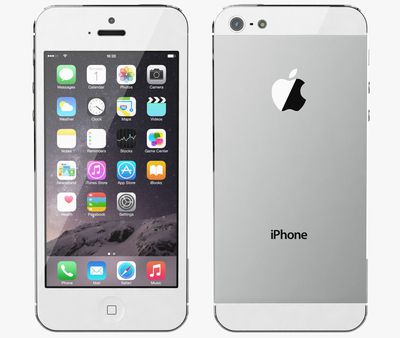
Apple iPhone 5 white
Back in July, Apple released updated versions of iOS for older iPhones and iPads models, including the iPhone 5, to address an issue that could impact GPS location performance and lead to the system date and time being incorrect. The GPS time rollover issue began affecting GPS-enabled products from other manufacturers on April 6, 2019, but Apple's affected devices aren't impacted by the problem until just before midnight UTC on November 3, 2019.

For iPhone 5 and the fourth-generation iPad with Wi-Fi and Cellular, the 10.3.4 update is required to maintain accurate GPS location and to continue to use functions that rely on correct date and time including ‌App Store‌, ‌iCloud‌, email, and web browsing. An iOS 9.3.6 update is available for the also-affected iPhone 4s and cellular models of the original iPad mini, the ‌iPad‌ 2, and the ‌iPad‌ 3.

From Apple's support document:

Starting just before 12:00 a.m. UTC on November 3, 2019, iPhone 5 will require an iOS update to maintain accurate GPS location and to continue to use functions that rely on correct date and time including App Store, iCloud, email, and web browsing. This is due to the GPS time rollover issue that began affecting GPS-enabled products from other manufacturers on April 6, 2019. Affected Apple devices are not impacted until just before 12:00 a.m. UTC on November 3, 2019.

If iPhone 5 models in particular are not updated by November 3, 2019, Apple says users will have to back up and restore using a Mac or PC in order to update, because over-the-air software updates and ‌iCloud‌ Backup will not work.

If you have an iPhone 5, check to make sure your device has updated successfully by following these steps.

  1. Launch the Settings app on your iPhone 5.
  2. Tap General -> About.
  3. Look for the number next to Software Version.

The updated software version should be 10.3.4.

Related Forum: iPhone

Top Rated Comments

86 months ago
Deleted.
Score: 14 Votes (Like | Disagree)
NufSaid Avatar
86 months ago
To support hardware like this that is so old is very generous when you think about it.
Score: 11 Votes (Like | Disagree)
86 months ago
You’ve got to hand it to Apple: providing a software update to the iPhone 4S in 2019 is beyond helpful.

Do you see Samsung offering an update to the Galaxy S1? Or Google to the Nexus S? They wouldn’t even bother.
Score: 10 Votes (Like | Disagree)
PickUrPoison Avatar
86 months ago

It depends. If apple bricks it, that not “generous”. If they are simply removing iCloud access that’s another matter.
Apple’s not bricking anything, and they’re not removing iCloud access.

Apple released 10.3.4 a few months ago to deal with a well-known problem (GPS rollover issue). If iPhone 5 users don’t update, they’re going to have problems.


How? It’s not supported anymore. It’s not like the iPhone 5 is getting iOS 13.
Not getting the latest version of iOS is not the same as unsupported.

Apple released a new version (10.3.4) a few months ago specifically to support customers still using iPhone 5. They need to update or they’ll have problems.
Score: 9 Votes (Like | Disagree)
acblue94 Avatar
86 months ago


Apple has started advising ('https://support.apple.com/en-us/HT210712#925') iPhone 5 owners to update to iOS 10.3.4 before November 3, otherwise several key functions like iCloud and the App Store will no longer work on their device because of a time rollover issue.

Back in July, Apple released updated versions of iOS ('https://www.macrumors.com/2019/07/22/apple-releases-gps-bug-fix-older-iphones-ipads/') for older iPhones and iPads models, including the iPhone 5, to address an issue that could impact GPS location performance and lead to the system date and time being incorrect. The GPS time rollover issue began affecting GPS-enabled products from other manufacturers on April 6, 2019, but Apple's affected devices aren't impacted by the problem until just before midnight UTC on November 3, 2019.

For iPhone 5 and the fourth-generation iPad with Wi-Fi and Cellular, the 10.3.4 update is required to maintain accurate GPS location and to continue to use functions that rely on correct date and time including App Store, iCloud, email, and web browsing. An iOS 9.3.6 update is available for the also-affected iPhone 4s and cellular models of the original iPad mini, the iPad 2, and the iPad 3.

From Apple's support document ('https://support.apple.com/en-us/HT210712#925'):
If iPhone 5 models in particular are not updated by November 3, 2019, Apple says users will have to back up and restore using a Mac or PC in order to update, because over-the-air software updates and iCloud Backup will not work.

If you have an iPhone 5, check to make sure your device has updated successfully by following these steps.
[LIST=1]
* Launch the Settings app on your iPhone 5.
* Tap General -> About.
* Look for the number next to Software Version.

The updated software version should be 10.3.4.

Article Link: Apple Reminds iPhone 5 Owners to Update to iOS 10.3.4 by November 3 ('https://www.macrumors.com/2019/10/27/apple-reminds-iphone-5-owners-update-ios-10-3-4/')
They should also remind iPhone 5 users that it’s 2019. And welcome them.
Score: 7 Votes (Like | Disagree)
Kabeyun Avatar
86 months ago

Macrumors had an article about this on July 22, 2019.

https://www.macrumors.com/2019/07/22/apple-releases-gps-bug-fix-older-iphones-ipads/
Thanks for that, but notification isn’t my point. iOS 13.1.4 isn’t out yet, at least not for me, and we have only a week to install it before there are adverse consequences. Time to deploy, Apple.

Edit: Holy crap, I’ve been thinking of 13.1.4, while this is all about 10.1.4. I’ll just face palm myself and move on. And I’m leaving my posts up to show that I’ll own a dumb error.


Score: 6 Votes (Like | Disagree)

Popular Stories

iOS 26

iOS 26.5 Features: Everything New in iOS 26.5

Monday May 11, 2026 5:09 pm PDT by
Apple released iOS 26.5 after a few months of beta testing, and while it doesn't have the Siri features we were hoping for since those are being held until iOS 27, there are a handful of useful changes worth knowing about. Subscribe to the MacRumors YouTube channel for more videos. End-to-End Encryption for RCS Support for end-to-end encryption (E2EE) for RCS messages between iPhone and...
Dynamic Island iPhone 18 Pro Feature

11 Reasons to Wait for the iPhone 18 Pro

Monday May 11, 2026 9:01 am PDT by
We're only four months out from the launch of Apple's premium next-generation smartphone lineup, and while we're not expecting a sea change in terms of functionality, there are still several enhancements rumored to be coming to the iPhone 18 Pro and iPhone 18 Pro Max. One thing worth noting is that Apple is reportedly planning a major change to its iPhone release cycle this year, adopting a...
Apple WWDC25 iOS 26 CarPlay Light mode 250609

Six Popular iPhone Apps Now Available on CarPlay

Thursday May 14, 2026 9:10 am PDT by
Apple's CarPlay system for accessing iPhone apps on a vehicle's dashboard screen has received six popular apps in recent weeks: ChatGPT, Perplexity, Grok, Google Meet, WhatsApp, and the indie artist streaming platform Audiomack. Make sure you have the latest version of each app and they will automatically appear on CarPlay. ChatGPT Starting with iOS 26.4, CarPlay supports voice-based...