Apple today released the newest version of its operating system for Macs, macOS Catalina, to the public. macOS Catalina comes after several rounds of beta testing and months of refinements.
macOS Catalina can be downloaded from the Mac App Store for free, and it is available to anyone who has a compatible Mac.
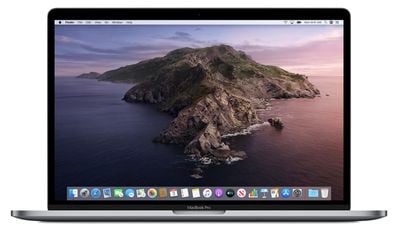
macOS Catalina brings some major changes to the Mac, eliminating the iTunes app in favor of new Music, Podcasts, and TV apps. The three apps offer similar functionality to iTunes, but are split up by feature.
iOS device management is still available on the Mac, but it's done through the Finder instead of iTunes, and accessing your Apple ID is now done through the new profile setting in System Preferences.
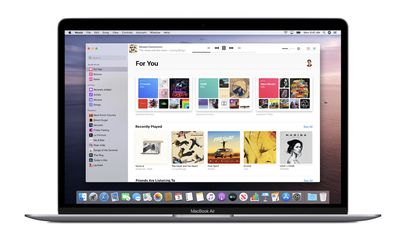
The TV app offers up access to TV and movies with support for 4K HDR and Dolby Atmos, the Music app offers access to Apple Music and your iTunes library, and the Podcasts app offers up the Podcasts library with features for browsing, viewing top charts, and more.
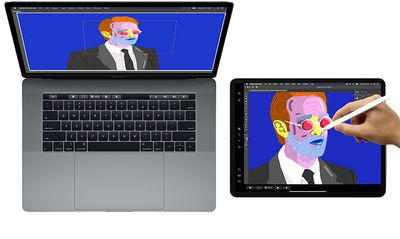
A new Sidecar feature lets you turn your iPad into a secondary display for your Mac with just the click of a button, and you can even use your Apple Pencil to turn the iPad into a drawing tablet when using apps like Photoshop and Illustrator.
With macOS Catalina, the Apple Watch can be used to approve security prompts for passwords, and Macs with a T2 chip now support Activation Lock, making them more secure.
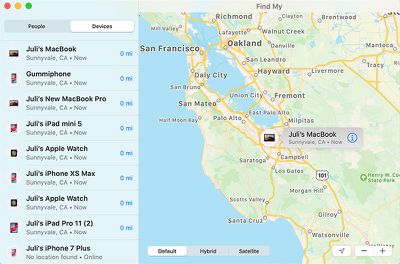
A new Find My app is available on the Mac for the first time, and it lets you track your devices even when they're offline, or in the case of notebooks, closed.
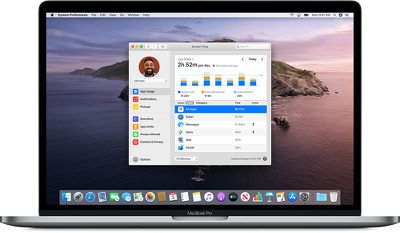
Screen Time is available on the Mac in addition to iPhones and iPads in macOS Catalina, so you can track your device usage across all of your devices for a better picture of how you're spending your time.
Project Catalyst, a new Apple initiative, is designed to let developers easily port their iPad apps over to the Mac to increase the number of Mac apps available.
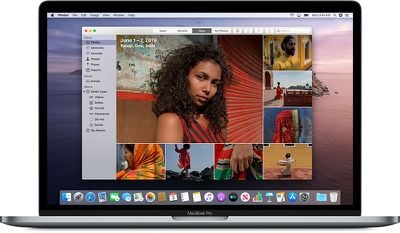
A new Photos interface surfaces your best photos organized by day, month, or year, there's a new start page in Safari, Mail has new tools for muting email threads and blocking senders, and the Reminders app has been overhauled.
Security has been enhanced in macOS Catalina and Gatekeeper, Apple's security protocol, checks all of your apps for known security issues. New data protections require apps to get your permission before accessing your documents.
The update also supports Apple Arcade, Apple's new subscription-based gaming service that first began rolling out on the Mac last week. With macOS Catalina, Mac users can access Apple Arcade games on their Mac, as well as on iOS devices and the Apple TV.

Prior to installing macOS Catalina, Mac users should be aware that 32-bit apps no longer work, so some older apps may no longer work after installing the update.
For more on what's new in macOS Catalina, make sure to check out our macOS Catalina roundup.