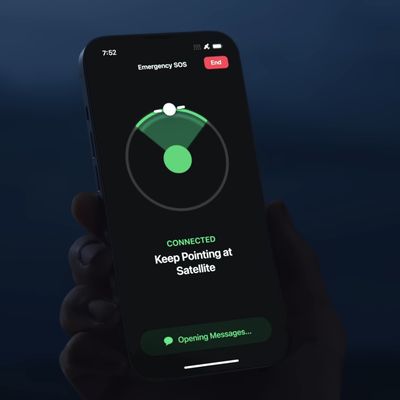
In iOS 18, Apple further enhanced its satellite connectivity features for iPhone users with the introduction of Messages via satellite. Keep reading to learn how it works.
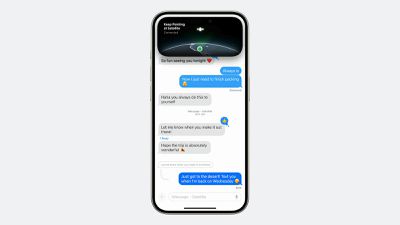
Available in the United States and Canada to owners of iPhone 14 models and newer, Messages via satellite enables users to exchange iMessages and SMS texts, including emoji and Tapbacks, through satellite connections when traditional networks are unavailable.
Apple is using the infrastructure that it set up for Emergency SOS via satellite for this feature, but you don't need to be in an emergency situation to use it, and the service is currently offered at no additional charge.
When an iPhone detects it's out of cellular or Wi-Fi range, it prompts users with an alert offering quick access to satellite-enabled services. These include Emergency SOS, Roadside Assistance, Find My, and Messages. Users can also access the feature directly from the Messages app when off the grid, with iOS providing on-screen guidance to help point the iPhone toward an available satellite.
iMessages sent via satellite are end-to-end encrypted. However, it's worth noting that while iMessage functionality is fully supported, SMS capabilities are more limited to prevent abuse from automated systems. Emergency contacts and designated family members can initiate SMS contact at any time, but for other contacts, the iPhone user must send the first satellite SMS to enable responses.
To familiarize yourself with this potentially life-saving feature, Apple has included a demo mode in iOS 18. You can access this demonstration by following these steps:
- Open the Settings app on your iPhone.
- Scroll down and tap Apps, then tap Messages.
- Scroll down and tap Satellite Connection Demo.
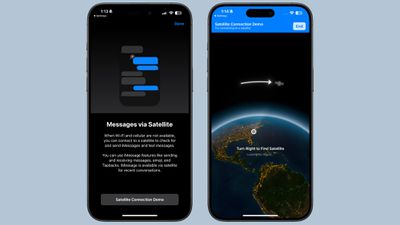
This demo guides you through the process of establishing a satellite connection and sending messages, providing valuable practice for real-world scenarios and emergencies where the feature might be crucial.
While the current version doesn't support Rich Communication Services (RCS), Apple could well bridge the remaining gap between traditional and satellite-based communications by expanding the feature's capabilities in a future iOS update.