 FaceTime, Apple's video and audio chatting app, can use up a decent amount of data. That probably doesn't matter if you're using WiFi or have an unlimited cellular data plan, but if you do need to keep track of data use, you might want to check how much data is being eaten up when you make a call.
On average, FaceTime video appears to use somewhere around 70 to 80MB per 20 minutes, but it can vary based on connection speed and other factors.
How to Check FaceTime Usage Data in the FaceTime App
The amount of data used per FaceTime call can be viewed right in the FaceTime app by following the instructions below.
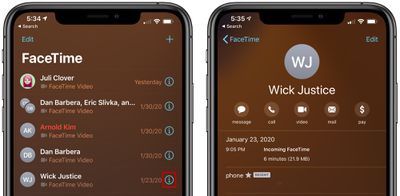
- Open the FaceTime app.
- In the list of recent calls, tap on the "i" next to a persons name.
At the top of the contact card, it will list the date of the call, the time, and the data that was used.
How to Check FaceTime Usage Data in the Phone App
The FaceTime app has a limited number of recent calls, while the Phone app keeps information for a longer period.
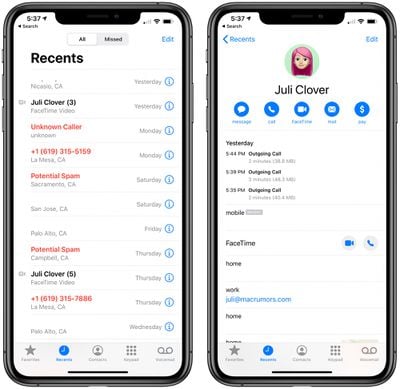
- Open the Phone app.
- In the list of calls, find one that says "FaceTime Video" or "FaceTime Audio" in the text underneath the caller's name or number.
- Tap the "i" button next to the name or number.
At the top of the contact card, it will list the date of the call, the time, and the amount of data that was used.
How to See Overall FaceTime Usage
You can also check your overall FaceTime data usage during the current period, which aggregates all FaceTime data since the last time the counter was reset.
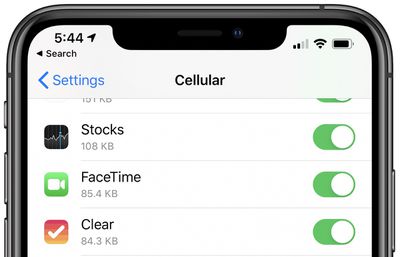
- Open the Settings app.
- Tap on Cellular.
- Scroll down to FaceTime.
The counter can be reset manually, and it also resets when a new version of iOS is installed. To keep track of total data usage on a weekly or monthly basis, make sure to reset the counter regularly by scrolling to the bottom of the Cellular interface and then choosing Reset Statistics.