Apple has refreshed both tiers of its MacBook lineup in 2025, first updating the MacBook Air with the M4 chip and now introducing the MacBook Pro with the new M5 chip, so how do the latest models compare?
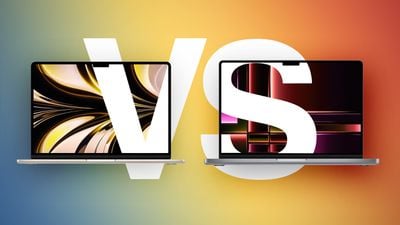
While the 13- and 15-inch MacBook Air continue to start at $999 and $1,199 respectively, moving to the 14-inch MacBook Pro requires spending at least $400 more. For some buyers, the extra cost is unnecessary; for others, the Pro's hardware advantages meaningfully change the experience in ways the Air cannot match even with higher configurations. Our guide helps to answer the question of how to decide which of these two popular laptops is best for you. Beyond their chips, the key differences are as follows:
| MacBook Air | MacBook Pro |
|---|---|
| 13.6- or 15.3-inch display | 14.2-inch display |
| Slimmer borders around the display | |
| LCD Liquid Retina display | Mini-LED Liquid Retina XDR display |
| 60hz refresh rate | ProMotion for refresh rates up to 120Hz |
| Up to 500 nits brightness | Up to 1,000 nits brightness and 1,600 nits peak HDR brightness |
| Nano-texture display option | |
| Passive cooling | Active cooling |
| Two Thunderbolt 4 (USB-C) ports | Three Thunderbolt 4 (USB-C) ports |
| HDMI 2.1 port with support for multichannel audio output | |
| SDXC card slot | |
| 13-Inch: Four-speaker sound system 15-Inch: Six-speaker sound system with force-canceling woofers |
High-fidelity six-speaker sound system with force-cancelling woofers |
| Three-mic array with directional beamforming | Studio-quality three-mic array with high signal-to-noise ratio and directional beamforming |
| 256GB, 512GB, 1TB, or 2TB of storage | 512GB, 1TB, 2TB, or 4TB storage |
| 13-Inch: 53.8-watt-hour lithium-polymer battery 15-Inch: 66.5-watt-hour lithium-polymer battery |
14-Inch: 72.4-watt-hour lithium-polymer battery |
| 18-hour battery life | 24-hour battery life |
| 30W, 35W, or 70W USB-C Power Adapter | 70W or 96W USB-C Power Adapter |
| Silver, Sky Blue, Starlight, or Midnight color options | Silver or Space Black color options |
| 13-Inch: Starts at $999 15-Inch: Starts at $1,199 |
Starts at $1,599 |
Dimensions are also a key area of difference between the MacBook Air and MacBook Pro. The MacBook Pro is noticeably thicker and heavier than both MacBook Air models:
| MacBook Air (13-Inch) | MacBook Air (15-Inch) | MacBook Pro (14-Inch) | |
|---|---|---|---|
| Height | 0.44 inches (1.13 cm) | 0.45 inch (1.15 cm) | 0.61 inches (1.55 cm) |
| Width | 11.97 inches (30.41 cm) | 13.40 inches (34.04 cm) | 12.31 inches (31.26 cm) |
| Depth | 8.46 inches (21.5 cm) | 9.35 inches (23.76 cm) | 8.71 inches (22.12 cm) |
| Weight | 2.7 pounds (1.24 kg) | 3.3 pounds (1.51 kg) | 3.4 pounds (1.55 kg) |
With the latest version of the MacBook Pro, Apple is touting the power of the M5 chip. Compared to the M4, it says the M5 is:
- Up to 15% faster multithreaded CPU performance
- Up to 30% faster overall graphics performance
- Up to 45% faster ray tracing performance
- 27.5% higher unified memory bandwidth
In addition to general performance claims, Apple published a set of specific real-world workload results showing measurable gains in AI-driven applications:
- 4×+ peak GPU compute performance for AI
- 3.6× faster time to first token (LLM)
- 1.8× faster Topaz Video Enhance AI processing
- 1.7× faster Blender ray-traced rendering
- 2.9× faster AI speech enhancement in Premiere Pro
Other notable changes compared to the M4 chip in the MacBook Air include:
| M4 Chip | M5 Chip |
|---|---|
| Made with TSMC's second-generation 3nm process (N3E) | Made TSMC's third-generation 3nm process (N3P) |
| Based on A18 Pro chip from iPhone 16 Pro | Based on A19 Pro chip from iPhone 17 Pro |
| No integrated Neural Accelerators | Integrated Neural Accelerator in every GPU core |
| Metal 3 developer APIs | Metal 4 developer APIs with Tensor APIs to program GPU Neural Accelerators |
| Second-generation ray tracing engine | Third-generation ray tracing engine |
| First-generation dynamic caching | Second-generation dynamic caching |
| Shader cores | Enhanced shader cores |
| 120 GB/s unified memory bandwidth | 153 GB/s unified memory bandwidth |
Taken as a whole, the M4 MacBook Air continues to represent the most suitable choice for users whose workloads are light to moderate and who value portability and an affordable price over sustained performance. Its starting price of $999, which is frequently reduced further through Apple education pricing and third-party promotions, places it within reach for the majority of buyers. For daily tasks like email, light productivity, browsing, and media consumption, it delivers performance that is effectively indistinguishable from more expensive models. Its thinner chassis, lower weight, and selection of color options also remain important advantages for many.
By contrast, the M5 MacBook Pro exists for those whose work or expected longevity justifies the premium. The combination of a more advanced chip, mini-LED XDR display with ProMotion, active cooling for sustained performance headroom, a dedicated HDMI port with multichannel audio support, an SDXC card slot, a third Thunderbolt port, higher memory ceilings, larger storage options, improved speakers and microphones, and materially longer battery life produces a machine with materially different capabilities. If you expect to perform extended tasks in video editing, 3D workloads, software development, or AI-driven tasks, the MacBook Pro is designed to avoid the thermal and bandwidth constraints that the Air will encounter.
A notable exception arises at the upper end of the Air's pricing. The 15-inch MacBook Air at $1,299, and especially when configured to 512GB of storage at $1,399, approaches the 14-inch MacBook Pro's $1,599 entry point closely enough that the trade-off changes. For an increment of $200–300, the Pro substitutes a significantly more advanced display, active cooling, six additional hours of battery life, superior speakers and microphones, an additional Thunderbolt port, and integrated HDMI and SDXC. In that specific pricing band, the Pro will likely constitute the stronger long-term purchase for the majority of buyers unless screen size or minimal weight are the overriding priorities.