Juli Clover

Juli is the Managing Editor at MacRumors, and has been covering Apple news and rumors since 2010. She oversees MacRumors' guides, roundups, how tos, reviews, and giveaways in addition to covering daily news. Her work is regularly highlighted on Techmeme and cited by tech publications and news sites.
She is a voracious reader, cinephile, gardener, and gamer, and she resides in California with her carnivorous plants. Juli can be reached at juli@macrumors.com or on Twitter.
She is a voracious reader, cinephile, gardener, and gamer, and she resides in California with her carnivorous plants. Juli can be reached at juli@macrumors.com or on Twitter.
Juli Clover's Articles

Apple Shares '8 Things to Love About iPhone 8' Video
Apple this morning published a new iPhone 8 ad to its YouTube channel, highlighting eight things to love about the new device.
In the 46 second spot, set to the song "Namesake" by Tunde Olaniran, Apple lists the following features as reasons to get an iPhone 8:
- Most durable glass in a smartphone
- Portrait Lighting (the new Portrait Mode feature)
- Wireless charging with Qi inductive...
Read Full Article • 85 comments

Apple CEO Tim Cook 'Thrilled' With Launch Day Response to iPhone 8
As he often does on product launch days, Apple CEO Tim Cook this morning stopped by the Apple Store in Palo Alto, California as customers gathered to purchase an iPhone 8, Apple Watch Series 3, or 4K Apple TV.
Cook had a few minutes to speak with CNBC, and he said that he's "thrilled" with what he's seeing on launch day. Some stores have sold out of the iPhone 8 and 8 Plus he says, and many...

How to Discreetly Disable Touch ID and Face ID on an iPhone
There's an Emergency SOS feature built into iOS 11 that has hidden functionality -- it automatically disables Touch ID and makes it so your passcode has to be entered to unlock your iPhone.
Because it essentially shuts down the biometrics on your device, you can't be compelled by a police officer or malicious person to unlock your iPhone with a fingerprint, nor can your fingerprint be used to...

How to Use the iPad's Nifty Flick Keyboard Feature
The QuickType keyboard on the iPad has been updated in iOS 11 to introduce a super handy new Flick feature designed to let you enter numbers and symbols without the shift key.
When you upgrade to iOS 11 and take a look at the keyboard on the iPad, you'll notice that all of the keys now display letters and number/symbols. A tap lets you enter the main letter on the keyboard, while a flick lets...

iFixit Teardown Gives First Look at iPhone 8's Guts
iFixit purchased one of Apple's new iPhone 8 models in Australia, and has already started ripping it apart in one of the site's traditional teardowns.
Inside, the iPhone 8 looks a lot like the iPhone 7, but there are some notable differences, like the wireless charging coil that enables Qi-based inductive charging.
The iPhone 8 features an 1,821mAh battery, smaller than the 1,960mAh...

Turnout for iPhone 8 Launch in Australia 'Bleak' as Customers Hold Out for Upcoming iPhone X
Apple's iPhone 8 and iPhone 8 Plus are already available for purchase in countries like New Zealand, Australia, Japan, and China, and in Sydney, one of the first cities where the two devices became available, lines were short and there was little demand for the new smartphones.
The iPhone 8 launch in Sydney saw "a bleak turnout," reports Reuters, with fewer than 30 people lining up outside...

iPhone 8 Subjected to Durability and Speed Tests
With the iPhone 8 now available for purchase in many places around the world, it's popping up in a whole range of videos on YouTube that are looking at everything from speed to durability.
YouTuber JerryRigEverything aimed to test Apple's claim that the iPhone 8 is using the most durable glass ever included in a smartphone.
He did Mohs test to determine hardness, finding that it scratched ...

Netflix for iOS Updated With HDR Support for iPhone 8, 8 Plus, and X
Netflix today updated its iOS app to add support for iOS 11 and Dolby Vision high dynamic range (HDR) video on compatible devices.
According to Netflix, Dolby Vision is available on iPhone 8, iPhone 8 Plus, iPhone X, and the 12.9 and 10.5-inch iPad Pro models. Netflix's HDR content is also available on the new Apple TV 4K.
Netflix first promised to introduce HDR quality content for mobile...

New Apple Pay Tutorial Video Highlights Peer-to-Peer Payments [Update: Video Removed]
Apple this evening introduced a new series of tutorial videos, this time highlighting Apple Pay on the iPhone.
One of the videos, which is unlisted, goes through the steps necessary to use Apple Pay Cash, the peer-to-peer Apple Pay feature Apple plans to add in a future iOS 11 update. Apple has already demonstrated most of these steps, but it's interesting to see the simplicity of it in action ...

Expanded watchOS 4 Heart Rate Monitoring Features Not Available on Original Apple Watch
watchOS 4 introduces an expanded Heart Rate app that's able to track your current heart rate, your resting heart rate, average heart rate while walking, and your recovery rate after exercising, providing more information about your overall health. It's also able to send alerts if it detects a heart rate above 120 when you're not exercising.
These features are available on the new Apple Watch ...
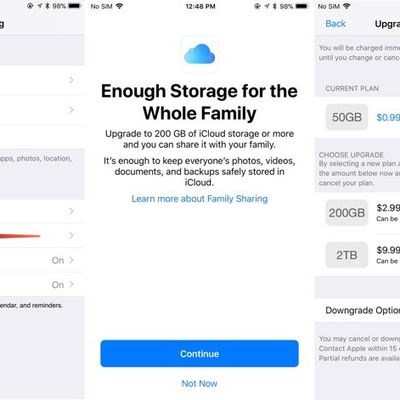
How to Sign Up for iCloud Family Storage Plans in iOS 11
Apple's Family Sharing feature allows you to share music, movies, apps, photos, and more with family members, and in iOS 11, Family Sharing extends to Apple's iCloud Storage plans.
When you purchase a 200GB or 2TB iCloud Storage plan, all members of your family can share the storage space. Depending on how many family members you have, family plans offer more storage at a better price than...

4K iTunes Content Limited to Streaming Only, No Downloads
Apple has updated its iTunes Store on iOS devices and the Apple TV with plenty of 4K movies ahead of the launch of the Apple TV 4K, but as made clear in a recent support document, 4K content from Apple can be streamed, but not downloaded directly on a device.
According to Apple, customers can download a local copy of an HD movie, and on occasion, HD movies that support HDR and Dolby Vision,...
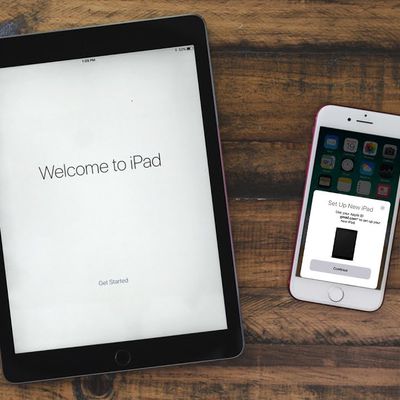
How to Use Automatic Setup in iOS 11 to Get Your New iPhone 8 Up and Running Quick
iOS 11 includes a new "Automatic Setup" feature, which is aimed at making it quicker to get a new device ready to use right out of the box. Automatic Setup streamlines the setup process for new iPhones and iPads, transferring over preferences, Apple ID and Wi-Fi info, preferred settings, and iCloud Keychain passwords.
Automatic Setup is not the same as restoring from an iCloud backup and it...

Apple to Donate $1 Million to Earthquake Recovery Efforts in Mexico
Apple CEO Tim Cook this afternoon announced on Twitter that Apple plans to donate $1 million to recovery efforts in Mexico. "While there is life, there is hope," Cook wrote in the tweet announcing the donation.
On Tuesday, a powerful 7.1-magnitude earthquake hit Central Mexico, causing widespread devastation in Mexico City and surrounding states. Hundreds of people died in the disaster as...

First iPhone 8, Apple Watch Series 3 and Apple TV 4K Pre-Orders Start Arriving in New Zealand
Because of time zone differences, Apple customers in New Zealand and Australia are always the first to get their hands on new devices on launch day, and this year is no exception.
It's just after 9:00 a.m. in New Zealand, and customers who pre-ordered an iPhone 8, iPhone 8 Plus, Apple Watch Series 3, or Apple TV 4K are beginning to receive their shipments and have started sharing the first...
How to Use Instant Markup to Quickly Edit Screenshots
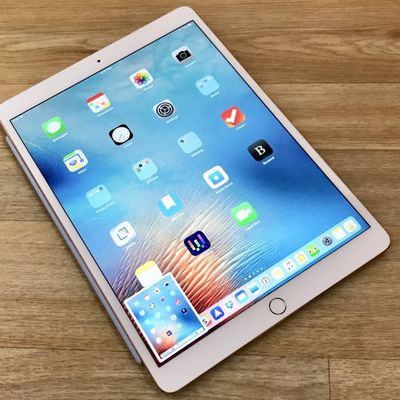
When you take a screenshot in iOS 11 or later, there's a new feature that's designed to let you open it right up and edit it with Apple's Markup tools.
Using the screenshot editing feature, you can capture what's on the screen of your iPad or iPhone and then add text, crop, highlight specific areas, and more.
Using Instant Markup
Press the Home button and the sleep/wake button...
How to Save Space Using Built-In iOS Storage Features
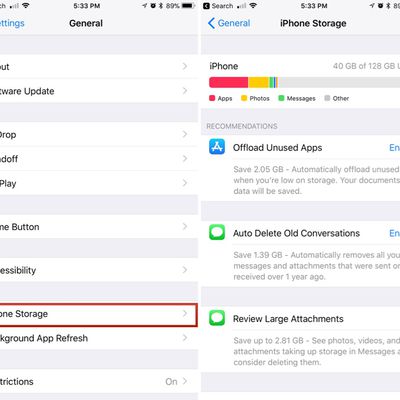
Starting with iOS 11, Apple began offering a new feature that provides suggestions on how you can save space on your iOS device. These built-in space-saving suggestions, which can be found in the Settings app, can help you free up space on your iPhone when storage space is running low.
Toggling on Space Saving Suggestions
Open the Settings app.
Scroll down and tap on "General."
Choo...

LIFX Bulbs Finally Gain Support for HomeKit
Popular smart light bulb manufacturer LIFX has been promising to add HomeKit support to its bulbs for quite some time now, and with an app update released this morning, some LIFX bulbs are now HomeKit compatible.
The 3.8.1 LIFX app update adds HomeKit support for LIFX, LIFX GU10, LIFX Downlight, and LIFX+ bulbs. It's only the third-generation bulbs that work with HomeKit -- original bulbs and...

Instagram Face Filters Expand to Live Video
Instagram today expanded its selection of face filters to live video, allowing users to swap between filters when filming live content.
To use face filters during a live video, Instagram users can tap on the bottom right corner to browse through the filters and then apply them.
Starting today, you can play with face filters while sharing live video. Whether you're channeling a kitten or...
How to Use the Flashlight on Your Apple Watch
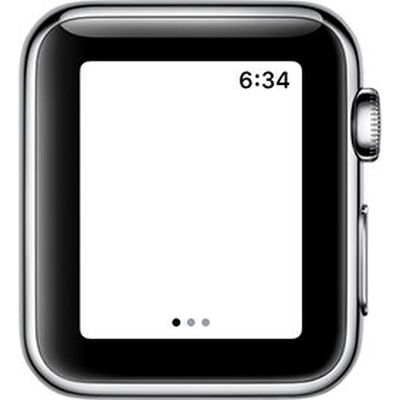
watchOS 4 brought several new features to the Apple Watch, including a new flashlight function that lights up the face of the Apple Watch so you can have an extra light when you're digging around in a bag, trying to open a door in the dark, or wherever else you might require a little bit of light.
It doesn't put off as much light as an iPhone screen, but it's handy in a pinch, especially since ...