Juli Clover

Juli is the Managing Editor at MacRumors, and has been covering Apple news and rumors since 2010. She oversees MacRumors' guides, roundups, how tos, reviews, and giveaways in addition to covering daily news. Her work is regularly highlighted on Techmeme and cited by tech publications and news sites.
She is a voracious reader, cinephile, gardener, and gamer, and she resides in California with her carnivorous plants. Juli can be reached at juli@macrumors.com or on Twitter.
She is a voracious reader, cinephile, gardener, and gamer, and she resides in California with her carnivorous plants. Juli can be reached at juli@macrumors.com or on Twitter.
Juli Clover's Articles

iOS 13 Lets You Delete Apps Right From the Update List
In iOS 13 and iPadOS, Apple has added a new way to delete apps from your device right from the App Store.
When you're updating apps on your phone, or viewing apps that were recently updated, you can swipe left on any app in the list to bring up a "Delete" option.
Tapping on delete brings up the standard app deletion interface, where you can confirm the app's deletion or select the cancel...
Read Full Article • 136 comments
macOS Catalina's Preview App Lets You Sign Documents on Mac Using iPhone or iPad
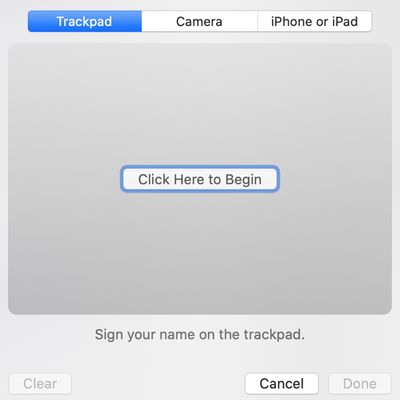
In macOS Catalina, the Preview app has a new feature that makes it easier to sign PDFs and other documents by leveraging an iPhone or an iPad running the iOS 13/iPadOS operating system.
Rather than using the Trackpad to create a signature, or scanning a piece of paper, you can connect to your iPhone or iPad to sign there using either a finger or an Apple Pencil.
In the Preview app, under...
Luna Display to Stick Around Despite New Sidecar Feature in macOS Catalina
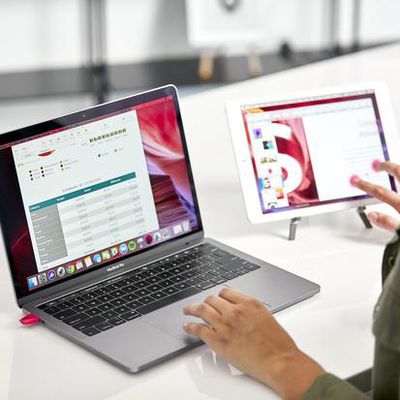
macOS Catalina introduces Sidecar, a native feature that turns the iPad into a secondary display for the Mac. It's a useful function that works well, but it's also something that third-party companies have been doing for several years now.
One of those companies makes the Luna Display, a hardware-based dongle that plugs into the Mac to turn the iPad into a secondary display. According to Luna...

iOS 13 Lets You Send Unknown Callers Straight to Voicemail
In the Phone section of the Settings app in iOS 13, there's an interesting new toggle called "Silence Unknown Callers," which appears to do exactly what the name suggests. With this feature enabled, calls received by people not in your contacts list seem to be sent straight to voicemail.
We tested out the Silence Unknown Callers feature this week, and it worked well. When an iPhone with the...
Apple's Secure Video HomeKit Feature Requires a 200GB or 2TB iCloud Storage Plan
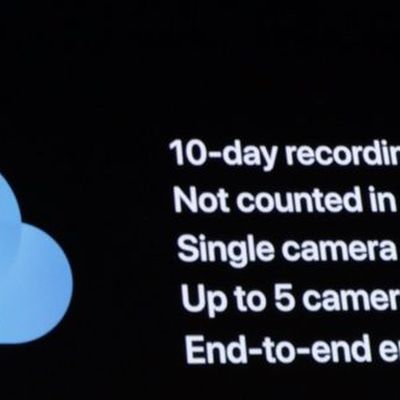
Apple at WWDC announced a new HomeKit feature called HomeKit Secure Video, which is designed to offer up a better, more secure way to manage the footage captured by in-home security cameras.
As Apple's Craig Federighi explained on stage when announcing the feature, many current home security cameras upload data to the cloud for analysis to enable features like motion detection.
Cameras...

macOS Catalina's 'Sidecar' Feature for Turning the iPad Into a Second Display Limited to Newer Macs
Apple in macOS Catalina introduced a new feature called Sidecar, which is designed to turn an iPad into a second display for a Mac, either extending what's on the screen or mirroring the content.
Apple hasn't yet provided details on which devices will work with Sidecar, but developer Steve Troughton-Smith was able to find some details by digging into macOS Catalina's code.
As it turns...

Hands-On With macOS Catalina
Apple this week unveiled macOS Catalina, the newest version of the macOS software designed to run on Macs. macOS Catalina is launching this fall, but it is available now in a beta capacity for developers.
In our latest video, we went hands-on with macOS Catalina to explore all of the new features that are coming to the Mac later this year.
Subscribe to the MacRumors YouTube channel for more ...
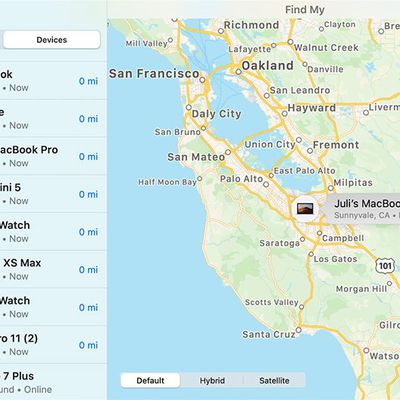
How the 'Find My' App in iOS 13 and macOS Catalina Works
Apple at WWDC unveiled a new "Find My" app, which is available across its Mac and iOS platforms. Find My on iOS replaces Find My Friends and Find My iPhone, and on Mac, it introduces a native "Find" app for the first time as an alternative to using iCloud on the web.
Find My has a useful feature that's designed to let you locate your lost devices even when they're not connected to WiFi or a...

Apple Maps in iOS 13: Collections, Favorites, Look Around, and More
There are quite a few changes coming to the Maps app in iOS 13, which gives Apple Maps a feature set that more closely mirrors some of the tools and functionality available in more robust mapping apps like Google Maps.
The most interesting and notable change in Maps is the new Look Around feature, which is Apple's answer to Google's Street View function. Look Around lets you get a street level ...
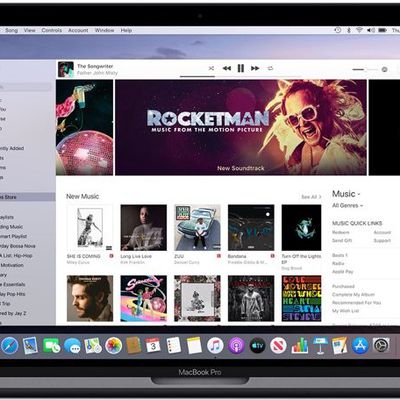
Apple Details iTunes Changes Coming in macOS Catalina
macOS Catalina does away with the iTunes app, a longtime staple of the Mac operating system, which, unsurprisingly, has left many with questions on just how that's going to work.
To answer questions about the imminent sunsetting of iTunes, Apple has created a support document that explains all of the upcoming changes.
Apple is planning to split iTunes into three apps in macOS Catalina:...
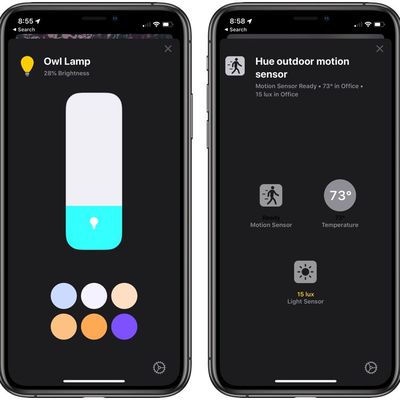
iOS 13 Includes Updated Home Interface, Support for AirPlay 2 Devices in Automations
In iOS 13, the Home app has received a few notable updates that will make it easier than ever to control and identify your HomeKit devices.
The main Home app screens are the same in iOS 13, but the control options for specific HomeKit devices have been revamped and streamlined. Available controls vary by device, but in general, the change makes options you check or use frequently (such as...
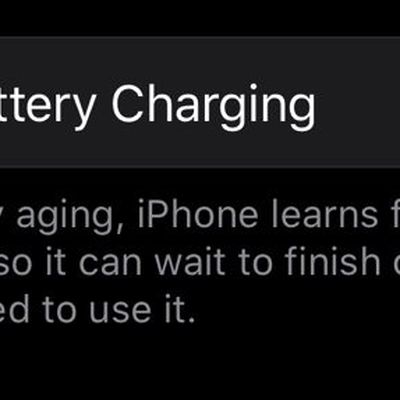
iOS 13 Introduces New 'Optimized Battery Charging' Feature
Apple in iOS 13 introduced a new "Optimized Battery Charging" feature, which is designed to extend the total battery life of your iOS device.
Found in the Battery section of Settings under "Battery Health," the optional toggle learns from your personal habits and waits to finish charging all the way up until you need your iPhone.
For example, if you often charge your phone up at night...
Apple Releases Safari Technology Preview 84 With New Favorites Design, Weak Password Warnings and More
Apple today released a new update for Safari Technology Preview, the experimental browser Apple first introduced three years ago in March 2016. Apple designed the Safari Technology Preview to test features that may be introduced into future release versions of Safari.
Safari Technology Preview release 84 includes new Safari 13 features that will be available in macOS Catalina. These features...
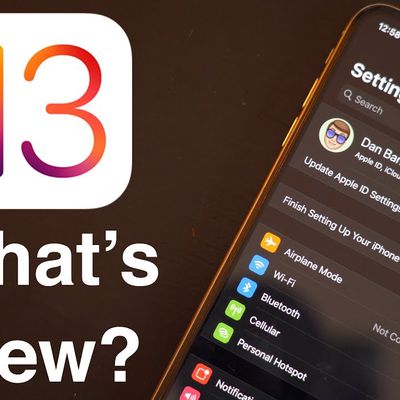
A Hands-On Look at All the New Features in iOS 13
Apple yesterday unveiled iOS 13, the newest version of the operating system designed to run on the iPhone (and the iPad, though the iPad version has been renamed to iPadOS). iOS 13 is an update that introduces a long list of new features and some changes that are quite exciting.
Check out the video below, where we walk through all of the major features that you can expect to see when you...
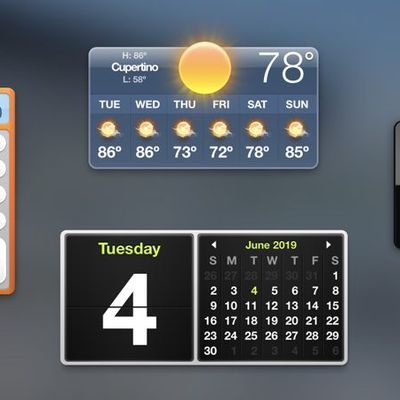
Dashboard Feature Eliminated in macOS Catalina
Dashboard, a longtime Mac feature that Apple has been phasing out for the last few years, has been eliminated in macOS Catalina and it is no longer available for use.
The Dashboard option, first introduced in OS X 10.4 Tiger, used to be a prominent Mac feature, housing sticky notes, a weather interface, a clock, a calculator, and other customizable widgets.
It was disabled by default...

iTunes For Windows is Sticking Around
In macOS Catalina, Apple is sunsetting the iTunes app and has split it into three apps instead: Music, Podcasts, and TV, which has left questions about what's happening to iTunes on other platforms.
Apple told Ars Technica that on Windows, there will be no changes. Those who use iTunes on a PC to manage their devices, listen to music, and make iTunes purchases will be able to continue to do...

Ultimate Ears Launches New Wonderboom 2 Speaker
Ultimate Ears today announced a new addition to its speaker lineup, debuting the Wonderboom 2, an update to its original Wonderboom speaker. The Wonderboom 2 features the same compact design as the first Wonderboom speaker, but with several internal enhancements.
Ultimate Ears designed the Wonderboom 2 with louder sound, extra bass, and a new Outdoor Boost mode that amps up the volume when...

Apple Shares Full Video of Today's WWDC Keynote
Apple's WWDC keynote took place this morning at 10:00 a.m. Eastern, and nearly 12 hours later, the company has finally shared the full video recap of today's event on its Events website and on the Events app on the Apple TV.
With the full keynote now available, people who missed the original presentation can now catch up with all of the announcements and features that were shared today....

Everything Apple Announced at WWDC 2019 in Nine Minutes
Today's Worldwide Developers Conference was easily one of the most exciting events we've had this year, with Apple introducing feature after feature over the course of a two and a half hour event.
For those of you who haven't had a chance to watch the keynote or don't want to spend two hours listening to software announcements, we've condensed everything Apple announced into 9 minutes, so you...

Apple CEO Tim Cook on iOS 13's Sign In with Apple: 'We're Not Really Taking a Shot at Anybody'
Following today's WWDC keynote event that saw the debut of new software for iOS, macOS, iPadOS, watchOS, and tvOS, Apple CEO Tim Cook spoke with CBS Evening News and shared a few quick thoughts on one of the new features, Sign In with Apple.
Sign In with Apple is designed to let you sign into apps using your Apple ID for authentication purposes, offering up a privacy-focused alternative to...