

Apple finally released the first beta of iOS 18.4 to developers for testing purposes, and while the beta is lacking some of the Apple Intelligence features we were hoping for, there are some notable new additions.

Priority Notifications - Apple Intelligence
There is a new Priority Notifications feature that can show you your most important notifications first. Priority Notifications is disabled by default, but it can be turned on by going to Settings > Notifications > Prioritize Notifications and tapping the toggle.
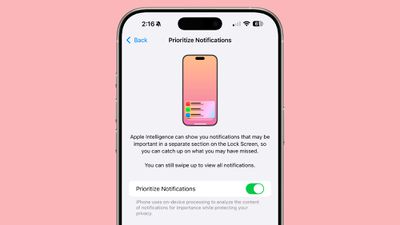
With the feature enabled, Apple Intelligence will show notifications that may be important in a dedicated section of the Lock Screen.
Image Playground Sketch Style
Image Playground now includes a Sketch style that joins the Animation and Illustration styles. Sketch was previously available for Image Wand, but now it is a third style that can be used in Image Playground.
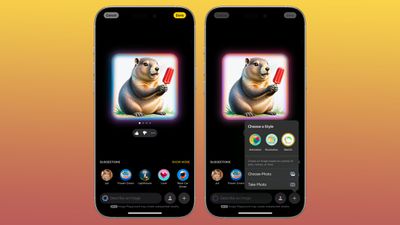
Swap styles by tapping on the "+" button in the Image Playground app.
Apple also replaced the "Winter Holidays" theme with a new "Spring" theme.
New Apple Intelligence Languages
French, German, Italian, Portuguese (Brazil), Spanish, Japanese, Korean, and Chinese (simplified), along with localized English for Singapore and India.
Apple News+ Food
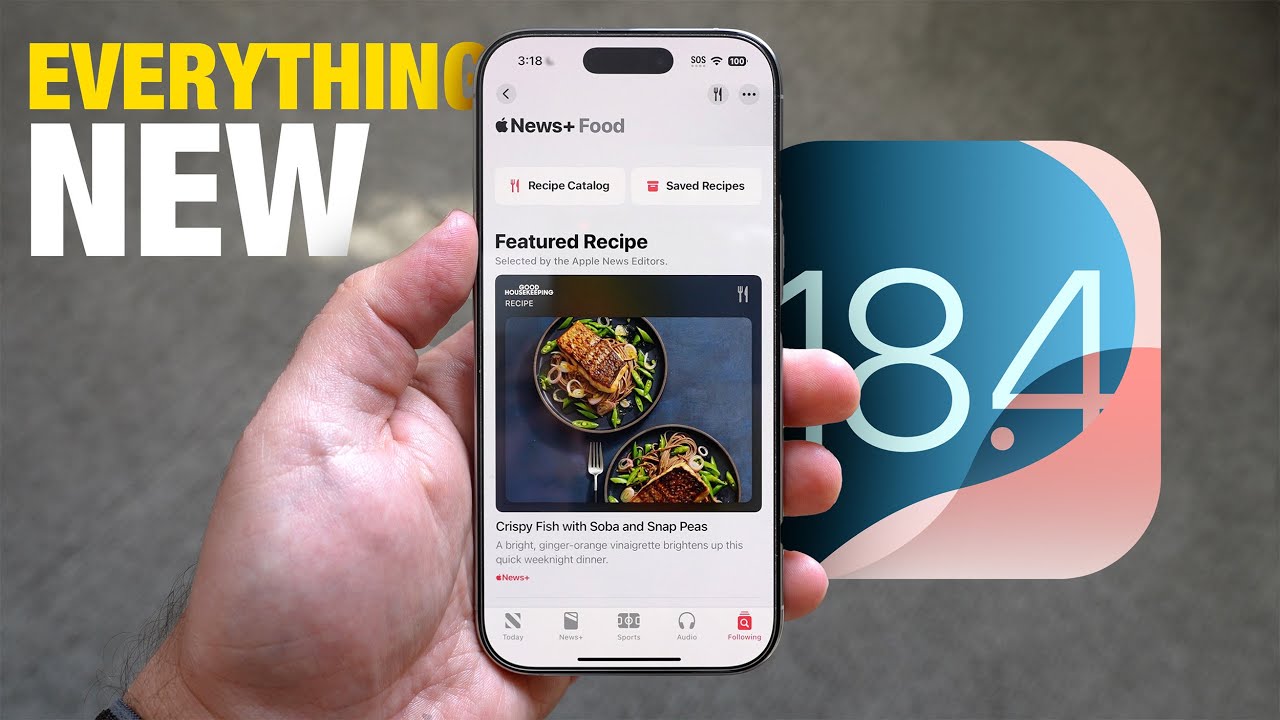
iOS 18.4 and iPadOS 18.4 include a new Apple News Food section for Apple News+ subscribers. The Food section features tens of thousands of recipes, stories about restaurants, tips for healthy eating, kitchen essentials, and more.
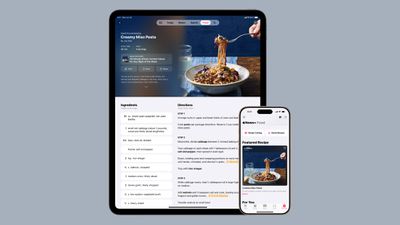
Content will come from top food publishers such as Allrecipes, Bon Appétit, Food & Wine, Good Food, and Serious Eats.Apple News editors will curate food-related stories, and there will be a dedicated Recipe Catalog section where new recipes are added regularly. An included cook mode provides step-by-step instructions, and users can save favorite recipes for offline access.
Ambient Music
iOS 18.4 includes a new Ambient Music option that can be added to Control Center. There are four different sound categories, including Sleep, Chill, Productivity, and Wellbeing.
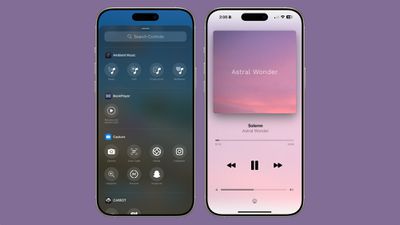
Each category can be added to Control Center separately, and tapping one plays a random selection of sounds or music from that particular category.
You can't choose what's playing from Control Center, but if you play a category and then tap into the Dynamic Island at the top or access the Now Playing widget, you can skip songs and see the name of what's currently playing.
Mail Categorization for iPadOS 18.4
With iPadOS 18.4, an updated Mail app is available with categorization. The new Mail app organizes incoming emails into different sections. Important emails are displayed in the Primary category, with other emails organized into sections highlighting product orders, newsletters, deals, and social notifications.
Mail categorization was previously introduced for the iPhone in iOS 18.2.
Privacy Indication Dots
The small dots that show up on the iPhone's menu bar when the camera or microphone is in use have been moved to the left and are now more apparent thanks to a black background.

Siri Voices
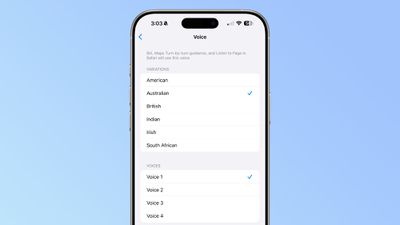
There are two new Australian voices for Siri.
Genmoji
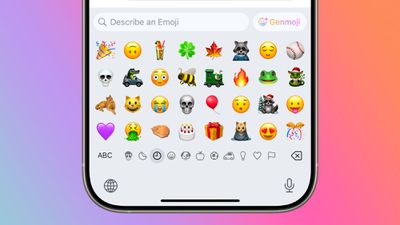
The Genmoji icon for the Emoji keyboard now says "Genmoji" instead of just featuring a multi-colored smiley face. The change should make it more obvious where users go to create a Genmoji character.
Apple Maps
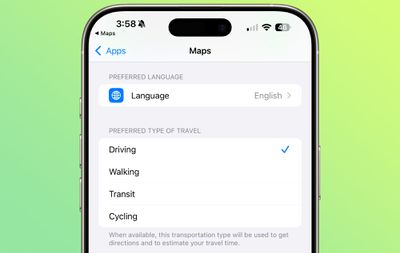
In the Apple Maps Settings, there is a new option to set a Preferred Language.
Podcasts Widget
There are new Library and Shows widgets that can be added to the Home Screen on an iPhone or iPad. The Library widget features saved content, while the Shows option displays shows that you are subscribed to.
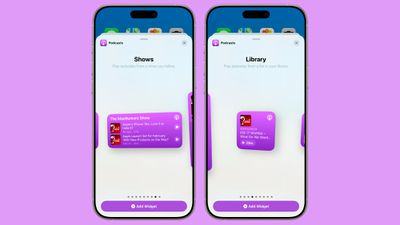
In the Podcasts app, if you tap on your profile picture, there are new options for Podcasts Settings and Notification Settings.
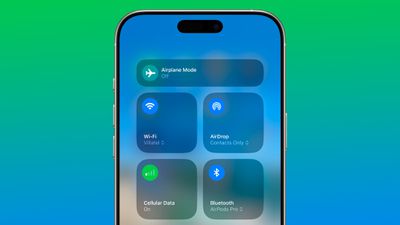
Cellular Control Center Toggle
The Cellular toggle in the Control Center now shows your cellular signal strength represented in bars.
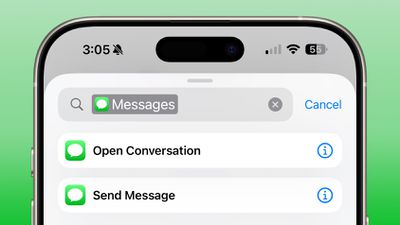
Shortcuts Actions
Apple added a new Shortcuts action to open a specific conversation in the Messages app.
CarPlay
Some CarPlay users are seeing a third row of CarPlay icons on the Home Screen rather than just two rows.
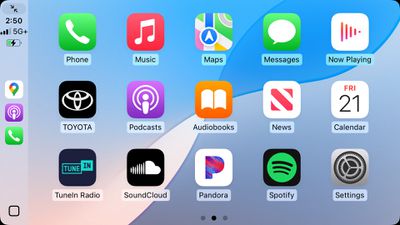 Image via the MacRumors Forums
Default Apps
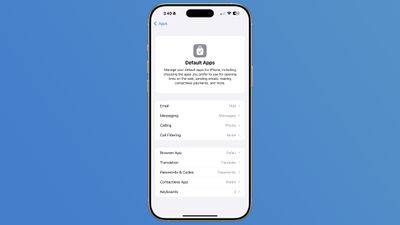
There is a new option to set a different Translation app as the default in the Default Apps section of the Settings app. In the EU, there is also an option to choose a different Navigation app.
Notification Center
The animation when swiping out of the Notification Center is now smoother.
Wi-Fi Calling Issue
Apple's developer notes for the update say that Wi-Fi Calling might not work for US Cellular customers in iOS 18.4. Apple says that users should revert to iOS 18.3 to enable Wi-Fi Calling.
Japan 'My Number Card' Support in Wallet
The iOS 18.4 beta appears to include integration for Japanese "My Number Card" Digital IDs in the Wallet app. Apple said last year that it would be adding support for the ID cards in spring 2025.
More than 100 million Japanese residents have My Number Card IDs.
MDM Changes
For enterprise and education users, Apple made some updates to Mobile Device Management. MDM can disable Apple Intelligence reports, Mail smart replies, Safari summarize content, and the Idle Reboot feature that causes iPhones to restart after inactivity.
There are also options for preventing the modification of default calling and messaging apps, and there is a feature that allows a nearby iPhone or iPad to be used to sign into a Mac with an Apple Account.
Vision Pro App and Guest Setup
For Vision Pro owners, Apple has designed a Vision Pro app for managing the headset. It's designed to help users find content and learn about new features, so it includes tools for downloading apps and visionOS content, a tips page, and a My Vision Pro section for setting up Personalized Spatial Audio and getting information like headset serial number.
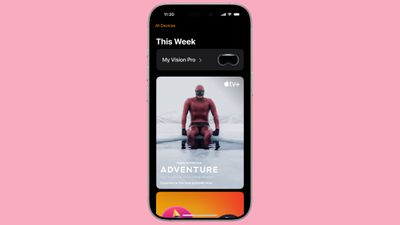
Guest setup can now be managed on an iPhone or iPad linked to a Vision Pro, making it easier for Vision Pro owners to let others test their headset. There are controls for limiting what apps a guest is able to use, and an AirPlay mode for guiding the guest through Vision Pro experiences. When a guest user puts on the Vision Pro, a prompt to enable Guest Mode will appear on the headset owner's device.
The Vision Pro app isn't in this beta, but it will be coming in a later iOS 18.4 beta.
New Emojis
There are no new emoji in the current beta, but iOS 18.4 code confirms a future beta will add new characters. New emoji will include bags under eyes, fingerprint, leafless tree, root vegetable, harp, shovel, and splatter.
iOS 18.4 Release Date
Apple plans to release iOS 18.4 to the public in April.
















































