Apple Releases iOS 17.0.2 and iPadOS 17.0.2 for All iPhones and iPads
Apple today released iOS 17.0.2 and iPadOS 17.0.2 updates, with the software coming five days after the releases of iOS 17.0.1 and iPadOS 17.0.1.
Today's iOS 17.0.2 and iPadOS 17.0.2 updates arrive as build 21A351 and can be downloaded on eligible iPhones and iPads over-the-air by going to Settings > General > Software Update.
Note that iOS 17.0.2 was previously made available for iPhone 15 owners, and those who purchased an iPhone 15 were prompted to install the update during the iPhone setup process.
Apple has now made iOS 17.0.2 available for all iPhones compatible with iOS 17 instead of limiting it to the iPhone 15, but iPhone 15 users already have the software and will not see the update.
According to Apple's release notes, iOS 17.0.2 fixes an issue that could prevent transferring data directly from another iPhone during setup, an issue that affected the iPhone 15 models. The iPad release notes are the same, but mention transferring from another iPad.
Popular Stories
Apple is about to release iOS 27, which will finally deliver more advanced Siri AI capabilities as well as a variety of other refinements, improvements, and new features to iPhones. It's Apple's biggest software update of the year, and Apple announced at Wednesday's iPhone event that it will be releasing iOS 27 sometime tomorrow – Monday, September 14.
iOS 27 won't be the only release on...
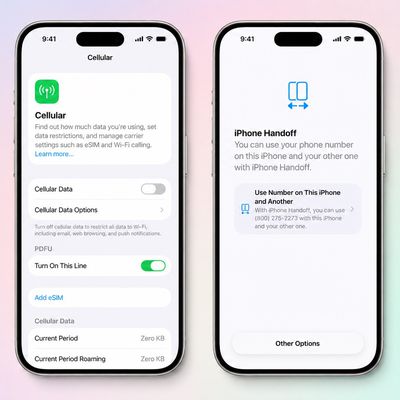
T-Mobile will charge customers $5 per month to use iPhone Handoff, an e-SIM feature that allows the same phone number to be used on two separate iPhones.
iPhone Handoff requires carrier support, and at launch, only T-Mobile users in the U.S. and Deutsche Telekom users in Germany will be able to use it.
T-Mobile says customers can use their number across two compatible iPhone models and...
As noted by Nicolas Lellouche, who writes for the French tech website Numerama, Apple has updated its tech specs pages for the iPhone 18 Pro and iPhone 18 Pro Max to clarify which models are equipped with its new C2 cellular modem and where.
Apple now says the iPhone 18 Pro has a C2 modem worldwide, while the iPhone 18 Pro Max uses the chip in every country except for the U.S.
According...