AirPods Find My Network Support Includes Tethering to Apple ID and New Manual Unpairing Process - MacRumors
Skip to Content

AirPods Find My Network Support Includes Tethering to Apple ID and New Manual Unpairing Process

Apple announced earlier this year that, with iOS 15 and iPadOS 15, the Find My Network will be able to locate AirPods Pro and AirPods Max. Now, it has emerged that this will be achieved by tethering the AirPods to a specific Apple ID, with an unusual system of covering the AirPods Pro's speaker holes to remove the linked account.
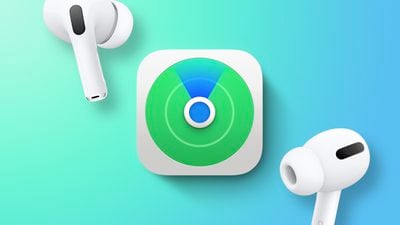
Find My AirPods Feature
First spotted by 9to5Mac, iOS 15 developer beta five code has confirmed that, to work with Apple's ‌Find My‌ Network, AirPods Pro and AirPods Max will need to be tethered to an ‌Apple ID‌. This means that even if a user connects someone else's AirPods to their device, they will remain tethered to the owner's ‌Apple ID‌.

To remove the configured ‌Apple ID‌ and disable connection to the ‌Find My‌ Network, such as when passing the AirPods to a new user, owners will have to follow a number of manual steps similar to the process for untethering an AirTag.

For AirPods Max, users need to hold down the Active Noise Cancelation button at the same time as the Digital Crown for 12 seconds. For AirPods Pro, users have to cover the interior and exterior grilles with their fingers while pressing the button on the stem three times in sequence.

Support for the ‌Find My‌ Network will likely come via an AirPods Pro and AirPods Max firmware update alongside iOS 15 and iPadOS 15 later in the fall. First and second-generation AirPods will not support the ‌Find My‌ Network.

Previously, all AirPods devices appeared in the ‌Find My‌ app, but were not remotely locatable using the ‌Find My‌ Network like an ‌AirTag‌, which uses low-energy Bluetooth to feed a device's location back to the owner via nearby iPhone or iPad.


Related Roundups: AirPods Max 2, AirPods Pro 3
Related Forum: AirPods

Popular Stories

iPhone 18 Pro Deep Red Feature

iPhone 18 Pro Launching Later This Year With These 12 New Features

Wednesday March 18, 2026 7:39 am PDT by
While the iPhone 18 Pro and iPhone 18 Pro Max are not expected to launch for another six months or so, there are already plenty of rumors about the devices. It was initially reported that the iPhone 18 Pro models would have fully under-screen Face ID, with only a front camera visible in the top-left corner of the screen. However, the latest rumors indicate that only one Face ID component...
imac video apple feature

Apple Released Yet Another New Product Today

Friday March 20, 2026 2:39 pm PDT by
Apple has unveiled a whopping nine new products so far this March, including an iPhone 17e, iPad Air models with the M4 chip, MacBook Air models with the M5 chip, MacBook Pro models with M5 Pro and M5 Max chips, the all-new MacBook Neo, an updated Studio Display, a higher-end Studio Display XDR, AirPods Max 2, and now the Nike Powerbeats Pro 2. iPhone 17e features the same overall design as...
ios 26 4 pastel

iOS 26.4: Top 10 New Features Coming to Your iPhone

Friday March 20, 2026 2:44 pm PDT by
iOS 26.4 isn't the major update with new Siri features that we hoped for, but there are some useful quality of life improvements, and a little bit of fun with an AI playlist generator and new emoji characters. Playlist Playground - Apple Music has a Playlist Playground option that lets you generate playlists from text-based descriptions. You can include moods, feelings, activities, or...

Top Rated Comments

anticipate Avatar
60 months ago
The old method only told you where you last used the airpods. The new method has Bluetooth LE pinging to the find my network much like an AirTag does now. It doesn’t have precision finding but will use Bluetooth to get you close.

Right now none of that is possible unless you attach an AirTag to your airpods case.
Score: 10 Votes (Like | Disagree)
svenning Avatar
60 months ago

Haven’t you always been able to locate AirPods with Find My? I don’t understand why this is billed as a new feature.
To my understanding (and someone please correct me if I’m wrong) currently the AirPods location in Find My is only based on when it was last connected to your own phone - in iOS 15 it will work more similar to airtags in that it will update the location if other idevices are nearby.
Score: 9 Votes (Like | Disagree)
joecomo Avatar
60 months ago

Haven’t you always been able to locate AirPods with Find My? I don’t understand why this is billed as a new feature.
not really - data was never up-to date and they got lost regularly from the "find my" app. Tracking was not usable for real-life settings.
Score: 8 Votes (Like | Disagree)
60 months ago

Where did you read that? Nothing in the article says you can locate your lost AirPods until someone physically picks them up and opens the lid, or maybe for the 45 minutes that the battery lasts if one of them is outside the case.
Apple literally said during the event that the AirPods Pro will be able to be located even inside the case.
Score: 6 Votes (Like | Disagree)
60 months ago

Where did you read that? Nothing in the article says you can locate your lost AirPods until someone physically picks them up and opens the lid, or maybe for the 45 minutes that the battery lasts if one of them is outside the case.
The article links to the announcement ('https://www.macrumors.com/2021/06/10/airpods-pro-airpods-max-find-my-network-support/') right at the start...

This is a great new addition. The ability to track it since it was last connected to my phone has never been useful for me. Especially if I go through the day with them, but not necessarily using them. I live in New York. So, I never leave the house without them in case I end up on a lengthy walk or on the subway. Even if I never open them, I like to carry them with me. But that also means that if I lose them while out, the last place it was located was at home. This has literally happened to me, but thankfully I remember where I left them.
Score: 5 Votes (Like | Disagree)
60 months ago

Yeah this seems rather odd - if anybody can do that without 'permission' from the original Apple ID then this is a very useless feature. Especially in the eyes of thieves who will just do this by default now...
I strongly suspect that won't be the case — it would be a ridiculous omission if it were.

Right now, if you reset an AirTag, or other Find My Network device like a Chipolo ONE Spot, it still remains tethered to the original owner's Apple ID unless they remove it from their Find My app. Much the same way Activation Lock works on an iPhone.

Apple calls this "Pairing Lock" and if it's already thought of this for a $29 AirTag, I can't believe that the $249 AirPods Pro and $549 AirPods Max wouldn't work in the same manner.

The fact that it's not "Activation Lock" suggests that anybody finding your AirPods could still use them with their own iPhone or other Bluetooth device, but they wouldn't be able to disassociate them from the Find My Network, so you'd still be able to track them down.
Score: 3 Votes (Like | Disagree)