Luna Display's Mac-to-Mac Display Feature Now Works Over Ethernet and Thunderbolt - MacRumors
Skip to Content

Luna Display's Mac-to-Mac Display Feature Now Works Over Ethernet and Thunderbolt

Astropad's Luna Display accessory that's able to turn an old iPad or Mac into a secondary display for a primary Mac was today updated with a new feature that's designed to allow Mac-to-Mac mode to work over Ethernet and Thunderbolt.
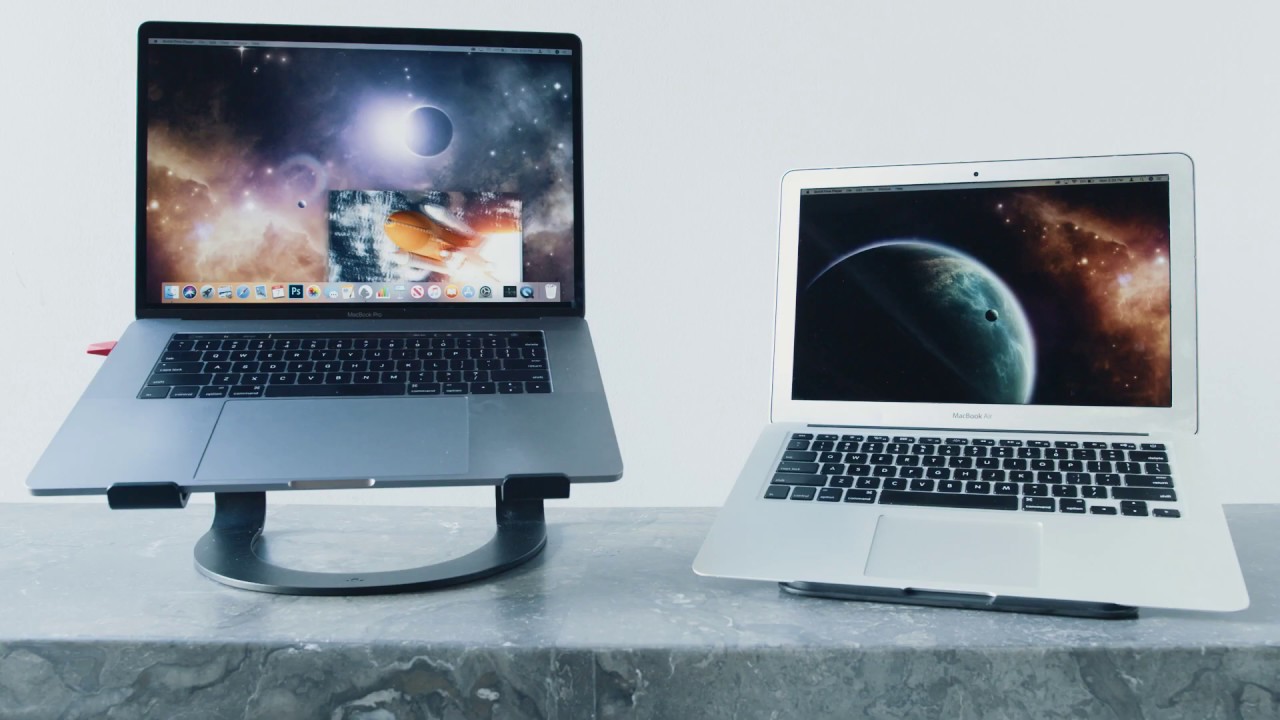

The Luna Display is an alternative to Apple's Sidecar, allowing an ‌iPad‌ to be used as a display for a Mac. Unlike ‌Sidecar‌, it works with other Macs, so you can use one Mac as a display for another Mac, something that's always been useful with machines like the iMac.

With a new 4.5 software update that's available today, the Luna Display can work with two Macs connected by Ethernet or Thunderbolt, which improves the Mac-to-Mac mode experience for users who have poor WiFi connectivity or would prefer to work with a wired connection. Prior to today's update, Mac-to-Mac mode was limited to the Luna Display's wireless connection.

The new software update brings other features including a battery indicator for a secondary device, secondary Mac keyboard enhancements, improved Retina support on M1 Macs, and for iPads, better compatibility with the 2020 iPad Air.

According to Astropad, Mac-to-Mac mode is an ideal alternative to Target Display Mode, a feature that Apple used to offer for older iMacs. Target Display Mode allowed an ‌iMac‌ to be connected to another Mac, with the ‌iMac‌ then serving as a display, but that functionality does not work with modern Macs.

The Luna Display allows an ‌iMac‌ to be used as a display for another Mac, but technically, it works with any two Mac combinations, so you can pair up two MacBooks, a Mac mini and a MacBook, or anything else.

The Luna Display is priced at $100 and can be purchased from the Astropad website.

Top Rated Comments

64 months ago

Needs retina support before I'd spend money on it.
Thanks for the callout. I've been very low key aware of product for some time, and have mused that it'd be nice to use my iMac as a display for the MacBook in some rare cases. Your post encouraged me to open their website and it is surprisingly very light on any sort of clear specifications.

Hiding in the depths of the help docs was confirmation:

Luna currently supports the secondary iMac as a non-retina display. The primary iMac and other secondary Macs will still display in retina resolution. [source ('https://help.astropad.com/article/226-retina-m2m')]
Score: 8 Votes (Like | Disagree)
macduke Avatar
64 months ago
Apple needs to bring back target display mode with the new iMacs, or at least the new iMac Pro whenever that comes out later this year or early next, and make it just work with any USB-C video connection. I'd love to run my Xbox Series X and PS5 through the iMac display using HDMI to USB-C. This is also a great feature for people who have small apartments and want to save on space. The new iMac Pro will probably be 32" 6K which is a nice size for a small apartment in the city.


Score: 4 Votes (Like | Disagree)
JosephAW Avatar
64 months ago
In other news Apple releases new display over ethernet on older computers with next macOS. :rolleyes:
Score: 4 Votes (Like | Disagree)
64 months ago
Apple’s gonna Sherlock the **** outta this.
Score: 4 Votes (Like | Disagree)
Sneakz Avatar
64 months ago
Needs retina support before I'd spend money on it.
Score: 4 Votes (Like | Disagree)
64 months ago

Needs retina support before I'd spend money on it.
Yeah, I'd want proper support for my 27" iMac's 5k display, and have decent enough latency for typical office work (software dev in my case). Solutions I've tried (e.g. Duet) don't support the full resolution and look pixelated on the 5k display, and latency is bad enough that I don't want to use it, even over ethernet. And I could run a TB3 cable between my MacBook Pro and iMac if that helps.


Thanks for the callout. I've been very low key aware of product for some time, and have mused that it'd be nice to use my iMac as a display for the MacBook in some rare cases. Your post encouraged me to open their website and it is surprisingly very light on any sort of clear specifications.

Hiding in the depths of the help docs was confirmation:
That page ('https://help.astropad.com/article/226-retina-m2m') was last updated Feb 3rd. I wonder if this latest release, with TB3 support can do iMac 5k resolution, and they just haven't updated the page? TB3 is enough bandwidth for that at least.
Score: 3 Votes (Like | Disagree)